Sales email automation is the use of software to send, sequence and follow up on sales emails without a rep triggering each step by hand. The useful version goes further: it starts outreach when an account or buyer does something that makes the message timely.
TL;DR: Basic automation sends on a schedule. Effective sales email automation has four parts: strong triggers, modular sequences, personalization tied to real activity, and integrations with CRM and intelligence tools. Measure it on pipeline and conversion, not opens. Keep human review for executive first touches, and use AI agents to improve the trigger before the email is written.
Your team already knows how to send email. That usually isn't the problem.
The problem is familiar. Reps build a list, write a decent sequence, load it into a sales engagement tool, hit send on Tuesday morning, and wait for replies that barely come. The copy isn't terrible. The targeting isn't random. But the outreach still lands flat because nothing in the message answers the buyer's real question: why are you reaching out right now?
My view: reps have no problem sending lots of emails. With automation you can send hundreds a day. The question is why you are reaching out and what you are going to say.
That's where sales email automation either helps or hurts. Basic automation sends faster. Intelligent automation sends with context. One fills calendars with scheduled tasks. The other gives reps a reason to start a conversation when an account is changing.
The gap between those two approaches is wider than often supposed. If you want more than mechanical follow-up, you need an intelligence layer that turns account activity into timely outreach.
Beyond the Blast Why Your Sales Team Needs Automation
A common scene in B2B sales looks like this. A manager asks the team to push a quarter-end campaign into a target segment. Reps pull contacts from the CRM, marketing adds a few intent clues, someone writes a sequence, and the whole thing goes out in volume.
Then the postmortem starts. Open rates look acceptable. Reply quality is weak. Meetings are sparse. Reps say the market feels noisy.
What usually failed wasn't effort. It was timing and relevance.
Sales email automation matters because it changes how the team works. Instead of asking reps to remember every follow-up, every nurture step, and every trigger manually, automation handles the routine layer. That alone reduces dropped balls. But the bigger shift is strategic. Good automation lets the team react to what the buyer is doing, not just to an internal send calendar.
There's a big difference between these two motions:
- Dumb automation: a fixed sequence that fires because three days passed.
- Smart automation: a message that fires because a prospect visited a pricing page, a new executive joined, or the account announced a strategic initiative.
- Operational value: one saves rep time. The other creates a credible reason to engage.
Teams exploring sales automation software options for pipeline generation usually discover this quickly. The software itself doesn't create results. The workflow design does.
Practical rule: If your automation can't explain why this account should hear from you today, it's just scheduled noise.
That's why automation isn't about replacing judgment. It's about preserving rep attention for the moments that deserve it, while the system handles consistency in the background.
What Is Sales Email Automation Really
Sales email automation is often described as sending emails automatically. That definition is too thin to be useful.
A better way to think about it is this. Basic automation is an alarm clock. It goes off at the time you set, whether you slept badly, whether traffic is jammed, or whether your first meeting moved. Intelligent sales email automation acts more like a capable assistant. It watches what's happening, understands your priorities, and prompts the next move when the timing is appropriate.
Basic automation is scheduling
At the simplest level, automation handles repeatable tasks:
- Follow-up timing: send the next email after no reply.
- Task creation: remind the rep to call after an email opens or a link is clicked.
- Lead routing: assign contacts into the right queue based on territory, segment, or stage.
- Sequence consistency: make sure every lead gets a complete cadence instead of a one-off message.
Sales teams are busy, and memory is unreliable. A rep might intend to follow up with ten warm opportunities and still miss six of them because the week gets crowded.
Real automation is relevance at scale
The more important version of sales email automation isn't about schedule discipline. It's about using behavior and account context to decide when a message should go out and what it should say.
That means the workflow changes from “day 1, day 4, day 8” to something closer to this:
- A target account posts a job opening tied to a new initiative.
- The system flags that change.
- The rep gets context on why the signal matters.
- Outreach references the initiative, the likely stakeholder concern, and the reason this is a timely conversation.
That's not just automation. That's automated relevance.
Be careful with the automation benchmarks that circulate. Most come from ecommerce marketing email, such as abandoned-cart flows, and do not transfer to B2B sales outreach. Judge your own program on human replies, meetings and pipeline.
Automation works best when it automates judgment inputs, not just sending actions.
What modern teams should expect
A useful automation setup should help a team do three things well:
| Capability | Weak setup | Strong setup |
|---|---|---|
| Timing | Sends on a fixed cadence | Reacts to buyer and account signals |
| Message quality | Generic template with token fields | Context tied to real activity |
| Rep workflow | More sequence management | More time for calls, strategy, and live deals |
If your current setup mostly schedules emails, you've automated labor. If it reacts to signals and improves relevance, you've automated part of the thinking process that drives pipeline.

“There's been a big focus on hyper personalization and relevance in our outbounding efforts. Salesmotion has been a key partner in hitting our significantly increased meeting targets. What stands out is how simple it is. Reps can log in and get valuable account insights within 30 seconds to a minute.”
Joe DeFrance
VP of Sales, Incredible Health
The Four Core Components of Effective Automation
A workable sales email automation system has four moving parts. Miss one and performance slips fast. A common focus is on sequences because they're visible. However, substantial gains usually come from the other three.
Triggers decide when outreach starts
Triggers are the “if this happens” events that launch a workflow.
Some are basic. A prospect downloads a guide, attends a webinar, or clicks a product link. Others are stronger because they reflect real business motion: a funding event, an earnings call mention, new hiring tied to a function you serve, or repeat visits to a pricing page.
The quality of the trigger matters more than the cleverness of the sequence. If the trigger is weak, the sequence starts with a weak premise.
A simple B2B example: if a cybersecurity prospect watches a demo and then brings two colleagues to the pricing page, that's a materially better trigger than “contact entered a list.” One shows active evaluation. The other just shows database membership.
Sequences carry the conversation forward
Sequences are the operational spine. They define what happens after the trigger fires.
A strong sequence doesn't just stack emails on a calendar. It mixes channels and intent. Email one may open the conversation with context. Step two may create a task for a rep to review account notes. Step three might send a short follow-up tied to a different stakeholder concern. If there's still no engagement, the workflow can pause rather than keep pushing low-value touches.
What works:
- Short, modular steps: easier to adjust than giant rigid cadences.
- Branch logic: different next actions for opens, clicks, replies, and silence.
- Exit conditions: stop automations when the account moves into an active conversation.
What doesn't work:
- Overlong cadences: too many touches dilute urgency.
- Single-message repetition: same angle, same CTA, same wording.
- No human checkpoints: reps lose context and send low-judgment follow-ups.
Personalization makes the message believable
Personalization is not putting a first name and company name into line one.
Real personalization ties the outreach to behavior, priorities, and likely pain. It might reference product page activity, content consumed, a newly hired executive, or a strategic move the company just signaled publicly.
This is also where segmentation matters. Effective segmentation relies on behavioral and account data such as page visits, content downloads, leadership changes and hiring activity.
A sequence feels personal when the recipient can tell you noticed something specific, not when the template says “Hi Sarah.”
For sales leaders trying to tighten inbox placement while increasing relevance, this is also where message quality and targeting overlap with email deliverability best practices for outbound teams.
Integrations make the system usable
Automation breaks down when data stays trapped in separate tools.
Your CRM should know account ownership and stage. Your engagement platform should know what's been sent. Your enrichment and intelligence tools should add fresh context. Calendar, Slack, and task systems should route action to the right person without manual copying.
Here's what each integration contributes in practice:
- CRM integration: ownership, stage, account history, and pipeline visibility.
- Engagement platform integration: sequence management, reply handling, and pause logic.
- Intelligence integration: triggers from job postings, news, earnings, hiring, and leadership changes.
- Internal workflow integration: alerts into Slack or task systems so reps act while the signal is still fresh.
When these four components work together, automation stops being a sending tool and becomes a coordinated operating system for outbound.
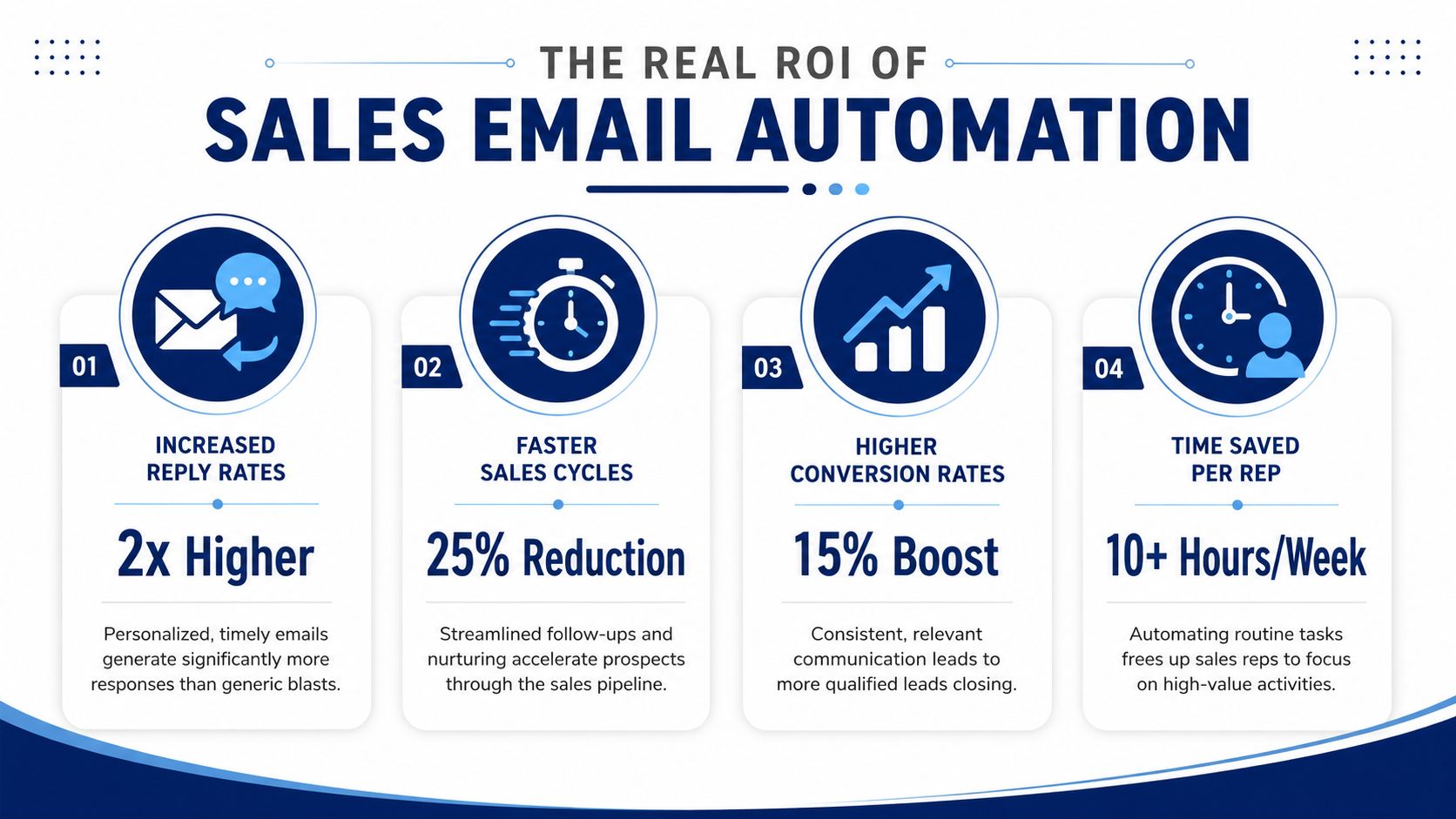
The Real ROI Measuring What Truly Matters
The ROI case for sales email automation gets stronger when you stop arguing about vanity metrics.
Opens and clicks can point to issues. They do not prove revenue impact on their own. Revenue leaders care about pipeline creation, lead conversion, sales productivity, and cycle speed. That's where automation earns budget.
The value of automation isn't volume. It's putting the right message in front of the right account at the right time, consistently.
What leaders should track
A useful measurement model looks like this:
- Pipeline contribution: how many qualified opportunities started from automated outreach.
- Speed metrics: whether lead response and opportunity progression improved.
- Rep productivity: whether reps spend less time on admin and more time in live selling.
- Revenue attribution: whether triggered sequences influence closed-won revenue, not just engagement.
What it means operationally
Any return only matters if it changes daily execution. For many teams, the practical impact shows up in a few places:
| Metric category | What to ask |
|---|---|
| Efficiency | Are reps spending less time writing repetitive follow-ups? |
| Conversion | Are triggered flows producing better opportunities than batch sends? |
| Sales motion | Are opportunities moving faster after signal-based engagement? |
| Investment case | Can RevOps tie the automation layer to pipeline created or influenced? |
Sales intelligence ROI frameworks for revenue teams are useful here because they force a better question than “Did the sequence perform?” The right question is “Did the system help reps engage the right accounts at the right moment and convert more of that attention into pipeline?”
If automation only saves time, it's useful. If it improves timing, relevance, and conversion, it becomes a growth lever.

“This is my singular place that very simply summarizes a company's top initiatives, strategies and connects them to my solution. Something I would spend hours researching manually, now it's automated.”
Derek Rosen
Director, Strategic Accounts, Guild Education
Common Pitfalls That Kill Your ROI
Automation doesn't fail because the idea is bad. It fails because teams automate the wrong things, at the wrong level, with too little oversight.
Weak triggers create fake precision
A lot of workflows look advanced on paper but are built on weak reasons to reach out. “No reply after four days” is an internal timing rule, not a buyer signal. “Added to list” is administration, not intent.
When the trigger is generic, the copy becomes generic too. Reps end up sending messages that sound polished but hollow. Buyers can feel that immediately.
A better filter is simple. Ask whether the event changes the buyer's priorities, urgency, or openness to a conversation. If the answer is no, it probably shouldn't trigger outbound.
A salesperson at an industrial engineering firm told us he sends about 150 emails a week from a contact database and still does not know whether any of them reach the person running the project. A list is not a trigger.
Over-automation damages high-value relationships
Many teams frequently overreach. They assume that if automation works in the middle of the funnel, more automation must be better at the top of strategic accounts.
That isn't always true. Automated first-touch emails to C-suite prospects at high-value accounts tend to read as automated, and executives are the readers least willing to forgive it. Gong's data shows C-level executives are 30.2% less likely to reply to cold email than non-executives.
That should change how leaders think about coverage.
- Use automation for the volume layer: mid-market prospecting, nurture, follow-up consistency, and triggered reminders.
- Use human writing for strategic first touches: executive outreach, complex multi-stakeholder accounts, and large expansion plays.
- Use automation to prepare the rep: gather context, suggest angles, draft options. Don't always let it send.
One rule I would add for the reply itself: email reply rates are so low that if you get a reply, a human should always jump in.
Robotic copy exposes the machine
Poor automation copy has obvious tells. It overexplains. It uses broad statements about “helping teams scale.” It references industry pain without tying it to anything the account is doing.
That style doesn't fail because buyers hate automation. It fails because it sounds like nobody did the work.
The problem usually isn't that the email was automated. It's that the recipient can tell no one had a credible reason to send it.
Deliverability neglect turns a workflow into a liability
Even strong messaging can stall if the team ignores channel health. If engagement patterns suddenly move outside normal bounds, something is off. That might be inbox placement, a broken link, bad copy, list quality, or sequence logic.
The safest operating habit is regular review, clear pause conditions, and fast investigation when campaign behavior looks abnormal. Teams that automate aggressively without monitoring often keep sending long after the workflow has already gone bad.
The Next Leap Intelligent Automation with AI Agents
Most automation platforms are good at orchestration. They can send, branch, pause, and assign. What they usually can't do well on their own is decide which account changes matter and why a rep should care.
That's the next leap. The intelligence layer sits above the workflow and improves the quality of the trigger before the email ever goes out.
Why signal quality changes everything
Weak automation starts with weak “why now.” A rep reaches out because a sequence says it's time. Intelligent automation starts with a sharper prompt: the company just hired a new CRO, opened roles that suggest a systems rollout, mentioned an initiative on an earnings call, or showed digital behavior that points to active evaluation.
That distinction matters because AI-driven personalization only helps when it's grounded in relevant data. Salesmotion's own campaign data shows the limit of triggers alone: cold email anchored to a hiring signal drew no human replies from 459 leads (cold outreach data). The signal has to be relevant to what you sell, and the message has to say why.
What AI agents actually do in practice
The useful model isn't “AI writes emails.” That's too narrow and often not the hardest part of the job. The more valuable model is a set of specialized agents that gather context, monitor change, and turn both into actionable outreach.
One example is AI agents for sales teams that monitor account signals and support outreach. In that model, three jobs get split clearly:
- Research Agent: builds structured account context from public sources such as earnings calls, press releases, job postings, executive activity, and company updates.
- Signal Agent: watches target accounts continuously and flags changes that are worth acting on, then explains the likely sales relevance.
- Outreach Agent: turns the context and trigger into draft outreach tied to a real initiative, stakeholder priority, or account event.
Salesmotion is one platform built around that three-agent approach. Used well, that setup doesn't replace rep judgment. It shortens the time between “something changed” and “someone reached out with a credible point of view.”
The practical difference between old and new automation
Traditional rule-based automation says:
- Wait three days.
- Send follow-up.
- Wait five days.
- Send another follow-up.
An intelligence-led system says:
- Monitor the account continuously.
- Detect a meaningful change.
- Explain why that change matters to your deal or territory.
- Draft outreach anchored to the signal.
- Let the rep review, adjust, and send.
That's a different operating model. It shifts the value from sequence volume to trigger precision.
Better automation doesn't come from adding more steps. It comes from feeding the workflow better reasons to act.
For revenue leaders, that's the primary upside of AI agents. They make automation more selective, more contextual, and more useful to the rep who still owns the conversation.
Your Implementation Checklist
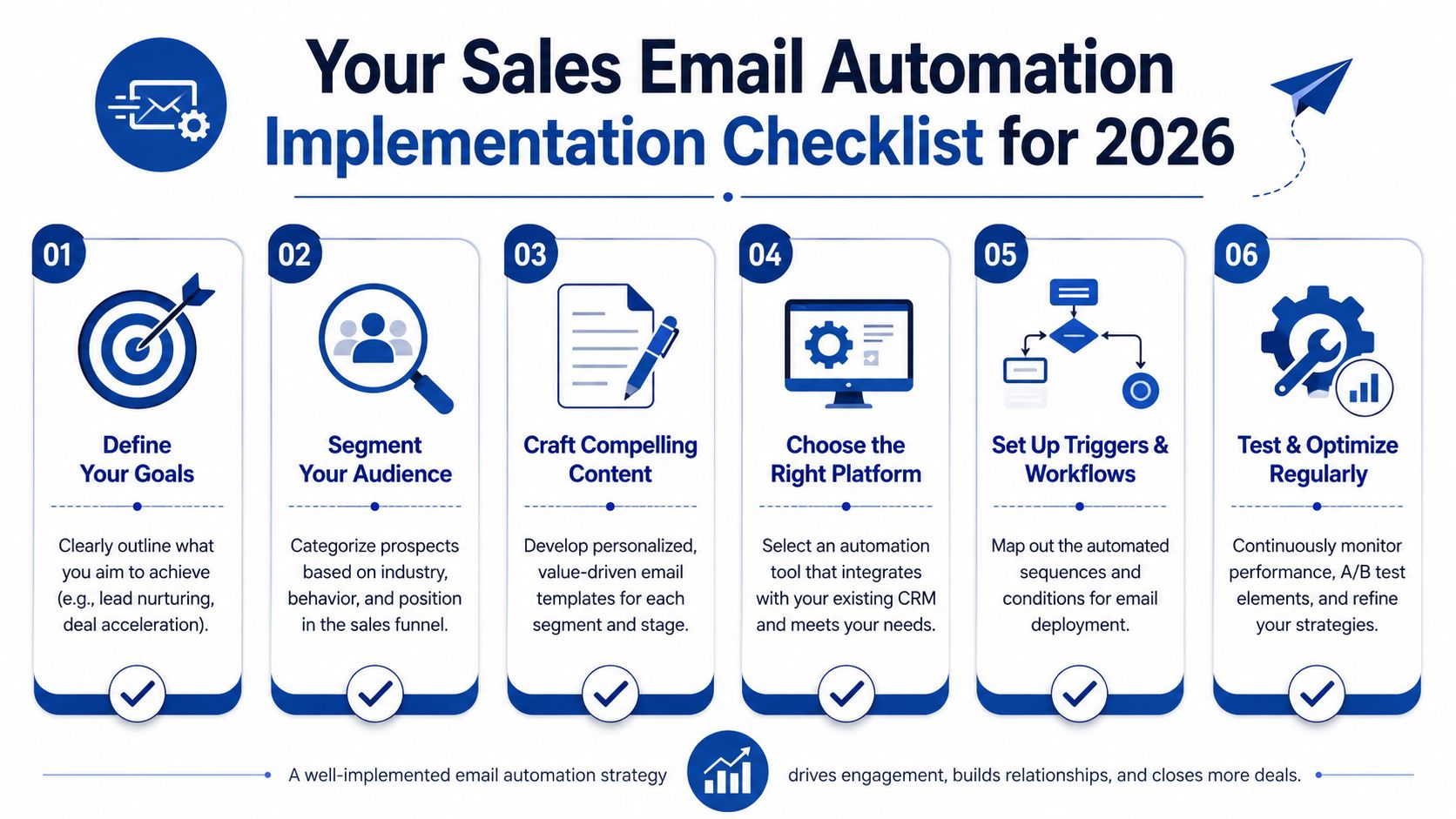
The fastest way to improve sales email automation is to tighten the system before you expand it.
Start with the basics:
- Define one commercial goal: focus on a real business outcome such as better lead conversion, cleaner follow-up coverage, or faster movement from first engagement to opportunity.
- Audit your trigger quality: list every workflow trigger currently in use and cut the ones that don't reflect actual buyer or account change.
- Map your signal sources: pull in CRM stage data, engagement data, website behavior, hiring signals, leadership changes, and account news where relevant.
- Build modular messaging blocks: create intros, value angles, proof points, and calls to action that reps can swap based on trigger type.
- Set human override rules: decide where automation can send on its own and where rep review is mandatory, especially for executive outreach.
- Review actively: set alerts on bounce, spam-complaint and unsubscribe rates, pause any automation that crosses your threshold, and review active automations monthly.
The goal isn't more automation. It's better-triggered automation. When the signal is strong, the workflow gets simpler, the copy gets sharper, and the rep has a much better chance of starting a real conversation.
If you want to make sales email automation more signal-driven, Salesmotion is one option to evaluate. It adds account research, real-time signal monitoring, and AI-generated outreach support so reps can work from live context instead of generic sequences.