You're parked outside the prospect's office. The meeting starts in seven minutes. You're flipping between a CRM note from last quarter, a LinkedIn profile, an old deck, and a half-remembered email thread trying to answer basic questions: Who's in the room? What changed at the account since the last call? What does the CFO care about versus the VP? Why is this meeting happening now?
That scramble is avoidable. It's also expensive.
Sales executives spend approximately 34% of their total work week on non-sales activities like manual research, and 68% of buyers reject salespeople who fail to demonstrate a clear understanding of their specific business challenges within the first five minutes of a meeting, according to Salesforce's State of Sales research summary. If your prep process still depends on stitching together tabs before you walk in, you're not just wasting time. You're increasing the odds of a weak opening.
A strong executive summary for sales meetings fixes that. Not the bloated version buried in a proposal. The pre-meeting version. One page. Fast to scan. Sharp enough to reset your thinking before you walk through the door.
Why Your Pre-Meeting Summary Is Your Most Critical Asset
Most reps think of the executive summary as paperwork. Good reps know it's a decision tool.
The difference shows up right before the meeting. One rep walks in with generic talking points and a vague memory of the discovery call. Another walks in with a crisp brief that says: this company just changed leadership, these are the three people in the room, here's what they likely care about, here's our relationship history, and here's the meeting objective in plain English.
That second rep sounds prepared because they are prepared.
Static summaries fail when the room changes
A static document gives you false confidence. It may include the company overview, maybe a few notes from the account plan, maybe some old industry stats. But if it doesn't reflect what changed recently, it won't help you open with relevance.
That matters because buyers judge fast. They don't need your whole solution in the first few minutes. They need proof that you understand their world right now.
Practical rule: Your pre-meeting brief should answer five questions in under a minute: who's here, what changed, what matters, why now, and what outcome you want from the meeting.
The easiest way to pressure-test your current process is simple. Ask yourself whether your brief would still be useful if a new executive joined the call this morning, or if the company mentioned a new priority on an earnings call yesterday. If the answer is no, you don't have a briefing document. You have a stale note.
The brief should work in the car, lobby, and conference room
The best executive summary for sales meetings isn't written for record-keeping. It's written for live use.
You review it in the car. Your manager reads it before joining. Your AE uses it to open. Your SE uses it to stay aligned. If the document can't do that, it's too dense, too old, or too generic.
If your team needs a better prep habit before they ever touch the summary itself, start with a tight pre-call research checklist for B2B meetings. The summary should be the output of that work, not a substitute for it.
See Salesmotion in action
Take a self-guided interactive tour — no signup required.
The Anatomy of a One-Page Power Brief
A one-page brief forces discipline. That's the point. When space is limited, weak inputs get exposed fast.
The best briefs don't try to impress the buyer with volume. They help your team enter the meeting with a point of view. That means every line on the page earns its place.
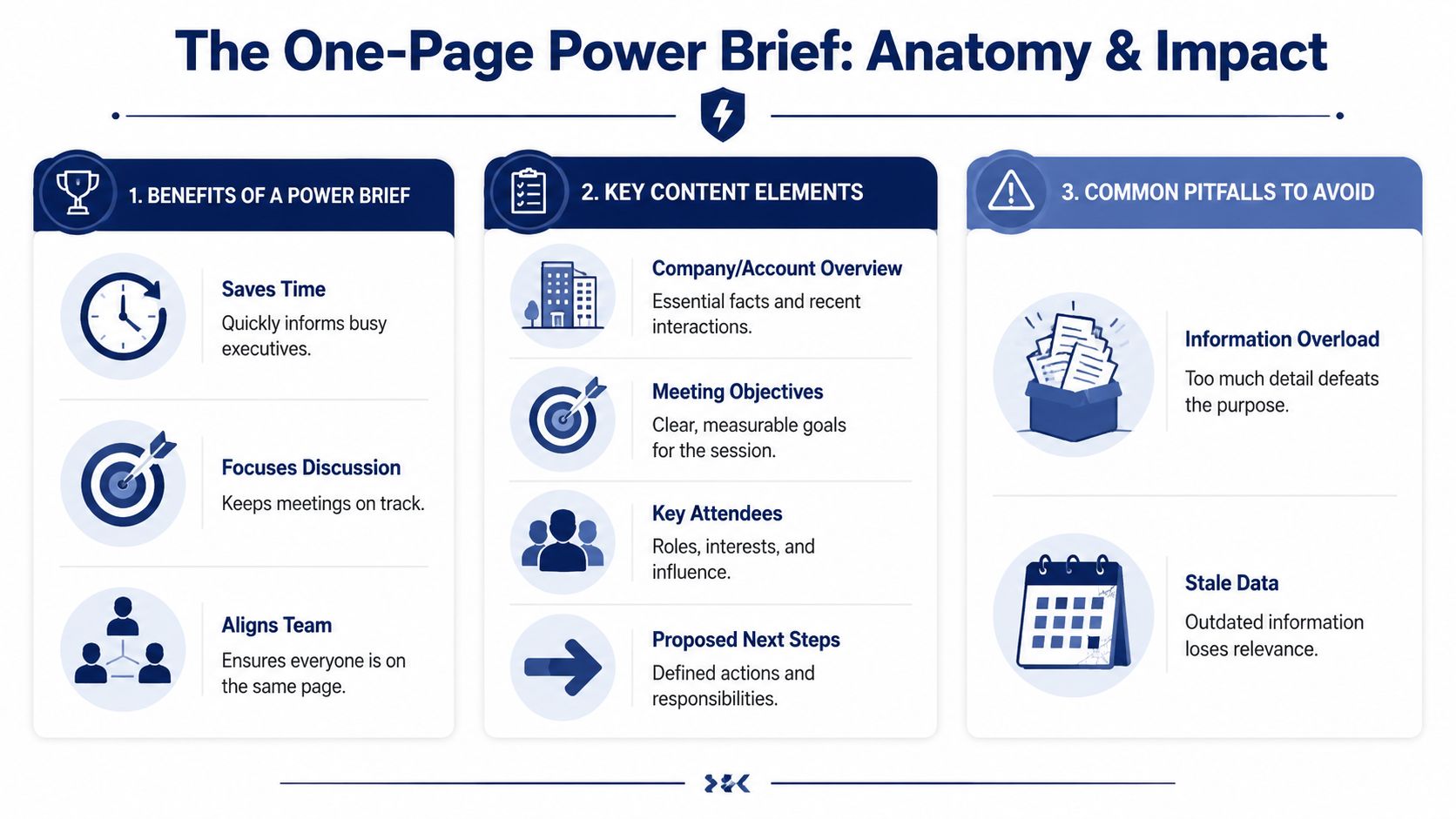
A 2025 McKinsey analysis found that 72% of lost deals were attributed to a failure to personalize the opening narrative based on the client's specific current context, while teams that anchored their pitch to recent, specific signals achieved a 2.5x higher engagement rate, as cited in Wrike's executive summary example article. That should settle the argument about whether personalization belongs in the brief. It does.
What belongs on the page
Here's the content that consistently earns space.
- Company overview: Keep this tight. Include what the company does, current strategic direction if known, and the business context that matters for your conversation. This is not the place for a mini annual report.
- Meeting attendee bios: List each attendee, their title, likely priorities, level of influence, and any known connection to your deal. A CFO and a CIO do not read the same meeting through the same lens.
- Recent company developments: Add the signals that create urgency or shape the conversation. Executive hires, funding, public statements, competitive mentions, product launches, org changes, or hiring patterns can all matter if they connect to your value.
- Existing relationship history: Include prior meetings, open action items, champion status, objections already raised, and any commitments your team made. Here, continuity is maintained.
- Meeting objectives: State what success looks like for this meeting. Not “build rapport.” Something concrete like validating a problem, securing technical next steps, aligning on evaluation criteria, or gaining access to another stakeholder.
- Proposed next steps: End with what you want to leave with if the meeting goes well. That gives the team a clear target.
A good executive briefing template for sales prep helps standardize this without turning the output into boilerplate.
What to cut without hesitation
Bad briefs usually fail because they include too much, not too little.
If a detail doesn't help the rep ask a better question, frame a sharper opening, or handle the room more intelligently, it probably doesn't belong.
Avoid these common filler sections:
| Include | Leave out |
|---|---|
| Recent, account-specific developments | Generic industry data with no clear tie to the account |
| Real relationship history | Old meeting notes pasted in full |
| Relevant attendee context | Irrelevant financial detail that won't affect the conversation |
| Clear meeting objective | Broad product copy |
| Next-step target | Old news that no longer changes your approach |
A plausible example
Say you're meeting a software company's CEO, CFO, and VP of Sales. The wrong brief opens with market trends, total employee count, and two paragraphs about your platform.
The right brief opens with: new CRO hired last month, CEO recently discussed efficiency and execution in public remarks, CFO is likely focused on budget discipline, team has already reviewed your category but hasn't aligned on timing, and the objective today is to confirm whether the leadership change creates a live initiative that merits a formal evaluation.
That's a brief people use.

“Salesmotion empowers me to cultivate a great buyer experience. I'm able to challenge prospects' thinking and be a trusted consultative seller. A major part of this is Salesmotion insights.”
Austin Friesen
Account Executive, FY25 #1 President's Club, Clari
Structuring Your Summary for a 15-Second Scan
Even strong content fails if the layout hides the point.
Senior leaders don't read pre-meeting briefs the way marketers read whitepapers. They scan. Fast. A 2025 Gartner study on executive information consumption found that 87% of C-level decision-makers will skip a document entirely if the primary insight is not visible within the first 3 lines, according to Coursera's write-up on executive summaries. That's why format isn't cosmetic. It's operational.
Put the answer at the top
Use an inverted pyramid. The most important information goes first.
The first three lines should tell the reader:
- Why this meeting matters now
- What problem or opportunity is likely driving attention
- What outcome your team wants from the conversation
Don't warm up with background. Don't bury the lead under company description. Lead with the takeaway, then support it.
Build for scanning, not reading
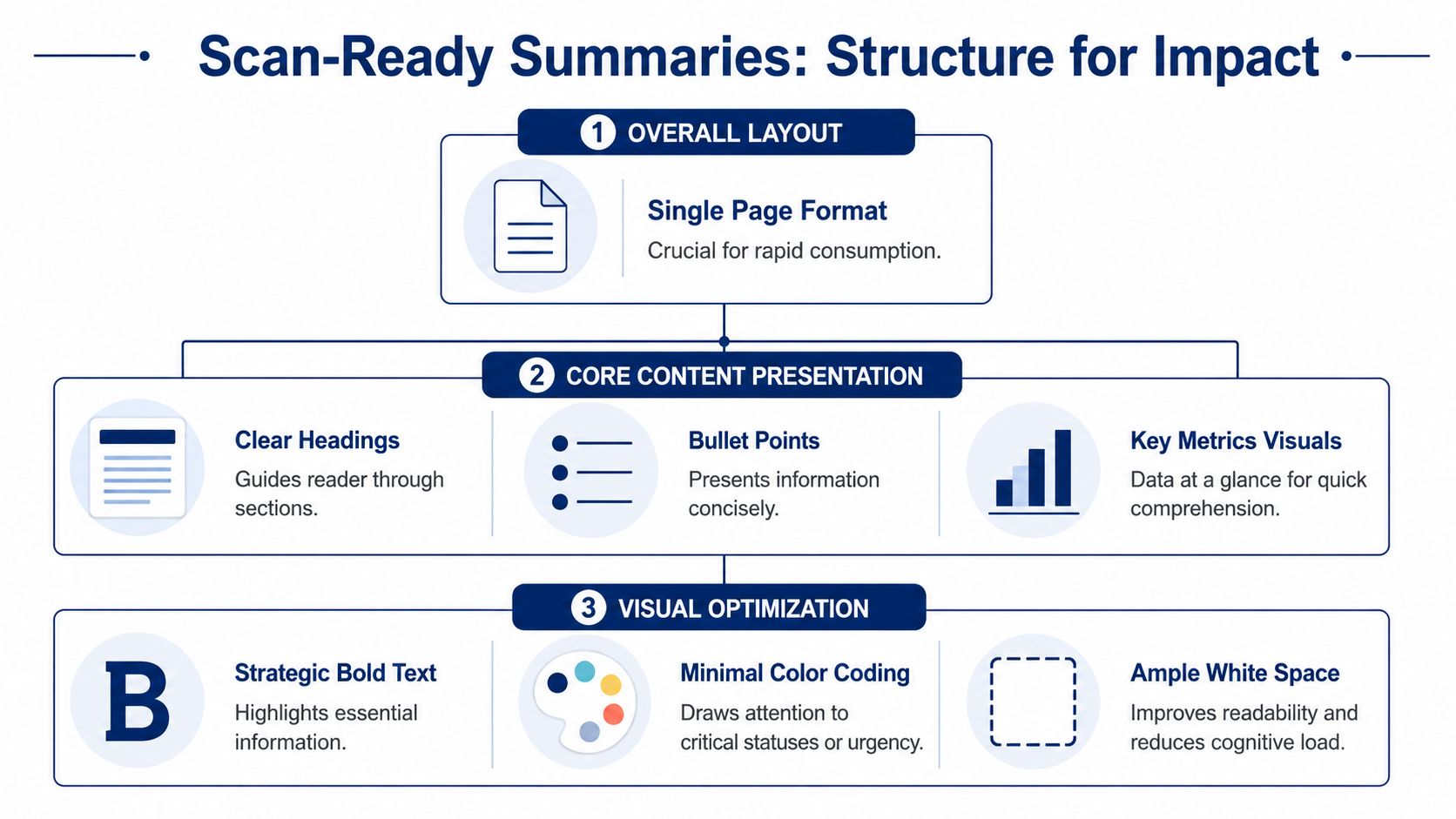
A strong page usually has clear section labels, short bullets, and selective bolding. It should feel easy to consume at speed.
Use formatting like this:
- Headline or opening insight: One or two lines only
- Attendees: Names, titles, role in decision
- What changed recently: Account-specific signals
- Relationship history: Prior touchpoints and open threads
- Meeting objective: Desired outcome for this conversation
- Next steps: Best-case exit criteria
A pre-meeting brief should feel like cockpit instrumentation. You should be able to find what you need instantly.
What good layout looks like in practice
A weak summary is usually written like a memo. Dense paragraphs. No hierarchy. Important facts buried in the middle.
A strong executive summary for sales meetings looks more like a field guide:
- short sections
- obvious labels
- room to breathe
- bold used to signal the few things that matter most
Use white space generously. Keep bullets short. If you include metrics or talking points, place them where the eye naturally lands near the top or in the middle of the page, not buried at the bottom.
One page also forces better prioritization. If something isn't important enough to survive that constraint, it probably isn't important enough to guide the meeting.
The 24-Hour Rule Turning Static Docs into Live Intel
The best pre-meeting summaries are not finished when they're first drafted. They're finished when the meeting is close enough for timing to matter.
That's the shift many sales groups miss. They build a decent summary three or four days before the call, save it, and treat it like done work. Then the account changes. A leader joins. A press release drops. A competitor gets mentioned in a public forum. Suddenly the summary is still accurate, but no longer useful.
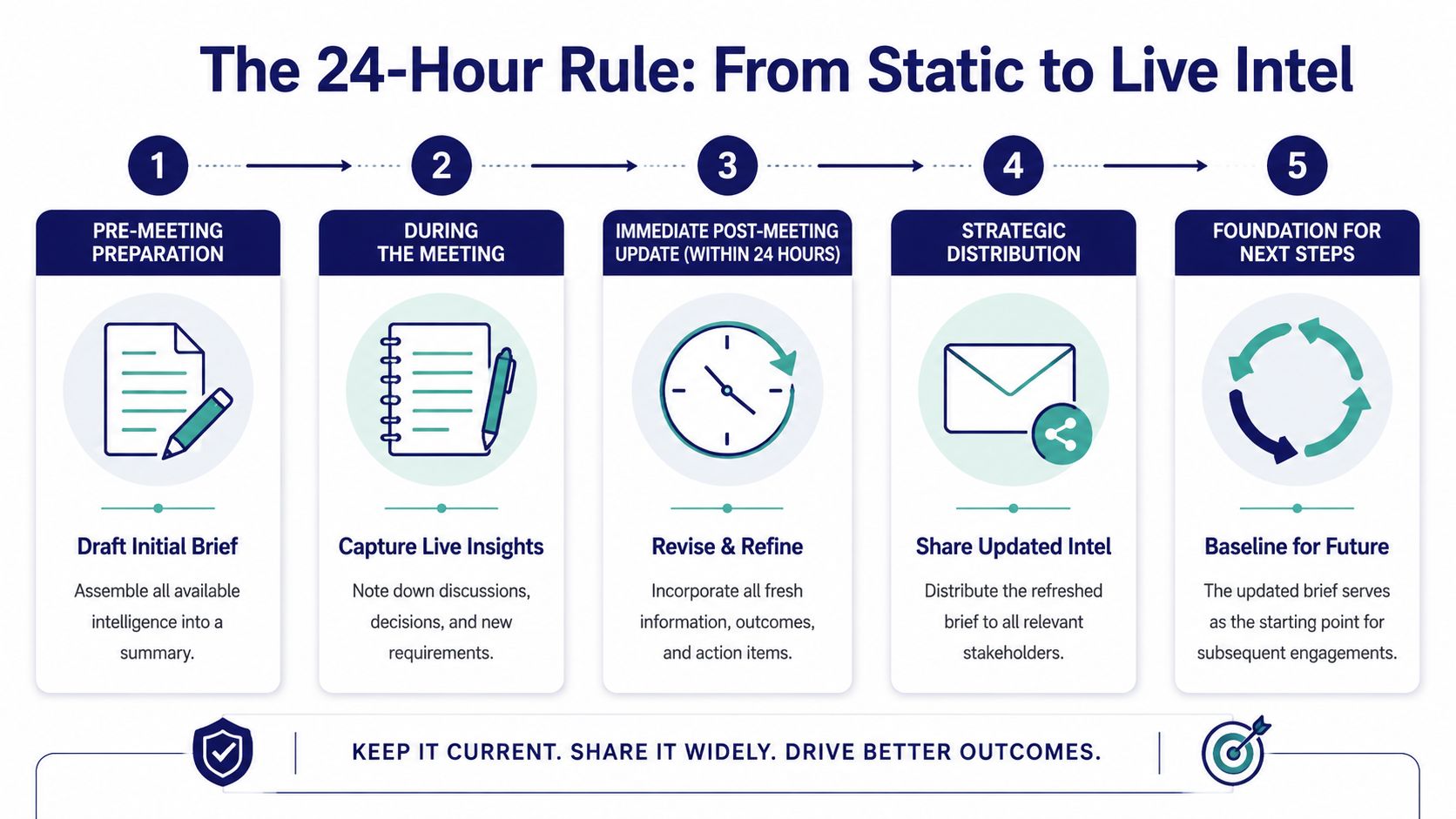
Research from the Harvard Business Review in 2024 showed that deals where the sales team failed to incorporate recent account developments, such as news within the last 48 hours, suffered a 34% lower conversion rate compared to teams that used real-time data, as cited in Monday.com's business executive summary template article. That's why the 24-hour refresh isn't a nice-to-have. It's the minimum standard for serious meeting prep.
What to refresh right before the meeting
The final pass should focus on signals that can change your opening, your questions, or your angle.
Check for:
- Executive movement: New CRO, CFO, or business unit leader
- Public company signals: Earnings call themes, guidance changes, competitor mentions
- Commercial momentum: Funding, expansion, new office, layoffs, strategic partnerships
- Org evidence: Hiring trends, open roles, team restructuring
- Relationship changes: New internal stakeholder added, champion gone quiet, shifted meeting attendees
A lot of teams now rely on real-time account monitoring tools for sales teams because this work is too easy to miss manually, especially across a large book of accounts.
Why old news hurts more than no news
Old information creates bad confidence. You think you're prepared because you have a document, but the document points your team toward yesterday's conversation.
If your brief hasn't been checked within the last 24 hours, treat every urgency statement inside it with suspicion.
There's also a practical trust issue. Buyers notice when you cite something outdated or miss a development that's already public. It signals shallow preparation. By contrast, when you reference a fresh development and connect it to the meeting naturally, the conversation starts with relevance instead of recovery.
The 24-hour rule fixes that. Draft early if you want. Finalize late.

“We have very limited bandwidth, but Salesmotion was up and running in days. The template made it easy to load our accounts and embedding it in Salesforce was simple. It was one of the easiest rollouts we've done.”
Andrew Giordano
VP of Global Commercial Operations, Analytic Partners
Automating Your Intel with AI-Powered Summaries
Manual prep breaks first at scale. One rep can do deep research on a handful of strategic accounts. A team can't do that consistently across dozens of meetings every week without quality slipping.
That's where AI-generated summaries become practical, not trendy.
A 2024 Deloitte survey reported that sales teams using AI-generated account briefs reduced their pre-meeting preparation time by 4.2 hours per week while increasing the quality of their “why now” arguments by 38%, according to Dock's sales executive summary resource. That's the true promise of automation. Not replacing judgment. Removing the manual assembly work so reps can spend their time deciding what matters.
What good automation actually does
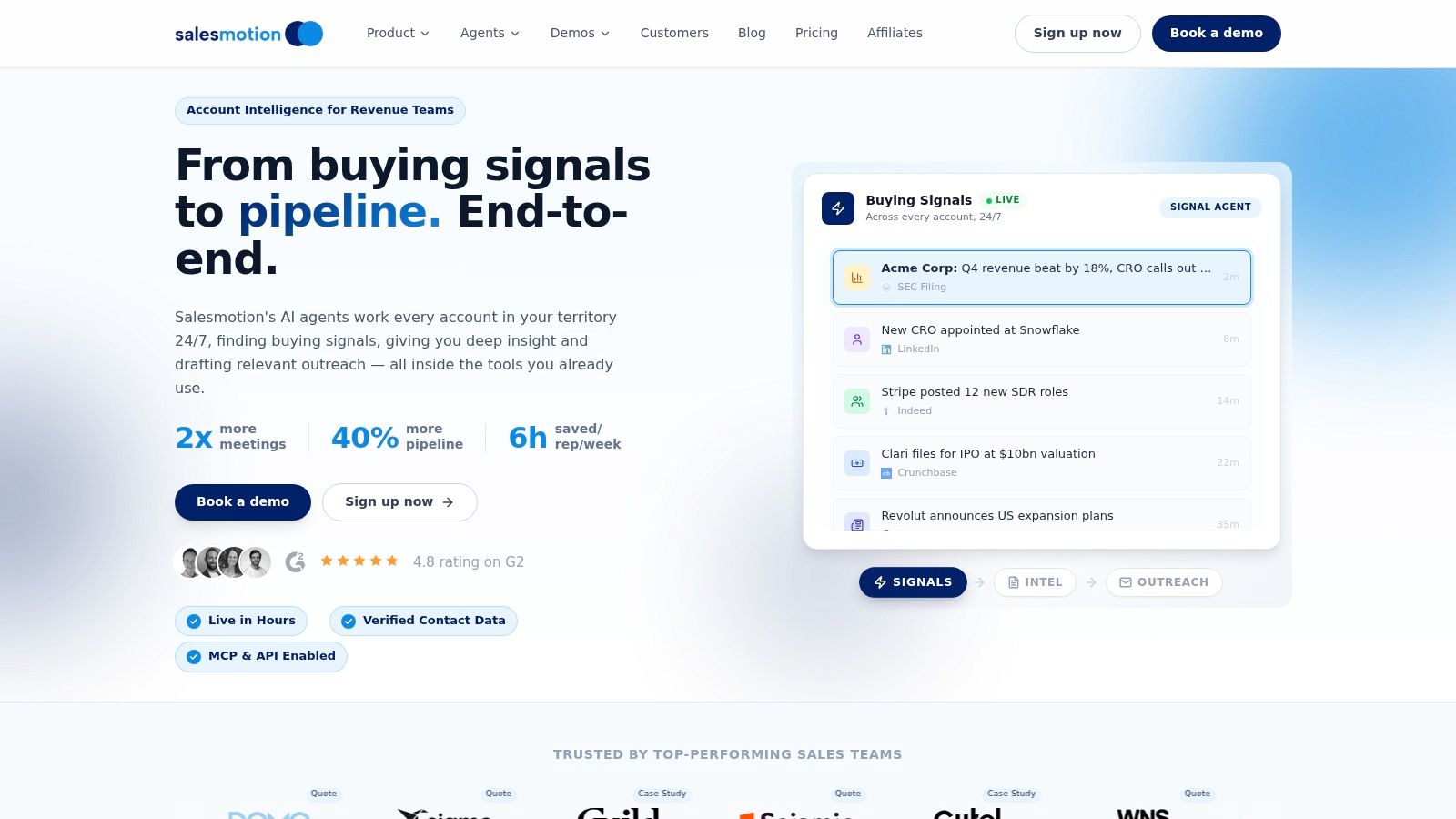
Bad automation produces a prettier version of a bad template. Good automation helps you create a dynamic executive summary for sales meetings with current, source-backed context.
That means the system should:
- pull recent account developments into the brief automatically
- surface relevant attendee context
- organize relationship history cleanly
- show source-backed talking points instead of unsupported claims
- help the rep understand the “why now” behind the meeting
One prospect described using Salesmotion's AI-generated account summaries for CEO call prep, specifically tracking keyword mentions across quarterly earnings. That's a useful example because it shows what reps need before a high-stakes meeting. Not a pile of raw transcripts. A distilled view of what leadership keeps talking about, what changed, and how to frame the conversation accordingly.
Salesmotion generates executive summaries with source-backed talking points automatically. That matters because the rep can move straight from research to judgment. They're not spending the last 20 minutes before a meeting hunting for the quote, the announcement, or the context they should have had already.
If your team is still doing this by hand, it's worth reviewing how to automate sales research with AI so the process becomes repeatable instead of heroic.
The trade-off leaders need to manage
Automation is only valuable if the rep still thinks.
AI can gather, summarize, and organize. It can't decide which point should lead the meeting, how aggressive the call to action should be, or how to adapt when the room changes tone. The rep still owns the narrative.
That's why the best workflow is hybrid:
- AI assembles the latest intelligence
- the manager or AE pressure-tests relevance
- the final brief gets trimmed to one page
- the team aligns on the opening and the ask
Use AI to collect and structure the facts. Use human judgment to choose the angle.
That combination is what turns a summary from a document into an advantage.
Common Pitfalls and How to Avoid Them
Most pre-meeting summaries fail in familiar ways. They're too long, too generic, or too old. None of those problems require better writing. They require better standards.
The kitchen-sink brief
This is the version where the rep pastes in everything. Company background, market trends, old notes, product messaging, financial trivia, and half the CRM history. It feels thorough. It reads like clutter.
Fix it by forcing a one-page limit and asking one hard question for every line: does this help us run a better meeting today?
The stale report
This one looked good three days ago. Then the account changed and nobody refreshed the brief.
The fix is procedural. Make the 24-hour update mandatory. Treat recent developments as part of the meeting plan, not as optional polish.
The generic template trap
Templates help teams move faster, but they also create lazy thinking. If every account summary sounds the same, the buyer experience will feel the same too.
Use a template for structure, not for substance. The page should always reflect the specific company, the people in the room, the relationship history, and the current trigger behind the meeting.
The product-first opening
Some reps use the executive summary to rehearse a pitch. That's the wrong job.
Start with the account, not your platform. The document should help the team enter the buyer's context, then connect that context to the discussion you want to have.
A strong brief is short, current, and pointed. It gives your team a better opening, a smarter read on the room, and a clear target for the conversation. That's what good prep looks like now.
Sales teams that want this standard without the manual research burden should look at Salesmotion. It helps reps and revenue leaders turn live account signals into source-backed executive summaries, alerts, and talking points so every meeting starts with current context instead of guesswork.