Real time account monitoring tools watch your target accounts for changes such as executive hires, funding, earnings commentary, hiring and website visits, and alert the rep who owns the account. The ten covered here are Salesmotion, LinkedIn Sales Navigator, 6sense, ZoomInfo Sales, Demandbase, Crunchbase Pro, Owler, Leadfeeder, UserGems and AlphaSense.
TL;DR: These tools differ less on feed volume than on how far they take a rep from signal to action. Sales Navigator, Owler and Crunchbase Pro are quick ways to spot job changes, company news and funding. 6sense and Demandbase prioritize accounts by intent. Leadfeeder covers visits to your own website, UserGems tracks 30+ signals including champion job changes, and AlphaSense covers filings and transcripts. Salesmotion pairs public signals with a cited account brief and an outreach draft, from $85/month.
Your top accounts change faster than most reps can keep up. A new CFO lands. A funding round closes. A competitor gets named on an earnings call. Those are the moments when outreach feels relevant instead of random.
The problem is simple. Many organizations still rely on a mix of manual LinkedIn checks, Google Alerts, and scattered CRM notes. One team reported spending two weeks per account on research before switching to a workflow that reduced that effort to two hours of reading. That gap is where pipeline gets lost.
The bigger issue isn't just speed. It's the intelligence gap. Most real time account monitoring tools can tell you that something happened. They can't tell your rep why it matters, who should act, or what message to send next.
That's the distinction I value when evaluating these platforms. Not who has the longest feature page. Not who says "AI" the most. The central question is whether the tool helps a rep start a good conversation today, or just gives them another alert to ignore.
1. Salesmotion
A rep gets an alert that a target account hired a new operations leader. Good signal. Then the actual work starts. Someone still has to figure out whether that hire affects budget, whether the team is expanding, who owns the initiative, and what to say in the first email.
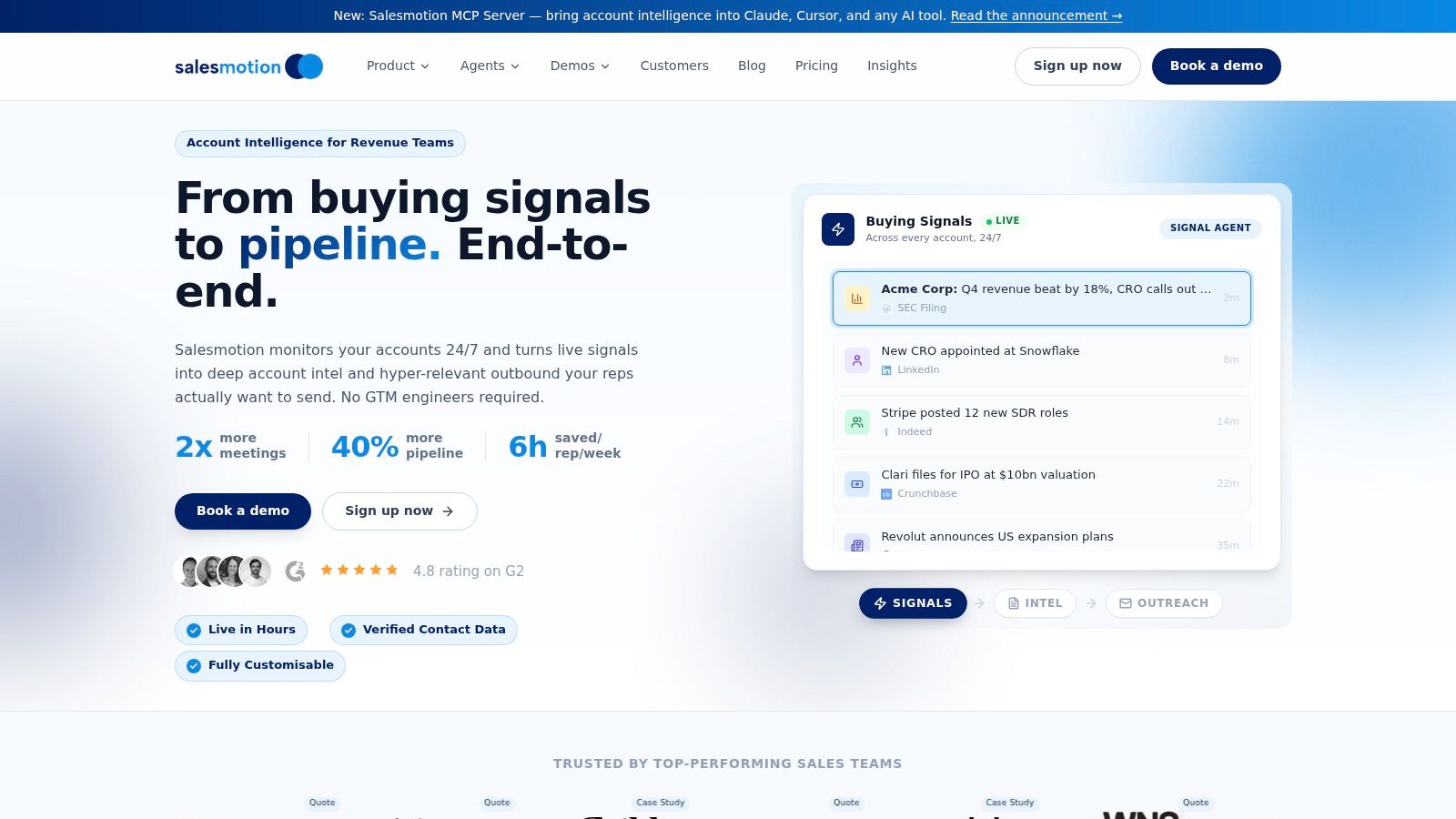
Salesmotion is built for that handoff. Instead of stopping at signal detection, it turns public-account activity into usable sales context and a next step. That is the standard I care about in this category. A monitoring tool should not just report what happened. It should help a rep act on it the same day.
Why Salesmotion stands out in daily use
Salesmotion watches target accounts continuously and turns what it finds into account briefs, prioritized alerts, and outreach drafts tied to the event. The practical difference is speed to action. Reps do not have to bounce between a news alert, LinkedIn, the company website, earnings transcripts, and a blank email tab just to build a point of view.
It runs three agents across the account list:
- Research Agent: Builds structured account briefs from public sources such as earnings calls, filings, hiring activity, executive changes, company blogs, podcasts, and press.
- Signal Agent: Monitors accounts continuously and flags developments worth acting on.
- Outreach Agent: Drafts outreach based on the actual signal and surrounding context.
Real time account monitoring tools usually fail in the handoff. They notify the rep, then leave the rep to do the hard part.
Practical rule: If a rep still has to ask, "Why should I care about this alert?" the platform has only solved half the problem.
Signal coverage, workflow fit, and the real trade-off
Salesmotion is strongest for teams running account-based outbound into named accounts. It covers the public signals that create timing windows. Executive hires, funding, org changes, filings, earnings commentary, hiring trends, and news mentions all fall into that bucket.
It also fits into the systems reps already use, including Salesforce, HubSpot, and Slack, with outreach drafts pushed to lemlist. That matters in practice. Fast alerts have little value if they land in a tool the rep checks once a day.
The bigger advantage is context. Salesmotion does more than pass along a raw event. It ties the trigger back to source material and explains why it may matter now. That closes more of the intelligence gap than generic alerting tools, which often leave managers hoping reps can connect the dots on their own.
Where it fits best
Salesmotion makes the most sense for teams that do not need more data. They need better interpretation and faster execution. If only a few senior reps know how to turn account changes into relevant outreach, this type of platform can raise the baseline for everyone else.
A few practical notes. Pricing starts at $85/month for individuals on a monthly contract, with custom pricing for teams and enterprise. Like any platform built on public signals, it works better in accounts with enough visible activity to monitor consistently. For sales teams selling into active mid-market and enterprise accounts, that is usually a fair trade.
Skip the comparison fatigue?
If you're shopping for a sales intelligence tool, here's the short version.
Salesmotion combines account intel, buying signals, verified contacts, and AI-drafted outreach in one tool. From $85/mo, live in an hour, no annual contract.
2. LinkedIn Sales Navigator
LinkedIn Sales Navigator is still one of the most practical starting points for account monitoring, especially if job changes are central to your motion. Nobody covers role moves better because the data originates on LinkedIn.
For most reps, that's the first useful layer of monitoring. You save accounts and leads, follow them, and get updates on job changes, company news, and related activity. If your team sells into specific functions, that alone can create solid timing windows.
What it monitors well
Sales Navigator is strongest on people and org signals:
- Job changes: New leaders, internal promotions, and contact movement.
- Company updates: News tied to tracked accounts.
- Saved search changes: New people and accounts matching your filters.
It also connects reasonably well into common workflows through Salesforce, Microsoft Dynamics, Gmail, and Outlook.
What it does not do especially well is deep interpretation. The alert usually tells you what happened, not why it matters to your specific sales motion. Your rep still has to connect the dots.
A new VP at a target account is useful. A tool that explains what that hire likely means for budget, priorities, and urgency is better.
Best use case and limitations
Sales Navigator works well for individual reps and managers who want a familiar, low-friction way to monitor account movement. It doesn't require a heavy rollout, and saved lists are easy to operationalize.
The downside is coverage scope. If the account isn't saved, the rep may never see the signal. And if the trigger happens outside LinkedIn's core graph, you'll need another tool or more manual work.

“Salesmotion helps you spot signals from prospect accounts, news items / job hiring alerts etc that indicate that now is a good time to reach out with a well-crafted message.”
Rob Douglas
Director of Sales, icit business intelligence
3. 6sense
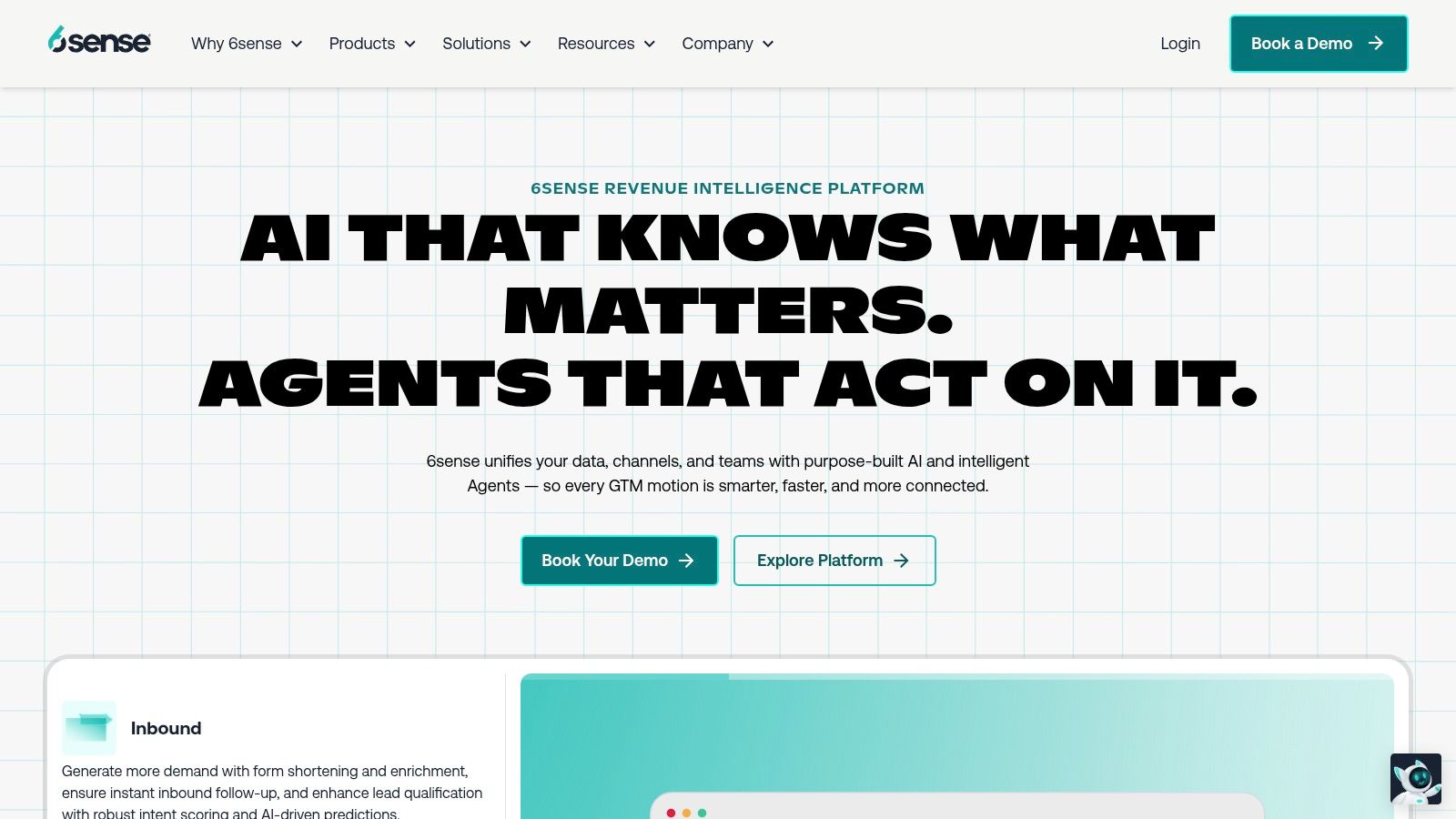
6sense is less about isolated alerts and more about account prioritization at scale. If your team needs to know which accounts are moving into market, not just which ones made news, 6sense deserves a serious look.
Many real-time account monitoring tools split into two camps here. Some are event trackers. Others are signal consolidation systems. 6sense belongs in the second group.
Where 6sense helps reps
It brings together intent, web engagement, account activity, and buying-stage prediction so sellers can focus on accounts showing momentum. That's useful when your problem isn't missing a single trigger. It's deciding where your team should spend time today.
The platform supports alerting through email and Slack, and it syncs with CRM environments so account changes aren't trapped in a separate dashboard.
- Signal types: Intent topics, web visits, engagement activity, buying-stage changes.
- Alert speed: Fast enough for daily seller workflows, though much of the value comes from coordinated prioritization rather than one-off breaking news.
- CRM fit: Strong for teams already running ABM and RevOps programs.
- Context level: Better than simple alert tools, but still depends on good setup and internal alignment.
The trade-off
6sense can be powerful, but it isn't lightweight. Teams need admin discipline, clear account segmentation, and agreement on what counts as a meaningful trigger.
If you're a smaller team that just wants immediate sales triggers and outreach context, 6sense can feel like a lot of machinery. If you're running a mature account-based motion, it can become a core operating layer.
4. ZoomInfo Sales
ZoomInfo takes a broad-platform approach. Instead of specializing in one kind of signal, it bundles company data, contact data, curated triggers, workflow alerts, and job-change tracking into one ecosystem.
For teams that already live in ZoomInfo, that's appealing. You don't need to add another vendor just to get account monitoring.
What stands out
The useful pieces here are Scoops, Copilot, and Tracker. Scoops gives reps curated trigger events. Tracker helps with job changes. Copilot pushes workflow-oriented alerts around deals and account activity.
That combination works well when reps need several signal types in one place:
- Company triggers: News, funding, technology changes, operational updates.
- People triggers: Job changes and role movement.
- Workflow triggers: Alerts tied to account engagement and deal progression.
The context quality is stronger than a raw news feed because editorial curation can reduce noise. That's a real advantage for teams that are tired of irrelevant alerts.
What to watch for
Broad platforms often trade precision for coverage. ZoomInfo gives you many ways to detect activity, but the experience can vary based on data quality in your segment and geography.
If your reps are disciplined about validating contact and company context before outreach, the platform can be effective. If they expect every alert to arrive fully interpreted and message-ready, there will still be some work to do.

“Automatic account profile detail I can use to manage my territory. Using Salesmotion AI to generate value statements per persona, account, etc. Using Salesmotion to give me a starting point based on new hires, or news alerts is critical.”
Adam Wainwright
Head of Revenue, Cacheflow
5. Demandbase
Demandbase is a strong option for teams running a coordinated ABM motion across marketing and sales. It shines when you care less about isolated company news and more about whether an account is showing intent across multiple channels.
Not every buying signal is public. Some of the best indicators appear in topic interest, ad engagement, site behavior, and third-party intent patterns.
How it handles account monitoring
Demandbase gives teams account-level intent signals, trending views, person-based recommendations, and alerting into channels like Slack and email. It also pushes data into CRM and adjacent GTM systems, which helps operationalize follow-up.
For practical use, that means reps can see not just that an account is warming up, but who may be worth contacting next.
- Signal types: Third-party intent, web visits, account trends, recommended people.
- Alert speed: Good for coordinated selling, though some signals are aggregated rather than immediate.
- CRM integration: Strong, especially for established ABM programs.
- Context level: Better than a simple tracker, but often oriented around patterns and trends rather than rep-ready narrative.
Best fit
Demandbase is best for organizations that already have the operational muscle to support intent-led selling. If marketing, SDRs, and AEs are aligned on target accounts and journeys, it can create a strong shared view of account momentum.
If you just want reps to get a timely alert with a clear "why now" message, it may feel more strategic than tactical.
6. Crunchbase Pro
Crunchbase is the classic funding-and-leadership trigger tool. It isn't a full sales execution platform, and that's fine. It does one category of monitoring well enough that many teams still keep it in the stack.
If you sell into venture-backed companies, emerging growth firms, or innovation teams, funding and leadership changes are often enough to justify the subscription.
Where it earns its keep
Crunchbase is useful for building watchlists around private companies and tracking events like new funding, acquisitions, leadership changes, and news.
That makes it practical for:
- New business prospecting: Catch accounts after a financing event.
- Expansion plays: Spot customers that may be adding budget or entering a new phase.
- Investor-led outreach: Understand who backed the company and what that may signal.
The context, though, is mostly up to the seller. Crunchbase tells you what happened. It usually doesn't tell you what message to send.
When it's enough and when it isn't
If your team already has strong reps who know how to turn a funding alert into a relevant point of view, Crunchbase can be enough. If your reps need help interpreting the event and shaping outreach, it won't close that gap by itself.
That's why I usually think of it as a sharp specialist, not a complete real time account monitoring tool.
7. Owler
Owler is one of the faster ways to stand up company news monitoring without a heavy implementation. If your reps need broad awareness of what followed accounts are announcing, it's useful.
I usually put Owler in the "good enough for news-driven teams" bucket. It's not deep intent tech. It's not finished sales intelligence. But it can surface plenty of workable triggers.
The practical value
Owler tracks company news like funding, product launches, leadership changes, partnerships, and other public developments. It also supports custom lists, which makes it decent for territory coverage and competitor monitoring.
Its strongest use cases are simple:
- Breaking company news: Press releases and major announcements.
- Competitive tracking: Monitoring rivals and market movement.
- Team visibility: Pushing company updates into common workflows.
For teams graduating from Google Alerts, Owler often feels like a real upgrade because the company matching is cleaner and the signal categories are more sales-friendly.
Manager's advice: If your reps ignore alerts because the feed is noisy, narrow the list before you buy a more expensive platform.
The limit
Owler is still mostly a news monitor. It doesn't consistently explain account implications or map signals to a sales play. If you want context-rich guidance, you will need another layer.
8. Leadfeeder
Leadfeeder is a strong pick when your own website is a primary source of buying signals. Instead of monitoring only public news, it shows you when target accounts are engaging with your site.
That shifts the motion from external monitoring to first-party signal capture. For some teams, that's far more actionable.
Best for website-driven outreach
Leadfeeder helps identify company-level website visitors and route those signals to the right reps. If a target account visits pricing, product, or solution pages, your team can react while interest is still fresh.
The workflow benefit is obvious:
- Signal types: Website visits, pageview behavior, hot account activity.
- Alert speed: Fast enough for rapid follow-up once the tracking is live.
- CRM integration: Strong for routing and ownership.
- Context level: Behavioral context from your own site, enriched with company and contact data.
If your sales motion depends on intent expressed on your own properties, Leadfeeder can produce better timing than waiting for public news.
The caution
Leadfeeder says it identifies up to 45% of the companies visiting your website, so not every visit resolves to an account. It's strongest when paired with a healthy stream of qualified traffic and a clean follow-up process inside CRM.
9. UserGems
UserGems is best known for one of the highest-quality sales triggers available. Champions move jobs. It now tracks 30+ native signals, including job changes, intent, M&A, and hiring. When past buyers land at new companies, good reps don't want to find out six months later.
Champion movement is often more actionable than generic company news.
Why champion tracking works
UserGems monitors contact movement and alerts teams when known contacts move into relevant roles or organizations. That creates a warm path back into an account through an existing relationship, which is usually better than cold timing based on random headlines.
The platform is useful for:
- Job-change alerts: Detecting when former buyers or stakeholders move.
- Sales workflow routing: Pushing those signals into Salesforce, Slack, and email.
- Outreach execution: Helping teams operationalize follow-up around champion movement.
Where it shines is the "so what" factor. A former champion joining a new company already tells the rep why the alert matters. That's a built-in advantage over broad news tools.
Where teams struggle
The catch is data hygiene. If your CRM history is messy, champion tracking weakens fast. Teams need decent contact data and ownership rules to get the most out of it.
This is a strong fit for relationship-led sales teams, and it is strongest where you already have CRM history to mine.
10. AlphaSense
AlphaSense fits teams that sell into accounts where one sentence from an earnings call can reshape a quarter's worth of outreach. A CFO cuts guidance, a business unit gets named as a priority, or an executive starts repeating a new initiative across public remarks. Reps who catch that early can change their angle before competitors do.
That is AlphaSense's value. It tracks transcripts, filings, analyst research, and curated news across target companies, then makes that information searchable and monitorable at a level standard sales tools usually do not reach.
For strategic account sellers, this closes part of the intelligence gap. It gives you more than "Company X was in the news." You can get the specific language leadership is using, the business pressure behind it, and the timing. That context is often what turns a raw alert into a real account plan.
The trade-off is practical. AlphaSense is strong at surfacing what happened and why it may matter at the business level. It does less to translate that signal into rep-ready outreach, next steps, or workflow execution. A good enterprise rep can bridge that gap. A less experienced team may sit on great information and still miss the window.
Broader market systems are already shifting toward faster, event-driven signal processing, as noted earlier. For enterprise sellers, this means account intelligence must arrive fast enough to shape messaging while leadership priorities are still fresh.
Best fit and drawback
AlphaSense works best for strategic account teams, industry specialists, and enterprise reps who are comfortable reading filings and transcripts without getting lost in them. If your deals depend on board-level priorities, cost pressure, restructuring, or shifts in capital allocation, it gives you serious depth.
The caution is simple. Depth is not the same as action. AlphaSense can tell you what executives are saying. Your team still has to decide who to contact, what angle to use, and whether the signal is strong enough to justify outreach now.
Top 10 Real-Time Account Monitoring Tools, Feature & Capabilities Comparison
A rep gets a funding alert at 9:12. By 9:30, they still have three tabs open, no clear angle, and no draft message. That is the gap these tools either close or leave sitting on the rep's desk.
The useful comparison is not just feature depth. It is how far each product gets you from raw signal to action. To keep this readable on mobile, the table focuses on four decisions that matter in the field: what the tool monitors, what a rep gets from it, who should own it, and the main setup trade-off.
| Product | What it monitors | Rep workflow impact | Best fit | Setup trade-off |
|---|---|---|---|---|
| Salesmotion (Recommended) | AI research agents, source-linked alerts, account briefs, CRM/Slack/email delivery | Reduces manual research time. Helps reps turn signals into outreach inside one workflow | Mid-market and enterprise GTM teams that need faster personalization at scale | From $85/month on a monthly contract. Fast onboarding. Works best when the team wants an opinionated workflow, not just alerts |
| LinkedIn Sales Navigator | Job changes, company updates, saved account and lead alerts | Good for staying on top of role moves and basic account activity in a familiar UI | Reps and managers running LinkedIn-first prospecting | Easy setup. Signal depth is narrower than purpose-built monitoring tools |
| 6sense | Intent, web activity, buying stage, account scoring, alerts | Helps teams prioritize accounts and time outreach around demand signals | Enterprise ABM and RevOps teams with mature segmentation | Strong once configured. Requires admin work and clear process ownership |
| ZoomInfo Sales | Contact and company data, Scoops, Tracker, Copilot alerts | Gives reps contact coverage plus curated triggers in one system | Teams that want enrichment and monitoring in the same stack | Implementation effort varies. Value depends on data adoption across the org |
| Demandbase | Intent, web visits, person recommendations, account alerts | Useful for spotting account interest and identifying likely stakeholders | ABM-heavy teams aligning sales and marketing on target accounts | Powerful for account programs. Needs tuning and often suits larger teams better |
| Crunchbase Pro | Funding, acquisitions, leadership changes, company watchlists | Strong for prospecting off capital events and company momentum | Teams selling into startups, growth companies, or investor-backed accounts | Simple to start. Less useful for day-to-day rep execution after the alert fires |
| Owler (Pro / Max) | Company news, competitive alerts, daily summaries, filtered watchlists | Fast way to monitor news without much setup | SMB and mid-market teams that need affordable account monitoring | Low friction. Built as a news monitor, so reps add their own account research |
| Leadfeeder | Website visitor identification, page-level behavior, scoring, routing | High-value for inbound and outbound teams watching account-level web activity | Teams that rely on buying signals from site visits, especially in Europe | Pixel install required. Best results come when routing and follow-up rules are already defined |
| UserGems | 30+ signals: job changes, intent, M&A, hiring; outreach sequencing, attribution | Helps reps act on champion moves and warm re-entry opportunities | CS, expansion, lifecycle, and outbound teams with strong CRM hygiene | Effective if contact history is clean. Weaker if the CRM is incomplete |
| AlphaSense | Earnings calls, filings, transcripts, watchlists, AI document search | Gives strategic reps deep business context for executive-level outreach | Enterprise sellers focused on public companies and complex accounts | Strong depth. Reps still need to translate insight into contact strategy and messaging |
A few patterns matter.
Free and lightweight tools usually answer "what happened." Alert-centric tools improve speed, but many still leave the rep to figure out why the event matters and what to do next. Purpose-built platforms stand out when they close that intelligence gap. They connect the signal to account context, likely relevance, and an outreach path a rep can use the same day.
That trade-off should drive the buying decision more than the feature checklist. If the team only needs watchlists, several options here will do the job. If the actual problem is that reps see signals and still fail to act, choose the product that shortens the path from alert to message, not the one with the longest list of feeds.
From Raw Signals to Actionable Pipeline
A rep sees an alert before the first meeting of the day. New CFO at a target account. Funding round. Hiring spike. Useful signal. Then the clock starts. If the next 20 minutes disappear into LinkedIn, the CRM, company news, and old call notes, the signal did not create momentum. It created extra work.
That is the buying problem in this category.
Actual differences between tools involve more than just price points or data volume. The true distinction lies in whether a product closes the intelligence gap between "what happened" and "why this account deserves attention right now." Teams that miss that distinction end up with more alerts, more tabs, and the same slow follow-up.
I sort these tools into three working categories because that is how the trade-offs show up in daily rep execution.
Manual and lightweight tools are fine for small account lists, disciplined reps, and managers who actively inspect follow-up. They keep costs down. They also put the burden on the seller to research the event, assess priority, find the right contact, and write the message. That model breaks once coverage expands or leaders expect same-day action across a wider book.
Alert-centric tools improve awareness. Sales Navigator, Owler, and Crunchbase Pro help reps spot changes faster. That matters. But speed to notice is only part of the job. Reps still need account context, stakeholder relevance, and a clear reason to reach out now.
Purpose-built platforms are stronger when the team needs the system to do more of that work. Salesmotion, 6sense, and Demandbase stand out when the goal is not just monitoring accounts, but helping reps turn signals into pipeline inside the workflow they already use.
That is the standard worth applying during evaluation.
A long feature list can hide a weak operating model. If the rep still has to piece together the account story after every alert, the tool improved visibility without fixing execution. Managers feel that quickly. Alerts go unread, follow-up gets delayed, and pipeline impact stays hard to prove.
Use four questions to pressure-test any real time account monitoring tool:
- What signal mix does it cover? News alone is rarely enough. Better coverage includes executive moves, hiring, funding, web activity, intent, filings, and relationship history.
- How quickly does it reach the seller? Real-time delivery matters when timing affects reply rates and meeting creation.
- Does it fit the rep's normal workflow? If context sits in a separate dashboard no one checks between calls, usage will drop.
- Does it explain why the alert matters now? This is the question that separates awareness tools from action tools.
The last point usually decides whether reps use the product.
Strategic enterprise sellers may accept more manual judgment because they want deeper research and tighter message control. A tool like AlphaSense can support that motion well. High-volume outbound teams usually need the opposite. They need the platform to narrow the field, identify who matters, and give the rep enough context to send a relevant first message while the window is still open.
Salesmotion is worth a close look on that criterion because it focuses on finished sales context, not alert delivery alone. As noted earlier, it combines public signals with source-linked account context and outreach prompts reps can use the same day. More details are available at https://salesmotion.io.
The goal is simple. Fewer empty alerts. More timely outreach with enough context behind it to start a real sales conversation.
If the team already has plenty of notifications but still struggles to turn signals into meetings, choose the tool that reduces interpretation work for the rep. That is what moves this category from interesting data to actual pipeline.