LinkedIn Sales Navigator pricing looks simple until you try to find it. LinkedIn hides the numbers behind a login wall, shows different rates by region, and half the guides ranking on Google still quote 2024 prices. Here are the current numbers, verified against LinkedIn's official plan comparison page: Sales Navigator Core costs $119.99 per month, or $1,079.88 per year ($89.99/month effective) on annual billing. Advanced costs $159.99 per month, or $1,799.88 per year. Advanced Plus is quote-only and typically starts around $1,600 per seat per year.
That answers the sticker price question. The more useful question is what you get for it, where the limits bite, and when the per-seat math stops making sense.
TL;DR: LinkedIn Sales Navigator costs $119.99/month for Core ($1,079.88/year billed annually) and $159.99/month for Advanced ($1,799.88/year billed annually). Advanced Plus is custom-priced for enterprises, typically $1,600+ per seat per year. Every plan is priced per seat, so a 10-rep team on Advanced runs roughly $18,000 per year. Sales Navigator is excellent at finding people and warm paths, but it doesn't research accounts, score fit, or draft outreach, and your data stays locked inside LinkedIn. Teams that need account intelligence on top of people search should compare it against alternatives like Salesmotion, which starts at $85/month self-serve with custom team pricing that doesn't multiply per seat.
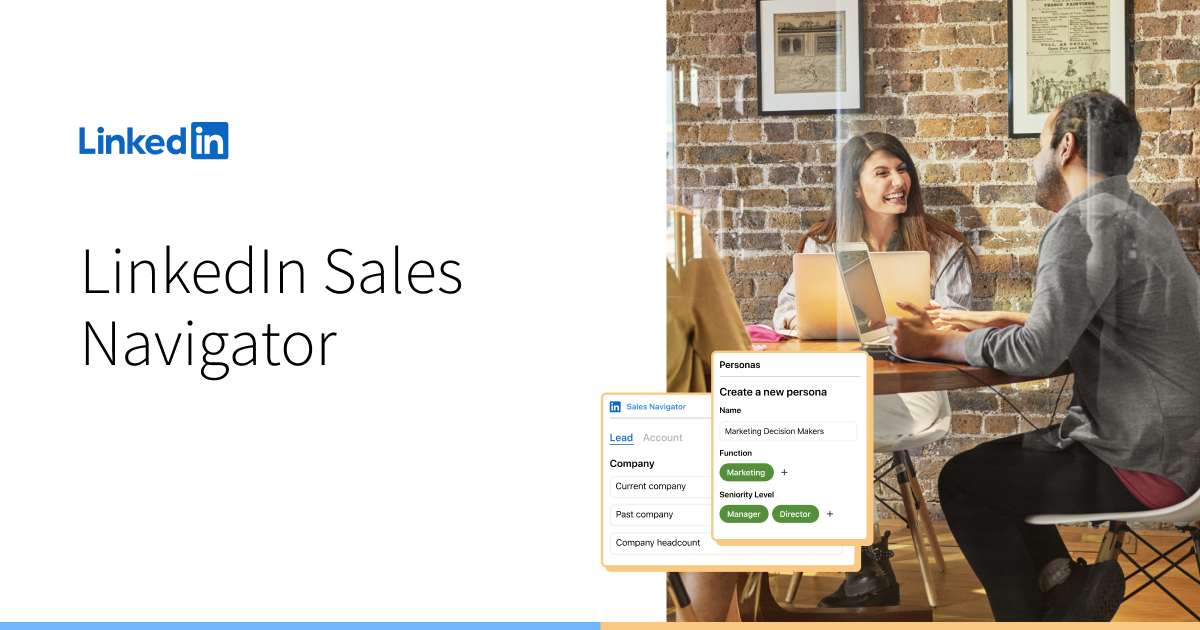 LinkedIn Sales Navigator is LinkedIn's paid prospecting layer. Core runs $119.99/month, and annual billing cuts that to $89.99/month.
How Much Does LinkedIn Sales Navigator Cost in 2026?
Sales Navigator comes in three tiers: Core for individual sellers, Advanced for teams, and Advanced Plus for enterprises that want CRM sync. Here is the full pricing picture as of June 2026:
| Plan | Monthly billing | Annual billing | Annual savings | Best for |
|---|---|---|---|---|
| Core | $119.99/month | $1,079.88/year ($89.99/month) | 25% | Individual sellers |
| Advanced | $159.99/month | $1,799.88/year ($149.99/month) | 6% | Sales teams (2+ seats) |
| Advanced Plus | Quote only | ~$1,600+/seat/year (custom) | Negotiated | Enterprises with CRM sync (10+ seats) |
Two details worth flagging before you budget. First, all prices exclude VAT or sales tax, which LinkedIn adds at checkout. Second, LinkedIn updates pricing periodically without announcement. Plenty of 2025 guides still list Core at $99.99/month; the current checkout shows $119.99. Always confirm on LinkedIn's own pricing page before committing.
Sales Navigator Core: $119.99/month
Core is the individual plan and the one most reps mean when they say "Sales Nav." For $119.99/month (or $89.99/month billed annually) you get:
- Advanced lead and company search with 40+ filters (seniority, function, headcount growth, geography)
- 50 InMail credits per month to message people outside your network
- Lead and account lists with alerts on job changes, posts, and company news
- Account IQ and Lead IQ, LinkedIn's AI-generated company and person summaries
- Relationship Explorer and Smart Links for finding warm paths and tracking content engagement
- CSV upload to map your book of business onto LinkedIn accounts
The 25% annual discount on Core is the steepest in the lineup, which tells you where LinkedIn wants individual buyers: locked in for 12 months.
Sales Navigator Advanced: $159.99/month
Advanced is the team tier. For $159.99/month per seat (or $149.99/month billed annually) it adds everything in Core plus:
- TeamLink, which surfaces warm introduction paths through your colleagues' networks, not just your own
- Buyer intent signals based on engagement with your company's LinkedIn presence
- Team management, usage reporting, and SSO for admins
- CRM embedded experiences for Salesforce, HubSpot, Microsoft Dynamics, and Oracle, meaning Sales Navigator panels render inside your CRM
- Message Assist, LinkedIn's AI drafting feature for InMails
Note what Advanced does not add: more InMail credits. Both Core and Advanced include 50 per month.
Sales Navigator Advanced Plus: custom pricing
Advanced Plus is the enterprise contract tier, generally sold to teams of 10 or more seats. Pricing is negotiated, and buyer reports collected by third-party pricing guides put it at roughly $1,600+ per seat per year, with larger deployments negotiating from there. The headline additions are true CRM sync with data writeback and validation (flagging when a CRM contact changes jobs), TeamLink Extend across your whole company, and a dedicated account team with tailored onboarding.
For most teams, Advanced Plus only makes sense if stale CRM data is a named, costed problem. Otherwise you're paying an enterprise premium for features reps won't notice.
See Salesmotion on a real account
Book a 15-minute demo and see how your team saves hours on account research.
Core vs Advanced: Which Plan Should You Buy?
Buy Core if you're an individual contributor paying out of pocket or expensing a single seat. The search filters, lists, and alerts are identical to Advanced, and those are the features that drive daily prospecting value. The 25% annual discount makes Core $89.99/month, which is the best per-seat price in the lineup.
Buy Advanced only if at least one of these is true:
- You sell as a team and warm paths matter. TeamLink is the genuine differentiator. If your colleagues' networks regularly contain the executives you're targeting, TeamLink pays for the upgrade by itself.
- Your leadership wants usage reporting. Core has no admin layer, so there's no way to see whether reps actually use the seats you bought.
- You want Sales Navigator inside the CRM. The embedded experience saves the tab-switching, though it's a viewing pane, not a data sync.
The trap to avoid: upgrading to Advanced expecting better data or more outreach capacity. The database is the same, the InMail allowance is the same, and the search filters are the same. You're paying roughly $720 more per seat per year (on annual billing) for collaboration and admin features.

“The moment we turned on Salesmotion, it became essential. No more hours on LinkedIn or Google to figure out who we're talking to. It's just there, served up to you, so it's always 'go time.'”
Adam Wainwright
Head of Revenue, Cacheflow
The Hidden Costs and Limits of Sales Navigator
The subscription fee is the visible cost. These are the limits that show up after you've bought.
50 InMails per month is the ceiling
Every plan caps InMail at 50 credits per month (unused credits bank up to 150). Credits are refunded when recipients reply within 90 days, but for an outbound rep running real volume, 50 net new messages per month is a constraint, not a feature. Most teams end up pairing Sales Navigator with email anyway, which means buying a separate tool to find email addresses.
No export, no emails, no phone numbers
This is the limitation that surprises buyers most. Sales Navigator does not provide email addresses or phone numbers, and it does not let you export lead lists to CSV. Your saved leads, lists, notes, and alerts live inside LinkedIn and stay there. Third-party export tools exist, but they operate against LinkedIn's user agreement and put your account at risk of restriction. Practically, most teams bolt on a contact data tool, which adds another $30 to $100+ per user per month to the real cost. Our breakdown of what B2B contact data actually costs covers that stack math in detail.
The per-seat team math
Sales Navigator is priced per seat, and seats multiply:
| Team size | Advanced (annual billing) | Advanced (monthly billing) |
|---|---|---|
| 5 reps | $8,999/year | $9,599/year |
| 10 reps | $17,999/year | $19,199/year |
| 25 reps | $44,997/year | $47,997/year |
At 10 seats you're spending ZoomInfo-adjacent money for a tool that still doesn't give you emails, phone numbers, or account research. This is the structural problem with per-seat pricing for intelligence tools, which we've written about in per-seat vs account-based pricing: the cost scales with headcount while the underlying data is the same. For contrast, Salesmotion's team plans use custom pricing with unlimited users on team plans, so adding a rep doesn't add a line item.
Annual lock-in and quiet price increases
The 25% Core discount requires a 12-month commitment, and LinkedIn doesn't prorate refunds if you cancel mid-term. Meanwhile, list prices have crept upward over the years without announcements. If you're budgeting for a multi-year horizon, assume the renewal will cost more than the quote in front of you.
Is LinkedIn Sales Navigator Worth It in 2026?
For what it actually does, yes, Sales Navigator is fairly priced. It is the only tool with native access to LinkedIn's graph: real-time job titles, company moves, posts, and the warm-path map across your team's networks. No external database matches LinkedIn on knowing who works where right now. If your sales motion depends on finding the right people and getting warm introductions, $90 to $150 per month per rep is defensible.
The "worth it" question breaks down when teams expect Sales Navigator to be their intelligence layer. It finds people. It does not research accounts, score fit against your ICP, monitor buying signals beyond LinkedIn's own walls, or draft outreach anchored to what's happening at the account. Earnings calls, hiring surges outside LinkedIn postings, product launches, regulatory filings, executive interviews: none of that surfaces in a Sales Navigator alert.
Here's what that gap looks like in practice. A rep gets a Sales Navigator alert that a target account hired a new VP of Operations. Useful trigger. But to act on it well, the rep still spends an hour assembling context: what the company said on its last earnings call, which initiatives the new VP inherited, what to actually say in the first message. Multiply that hour across every alert and the research time dwarfs the subscription cost. Teams like Cacheflow cut meeting prep time by 60% when they moved that research layer to Salesmotion; the same signal arrives with the account brief and a drafted, source-cited opener attached.
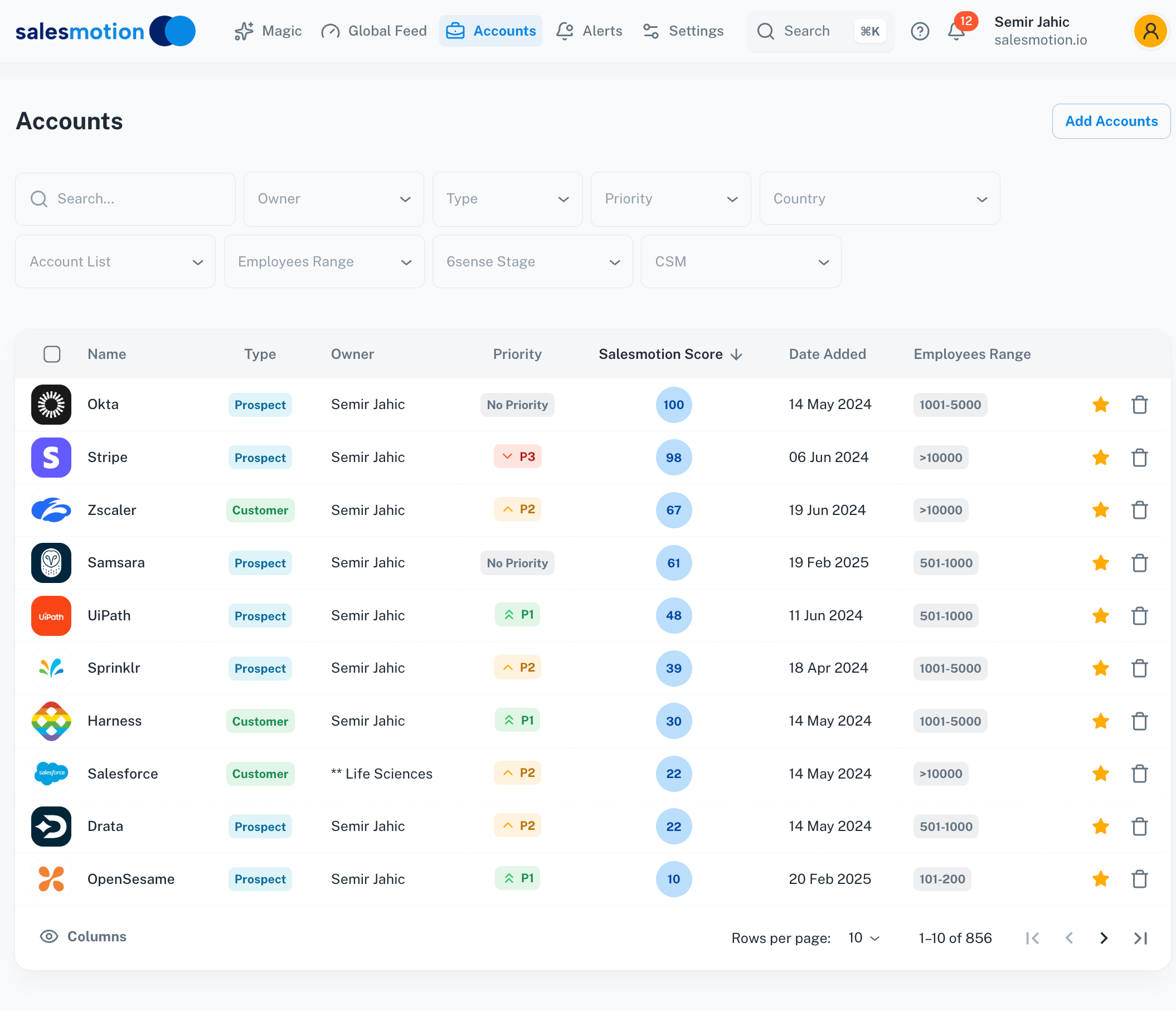 Salesmotion ranks a rep's entire territory by signal-based score. Sales Navigator can list accounts matching your filters, but it won't tell you which ones to work first or why.
Salesmotion's Take
Sales Navigator is one of the few tools I tell teams to keep. Nothing else knows who works where the moment it changes, and TeamLink is genuinely hard to replicate. But I see teams paying for 10 Advanced seats and assuming they've bought "sales intelligence." They've bought people search. The rep still opens six tabs to figure out why an account matters and what to say, and that hour per account is the most expensive line item nobody budgets for. Keep Sales Nav for the people layer if it earns its seat, but fix the research layer first. That's the part we built Salesmotion for.

Semir Jahic
CEO & Co-Founder, Salesmotion

“Salesmotion has been a game-changer for me. I used to spend 12 hours a week on prospect research, now it's down to 4. Plus I'm finding stuff I was totally missing - podcasts, news mentions, the good bits.”
George Treschi
Account Executive, FY25 President's Club, Sigma
Sales Navigator vs Account Intelligence Platforms
Sales Navigator and account intelligence platforms get compared constantly, but they solve different problems. One finds people inside LinkedIn's graph. The other researches accounts across the open web and tells reps where to spend their time. Here's the at-a-glance comparison:
| LinkedIn Sales Navigator (Advanced) | Salesmotion | |
|---|---|---|
| Price | $159.99/mo per seat ($1,799.88/yr annual) | $85/mo individual, self-serve |
| Team pricing | Per seat, multiplies with headcount | Custom pricing, unlimited users on team plans |
| Contract | Annual required for the discount | Monthly, no annual commitment |
| Core strength | People search, warm paths, job-change alerts | Account research, signal monitoring, drafted outreach |
| Signal sources | LinkedIn activity only | 1,000+ public and private sources (earnings, news, hiring, filings) |
| Account research briefs | Account IQ summaries (LinkedIn data) | Full research briefs with cited sources |
| Outreach drafting | Message Assist (InMail only) | Signal-anchored email drafts per contact |
| Data export | Not available | PDF briefs, CRM integration on team and enterprise plans |
The honest take: these tools are complements more often than substitutes. Plenty of Salesmotion customers keep a few Sales Navigator seats for people search and warm paths. What changes is the seat count. When the research and signal work moves to an account intelligence layer, most teams find they need far fewer $1,800 seats, because the rep workflow starts from "here's the account, the why-now, and the draft" instead of a blank search bar. Frontify's sales team cut research time 90% and grew sales velocity 42% year over year working that way.
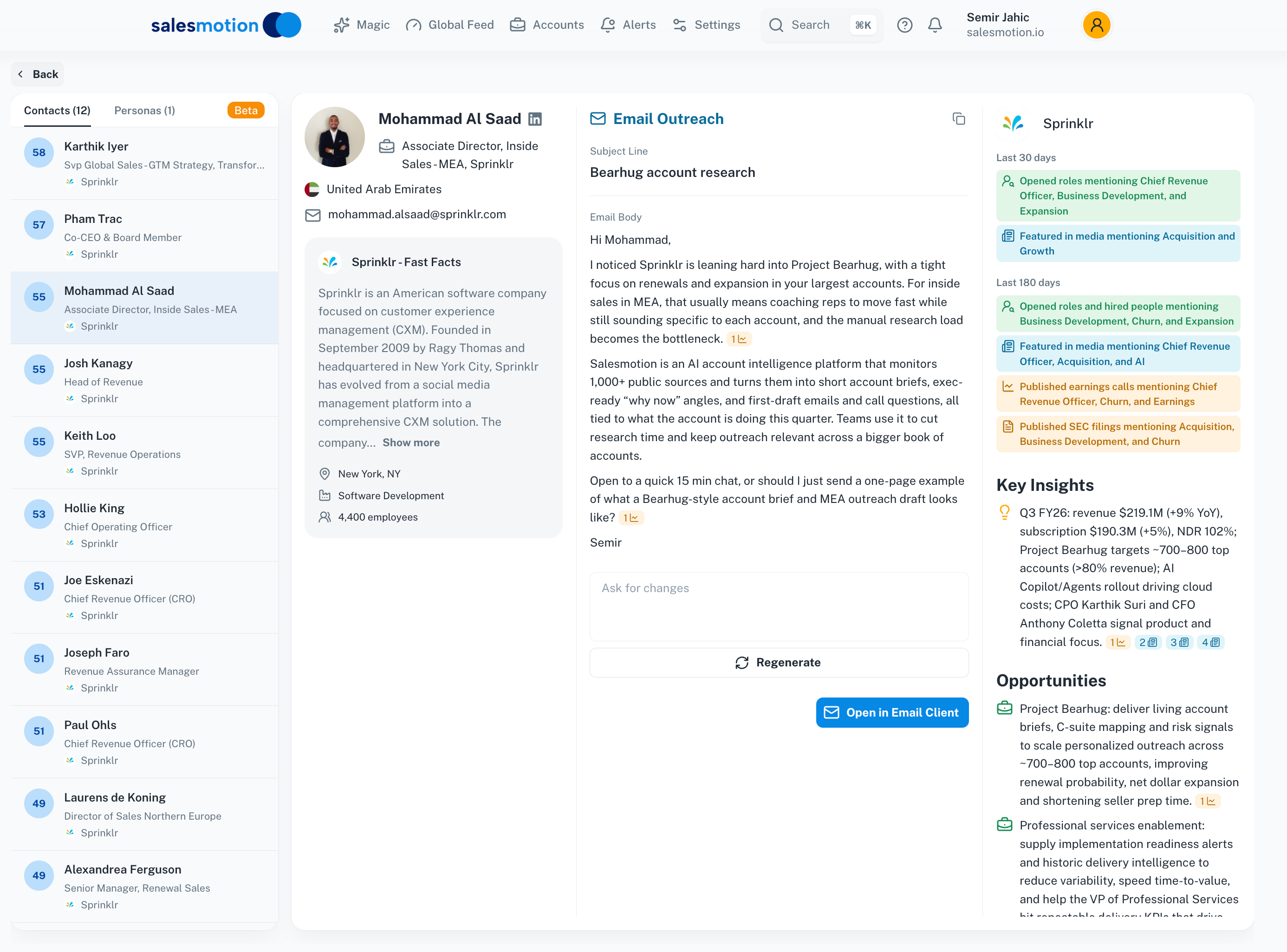 Salesmotion drafts outreach anchored to live account signals and research, with the source context alongside. Sales Navigator's Message Assist drafts InMails from LinkedIn profile data only.
If you're weighing a switch or a stack redesign, our guide to the best LinkedIn Sales Navigator alternatives compares the leading options side by side, and the pricing comparison page breaks down how the cost models differ. For the broader database tools that usually sit next to Sales Nav in a stack, see our teardowns of ZoomInfo pricing and Apollo pricing.
Key Takeaways
- LinkedIn Sales Navigator pricing in 2026: Core is $119.99/month ($1,079.88/year billed annually), Advanced is $159.99/month ($1,799.88/year billed annually), and Advanced Plus is custom, typically $1,600+ per seat per year.
- Annual billing saves 25% on Core but only 6% on Advanced, and the discount locks you into a 12-month term with no prorated refunds.
- Both Core and Advanced cap InMail at 50 credits per month, and no plan provides email addresses, phone numbers, or list export. Most teams add a contact data tool, raising the real cost per rep.
- Advanced is worth the upgrade for TeamLink and admin reporting, not for data: the database, filters, and InMail allowance are identical to Core.
- Per-seat pricing means a 10-rep team on Advanced runs about $18,000/year. Account-based pricing models don't multiply that way, which is why teams compare LinkedIn Sales Navigator alternatives as headcount grows.
- Sales Navigator is strong at finding people and warm paths. It doesn't research accounts, score fit, or draft signal-anchored outreach, so budget for the intelligence layer separately or pick a platform that includes it.
Frequently Asked Questions
How much does LinkedIn Sales Navigator cost per month?
Sales Navigator Core costs $119.99 per month on monthly billing, or $89.99 per month when billed annually ($1,079.88 per year). Advanced costs $159.99 per month, or $149.99 per month billed annually ($1,799.88 per year). Advanced Plus has no published price; it's quoted per contract and generally starts around $1,600 per seat per year. All prices exclude VAT or sales tax, which is added at checkout.
What is the difference between Sales Navigator Core and Advanced?
Core and Advanced share the same database, search filters, lists, alerts, and 50 monthly InMail credits. Advanced adds team features: TeamLink warm-path mapping across colleagues' networks, buyer intent signals, admin seat management and usage reporting, SSO, and embedded panels inside Salesforce, HubSpot, Microsoft Dynamics, and Oracle CRMs. Individual sellers rarely need the upgrade; teams that rely on warm introductions usually do.
Does LinkedIn Sales Navigator offer a free trial?
Yes. LinkedIn offers a free trial of Sales Navigator Core and Advanced, typically 30 days. It requires a credit card and converts to a paid subscription automatically, though LinkedIn emails a reminder seven days before the trial ends. Eligibility is limited to members who haven't held a Premium subscription or used a trial in the past 365 days.
How much does Sales Navigator cost for a team?
Teams buy Advanced at $1,799.88 per seat per year on annual billing, so 5 seats cost about $9,000/year, 10 seats about $18,000/year, and 25 seats about $45,000/year. Advanced Plus contracts for 10+ seats are negotiated individually. Because pricing is per seat, the cost scales linearly with headcount, which is the main reason growing teams re-evaluate at renewal time.
Are there cheaper alternatives to LinkedIn Sales Navigator?
It depends on what you use it for. For people search and warm paths, Sales Navigator has no real substitute because no other tool has LinkedIn's live employment graph. For account research, signal monitoring, and outreach, there are stronger options at lower per-rep cost. Salesmotion starts at $85/month on a self-serve monthly individual plan with no annual commitment, and team plans use custom pricing with unlimited users, so the cost doesn't multiply per seat. Our LinkedIn Sales Navigator alternatives guide compares the full field.