Eighteen months ago, connecting your sales stack to an AI assistant meant copying and pasting. Now most of the major GTM tools ship an MCP server, and the problem has inverted: instead of having no way to give the model context, you have a dozen, and no framework for choosing.
This post is about choosing. Not what MCP is, which we covered in MCP server for sales tools, and not how to set ours up, which is in the integration guide. This is the layer in between: which server answers which question, and how many you should actually install.
Start with that last point, because it is the one nobody mentions.
Installing more servers makes your assistant worse
Connecting an MCP server is nearly free, which makes it tempting to connect everything and sort it out later. This is a mistake, and the reason is mechanical.
Every connected server adds its tools to the set the model chooses from. Past a certain number, two things degrade. The model spends more of its reasoning deciding which tool to call, and it starts picking wrong, reaching for a search tool when it wanted an enrichment tool because both descriptions plausibly match the request. You get slower responses and occasional confident nonsense.
The practical guidance: connect the servers that answer questions you ask weekly. Not the ones that might be useful someday. You can always add one later, and removing a server you never use measurably improves the ones you keep.
The four jobs
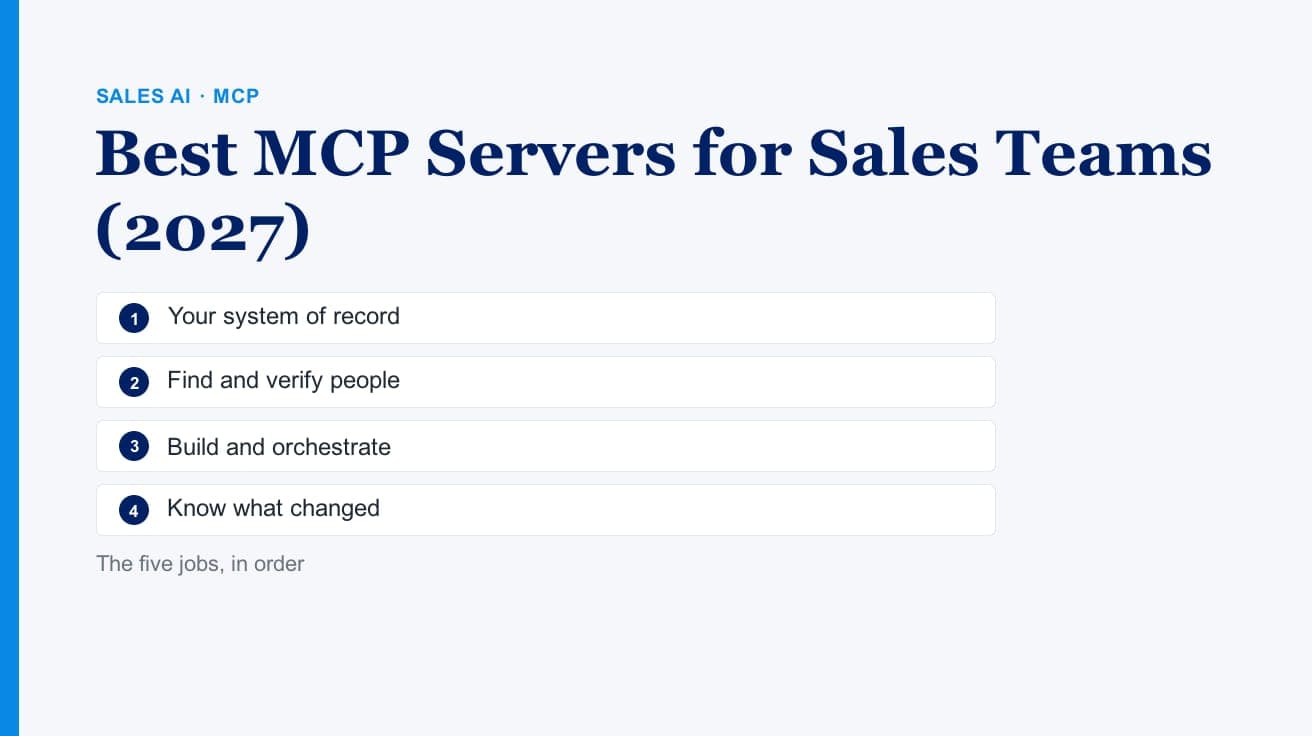
Nearly every GTM MCP server does one of four jobs. Sorting by job rather than by vendor makes the selection obvious.
Find and verify people. You know the company, you need the human and their contact details. This is enrichment, typically a waterfall across many providers. FullEnrich is a clear example: its MCP exposes contact and company search, enrichment for emails and phone numbers, and export. Its help centre recommends checking your credit balance and confirming the contact count with your assistant before enriching (as of October 2026).
Find and build. You want to construct a list, run it through custom logic, enrich it, and push it somewhere. This is the build-surface job. Clay's MCP exposes its data providers, research agents, and prebuilt workflows inside Claude, ChatGPT, and Codex, so a rep can run a workflow without opening the platform.
Know what changed. You have a defined account list and you need to know which accounts moved, why it matters, and what to say. This is monitoring, and it is our job. The Salesmotion MCP server exposes nineteen tools and twelve guided skills covering signals, earnings calls, filings, job postings, contacts, and complete motions like account planning and MEDDIC qualification.
Know who you know. Relationship and network data: who at your company already has a connection into a target account. Relationship-intelligence tools occupy this space, and it is genuinely distinct from the other three.
A fifth category is emerging around your own systems: CRM servers that let the assistant read and write records directly. That belongs on the list too, and for many teams it is the first one worth connecting, because the assistant knowing your pipeline changes every other answer it gives.
Matching questions to servers
The fastest way to pick is to write down the questions your team asks most, then check which job each falls under.
| The question | The job |
|---|---|
| "What's the mobile number for this VP?" | Find and verify people |
| "Build me a list of Series B fintechs using Snowflake" | Find and build |
| "What changed at my accounts this week?" | Know what changed |
| "Why should I call this account now, and what do I say?" | Know what changed |
| "Does anyone here know someone at Acme?" | Know who you know |
| "What's the status of my open opportunities?" | Your CRM |
Most teams find their weekly questions cluster into two categories, not five. Those are the two servers to connect.
The one that gets skipped
There is a consistent pattern in which job teams under-invest in, and it is the third one.
Enrichment and list-building are easy to justify because the output is countable. You get four hundred verified emails; you can point at them. Monitoring produces a different kind of output: the knowledge that eleven of your two hundred accounts did something meaningful last week, and what it was.
That is harder to put in a business case and considerably more valuable, because it is the only one that answers when. A verified email address does not tell you this is the week. Teams that skip it end up with excellent contact data for accounts that had no reason to take the call, which is an expensive way to discover timing matters.
There is also a sequencing consequence. If you run both enrichment and monitoring, run monitoring first. Enriching a full buying committee at an account that is not in a buying window is the costly way to learn that it was not.
Evaluating a server in twenty minutes
Vendor tool lists tell you what exists, not what works. A short practical test:
Ask it your five real questions. Not demo questions. The ones your reps actually asked last week. Note which the server answers completely, which it answers partially, and which it misunderstands.
Check whether claims carry sources. Ask a question whose answer should be verifiable, then ask where each fact came from. A server that returns confident, unsourced claims into a sales conversation is a liability. The first time a rep repeats a hallucinated fact to a prospect, the tool is finished inside that organization, and reasonably so.
Test your actual territory. Every data provider has geographic and segment gaps that a US demo hides. If you sell into Southeast Asia, the Netherlands, Japan, or the DACH region, test there specifically. Teams selling into all four have told us the same thing this year in different words: coverage that looked complete in the demo thinned out in their market. That applies to us as much as anyone, and it is better learned in an evaluation than in month three.
Check the credit model before you scale. Some servers meter per operation and some do not. This matters enormously once an assistant is calling tools autonomously rather than a human clicking buttons, because an agent in a loop can spend a lot of credits quickly. A server that makes the assistant confirm before spending, or a workflow that previews before enriching, is the safer default in an agentic setup.
Where to start
If you are connecting your first GTM server, connect your CRM. The assistant knowing your pipeline improves every subsequent answer.
If you are connecting your second, pick based on your bottleneck. If you cannot reach people, connect enrichment. If you cannot tell which accounts deserve attention, connect monitoring. If your workflows are genuinely custom and you have someone to maintain them, connect a build surface.
Two well-chosen servers beat six. The constraint is not what is available, it is how many tools the model can choose between while still choosing well.
For the detailed comparisons underneath this framework, see Clay MCP vs Salesmotion MCP on build surfaces versus answer surfaces, and FullEnrich MCP vs Salesmotion MCP on why enrichment and intelligence are complementary rather than competing.