Sales prospecting automation works when it automates the research and timing, not just the sending: a system watches accounts for meaningful change, turns each change into context, and hands reps a draft they review and send. That changes how sales leaders should think about prospecting. This isn't a workflow tweak. It's an operating model.
Too often, sales teams still treat sales prospecting automation like a faster mail merge. They automate sending, maybe automate sequencing, then wonder why reply quality stays weak. The issue usually isn't speed. It's relevance. Buyers don't respond because an email went out at 8:03 a.m. They respond because the message connects to something happening inside their business right now.
The modern approach is to build a signal-driven prospecting engine. That engine watches accounts, identifies meaningful change, translates that change into a clear point of view, and hands reps a strong reason to engage. The email is the last step. The intelligence is the core product.
From Manual Efforts to an Automated Revenue Engine
A lot of prospecting teams still run on manual effort disguised as process. Reps bounce between LinkedIn, company sites, earnings notes, hiring pages, and CRM records trying to assemble enough context to write a decent first message. By the time they do, the moment has often passed.
That's why the old framing of automation as an efficiency tool is too narrow. A major win isn't just removing admin. It's creating a system that surfaces timing, priority, and message angle before a rep starts typing. If your team is still spending hours on fragmented prep, this breakdown of the cost of manual account research will feel familiar.
Strategy comes before tooling
The order matters. Teams that start by buying software usually automate bad habits faster. Teams that start with strategy build something durable.
A solid prospecting engine rests on a few basic decisions:
- Define the commercial outcome first. Are you trying to create more first meetings, improve opportunity quality, shorten time from signal to outreach, or help account executives enter deals with stronger context?
- Choose triggers before channels. Outreach channel matters, but the reason for reaching out matters more.
- Design for rep judgment. Good automation prepares the rep. It doesn't eliminate the rep.
Practical rule: Don't automate activity first. Automate account understanding first.
Basic automation versus intelligent automation
There's a big difference between these two models:
| Approach | What it does | What usually happens |
|---|---|---|
| Basic automation | Sends templated emails on a schedule | More output, weak context, uneven replies |
| Intelligent automation | Detects signals, assembles context, drafts relevant outreach | Better timing, stronger messaging, more useful conversations |
The tactical version says, “Send 200 emails.”
The strategic version says, “Alert the rep when a target account hires a new operations leader, explain why that change matters, and draft an email tied to that leader's likely priorities.”
That second model is what turns prospecting from labor into infrastructure. And once teams see automation that way, decisions get clearer. You stop asking which tool can send more touches. You start asking which system can help your reps show up with the right point of view.
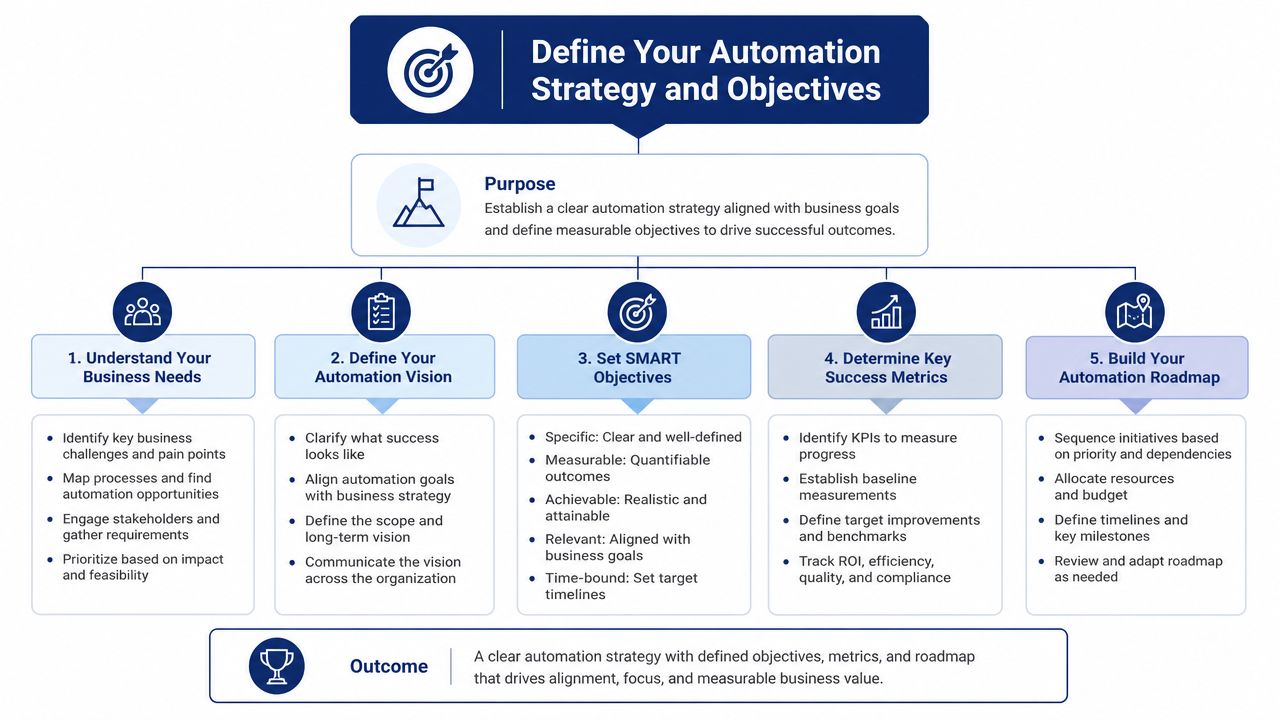
Define Your Automation Strategy and Objectives
Most automation rollouts fail before the first workflow goes live. Not because the sequence logic is wrong, but because the strategy is fuzzy and the data underneath it is unreliable. When AI prospecting fails, the cause is usually unenriched, outdated, or siloed CRM data rather than the model, which is the same pattern that makes bad leads kill tool adoption.
That finding matches what RevOps teams see in practice. If account ownership is messy, job titles are stale, duplicate records are everywhere, and enrichment is inconsistent, automation doesn't provide an advantage. It amplifies noise.
Start with outcomes that affect revenue
The cleanest automation plans are tied to revenue questions, not feature checklists.
A few examples:
-
Pipeline creation problem
Your team has enough target accounts but not enough meetings. The automation objective should center on identifying outreach moments that are more likely to get a response. -
Cycle efficiency problem
Reps are working active deals but entering them late or with weak discovery. The objective becomes earlier signal capture and faster handoff. -
Coverage problem
Enterprise reps have large books and can't manually monitor all named accounts. The objective is persistent account surveillance with prioritized alerts.
These are different motions. They should not run on the same workflow by default.
Combine fit scoring with signal scoring
Too many teams still treat ICP as static. They score accounts by industry, employee range, geography, and tech stack, then call it prioritization. That's useful, but incomplete. A strong account that isn't changing may not need attention this week. A decent-fit account with an obvious trigger might.
A better model uses two layers:
-
Fit score for structural alignment
This covers firmographics, segment, product fit, buying committee shape, and whether the account resembles past wins. -
Signal score for timing
This reflects what's happening now. New executive hires, funding activity, expansion, major job postings, product launches, investor commentary, leadership interviews, and other public changes.
The best queues don't just answer “Who should we target?” They answer “Who should we contact this week, and why now?”
Clean the CRM before you automate around it
This is the part teams skip because it feels slow. It isn't optional.
Use a pre-automation checklist such as:
- Merge duplicates early. Duplicate contacts create duplicate outreach and confusing ownership.
- Standardize core fields. Titles, segment tags, lifecycle stages, and account status need consistent rules.
- Map source confidence. Some fields should overwrite automatically. Others should require review.
- Set signal-to-record logic. Decide whether a trigger creates a task, updates a field, sends a Slack alert, or all three.
Without those rules, your automation layer becomes a traffic jam. With them, it becomes a prioritization system your team can trust.

“The talking points are gold. If they're in Salesmotion, I know they're being discussed inside that business. That makes it easy to spark a real conversation, which is 90 percent of the battle.”
Andrew Giordano
VP of Global Commercial Operations, Analytic Partners
Identify and Act on High-Intent Buying Signals
The strongest prospecting programs don't start with “Who fits our ICP?” They start with “What changed, and why does it matter?” That shift changes everything.
Signals decide which accounts to work and when, but they don't make a cold email land on their own. In Salesmotion's own campaigns, list-based cold email drew 0.3% human replies across 12,382 leads and trigger-anchored cold email did little better, while LinkedIn messages to an existing network drew 11.3% (cold outreach data). The difference isn't cosmetic personalization. It's timing, context and channel.
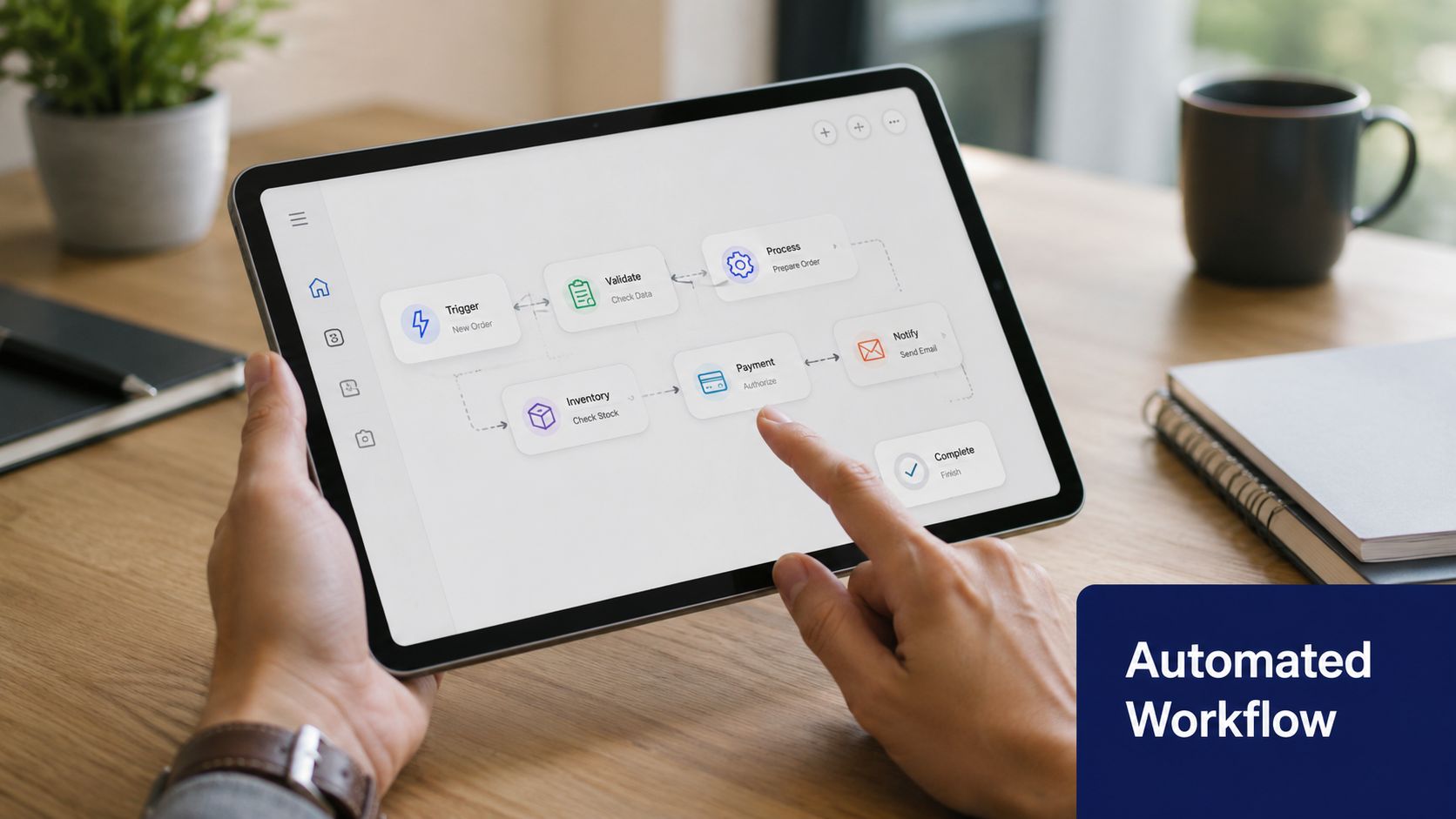
What a real buying signal looks like
A buying signal is any observable event that suggests a prospect's priorities may be shifting. Some are obvious. Some are subtle.
Common examples include:
- Leadership changes such as a new CRO, VP of Engineering, or Head of Operations
- Funding events that imply budget, urgency, or scaling pressure
- Hiring patterns that reveal active initiatives
- Technology changes that suggest migration, consolidation, or implementation work
- Public messaging shifts in earnings calls, interviews, or press releases
The mistake is treating all signals as equal. They're not. A new executive hire in your champion function is usually more actionable than a generic company news mention.
A simple signal workflow
Modern sales prospecting automation gets practical. Say a target account hires a new VP of Engineering.
First, the system detects the hire.
Next, it pulls background on the executive, recent company announcements, open roles, and any product or infrastructure shifts that support an inference about current priorities.
Then it turns that research into a draft message with a clear angle, not just a congratulations note.
A rep now has a much better starting point:
- Why this account moved to the top of the queue
- Which persona should get the first touch
- What likely pressure the new leader is walking into
- Which proof point or question might earn a response
If your team is building this motion from scratch, this guide on buying signals in B2B sales is useful because it helps separate noise from actual commercial triggers.
Relevance doesn't come from inserting a first name. It comes from understanding what changed inside the account.
Prioritize signals by actionability
Not every alert deserves immediate outreach. A practical way to sort them is by asking three questions:
| Signal type | Why it matters | Typical response |
|---|---|---|
| Strategic shift | Indicates a business priority change | High-priority outreach with point of view |
| Org change | Suggests new stakeholders and reset relationships | Persona-specific outreach |
| General news | May provide context but not urgency | Add to account brief, don't always trigger contact |
That's the core engine. You don't blast more. You wait for moments that support a sharper message, then move quickly.
Design Your Automated Research and Outreach Workflows
Once signals are defined, the job becomes operational. You need a workflow that turns an event into context, context into messaging, and messaging into action inside the systems reps already use. Often, this chain breaks in the middle. Signals are caught, but they aren't translated into something usable.
That's also where the personalization paradox shows up: AI-generated emails built on generic inputs read like templates, however fluent they are. In practice, AI can help with scale, but only if the workflow feeds it strong inputs.
Build the workflow as a data chain
A workable research-to-outreach workflow usually has five linked stages.
-
Signal detection
Start with event capture. This can come from account monitoring tools, enrichment platforms, CRM alerts, LinkedIn activity, job boards, news feeds, or sales intelligence systems. If you automate anything on LinkedIn, read the LinkedIn compliance lesson from Apollo's brand-page removal. -
Context assembly
Once a trigger fires, the system needs to gather supporting evidence. That might include recent announcements, hiring trends, executive background, product launches, competitor mentions, or current initiatives inferred from public data. -
So-what generation
This is the step most vendors underserve. A rep doesn't just need facts. They need interpretation. Why does this signal matter to your offering, and to this stakeholder, right now? -
Message drafting
Outreach should reflect the signal, the inferred pressure, and a credible reason for the rep to contact that person now. -
Delivery into the rep workflow
Push the output into CRM, Slack, email, or your engagement platform. If reps have to hunt for it, adoption drops fast.
What the workflow should produce
The output should be concise enough to use immediately. A good alert or brief often includes:
- The signal itself with the source attached
- One sentence on relevance to your solution area
- Recommended personas to contact
- Suggested opener for email or LinkedIn
- Optional follow-up angle if no reply comes back
That's why many teams connect account monitoring with enrichment and engagement layers instead of relying on one system to do everything. In some cases, a platform like Salesforce or HubSpot holds the account record, Outreach or Salesloft handles sequence execution, and a signal layer provides the reason to act. Tools in the sales intelligence category do this differently. For example, Salesmotion's AI research workflow centers on monitoring target accounts, synthesizing what changed, and turning that into ready-to-review outreach.
Keep AI on the first draft, not the final say
Experienced operators typically draw a line. AI should prepare, not impersonate.
Use a review standard like this:
- Approve fast when the message references a specific trigger and asks a sharp question
- Rewrite when the copy sounds like a generic observation dressed up with a news mention
- Block entirely when the system inferred something sensitive or speculative
Operator advice: If the email could be sent to fifty other companies with one noun changed, it isn't personalized.
Design for human contrast
The best-performing automated workflows still leave room for rep judgment. That's where contrast comes from. The system identifies the moment and drafts the angle. The rep adds tone, challenge, or a sharper question.
A useful template is simple:
- Trigger observed
- Business implication inferred
- Question tied to likely pressure
- Light call to continue the conversation
That approach feels human because it is human. The automation handles the research burden. The rep handles the commercial judgment.

“All of the vendors that I've worked with, all of the onboarding that I have had to deal with, I will say, hands down, Salesmotion was the easiest that I have had.”
Lyndsay Thomson
Head of Sales Operations, Cytel
Integrate Platforms and Manage Team Adoption
A prospecting engine only works if the data moves cleanly and the team trusts what shows up. Those are separate jobs. A lot of leaders solve one and ignore the other.
On the technical side, the goal is straightforward. Put signals, account context, and suggested next actions where reps already work. On the human side, the goal is just as important. Make automation feel like support, not surveillance.
Wire the stack around outcomes
Teams often over-measure activity because activity is easy to count. The better question is whether the system helps reps start better conversations and focus on the right accounts.
With the right automation, AI agents can take on much of the repetitive SDR work, from monitoring accounts to drafting first emails. That doesn't mean you should obsess over how many tasks got automated. It means you should ask what humans did with the time they got back.
A practical stack usually looks like this:
- CRM as the source of record. Account ownership, status, and historical context stay here.
- Signal layer for event monitoring. This listens for public changes and account activity.
- Engagement platform for execution. Sequences, tasks, and touch coordination live here.
- Collaboration layer for alerts. Slack works well when alerts are concise and routed by territory or account owner.
Adoption fails when reps don't trust the output
Reps will ignore automation for three reasons. The alerts are noisy. The message drafts are weak. Or the system creates extra clicks.
Fix that with operating rules, not pep talks:
- Start with a narrow segment. Use one region, one team, or one motion first.
- Route only actionable alerts. If every company news item becomes a notification, the channel dies.
- Show the source. Reps trust signals more when they can verify the original event quickly.
- Coach to quality. Managers should inspect whether the signal made the outreach better, not whether the rep used every draft.
The fastest way to kill adoption is to promise AI magic and deliver more admin.
Position automation as account prep, not rep replacement
This message matters. Good reps don't resist help. They resist tools that flatten their judgment.
The most effective rollout language is simple. The system watches accounts continuously, gathers context faster than a human can, and gives the rep a better starting point. The rep still decides whether the trigger matters, who to contact, and how direct to be.
That framing changes behavior. Instead of treating automation like a compliance tool, the team starts using it like a research assistant. That's when usage becomes habitual.
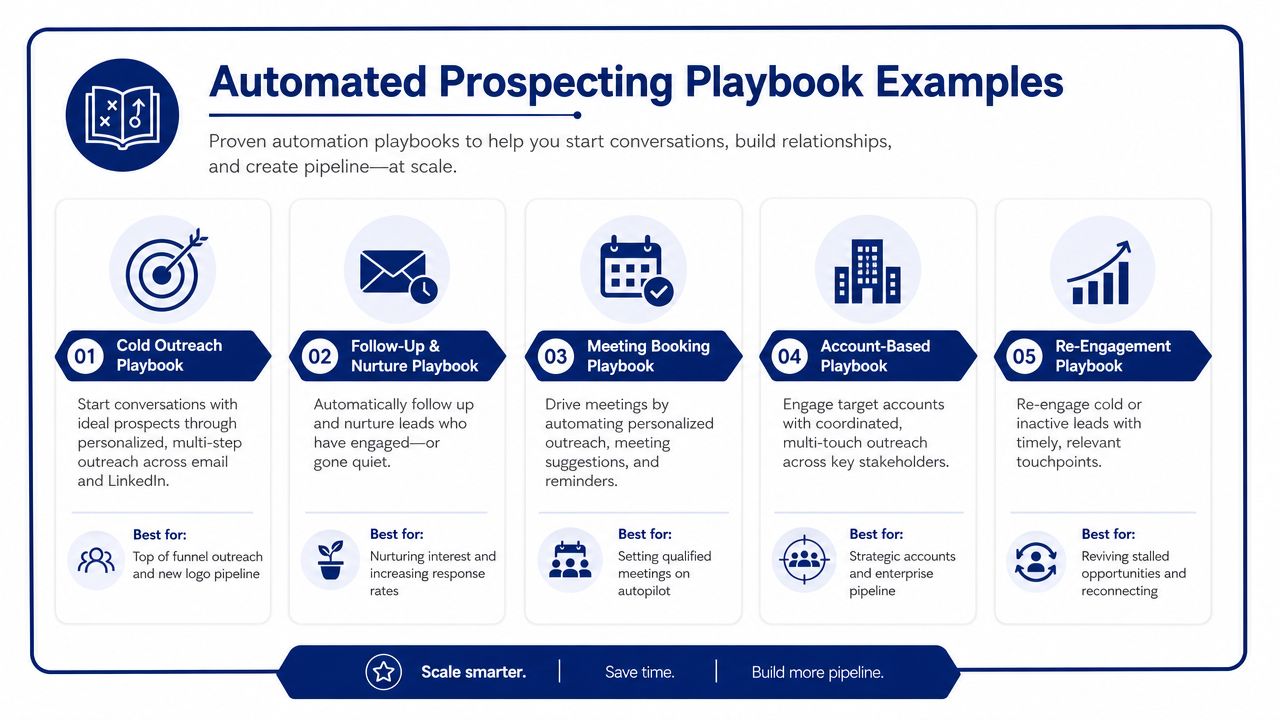
Automated Prospecting Playbook Examples
Theory is useful. Playbooks are what teams run. Strong sales prospecting automation works when every signal has a defined interpretation, a target persona, and a message angle that sounds like it belongs in a real inbox.
When automation is paired with lead scoring and signal monitoring, it helps reps focus on prospects who are more ready to engage. The practical takeaway is simple. Better prioritization improves messaging quality because reps can spend their attention where timing is strongest.
Signal-Based Outreach Plays
| Buying Signal | The 'So What' for the Prospect | Sample Email Snippet |
|---|---|---|
| New VP of Operations hired | New leaders often need quick wins, cleaner visibility, and tighter execution across teams | “Noticed the recent operations leadership change. New leaders usually inherit a mix of urgent priorities and incomplete visibility. If improving execution speed is high on the list, I can share how teams structure the first ninety days around clearer signal tracking.” |
| Funding announcement | Growth plans usually create pressure to scale process, headcount, and systems without adding chaos | “Congrats on the funding news. Teams at this stage often move fast on hiring and process changes, which makes account prioritization harder, not easier. Worth comparing notes on how you're deciding where reps should spend time as the business scales.” |
| Rapid hiring in a specific function | Hiring concentration points to active investment and likely operational pressure in that area | “Saw the recent hiring pattern across your customer-facing team. That usually signals an active build-out, and it often comes with pressure to ramp quickly while keeping quality high. Curious how you're planning around that.” |
| Executive speaks on podcast or interview | Public commentary can reveal current initiatives, constraints, and strategic language to mirror | “I listened to the recent interview with your leadership team. The point about improving cross-functional execution stood out. That usually creates a gap between what teams want to do and what reps can actually act on day to day.” |
Playbook one with a new executive hire
This is one of the most reliable trigger types because it combines urgency with a likely openness to new ideas.
Signal
A target account hires a new VP of Operations.
So what
That leader is probably walking into inherited process debt, uneven reporting, and pressure to make visible progress. A generic intro email wastes the moment. A useful message should show awareness of transition pressure.
Target persona
Primary contact is the new VP. Secondary contacts are team leaders affected by process changes.
Sample email
Subject: Quick thought on the first months in seat
Hi [Name], saw the move into the VP of Operations role. In roles like yours, one of the first challenges is usually figuring out where execution is slowing down and which signals merit attention. If that's on your list, I'm happy to share a few ways teams tighten prioritization without creating more reporting work.
Sample LinkedIn request
Congrats on the new role. You're probably balancing inherited priorities with the need to show momentum quickly. I work with teams that need cleaner visibility into what deserves action. Thought it made sense to connect.
Playbook two with funding or expansion news
Funding outreach often fails because reps default to congratulations and then pitch immediately. That's lazy. The better move is to infer the operational consequence of growth.
A signal is only useful when you can explain the pressure it creates for the buyer.
Signal
A target company announces a new funding round or expansion initiative.
So what
The business is likely adding headcount, entering new markets, or investing in systems. That creates prioritization problems for revenue leaders and ops teams.
Sample email
Subject: Growth creates noisy account priorities fast
Congrats on the expansion news. One thing that shows up quickly in this phase is account noise. Teams have more opportunities to chase, but less clarity on which changes in target accounts matter. If you're thinking about how to keep prospecting focused during growth, happy to share what a strong signal-driven workflow looks like.
Playbook three with a technology or hiring pattern shift
This play works well because it avoids generic “saw your company is growing” language.
Signal
The account is hiring aggressively in a function that maps to your product area, or public information suggests a stack change.
So what
The prospect likely has a live initiative. Your message should connect to that initiative without pretending you know every internal detail.
Sample email
Subject: Is this hiring push tied to a bigger workflow change?
I noticed the recent hiring trend around your go-to-market team. That usually points to more than capacity. It often means process, tooling, and visibility need to mature at the same time. Curious whether your team is rethinking how account intelligence gets surfaced to reps.
Sample LinkedIn request
Saw the team expansion. Those moments often expose where account research and prioritization still rely on manual work. Thought a connection might be useful.
The pattern in all three examples is the same. Start with the signal. Translate it into business pressure. Then write like someone who understands the likely challenge, not like someone who scraped a news headline.
The Future of Prospecting Is Autonomous
The next phase of sales prospecting automation isn't about cramming more tasks into a sequence builder. It's about creating a system that notices change, interprets it well, and helps sellers act with judgment.
That's why the most useful mental model is not “automation software.” It's autonomous prospecting infrastructure. One layer monitors accounts. Another gathers evidence. Another drafts outreach and routes it to the right rep. Human sellers stay in control of the conversation, but they no longer start from a blank page or a stale account list.
This shift is already visible in how teams talk about performance. The good ones care less about email volume and more about whether a rep had a real reason to reach out. They care about speed to relevance. They care about whether the system helps the team enter conversations earlier, with more context and better timing.
Prospecting is moving from manual list work to agent-assisted execution.
For revenue leaders, the practical takeaway is clear. Stop evaluating automation by how many tasks it removes. Evaluate it by whether it helps your team answer three questions faster and better:
- Why this account
- Why this person
- Why now
Teams that build around those questions end up with a prospecting engine, not just another stack of tools. If you're exploring what that looks like in practice, this overview of AI agents for sales teams is a useful next step.
Sales teams don't need more generic automation. They need better timing, better context, and clearer reasons to engage. Salesmotion helps revenue teams do that by using AI agents to monitor target accounts, surface meaningful signals, and turn those signals into actionable research and outreach that reps can use.