

Salesforce account planning is about shifting from chasing one-off deals to building long-term partnerships with your key customers. It’s about moving past reactive selling and embracing a proactive, data-driven strategy. When you get this right, your team becomes trusted advisors who are deeply in tune with what your customers need to succeed.
What Is Salesforce Account Planning, Really?

Let's skip the textbook definition. Traditional selling is like hunting for a parking spot in a packed city—it's tactical, focused on the immediate win, and you forget about it once you've found one.
Salesforce account planning, on the other hand, is like having the blueprint for the entire city's traffic flow. It's a strategic framework for not just managing, but actively growing your key accounts for the long haul.
This isn't just about organizing contacts. It's about truly understanding your customer’s world—their business goals, internal politics, competitive pressures, and where their industry is headed. The goal is to align your solutions so perfectly with their strategy that you become an indispensable partner, not just another line item on their budget.
At its core, Salesforce account planning turns a customer relationship from transactional to symbiotic. You stop asking, "What can we sell them today?" and start asking, "How can we help them win their market tomorrow?"
This strategic mindset is more critical than ever. The Salesforce ecosystem, with its 150,000+ global customers and projected FY25 revenue of $37.9 billion, shows a clear industry move toward deeper customer engagement. Salesforce is doubling down on this, continuously investing in powerful features like Objective Metrics Calculation and the Whitespace Map. These aren't minor updates; they signal a deep commitment to making strategic account management a core function.
The Shift From Reactive To Proactive Selling
The real difference comes down to perspective. Traditional selling is reactive. A lead comes in, a rep responds. An opportunity pops up, a rep chases it. Account planning flips the script—it’s proactive. You anticipate needs, spot challenges the customer hasn't even articulated yet, and position your team to offer solutions before the buying journey even starts.
Let's compare the two approaches side-by-side.
Strategic Account Planning vs. Traditional Selling
This table breaks down the fundamental differences between the old way of selling and the strategic approach.
| Aspect | Traditional Selling | Salesforce Account Planning |
|---|---|---|
| Primary Goal | Close the current deal | Maximize long-term customer value |
| Time Horizon | Short-term (monthly/quarterly) | Long-term (multi-year) |
| Focus | Product features and price | Customer business outcomes |
| Relationship | Vendor/Supplier | Strategic partner/Advisor |
| Perspective | Reactive to opportunities | Proactive to customer needs |
| Key Metric | Deal size | Customer Lifetime Value (CLV) |
As you can see, it's a complete shift in mindset, not just tactics.
This proactive approach delivers tangible benefits:
- Deeper Relationships: You graduate from being just another vendor to a trusted advisor, building loyalty that competitors can't easily break.
- Increased Revenue Predictability: When you map out long-term growth within an account, you create a far more reliable revenue forecast.
- Higher Customer Lifetime Value (CLV): Strategic partnerships lead to better retention, more upselling, and easier cross-selling, which maximizes the value of each key account.
Before you dive into Salesforce, it helps to take a step back by understanding the broader CRM landscape. And if you want to brush up on the fundamentals, our guide on what is account planning in sales is a great place to start. When you execute this strategic discipline within a powerhouse like Salesforce, you create a clear path to growth.
See Salesmotion in action
Take a self-guided interactive tour — no signup required.
Building the Core of a Winning Account Plan
A great account plan isn't a static checklist. Think of it as a living story that guides your every move with a customer. It’s the narrative of where they are today, where they want to be tomorrow, and how you’re the partner who can get them there.
It's like building a house. You wouldn't just start hammering nails without a detailed blueprint. The core pieces of an account plan are that blueprint, making sure every action you take is deliberate and contributes to a stronger, more profitable relationship.
Let’s break down the essential elements that turn a simple document into a dynamic roadmap for growth.
Defining Customer Business Objectives
This is the bedrock of your entire plan. Before you even think about pitching a solution, you need to understand what your customer is trying to achieve, in their own words. This goes beyond hearing them say they want to "increase revenue" or "cut costs."
You have to dig for the specifics. Are they trying to break into a new market in Europe and grow it by 15% this year? Are they struggling with churn and need to slash it by 10% in the next six months? Knowing these precise, measurable goals is the only way to position what you sell as the answer to their most urgent problems.
Navigating the Organizational Chart
Complex B2B sales are never about a single buyer; they're about a network of people. Mapping this internal landscape is critical if you want to build consensus and sidestep last-minute roadblocks that kill deals.
Your job is to identify not just the obvious decision-makers, but everyone who has a hand in the outcome. This usually includes:
- Economic Buyers: The people with the budget and final say.
- Champions: Your internal advocates who will sell for you when you're not in the room.
- Influencers: The technical experts or department heads whose opinions carry serious weight.
- Blockers: People who might resist change or prefer a competitor. You'll need a clear strategy to neutralize them or, better yet, win them over.
By mapping these relationships in Salesforce, you get a clear picture of who to talk to, when to engage them, and what message will resonate. Internal politics shifts from a threat to a strategic advantage.
Conducting a Customer-Centric SWOT Analysis
A typical SWOT analysis focuses on your own Strengths, Weaknesses, Opportunities, and Threats. A powerful account planning exercise flips that script and runs the analysis from your customer's point of view.
What are their internal strengths you can help them amplify? What operational weaknesses could your solution solve? Where are their biggest market opportunities, and how can you help them capture those? What competitive threats are keeping their execs up at night?
Answering these questions forces you to stop pitching your product and start acting like a strategic partner. It lets you anticipate their needs and bring proactive insights to the table.
Let's put it all together. Imagine you're selling to a major financial institution.
- Objective: The bank needs to improve its clunky digital onboarding to stop losing new customers.
- Stakeholders: The Head of Retail Banking is the Economic Buyer, a tech-savvy branch manager is your Champion, and the old-school IT security lead is a potential Blocker.
- SWOT (from their perspective): Their Strength is a trusted brand, but their Weakness is legacy software. The Opportunity is to capture a younger, mobile-first generation, while the Threat is nimble fintech startups.
Suddenly, the account plan isn't about selling software. It's about helping the bank protect its brand, modernize its tech, capture new market share, and fight off disruptors. Each component builds on the last to create a powerful, cohesive strategy.
For a deeper dive, exploring different sales account plans templates can provide a fantastic starting point. This makes your plan an actionable tool for genuine partnership.

“Salesmotion helps you spot signals from prospect accounts, news items / job hiring alerts etc that indicate that now is a good time to reach out with a well-crafted message.”
Rob Douglas
Director of Sales, icit business intelligence
How to Implement Account Planning in Salesforce
A great strategy is just theory until you put it into practice. Here's where we move from goals to concrete actions inside your CRM, turning your Salesforce account planning from a concept into a daily discipline.
When done right, your account plans become living guides that drive real results—not static documents collecting digital dust.
Thankfully, Salesforce has made this easier by introducing native Account Plan objects. These tools are built to structure your strategic selling efforts directly on the account record, making your plans visible, actionable, and trackable for the entire team.
The core process boils down to a clear, repeatable flow: set objectives, run a customer-centric SWOT analysis, and map the key stakeholders.
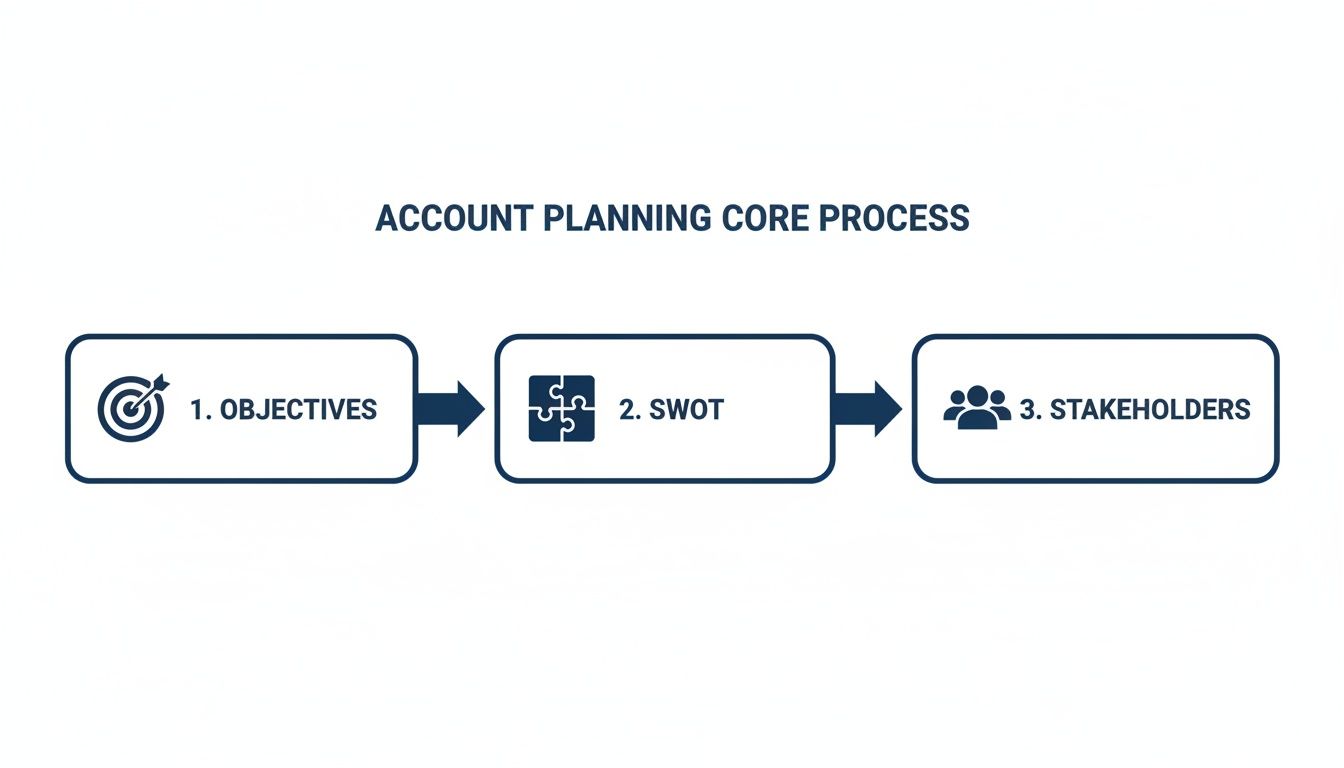
This visual shows it all: a solid plan starts with clear goals, is shaped by a deep understanding of the customer's world, and depends on navigating the human element of their organization.
Creating Your First Account Plan
Getting started is more about strategic clarity than technical skill. Salesforce lets you create multiple account plans for a single account, which is perfect for organizing your efforts by fiscal year or specific initiatives.
- Navigate to an Account Record: Open the account you want to build a plan for.
- Find the Account Plans Related List: From here, you can start a new plan.
- Define the Plan’s Scope: Give your plan a clear name (e.g., "FY25 Growth Strategy - Acme Corp"), set a specific start and end date, and assign an owner to ensure accountability.
This simple setup creates a container for all your strategic activities, linking them directly to the customer record. As you implement this, understanding the broader landscape of the best CRMs for sales teams can give you valuable context on how to get the most out of Salesforce's capabilities.
Defining and Measuring Objectives
With the plan created, it's time to add clear objectives. An objective isn't a vague goal; it’s a specific, measurable outcome you’re aiming to hit within the plan's timeframe.
The real magic is the Objective Metrics Calculation feature. This tool connects your plan directly to live Salesforce data, which automates progress tracking and gets rid of manual updates.
For example, an objective could be to "Increase Product X Adoption by 25%." You can set up a metric that automatically pulls data from closed-won opportunities for that product, comparing the current value against your target. This gives you a real-time pulse check on your progress without ever leaving the account plan.
The goal of implementation is to make the right thing to do the easy thing to do. By embedding planning into your team's existing workflow in Salesforce, you drastically increase the odds of adoption and long-term success.
Salesforce has continued to invest heavily in Account Plans, making them a first-class record type complete with features for Objectives and automated metric calculations.
Updates rolled out in recent releases automate pulling live data from opportunities, cases, and campaigns directly into plan metrics. This drastically cuts down on manual entry and boosts pipeline accuracy. Now, teams can build separate plans for each fiscal year, assign owners to every objective, and track progress against clear revenue targets, like a £100k goal with measurable current and target values.
This structured approach gives your team a clear path from strategy to execution, all within a single system. The right integration in Salesforce CRM can streamline these processes even further.
Best Practices for Long-Term Account Planning Success
Rolling out a Salesforce account planning process is a great first step. But the real work—and the biggest payoff—is making it a genuine habit for your entire revenue team. It's about building a rhythm where strategic planning becomes second nature.
This isn't just about using new software; it’s a fundamental shift in how your team thinks. Long-term success hinges on weaving these practices into your company's DNA, making your account plans living guides for action, not static reports.
Establish a Consistent Review Cadence
The biggest mistake teams make is treating an account plan as a one-and-done task. You have to set up a non-negotiable rhythm for reviewing and refining your plans. This keeps them relevant and ensures they drive what your team does every day.
Think of it like a ship captain checking the course. You don't just point the ship at the destination and hope for the best. You make constant, small adjustments.
A solid framework looks like this:
- Weekly Check-ins: A quick touchpoint in team meetings to discuss progress on key actions and flag any immediate roadblocks.
- Monthly Plan Updates: A more focused session to update stakeholder maps, check metrics against objectives, and tweak short-term tactics.
- Quarterly Business Reviews (QBRs): A formal deep-dive with leadership and key stakeholders to review overall progress, challenge strategic goals, and plan for the next quarter.
This simple, structured cadence turns the account plan from a document into a dynamic tool that focuses your team’s energy where it matters most.
Foster Cross-Functional Collaboration
Strategic account planning is not a solo sport. Your most important customers interact with many people at your company, and a siloed plan creates a disjointed customer experience. You need a team-based approach to win.
A winning account plan is a shared compass for the entire organization. When sales, customer success, and marketing all navigate by the same map, you create a seamless and powerful experience for the customer.
To make this happen, you have to break down internal walls. Involve your Customer Success Managers (CSMs) for their insights on account health. Bring in Marketing to align on account-based marketing (ABM) campaigns. Loop in the product team to share feedback straight from your most strategic clients.
Using dedicated Salesforce Chatter or Slack channels for key accounts can be a game-changer. It centralizes communication and makes sure everyone is working from the same playbook.
Champion the Change from the Top
For a strategic shift like this to stick, you need unwavering support from leadership. When leaders champion account planning, it sends a clear message that this is a core business priority, not just another sales initiative.
Executive sponsorship is critical for a few reasons:
- It Reinforces Importance: When the CRO or VP of Sales actively participates in QBRs, the team sees that this work truly matters.
- It Removes Obstacles: Leaders have the clout to clear cross-departmental roadblocks and secure needed resources.
- It Ensures Accountability: This top-down attention creates a culture where reps are expected to maintain high-quality, up-to-date plans.
Without this reinforcement, even the most brilliantly designed account planning process will eventually lose steam.
Continuously Refine and Adapt
Finally, remember that no plan survives first contact with reality. Market conditions change, customer priorities shift, and key stakeholders leave. The best account plans are flexible, not rigid.
Encourage your team to treat their plans as living hypotheses, ready to be updated as new information comes to light. This iterative approach is what ensures your strategy stays sharp and effective over the long haul.

“Automatic account profile detail I can use to manage my territory. Using Salesmotion AI to generate value statements per persona, account, etc. Using Salesmotion to give me a starting point based on new hires, or news alerts is critical.”
Adam Wainwright
Head of Revenue, Cacheflow
How to Measure the Real Impact of Your Account Plans

An account plan is only as good as the results it drives. Every sales leader eventually has to answer the question: "Is this actually working?" To get a real answer, you have to move beyond gut feelings and measure the tangible, bottom-line impact.
Measuring success isn't just about watching the top-line revenue number go up. The true value of solid account planning shows up in a range of metrics that point to a healthier, stickier, and more profitable customer relationship.
This data-first approach does more than prove ROI. It creates a powerful feedback loop for your account managers, showing them exactly how their strategic work translates into measurable wins.
Moving Beyond Revenue to Holistic KPIs
Sure, hitting revenue targets is the end goal. But a great account plan strengthens the entire customer relationship. To get the full picture, you need to track a balanced set of Key Performance Indicators (KPIs) that reflect this deeper impact.
Here are the core metrics you should build into your Salesforce dashboards:
- Improved Customer Retention: Are your most important customers sticking around? Tracking your churn rate within strategic accounts is non-negotiable. If retention is climbing, your proactive planning is building loyalty.
- Higher Customer Lifetime Value (CLV): This tells you the total worth of a customer over their entire relationship with you. A good account plan directly boosts CLV by systematically uncovering upsell and cross-sell opportunities.
- Increased Product Adoption: Are your key accounts using more of your product suite? Tracking this "whitespace" and monitoring the adoption of new features shows how embedded you are in their operations.
- Shorter Sales Cycles: When you deeply understand an account's needs and key players, you can navigate their buying process more efficiently. Shorter sales cycles on new deals are a direct payoff of strong planning.
Tracking these KPIs in Salesforce gives you a 360-degree view of account health, proving that your strategy is paying off in more ways than one.
Building Reports and Dashboards That Tell the Story
The magic of Salesforce is its ability to turn raw data into clear, actionable insights. To measure your account plans effectively, you need reports and dashboards that draw a straight line from your planning activities to these outcomes.
Create a dedicated "Strategic Account Health" dashboard for your most important customers. This should become the single source of truth for your team, visualizing trends over time and making it easy to spot wins and potential risks.
Measuring your account plan's impact isn't an administrative chore; it's a strategic necessity. The data you gather justifies your investment, refines your strategy, and proves that you're building a more predictable and profitable business.
The evidence for this approach is overwhelming. A recent IBM study found that 60% of data-savvy companies blew past their peers on revenue growth, and 51% did the same on profitability. A huge part of that advantage was using Salesforce data for deep, account-level planning. You can dig into the full research on how data pioneers outperform their peers.
Ultimately, measuring your account plans creates a virtuous cycle. Better data leads to smarter insights, which leads to stronger plans and more predictable revenue. The table below breaks down the key metrics you'll want to track.
Key Metrics for Measuring Account Plan ROI
| Metric | What It Measures | How to Track in Salesforce |
|---|---|---|
| Customer Retention Rate | The percentage of customers who remain with you over a given period. | Create a report on Accounts, filtering by status ("Active" vs. "Churned") and segmenting by strategic vs. non-strategic accounts. |
| Customer Lifetime Value (CLV) | The total revenue a customer is projected to generate over their entire relationship with you. | Use a formula field on the Account object that sums the Amount from all closed-won Opportunities related to that account. |
| Product/Service Adoption | The extent to which customers are using different parts of your product suite. | Create a custom object or use custom fields on the Account to log which products are active. Report on this to see "whitespace". |
| Average Sales Cycle Length | The average time it takes to close a deal, from creation to close-won. | Run an Opportunity report and use the standard Age field or a custom formula (CloseDate - CreatedDate) to calculate the average for add-on deals. |
| Forecast Accuracy | The variance between your sales forecast and actual sales results for strategic accounts. | Use Salesforce's native Forecasting tools and create reports that compare Forecast Amount to the Amount of closed-won deals for a given period. |
By tracking these metrics in Salesforce, you can confidently answer the "is it working?" question and continuously refine your approach. If you want to dig deeper into building a more predictable revenue engine, check out our guide on how to improve forecast accuracy.
Key Takeaways
- Salesforce account planning turns your CRM from a passive record-keeping system into a dynamic strategic tool by centralizing account intelligence, stakeholder maps, and growth strategies in one place.
- Start by identifying which accounts deserve strategic plans using criteria like revenue potential, expansion opportunity, and strategic alignment rather than trying to plan every account equally.
- Build account plans around key elements: a stakeholder map of the buying committee, a whitespace analysis of upsell and cross-sell opportunities, and clear action items tied to specific goals and timelines.
- Measure the real impact of account planning by tracking metrics like Net Revenue Retention, Customer Lifetime Value, product adoption rates, and forecast accuracy directly within Salesforce.
- Success depends on making account planning a living discipline with regular reviews, not a one-time exercise; embed it into quarterly business reviews and manager coaching sessions to drive consistent adoption.
Frequently Asked Questions
How do we decide which accounts need a strategic plan in Salesforce?
Not every account deserves a full strategic plan. Use a tiered approach: Tier 1 accounts (your top 10-20% by revenue and growth potential) get a comprehensive plan, Tier 2 accounts get a lighter version focused on one or two key objectives, and Tier 3 accounts can be managed with standard playbooks. Use Salesforce reports to segment accounts by revenue, product usage, and historical growth to make data-driven decisions about where to invest planning effort.
What is the biggest mistake teams make with Salesforce account planning?
The most common pitfall is treating the account plan as a one-time administrative task. Teams craft a detailed plan, attach it to the Account record, and then never revisit it. The fix is to operationalize the plan by building a review cadence into your calendar, including weekly check-ins on key actions, monthly plan updates on stakeholder maps and metrics, and formal Quarterly Business Reviews with leadership.
What are the core elements of a winning account plan?
Every effective account plan includes three essential components: clearly defined customer business objectives (specific, measurable goals the customer is trying to achieve), a stakeholder map identifying economic buyers, champions, influencers, and potential blockers, and a customer-centric SWOT analysis run from the customer's perspective. Together, these elements shift your approach from selling a product to helping the customer win their market.
Can the native Salesforce Account Plan object be customized?
Yes, and customization is key to driving adoption. You can add custom fields to track relationship health scores, competitive insights, or ICP alignment. Page layouts let you create different views for executives versus core account teams. Record types allow you to build distinct layouts for different plan categories, such as growth, retention, or new logo, ensuring the tool matches how your team actually works.
How does Salesforce AI like Einstein integrate with account planning?
Salesforce AI acts as a co-pilot for strategic planning by automating analysis and surfacing insights that humans might miss. Einstein can recommend next-best-actions based on engagement patterns, identify stakeholders from email and calendar data who are not yet mapped in your plan, and pinpoint whitespace opportunities by analyzing what similar customers have purchased. These capabilities help your team act on opportunities faster and with more intelligence.
How do we measure the ROI of our Salesforce account planning efforts?
Track a balanced set of KPIs beyond just revenue: customer retention rate for strategic accounts, Customer Lifetime Value (CLV), product adoption and whitespace coverage, average sales cycle length on new deals, and forecast accuracy. Build a dedicated "Strategic Account Health" dashboard in Salesforce to visualize these metrics over time. Research shows that 60% of data-driven companies significantly outperform their peers on both revenue growth and profitability.
Tired of reps wasting hours on manual research just to build a decent account plan? Salesmotion uses AI to automatically monitor your key accounts for critical signals—like executive moves, hiring trends, and financial updates—and turns them into actionable talking points. Stop guessing and start engaging with a relevant point of view.
Learn how Salesmotion makes account intelligence effortless.
