If your team already has a CRM, the better question isn't whether you need more data. It's which signal layer is missing, because that's usually what's keeping reps from reaching out at the right time with the right message.
What Sales Intelligence Tools Actually Do for Reps
Many teams get sales intelligence wrong by treating it like a contact database with nicer filters. That's too small. A real sales intelligence tool helps a rep answer three questions faster than they could on their own, who should I work, what just changed, and what should I do about it.
That's a useful way to separate the category from a CRM. Your CRM stores the record of the relationship, but sales intelligence is what feeds that record with context, timing, and prioritization. A rep doesn't need another static list of names, they need a way to spot the accounts that deserve attention now.
Practical rule: if a tool doesn't change who gets worked next, it's probably not sales intelligence, it's just data access.
That definition also clears up why the category keeps expanding. Market research shows the sales intelligence market has moved into a multibillion-dollar category, with forecasts ranging from USD 4.42 billion in 2025 to USD 9.15 billion by 2031 at 12.89% CAGR, and another forecast projecting USD 12.45 billion by 2034 at 11.10% CAGR. North America remains the largest regional market at 42.30% of global share in 2025, and the cloud segment is projected to hold 65.39% of the market in 2026, which tells you this has become core revenue infrastructure, not a sidecar feature set. Mordor Intelligence's market view shows how mature the category has become.
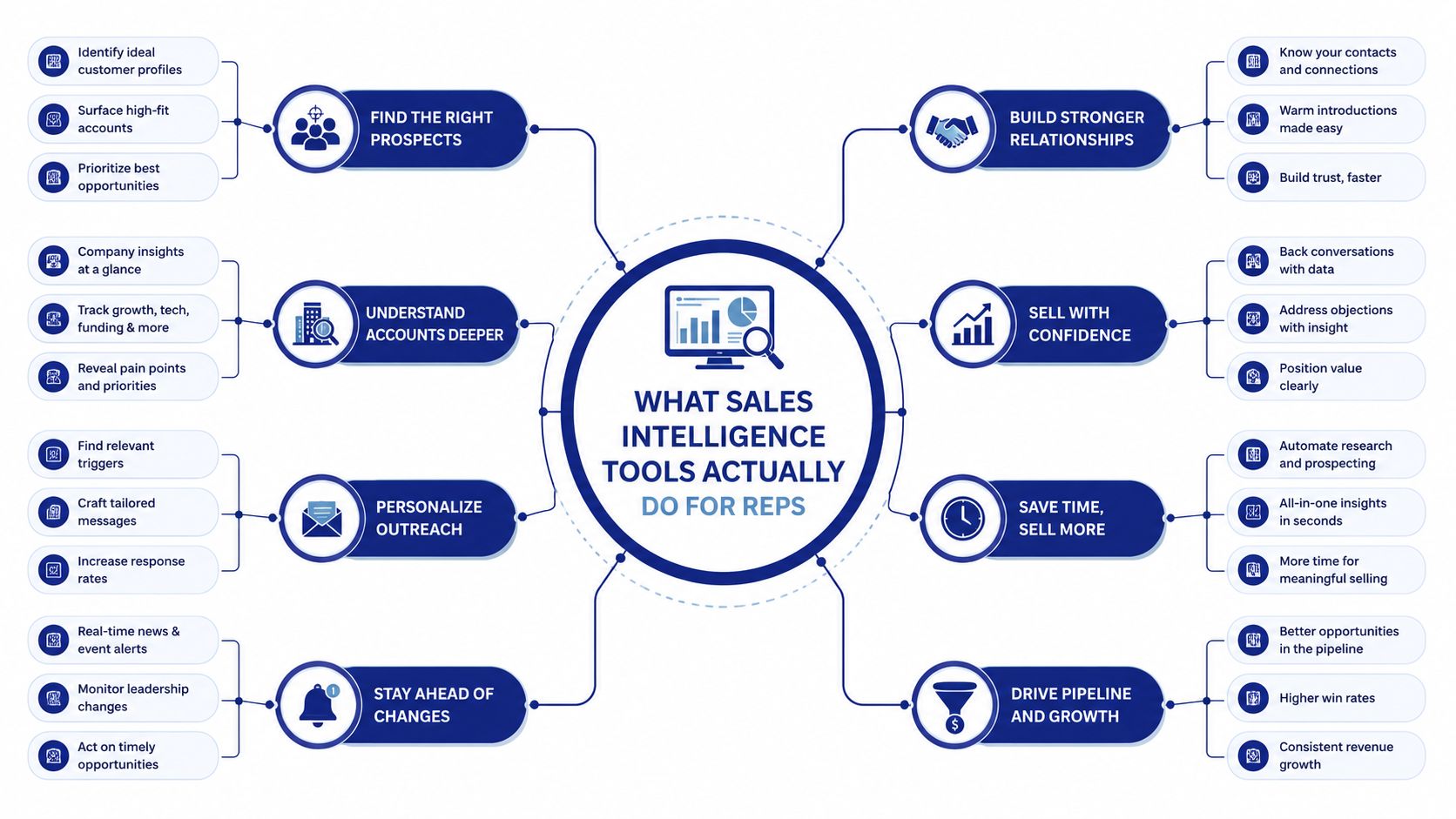
If you need a simple two-sentence explanation for a colleague, use this. Sales intelligence tools help reps see which accounts matter, why they matter now, and what action fits the moment. They're not a replacement for CRM, they're the layer that makes CRM decisions smarter, faster, and more timely. For a clean definition you can keep handy, see Salesmotion's sales intelligence definition.
Sales intelligence shopping list this long?
Skip the matrix. Salesmotion combines account intel, signals, and outreach drafts in one tool.
1,000+ public sources monitored 24/7, verified contacts with 200 credits/mo included, $85/mo. Monthly contract, no lock-in.
The Six Signal Layers That Actually Matter
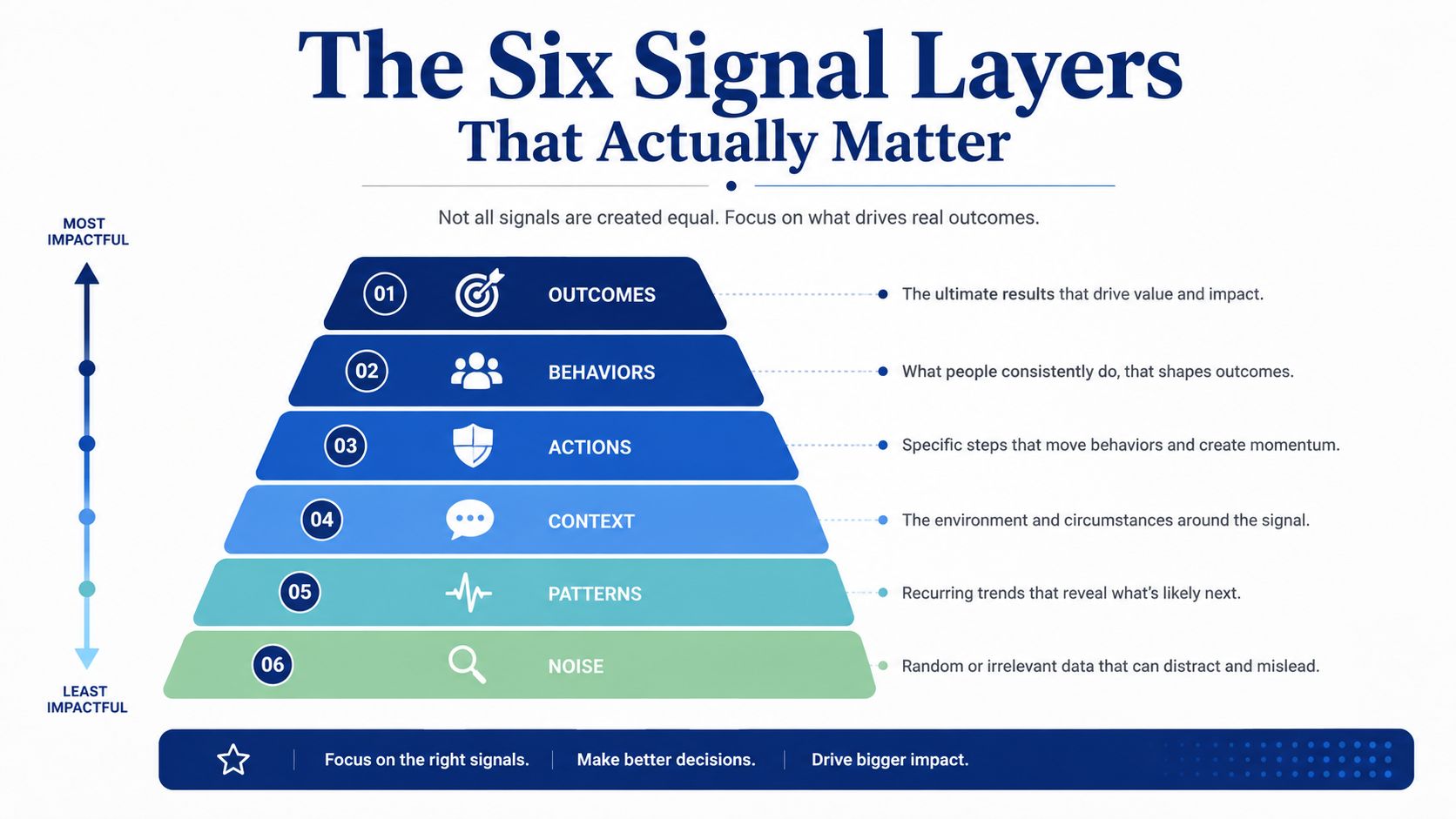
Most product pages flatten sales intelligence into one fuzzy promise, better data. That's not how revenue teams work. The better lens is to separate the category into six signal layers, because each one solves a different problem in the rep workflow.
Contact data and firmographics
Contact data tells a rep who to call or email. Firmographics tell them whether the account fits, things like company size, industry, and location. If your team wastes time on the wrong companies, this is the layer that matters most.
A common example is a rep looking for a VP of Revenue at a mid-market software company. Contact data surfaces the person, firmographics confirm the account belongs in the ICP, and the rep avoids chasing the wrong fit.
Technographics and intent
Technographics answer what stack they already use, while intent says what they're researching right now. That distinction matters because one is structural and the other is behavioral. A company can look perfect on paper and still not be in motion.
For example, a team selling revenue software may care whether an account already uses Salesforce, because that changes how the pitch should land. If the account is also showing research activity around related topics, the rep has a reason to move quickly. For a deeper breakdown of signal types, this guide on enterprise sales signals is a useful companion.
Trigger events and competitive intelligence
Trigger events are the moments that create urgency, new funding, a leadership change, a hiring wave, an expansion, or M&A. Competitive intelligence answers what changed in their market context and how that affects your angle. These are the layers that make outreach feel relevant instead of random.
A new CRO announcement is a classic trigger. A mention of a competitor in an earnings call is another. Salesforce itself calls out events like expansion, funding, hiring, promotions, layoffs, and M&A as sales opportunities, which is why modern workflows are shifting toward real-time alerts and account-level context. Salesmotion's 2026 signal coverage discussion highlights why those events matter in practice.
Rule of thumb: the weakest layer in your stack is usually the one reps keep rebuilding manually.
The key diagnostic question is simple. Which layer is missing in your process today, contact accuracy, fit, buying behavior, timing, or message relevance. Once you know that, tool selection gets much easier because you're buying a fix, not a feature bundle.

“Salesmotion has been a game-changer for me. I used to spend 12 hours a week on prospect research, now it's down to 4. Plus I'm finding stuff I was totally missing - podcasts, news mentions, the good bits.”
George Treschi
Account Executive, FY25 President's Club, Sigma
From Raw Signal to Sent Email
A useful sales intelligence workflow doesn't end with an alert. It ends with a sent message that feels specific enough to deserve a reply. That's the difference between collecting signals and building pipeline from them.
A realistic account workflow
A mid-market rep is working a target account. The signal agent notices a new CRO announcement, which matters because a change at that level usually resets priorities, review cycles, and internal alignment. Instead of handing the rep a vague news headline, the workflow should show why the change matters to the account and what it suggests about the next conversation.
The research agent then pulls a fresh account brief. That brief should summarize the company's direction, key stakeholders, and likely priorities in a way the rep can use. The value shows up not in a giant pile of links, but in a short, opinionated view of what changed and what that means for outreach.
Once the rep has that context, the prospector agent drafts a personalized opener and a few follow-up steps. The message might reference the new CRO, connect it to a likely operating priority, and suggest a conversation framed around that change. The point isn't to automate away judgment, it's to remove the blank page.
What the rep actually reviews
The rep should be checking three things before sending. First, is the trigger real and recent. Second, does the brief point to a relevant business issue. Third, does the email sound like it came from someone who understands the account, not someone who pasted a headline into a template.
That's also why many teams pair intelligence with sales email automation. Automation without context creates generic outreach, but automation with a live signal can speed up the exact moment when a message should go out. Salesmotion's email automation discussion fits naturally here because it ties research, trigger detection, and outreach together.
A rep doesn't need more alerts. They need one alert that leads to a better email.
The important part is the loop. Observe the event, interpret the account, draft the outreach, and send while the signal is still fresh. When that workflow is wired correctly, sales intelligence stops feeling like research software and starts acting like a revenue motion.
A Buyer's Evaluation Framework, Not a Checklist
The wrong way to buy these tools is to count features. The right way is to ask whether the platform will still matter after week 13, when the novelty wears off and reps decide whether they'll use it. That's where evaluation gets real.
What predicts adoption
Start with data freshness and verification depth. If a platform can't keep records current, reps will stop trusting it. Industry buying guides also emphasize native CRM synchronization, real-time enrichment, and intent-triggered alerts, because those features keep routing, scoring, and outreach aligned with the current account state. Benchmarks cited in vendor-neutral guidance point buyers toward signal accuracy targets in the 85% to 95% range, bidirectional Salesforce sync, and enterprise controls such as SOC 2 Type II and GDPR. The buying guide on sales intelligence evaluation makes the compliance and workflow point well.
Then look at workflow integration. A tool that lives outside the CRM often creates another place for reps to ignore. Native syncing matters more than a giant integration count because what you really want is one record of truth, not another tab to manage.
What sounds good in demos but fades fast
Database size gets attention because it's easy to compare. It's also easy to overvalue. A large database with stale contacts and weak verification can create more cleanup work than value.
The same is true for long lists of integrations. A demo can make it look like coverage equals adoption, but teams don't need more connectors; they need the right signal to hit the right workflow at the right moment. That's why the best buying question is often, which layer of intelligence is this tool strongest at, not how many logos are on the integration page.
| Evaluation Criteria That Predict Real Adoption | What It Prevents | Realistic Benchmark |
|---|---|---|
| Data freshness and verification | Reps wasting time on stale contacts | Current, verified records |
| Native CRM sync | Duplicate work and ignored alerts | Bidirectional sync |
| Real-time alerts | Late outreach after the window closes | Immediate routing into workflow |
| Signal accuracy | Alert fatigue and noisy prioritization | 85% to 95% range |
| Compliance controls | Enterprise friction and legal blockers | SOC 2 Type II, GDPR |
| Workflow fit | Another tool no one opens | Fits existing rep motion |
The cleanest decision framework is this. Buy the platform that fixes the most impactful gap in your process, not the one with the biggest demo surface area. If reps already know who to target but miss timing, buy signal depth. If they know timing but send weak messages, buy research and outreach context. If both are broken, the stack needs to be simplified before it needs to be expanded.

“The Business Development team gets 80 to 90 percent of what they need in 15 minutes. That is a complete shift in how our reps work.”
Andrew Giordano
VP of Global Commercial Operations, Analytic Partners
Measuring ROI in Pipeline, Not Vanity Metrics
A sales intelligence purchase should show up in pipeline conversations, not just login reports. If leadership can't connect the tool to revenue movement, the budget will always feel optional. The useful metrics are the ones that affect how deals are created, advanced, and won.
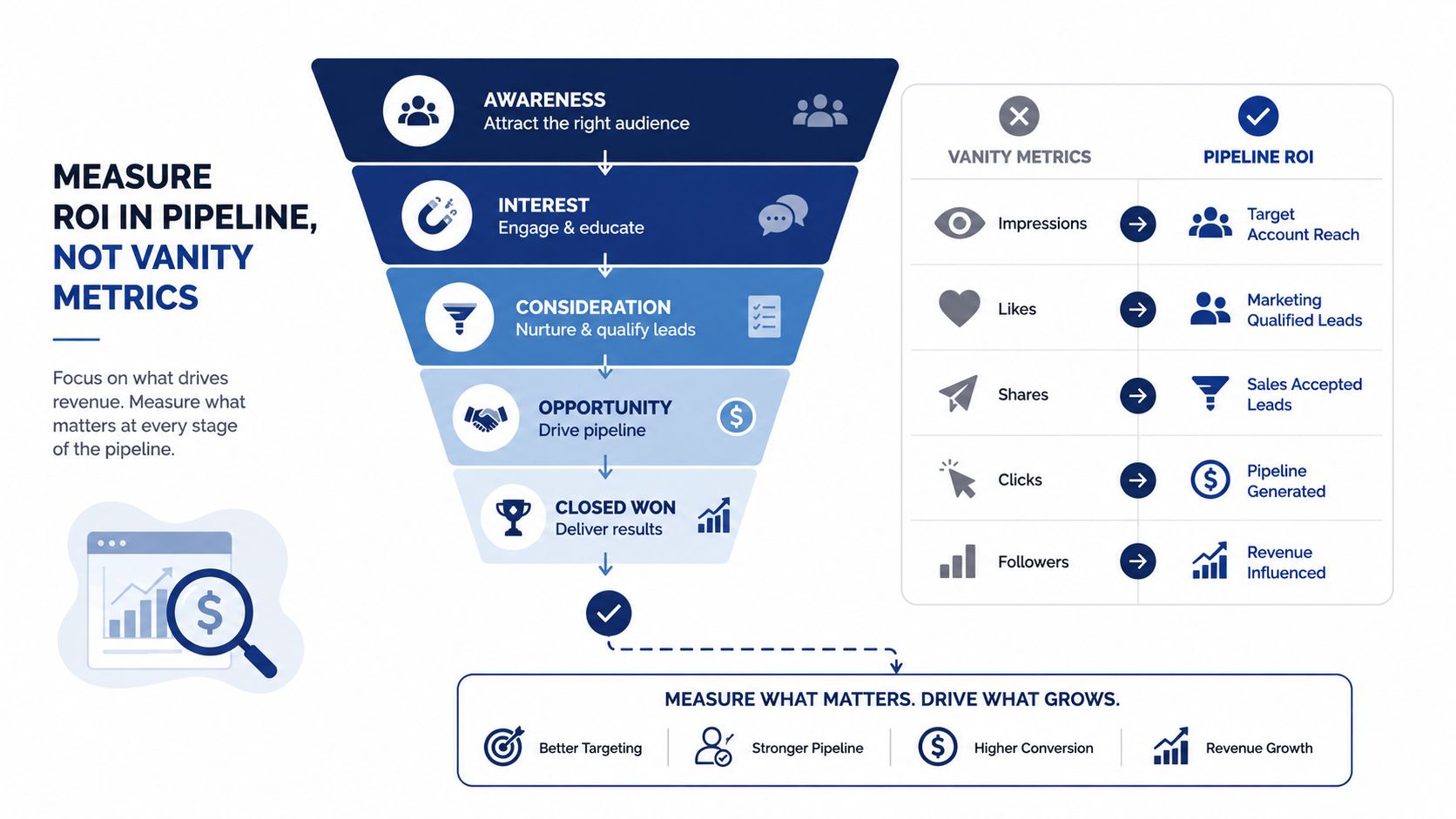
The metrics that actually matter
Opportunity creation rate is the number of qualified opportunities created from intelligence-driven accounts. Measure it by tagging leads or accounts that came from a signal, then comparing how often they become opportunities versus a baseline list. If the tool is working, this number should move in the right direction.
Average deal size matters because better timing and better account context often lead to better qualification and broader stakeholder coverage. If your reps are using intelligence to find the right trigger and the right stakeholder, they're more likely to carry larger deals forward instead of settling for narrow entry points.
Sales cycle length should shorten when reps stop guessing and start reaching out at the right moment. You can measure that by comparing signal-driven opportunities to standard sourced opportunities inside your CRM. The point is not to promise a specific lift, it's to see whether the work is compressing time.
How to keep the measurement clean
Win rate is the cleanest test of relevance. If signal-based outreach is better timed and better framed, the win rate on those opportunities should compare favorably to non-signal opportunities. One industry summary reports 34% higher win rates and 28% shorter sales cycles for companies using sales intelligence, while another reports 46% win rate versus 32% for non-users and a 40% increase in average deal size, with enterprise deals moving from USD 166,000 to USD 313,000. Those figures come from industry research summaries, not every team's lived experience, but they show why the category gets budget attention. The sales intelligence statistics overview compiles those performance-linked numbers.
Rep ramp time is easy to forget and hard to ignore. New reps usually spend too much time learning the account details and not enough time selling. If intelligence gives them usable context faster, they can start having credible conversations sooner.
Measure the tool where revenue moves, not where the dashboards look busy.
If you want a practical way to frame the business case, use a before-and-after comparison inside your CRM. Track signal-sourced opportunities, time spent researching, meetings booked from trigger-based outreach, and downstream deal movement. Salesmotion's ROI framing aligns with that approach because it treats the tool as a pipeline input, not a reporting widget.
The 2026 Landscape by Archetype
The market is easier to understand if you stop asking which platform is universally best. The better question is which archetype matches your motion. Once you do that, the crowded vendor field starts to make sense.
Contact and company data platforms
These tools win when the main problem is finding the right person and verifying that the account fits. They're strongest for teams that need reliable contact coverage, org charts, and firmographic depth. Their gap is that they often stop at identification, which means the rep still has to figure out timing and message relevance.
Intent and signal providers
These platforms tell you which accounts are showing buying behavior or other meaningful change. They're useful when the team already has a decent contact stack but needs better prioritization. The gap is that intent alone rarely tells a rep exactly who to contact or what to say.
Conversation intelligence tools
These tools live closer to execution than prospecting. They're strongest when you need coaching, deal inspection, and feedback from calls and meetings. Their weakness is that they don't usually solve account discovery or trigger timing on their own.
AI agents that combine research, signals, and outreach
This newer category stitches the workflow together. It's useful when teams want one system to detect changes, summarize context, and draft outreach without making reps assemble the motion manually. Salesmotion fits here as a B2B account intelligence platform that tracks public signals and turns them into alerts, briefs, and outreach context, which puts it closer to workflow orchestration than to a simple data source.
The field is also moving toward mixed stacks rather than one-platform purity. Market research and vendor comparisons show buyers using different tools for different jobs, because contact data, intent, conversation intelligence, and AI-driven execution each solve a separate part of the revenue motion. The mistake isn't using multiple tools, it's buying overlap without knowing which layer each tool owns.
Your First 30 Days With a Sales Intelligence Tool
The first month should be about focus, not rollout theater. Pick one part of the process, make it visible in the CRM, and prove that reps will use it in the flow of work. If you try to activate every signal on day one, you'll create alert fatigue before you create pipeline.
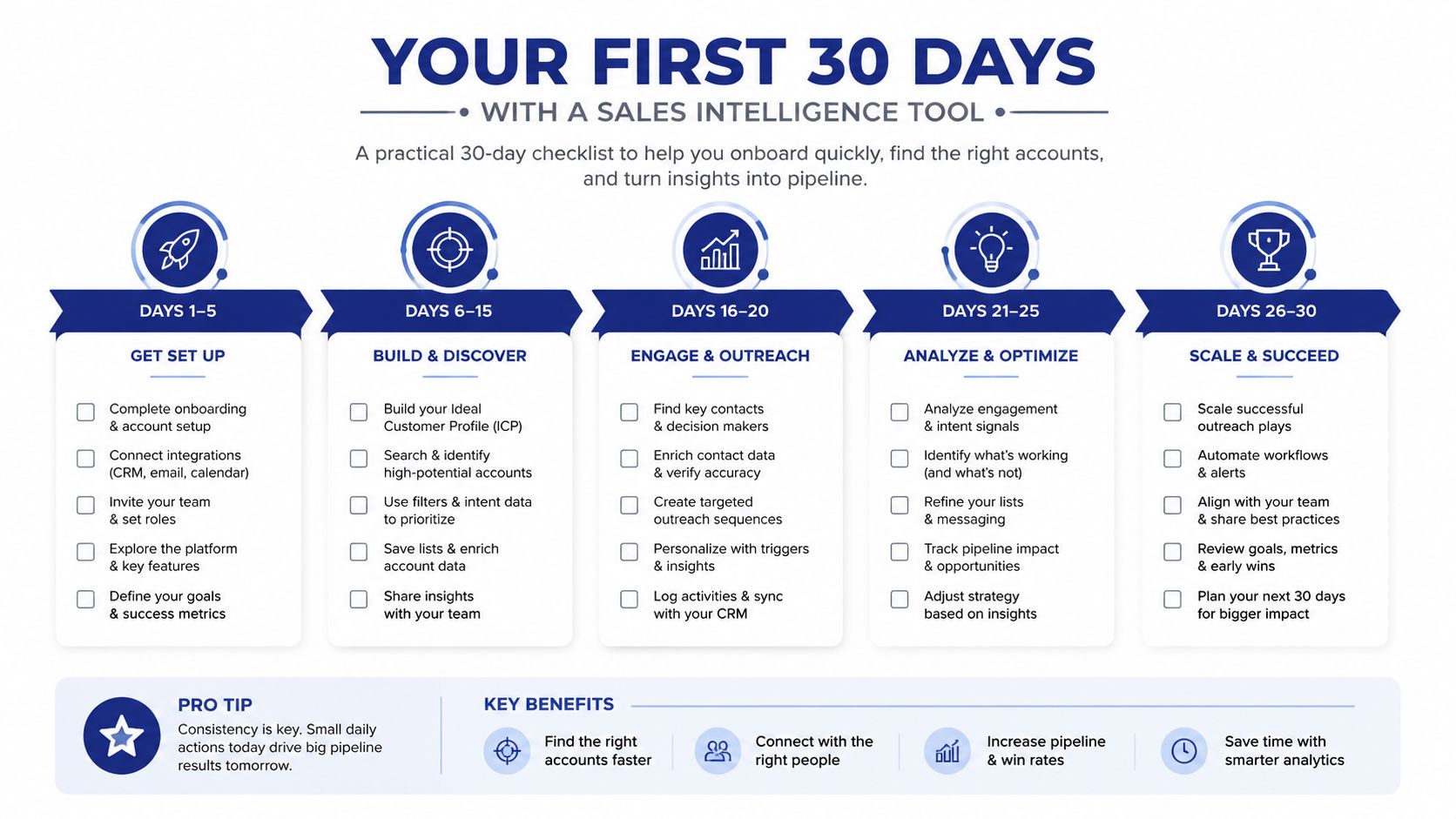
Four moves that matter first
Pick one signal layer. If timing is your issue, start with trigger events. If list quality is the issue, start with contact accuracy or firmographics. If messaging is the issue, start with research context and outreach guidance.
Wire it into the CRM. Reps shouldn't have to log in twice to see the same account. If the signal doesn't appear where they already work, adoption will lag.
Limit the alerts. Two or three alert types are enough to start. The point is to make the signal readable, not to notify everyone about everything.
Use one outreach template tied to a signal. A good template references the event, explains why it matters, and suggests the next step. That gives managers a repeatable standard without turning every email into a script.
For teams that want a cleaner operating model, the sequence is straightforward. Decide which gap you're fixing, connect the signal to existing workflow, test a small alert set, and then review whether it changes how reps prioritize accounts. If it doesn't change behavior, it isn't earning its seat yet.
If you're trying to turn account signals into actual pipeline, Salesmotion gives revenue teams a way to track triggers, build account briefs, and generate outreach context from the same workflow. Visit Salesmotion to see how its agents can fit into your current sales process and help your team act on the right accounts sooner.