Finding the right sales territory mapping software is key to building an efficient, balanced, and high-performing sales team. Poorly designed territories lead to wasted travel time, overlapping efforts, and missed revenue. A well-designed plan, on the other hand, gives reps a fair shot at their quota, boosts morale, and maximizes market coverage. The challenge isn’t just recognizing the need for better territory management; it’s finding the right tool in a crowded market that fits your team's workflow, tech stack, and goals.
This guide cuts through the noise. We’ve compiled a list of the top sales territory mapping platforms, providing a detailed, practical analysis of each one. Forget the marketing copy; we focus on what matters to sales and revenue operations leaders.
Here's what you'll find for each tool:
- Core functionality: A breakdown of key features like territory design, lead routing, route optimization, and data visualization.
- Ideal use cases: We identify which software works best for field sales, inside sales, strategic account management, or enterprise-level planning.
- Practical insights: An honest assessment of pros and cons based on real-world application, not just a feature list.
- CRM integration: Critical details on how each platform syncs with Salesforce, HubSpot, and other systems.
- Pricing and implementation: Clear guidance on cost structures and what it takes to get up and running.
Each review includes screenshots to give you a feel for the user interface and direct links to explore further. Whether you're a sales manager at a fast-growing startup or a RevOps leader at a global enterprise, this guide will help you make an informed decision and select the best sales territory mapping software to drive your revenue engine forward.
1. eSpatial
eSpatial is a cloud-based mapping platform designed for sales and RevOps teams that need powerful, data-driven territory design. Its core strength is its "what-if" scenario planning, letting you model different territory structures to balance workload, potential, and geographic coverage before committing to changes. This makes it an ideal piece of sales territory mapping software for organizations undergoing restructuring, expansion, or frequent realignments.
Unlike basic visualizers, eSpatial uses algorithms to suggest optimized territories based on metrics you define, like account count or revenue potential. The platform is notably user-friendly, with a clean interface that simplifies complex tasks. The ability to easily share maps and export them for presentations is a major workflow benefit for collaborative teams.
Standout Features
- Algorithmic Optimization: Automatically generates balanced territories based on workload metrics, saving significant manual effort.
- Scenario Planning: Create and compare multiple territory models side-by-side to find the optimal structure.
- Route Optimization: Plan efficient multi-day routes for field sales teams, factoring in drive times and appointment schedules.
- Sharing and Collaboration: Easily share interactive maps with team members or export high-quality visuals for stakeholder presentations.
| Key Aspect | Details |
|---|---|
| Best For | Mid-market to enterprise companies needing robust optimization and scenario modeling. |
| Pros | Transparent, published pricing; 7-day free trial; strong algorithmic balancing features. |
| Cons | Advanced optimization is gated in higher tiers; lacks the full customization of a GIS tool. |
| Pricing | Starts at $1,295 per user/year (Pro). Optimization is in the Premium tier. |
Practical Tip: Use the 7-day free trial to upload a sample of your own sales data. Test the territory balancing feature to see how it redistributes your accounts compared to your current setup; this provides a direct ROI comparison. For a deeper dive into the strategic aspects of this process, explore how effective tools complement a modern approach to sales territory management.
Website: https://www.espatial.com/pricing
Skip the comparison fatigue?
If you're shopping for a sales intelligence tool, here's the short version.
Salesmotion combines account intel, buying signals, verified contacts, and AI-drafted outreach in one tool. From $85/mo, live in an hour, no annual contract.
2. Maptitude (Caliper)
Maptitude is a mature, desktop-based geographic information system (GIS) that also serves as powerful sales territory mapping software. Unlike cloud-native platforms, its strength is deep, offline data analysis and a one-time purchase model. This appeals to analysts and operations managers who need extensive built-in demographic data without recurring subscriptions. It excels at creating territories from standard boundaries like ZIP codes or counties, or by building them from custom spreadsheets of accounts.
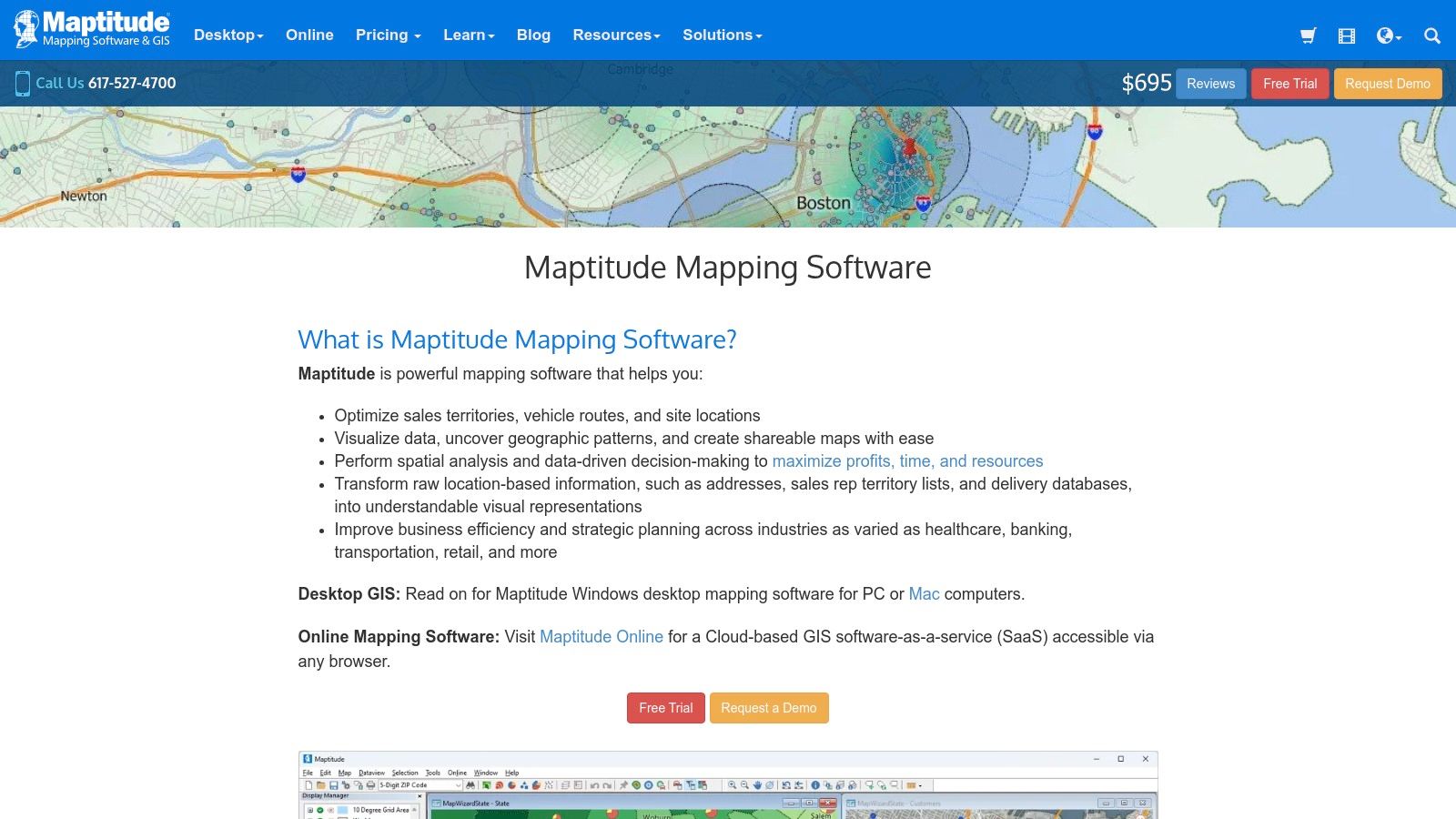
This tool is geared toward users who need robust geocoding, routing, and data visualization capabilities on their local machine. Maptitude's inclusion of extensive demographic and postal data packages with the software license is a key differentiator, reducing the need for costly third-party data add-ons. Its ability to create drive-time rings and calculate optimal routes makes it a comprehensive solution for both strategic territory design and tactical field sales planning.
Standout Features
- Extensive Included Data: Comes packaged with comprehensive demographic, census, and postal data, reducing external data costs.
- Flexible Territory Creation: Build territories from standard boundaries (ZIP, county, state) or by grouping individual customer locations.
- Advanced Routing Analysis: Calculate shortest/fastest routes and generate drive-time rings to analyze market accessibility.
- Offline Capability: As a desktop application, it allows for deep analysis and mapping without a constant internet connection.
| Key Aspect | Details |
|---|---|
| Best For | Data analysts and sales operations teams who need a powerful, offline GIS tool with rich data. |
| Pros | Cost-effective one-time license; large included data packages; powerful offline analysis features. |
| Cons | Steeper learning curve than web-based tools; Windows-focused; online collaboration requires extra steps. |
| Pricing | A one-time purchase of $695 for the latest version, with optional upgrades for future releases. |
Practical Tip: Use Maptitude’s drive-time ring feature to visualize market penetration. By creating 15, 30, and 45-minute drive-time zones around your top reps' home locations, you can quickly identify underserved areas that are still within a reasonable travel distance, highlighting opportunities for targeted prospecting.
Website: https://www.caliper.com/maptitude/
Territory mapping is step one — knowing which accounts to work is step two
Salesmotion ranks every account in your territory by live buying signals, so reps spend time where deals are forming.

“We're no longer fishing. We know who the right customers are, and we can qualify them quickly. Salesmotion has had a direct impact on pipeline quality.”
Andrew Giordano
VP of Global Commercial Operations, Analytic Partners
3. AlignMix
AlignMix is a purpose-built, desktop-based software designed specifically for sales territory alignment and optimization. It's a favorite among manufacturing, life sciences, and distribution companies where territories are often defined by ZIP codes or counties. Its primary strength is a rapid workflow for manual and semi-automated territory design, allowing managers to quickly reassign areas and see the immediate impact on key metrics like workload or sales potential.
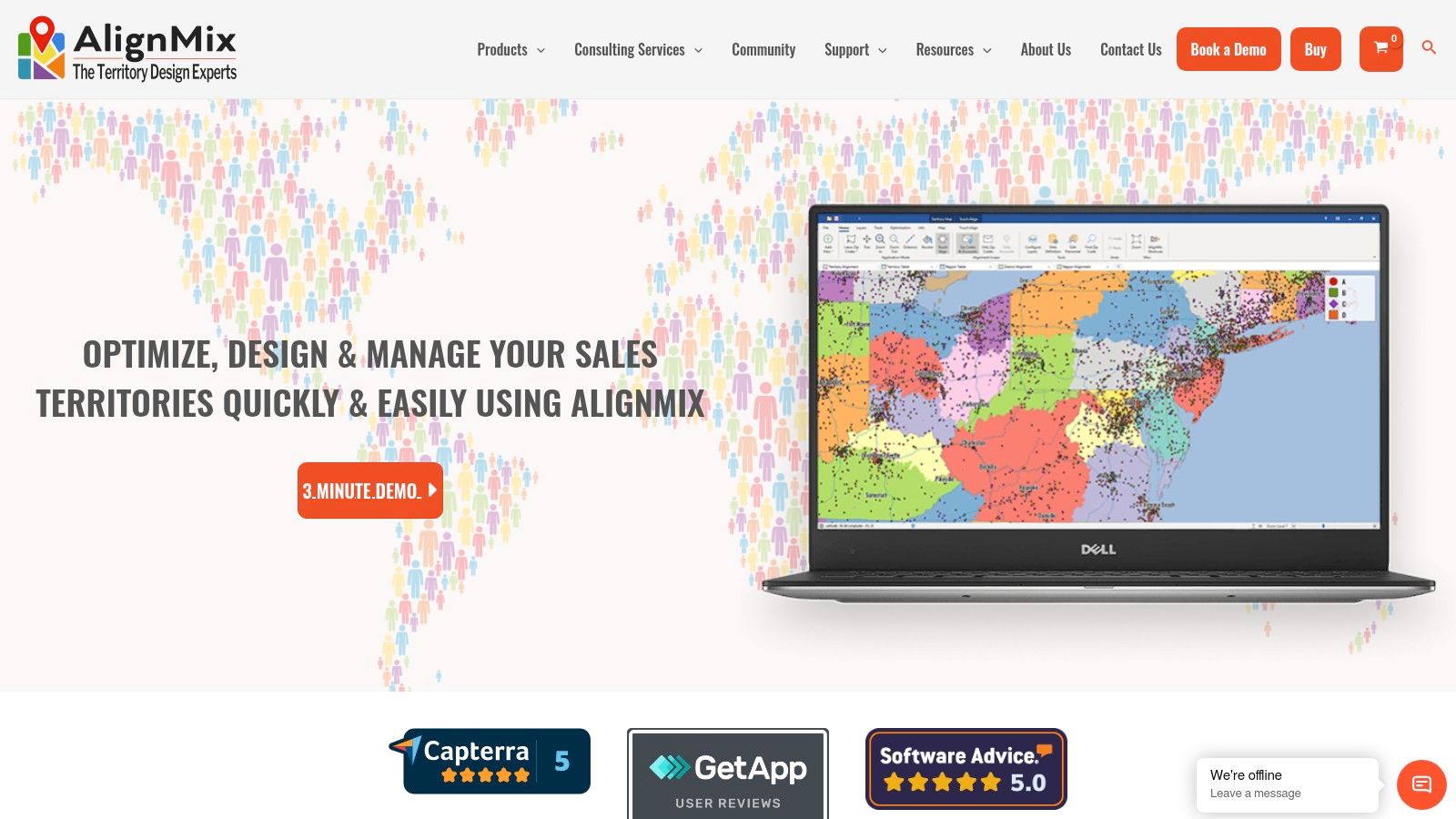
Unlike cloud-first platforms, AlignMix offers a powerful free version for manual design and paid tiers that introduce AI-driven optimization to automate balancing. This makes it a highly accessible yet scalable piece of sales territory mapping software. The interface is geared towards efficiency, using lasso tools and touch-align features that feel intuitive for anyone who has worked with maps. While its desktop nature means collaboration is file-based, its speed and specialization are unmatched for pure territory design.
Standout Features
- Touch-Align Tool: Instantly reassign geographic units like ZIP codes to adjacent territories with a single click.
- AI-Powered Optimization: Paid tiers automatically create and balance territories based on user-defined constraints and data.
- Unlimited Territory Files: Create and manage an unlimited number of territory alignments and scenarios within separate files.
- Flexible Licensing: Offers a free version, paid professional licenses, and enterprise-level consulting or in-house options.
| Key Aspect | Details |
|---|---|
| Best For | Operations managers in industries with geographic-based field teams needing a fast, dedicated design tool. |
| Pros | Powerful free version; extremely fast and responsive for manual design; clear AI-tiered upgrades. |
| Cons | Primarily a Windows desktop application; collaboration and sharing rely on exporting and importing files. |
| Pricing | A free version (AlignMix Standard) is available. AlignMix AI starts at $1,495 per license. |
Practical Tip: Start with the free AlignMix Standard version to import your account and ZIP code data. Use the lasso and touch-align tools to get a feel for the manual design process. This helps you quickly identify problem areas in your current territories before considering an upgrade to the AI version for automated balancing. To maximize the effectiveness of these realigned territories, managers should explore how a modern B2B sales intelligence platform can enrich account data for better targeting.
Website: https://www.alignmix.com/
4. Maptive
Maptive uses the familiar Google Maps interface to offer a cloud-based mapping solution that excels in ease of use and data visualization. It's designed for sales teams that need a straightforward, browser-based tool for creating territories, geocoding large datasets, and visualizing customer locations without a steep learning curve. The platform's strength is its simplicity, making it a powerful piece of sales territory mapping software for rapid deployment and analysis.
Unlike dedicated optimization engines, Maptive focuses on intuitive territory creation using boundaries like ZIP codes, cities, or states, complemented by demographic data overlays. Its ability to handle and geocode massive datasets quickly makes it suitable for companies with extensive customer lists. The platform also offers flexible subscription models, including a unique 45-day pass, which is ideal for short-term projects where a full annual commitment isn't necessary.
Standout Features
- Google Maps Interface: Provides an intuitive, familiar user experience that requires minimal training.
- Large-Scale Geocoding: Quickly processes and maps hundreds of thousands of location data points from a spreadsheet.
- Flexible Territory Drawing: Easily create territories by selecting standard boundaries (ZIPs, counties) or drawing custom shapes.
- Heat Maps & Clustering: Visualize data density and identify high-value clusters to inform territory assignments.
| Key Aspect | Details |
|---|---|
| Best For | Teams of any size needing a fast, user-friendly tool for data visualization and basic territory creation. |
| Pros | Very intuitive UI; flexible pricing including a 45-day pass; scales well for very large datasets. |
| Cons | Lacks the advanced algorithmic optimization of specialized tools; relies heavily on Google's geocoding services. |
| Pricing | Starts with a 10-day free trial. The 45-Day Pass is $350. Annual plans start at $1,350 per user/year. |
Practical Tip: Use the 45-Day Pass to trial Maptive for a specific, time-sensitive project, like a quarterly sales blitz or a new product launch. This lets you evaluate its visualization and routing capabilities with real-world data without committing to a full year's subscription upfront.
Website: https://www.maptive.com/pricing/
“We have very limited bandwidth, but Salesmotion was up and running in days. The template made it easy to load our accounts and embedding it in Salesforce was simple. It was one of the easiest rollouts we've done.”
Andrew Giordano
VP of Global Commercial Operations, Analytic Partners
5. Mapline
Mapline is a browser-based mapping platform designed for speed and accessibility, making it a strong choice for sales teams that need to quickly visualize data and create territories without complex software installations. Its core value is simplicity: users can upload a spreadsheet of locations and almost instantly see them plotted on a map. This makes it an effective piece of sales territory mapping software for rapid analysis and ad-hoc territory carving.
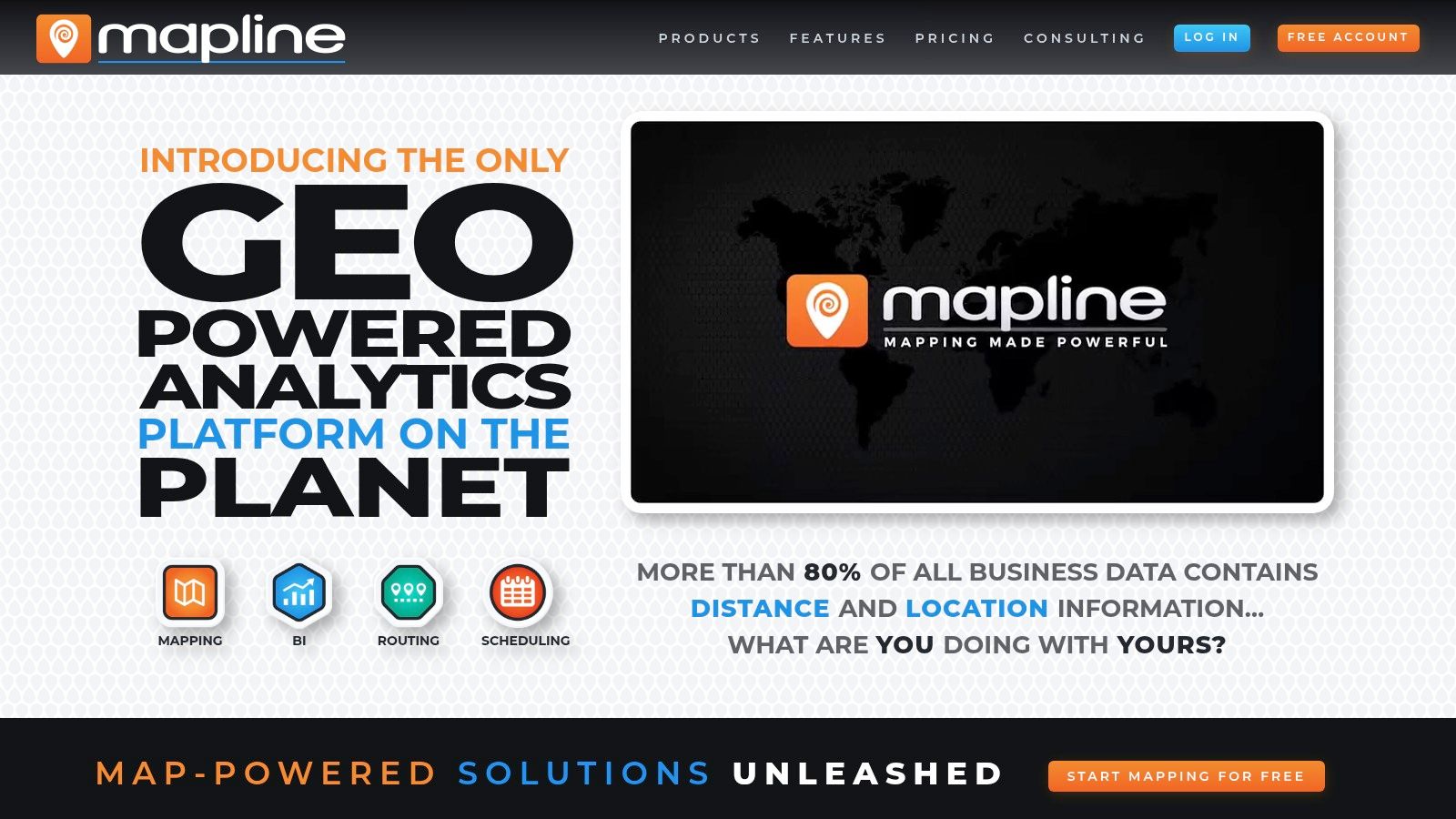
Unlike heavyweight GIS tools, Mapline excels at turning raw data into clear visual insights like heatmaps and segmented pin maps with minimal friction. You can create territories from predefined boundaries (like zip codes or counties) or draw custom shapes directly on the map. While it lacks the algorithmic optimization of more specialized platforms, its strength lies in its straightforward approach to data visualization and manual territory management.
Standout Features
- Spreadsheet-to-Map Functionality: Instantly create interactive maps by uploading Excel or CSV files.
- Custom Territory Creation: Build territories from standard boundaries like states and zip codes or draw free-form shapes.
- Data Visualization Tools: Includes heatmaps, radius mapping, and data filtering to analyze customer density and market penetration.
- Browser-Based Access: No software to install, allowing for quick setup and use from any device with an internet connection.
| Key Aspect | Details |
|---|---|
| Best For | Teams needing fast, simple spreadsheet visualization and manual territory design. |
| Pros | Very easy to start with no install required; free tier available; great for quick visual analysis. |
| Cons | Pricing for advanced analytics is less transparent; lacks the deep GIS features of analyst-grade tools. |
| Pricing | Offers a free basic plan. Paid plans are available with custom pricing upon request. |
Practical Tip: Use the free tier to test Mapline's core value. Upload a list of your top 20 accounts and a list of your bottom 20. Use the heatmap and radius tools to visually identify clusters and gaps, providing a quick, no-cost way to assess geographic concentration without committing to a paid plan.
Website: https://www.mapline.com/
6. Salesforce Maps and Sales Planning (Territory Planning)
For organizations deeply embedded in the Salesforce ecosystem, Salesforce Maps and Sales Planning offer a native solution that eliminates integration friction. This suite is less a standalone tool and more a powerful extension of your CRM, designed to leverage your existing account, lead, and opportunity data. Its primary advantage is seamless data alignment, ensuring that territory decisions are made using the most current information within Salesforce, making it an excellent sales territory mapping software for established enterprise teams.
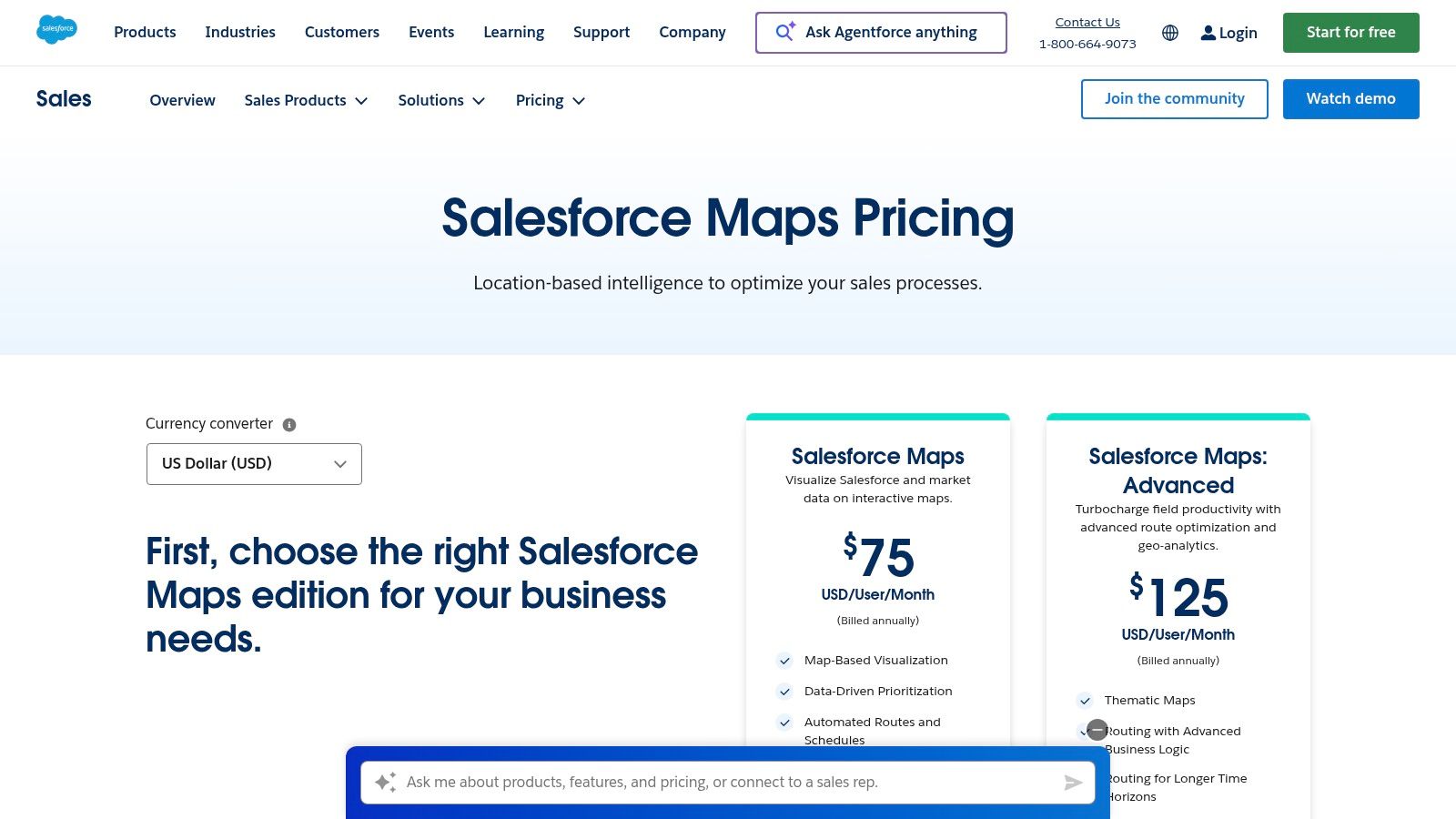
Unlike third-party applications, this suite provides direct, real-time access to Salesforce objects, which simplifies workflows for everything from lead assignment to route planning. The Territory Planning module allows managers to carve, model, and publish territory hierarchies directly within the platform, governed by Salesforce's robust permissions and security. This tight integration ensures a single source of truth and reduces the administrative overhead of syncing data between different systems.
Standout Features
- Native CRM Integration: Operates directly within the Salesforce UI, using live CRM data without external connectors.
- Automated Lead Assignment: Uses geographic and rule-based logic to automatically assign incoming leads to the correct rep.
- Advanced Routing and Geo-Analytics: Optimizes multi-stop travel routes for field teams and provides heat maps to identify market opportunities.
- Hierarchical Territory Design: Build, balance, and manage complex territory structures and sales hierarchies within the Sales Planning module.
| Key Aspect | Details |
|---|---|
| Best For | Enterprise companies standardized on Salesforce needing a native, fully integrated solution. |
| Pros | Deep alignment with Salesforce data; reduces integration overhead; enterprise-level governance. |
| Cons | Pricing is subscription-based per user and can be costly; annual contracts are standard. |
| Pricing | Requires contacting sales; typically bundled with Salesforce licenses or sold as add-ons. |
Practical Tip: Use the map-based visualization to create custom layers that display both accounts and open opportunities. This helps managers visually identify clusters of high-value activity for resource allocation. Optimizing territory assignments is also key for efficient lead distribution; for actionable insights, consider these lead routing best practices. To get the most from this tool, it is crucial to align it with a structured approach to Salesforce account planning.
Website: https://www.salesforce.com/sales/mapping-software/pricing/
7. Geopointe (Ascent Cloud)
For teams deep in the Salesforce ecosystem, Geopointe offers a native solution that brings powerful geographic intelligence directly into the CRM. As a mature AppExchange application, its primary value is letting sales reps and managers visualize their accounts, leads, and opportunities on a map without ever leaving Salesforce. This tight integration makes it an excellent piece of sales territory mapping software for visualizing data, performing spatial searches ("find all accounts within 25 miles of my next meeting"), and building basic territories.
Unlike standalone platforms, Geopointe's strength is its convenience and direct access to live CRM data. The core offering is supplemented by optional add-ons like the Territory Planner, which allows for modeling and what-if scenarios without affecting your live production data. This modular approach lets organizations start with foundational mapping and scale into more advanced route planning and territory management as needs evolve, all within a familiar interface.
Standout Features
- Native Salesforce Integration: Visualize, search, and edit any standard or custom object data directly on a map inside Salesforce.
- Territory Planner Add-On: Model, balance, and realign territories in a sandbox-like environment before deploying changes.
- Route Planner Add-On: Build and optimize multi-stop routes for field sales teams, saving drive time and increasing efficiency.
- Automated Assignments: Use geographic rules to automatically assign leads, accounts, or other records to the correct territory owner.
| Key Aspect | Details |
|---|---|
| Best For | Salesforce-centric organizations that need a native, integrated mapping and routing solution. |
| Pros | Mature AppExchange app with a strong reputation; modular add-ons let you scale features as needed. |
| Cons | Advanced features require separate add-on purchases; less ideal for companies not using Salesforce. |
| Pricing | Core Geopointe starts at $55 per user/month. Add-ons like Territory Planner have separate pricing. |
Practical Tip: If you're a heavy Salesforce user, start with the core Geopointe product to assess its immediate value for your field teams. Use the spatial search feature to identify nearby prospects for your reps to visit when they have gaps in their schedules, providing an instant ROI.
Website: https://www.geopointe.com/pricing/
8. EasyTerritory
EasyTerritory is a specialized territory management solution built for organizations that use the Microsoft ecosystem. Its core advantage is its native connectivity with Dynamics 365, the Power Platform, and Power BI, allowing for seamless data flow and visualization. This makes it a powerful piece of sales territory mapping software for teams that want to leverage their existing Microsoft stack for advanced geographic analysis without complex data migration projects.
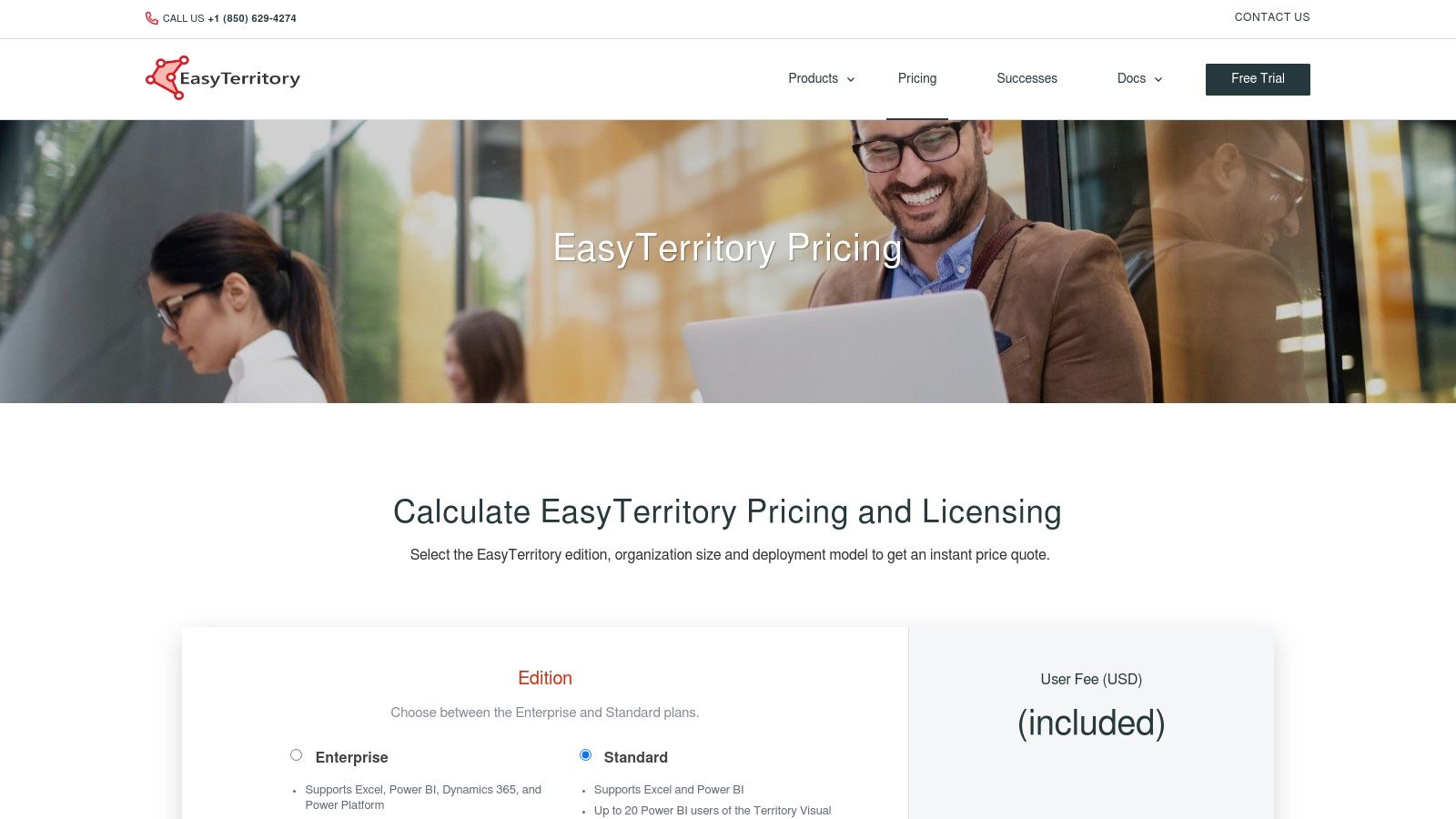
The platform supports both cloud and on-premise deployments, a critical feature for industries with strict data security requirements. While its user interface is geared more towards operations analysts, its ability to publish interactive territory maps directly into Power BI dashboards provides immense value. This allows leadership and sales teams to consume territory data within a familiar reporting environment, simplifying adoption.
Standout Features
- Microsoft Ecosystem Integration: Native connectors for Dynamics 365, Power BI, and the Power Platform for streamlined workflows.
- Flexible Deployment: Offers both cloud-based (SaaS) and on-premise installation options to meet enterprise security needs.
- Power BI Publishing: Publish and embed interactive territory maps directly into Power BI reports and dashboards.
- Bulk Realignment: Tools designed for large-scale territory realignment using geographic boundaries like ZIP codes or counties.
| Key Aspect | Details |
|---|---|
| Best For | Enterprises that use Microsoft Dynamics 365 and Power BI as their core systems. |
| Pros | SOC 2 compliant; flexible cloud or on-prem deployment; excellent for Microsoft-centric organizations. |
| Cons | Pricing requires a custom quote; UI is more technical and less intuitive for non-analyst users. |
| Pricing | Quote-based, configured per edition and user mix. Includes onboarding support hours. |
Practical Tip: If your organization relies heavily on Power BI for sales reporting, use EasyTerritory to build a proof-of-concept dashboard. Publish a territory map with key metrics like lead distribution or account penetration to show how geographic visualization can enhance your existing reports without requiring users to learn a new tool.
Website: https://www.easyterritory.com/pricing/
9. Esri ArcGIS Business Analyst (with Territory Design tools)
Esri’s ArcGIS Business Analyst is an enterprise-grade GIS and market analysis platform with sophisticated territory design capabilities. It goes far beyond typical sales mapping by integrating deep demographic, consumer spending, and business datasets, allowing for highly complex modeling. This makes it the definitive sales territory mapping software for large organizations that require advanced spatial analytics to inform their territory structures, site selections, and market penetration strategies.
Unlike more focused sales tools, ArcGIS Business Analyst is part of a larger ecosystem. Its power lies in creating territories based not just on account count but on drive-time accessibility, market potential, and competitive presence. The platform is available as a web app, a mobile app, and as an extension for ArcGIS Pro, catering to both analysts performing deep data work and field teams needing access to maps on the go.
Standout Features
- Territory Design Tools: Create, manage, and balance sales territories using a wide range of variables, including your own business data and Esri’s extensive datasets.
- Extensive Demographic Data: Access a massive library of global data for market analysis, including population, income, and lifestyle segmentation (Tapestry).
- Network Analyst: Perform advanced routing and drive-time analysis to ensure territories are geographically practical and efficient.
- Web and Mobile Sharing: Design complex territories on the desktop and seamlessly share interactive maps and reports with stakeholders via web and mobile apps.
| Key Aspect | Details |
|---|---|
| Best For | Large enterprises with dedicated GIS or data analysis teams needing deep market and spatial analytics. |
| Pros | Unmatched depth of data and analytical capabilities; integrates with the entire Esri ArcGIS ecosystem. |
| Cons | Significant learning curve compared to simpler tools; pricing is quote-based and can be substantial. |
| Pricing | Available via custom quote. Typically positioned for enterprise budgets. |
Practical Tip: Use the Infographics feature to create compelling, data-rich summaries for each proposed territory. Instead of just showing boundaries, you can present a full demographic and market potential profile, which is highly effective for getting executive buy-in. Integrating this level of detail is a core component of effective strategic planning for sales.
Website: https://www.esri.com/en-us/arcgis/products/arcgis-business-analyst/applications/pro
10. Badger Maps
Badger Maps is a mobile-first platform built for field sales teams, prioritizing route optimization and daily execution within established territories. While its core strength is getting reps from A to B efficiently, its Badger Align add-on provides the necessary sales territory mapping software for designing and managing those territories. This makes it a strong choice for organizations where rep adoption and in-field productivity are the primary goals.
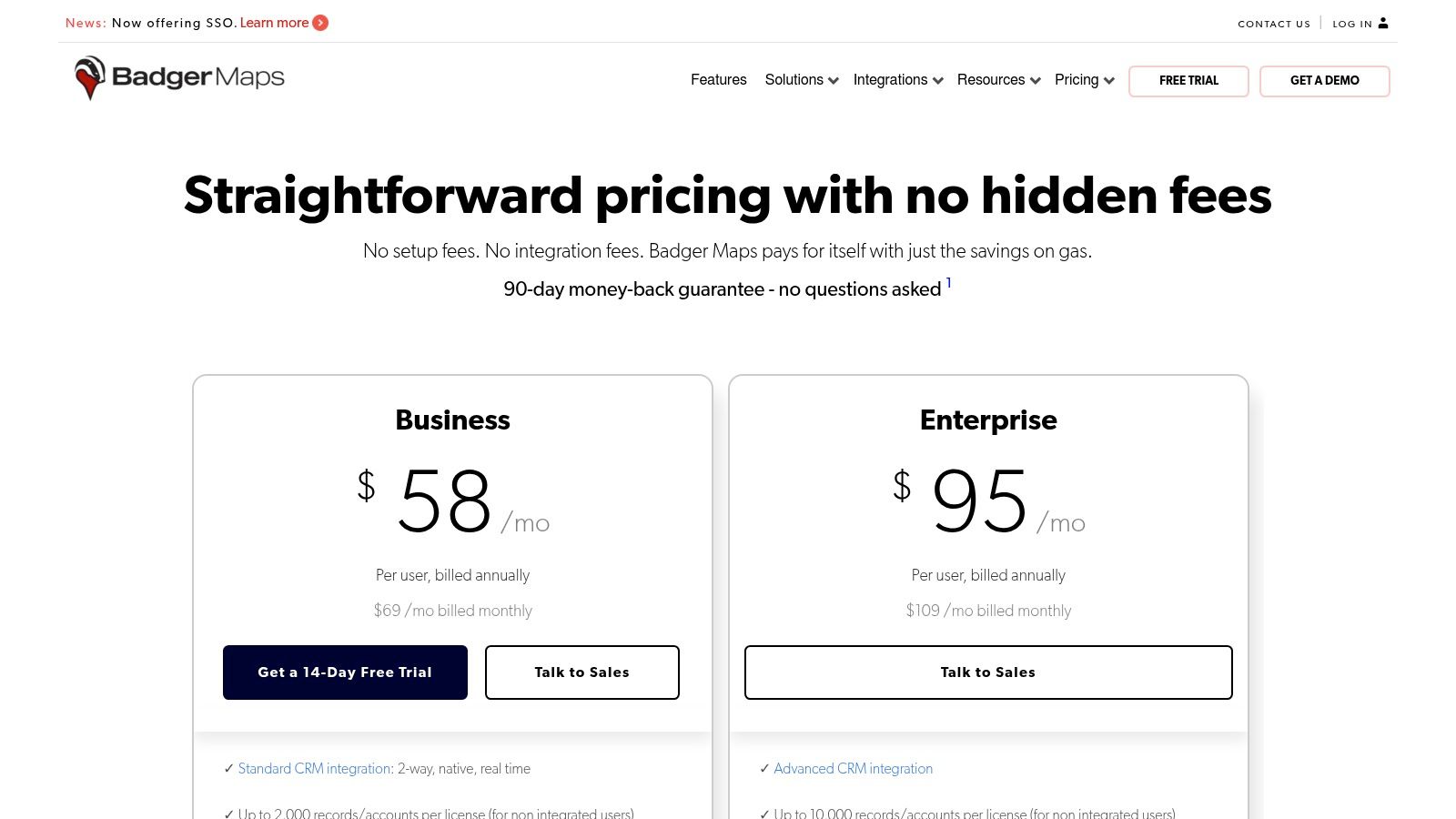
Unlike enterprise-grade modelers, Badger focuses on practical application. Sales managers can use Badger Align to create balanced territories and then push those boundaries directly to reps' mobile devices. This seamless integration between high-level planning and on-the-ground activity is a key differentiator. The platform's modular pricing allows teams to start with routing and add territory management features as needed, offering a scalable entry point.
Standout Features
- Badger Align: A dedicated module for territory creation, alignment, and optimization based on metrics like account count or sales volume.
- Territory-Based Lead Routing: Automatically assign and notify reps of new leads that fall within their geographic area.
- Territory Insights: Dashboards and demographic overlays provide a clear view of performance and potential within each territory.
- Native Mobile Apps: Industry-leading mobile experience for route planning, check-ins, and CRM updates directly from the field.
| Key Aspect | Details |
|---|---|
| Best For | Field-heavy sales teams that need a unified tool for routing and territory management. |
| Pros | Modular pricing keeps entry costs low; strong mobile UX; quick to pilot with a 14-day free trial. |
| Cons | Best for field execution, heavy strategic modeling may need other tools; per-territory pricing can add up. |
| Pricing | Starts with a base plan for routing, with Badger Align offered as an add-on. |
Practical Tip: Use the free trial to test the core routing app with a few field reps. This helps validate the daily-use value proposition before committing to the Badger Align module for full-scale territory management, ensuring strong user adoption from the start.
Website: https://www.badgermapping.com/pricing/
11. SPOTIO
SPOTIO is a field sales engagement platform where territory management is a core part of a broader, action-oriented toolkit. It excels in environments like door-to-door sales and field services, where the primary need is to give reps clear geographic boundaries and the mobile-first tools to execute within them. This makes it a unique piece of sales territory mapping software because it focuses less on strategic planning and more on in-field execution and rep productivity.

Unlike GIS-heavy planning tools, SPOTIO’s strength is its end-to-end workflow for reps on the move. Managers can create territories with clear hierarchies and permissions, which then sync directly to the rep’s mobile app. From there, reps can use features like the "Lead Machine" for prospecting, optimize daily routes, and log every interaction on the spot, even when offline. The platform closes the loop with robust reporting, leaderboards, and coaching tools to track field activity and performance.
Standout Features
- Mobile-First Workflow: Provides a seamless experience for reps in the field, including an offline "Download My Day" capability.
- Lead Machine Prospecting: Built-in prospecting tools allow reps to identify and target new leads directly within their assigned territories.
- Territory Hierarchies: Build and manage multi-level territories with specific permissions for reps, managers, and regional leaders.
- Performance Tracking: In-depth reporting and gamified leaderboards connect territory execution directly to sales outcomes.
| Key Aspect | Details |
|---|---|
| Best For | High-velocity field sales teams (door-to-door, canvassing) needing an all-in-one execution platform. |
| Pros | End-to-end solution from prospecting to activity logging; strong mobile and offline features. |
| Cons | Pricing is not public; territory design is more operational than strategic GIS-level planning. |
| Pricing | Custom quote required. Typically suited for teams of 25+ users to maximize support resources. |
Practical Tip: When evaluating SPOTIO, focus your demo on the daily workflow of a field rep. Test the mobile app's ease of use for logging visits, finding new prospects, and planning a route. This will clarify if its execution-focused approach is a better fit for your team than a purely strategic territory planning tool.
Website: https://spotio.com/plans/
12. MapBusinessOnline
MapBusinessOnline is a web-based mapping tool that provides an accessible entry point for sales teams, especially in the SMB and franchise sectors. It excels at core territory creation, allowing users to build territories from standard administrative boundaries like ZIP codes and counties or by drawing custom shapes directly on the map. This straightforward approach makes it a solid piece of sales territory mapping software for organizations that need visualization and basic alignment without the complexity of advanced GIS platforms.
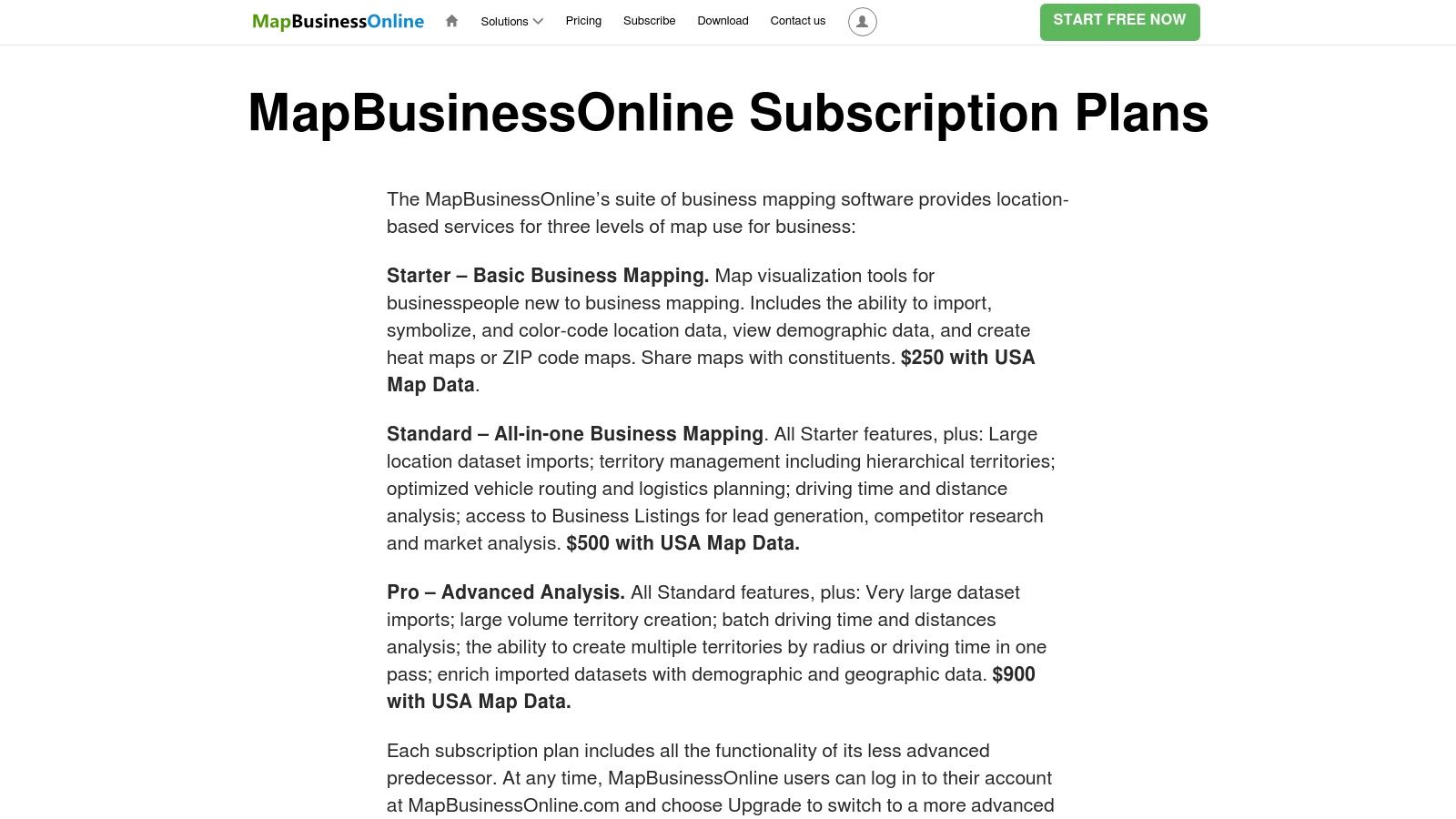
The platform also includes practical features like drive-time analysis and demographic data layering, which help managers enrich their territory designs with market potential insights. One notable feature is its strong support for users migrating from the discontinued Microsoft MapPoint, offering a familiar workflow for long-time users. While it may lack the sophisticated auto-balancing algorithms of enterprise-grade tools, its focus on clear, step-by-step functionality makes it highly effective for its target audience.
Standout Features
- Flexible Territory Creation: Build territories from ZIP codes, counties, states, or draw free-form areas.
- Drive-Time and Radius Tools: Define territories based on drive-time polygons or simple radius circles from a central point.
- Demographic Data Integration: Overlay census data to analyze and balance territories based on market potential.
- MapPoint Migration Support: Provides a direct pathway for teams looking to replace the legacy MapPoint software.
| Key Aspect | Details |
|---|---|
| Best For | SMBs, franchises, and mid-market teams needing straightforward territory visualization and creation. |
| Pros | Affordable and transparent pricing; great for former MapPoint users; strong help documentation. |
| Cons | Lacks advanced algorithmic territory optimization; user interface feels less modern than competitors. |
| Pricing | Starts at $500 per user/year (Standard). Team subscriptions offer collaboration features. |
Practical Tip: Use the demographic data layering feature to analyze your existing territories. You might uncover imbalances in market potential (e.g., household income, population density) that aren't apparent from just looking at account distribution, providing a strong case for realignment.
Website: https://www.mapbusinessonline.com/Article.aspx/MapBusinessOnline-Subscription-Plans
Top 12 Sales Territory Mapping Tools Comparison
| Product | Core focus / key features | Best for / target audience | UX & deployment | Unique selling points | Pricing & trial |
|---|---|---|---|---|---|
| eSpatial | Territory creation, algorithmic optimization, route & drive-time, side-by-side comparisons | Sales Ops / RevOps and complex sales orgs | Cloud-based, easy sharing, presentation exports | Robust scenario planning, fast what-if modeling | Published pricing, 7-day free trial; higher tiers for advanced optimization |
| Maptitude (Caliper) | Desktop GIS, demographics, geocoding, routing, export/reporting | Analysts, offline modeling, advanced demographic work | Windows desktop with optional online sharing | Large bundled data sets, one-time license cost advantage | One-time license (cost-effective vs subscriptions); optional add-ons |
| AlignMix | ZIP/county territory design, AI-driven balancing, unlimited territories per file | Manufacturers, life sciences, field teams needing rapid edits | Windows desktop, file-based collaboration, consulting option | Very fast territory workflow, AI tiers, clear license choices | In-house licenses and consulting; license tiers (quote/packaged) |
| Maptive | Google Maps–based cloud mapping, high-volume geocoding, heat/cluster maps | Teams wanting simple SaaS mapping and large dataset handling | Browser-based, quick setup, scalable | Intuitive UI, flexible plans (45-Day Pass) for pilots | Flexible plans incl. 45‑Day Pass; heavy Google geocoding may incur costs |
| Mapline | Browser mapping, territory creation from spreadsheets, heatmaps, radius tools | Ops teams, spreadsheet-heavy users, quick visual maps | Fully browser-based, no install, free tier | Very easy start, fast spreadsheet import | Free tier + trials; 7-day free trial; advanced pricing less transparent |
| Salesforce Maps & Sales Planning | Native CRM mapping, routing, territory carving, mobile access | Organizations standardized on Salesforce | Native add-ons inside Salesforce, enterprise governance | Deep CRM alignment, reduces integration overhead | Per-product pricing; annual contracts typical; cost scales with users |
| Geopointe (Ascent Cloud) | Salesforce-native geo-mapping, route planner, territory planner add-ons | Salesforce orgs seeking AppExchange mapping | Per-user AppExchange app, well-established | Mature footprint, add-on modularity, volume/nonprofit discounts | Per-user tiers; add-ons priced separately |
| EasyTerritory | Territory design for Microsoft stack, Power BI publishing, Azure Maps | Microsoft-centric teams (Dynamics 365, Power Platform, Power BI) | Cloud or on-prem deployment, API/FTP options, SOC 2 | Strong MS integration, licensing calculator, included support hours | Quote-based edition pricing by user/transaction mix |
| Esri ArcGIS Business Analyst | Enterprise GIS, territory design tools, deep demographics, network analyst | Large enterprises and advanced spatial analysts | Desktop (ArcGIS Pro), web & mobile apps; steep learning curve | Deepest GIS/data stack, broad ArcGIS ecosystem integration | Enterprise pricing via quote; often higher cost |
| Badger Maps | Field routing, Badger Align territory tools, native mobile apps | Mobile field sales teams needing on-the-road execution | Native mobile apps, CRM integrations, modular add-ons | Strong mobile UX, modular pricing for pilots, quick to pilot | Modular pricing per user/territory; 14-day free trial |
| SPOTIO | Field engagement, territory hierarchies, prospecting, offline mobile | Door-to-door, canvassing, appointment-driven field teams | Mobile-first with offline "Download My Day", CRM syncing | End-to-end field execution, reporting/leaderboards, CS resources | Quote-based pricing; typically geared to 25+ seats |
| MapBusinessOnline | Web mapping, territory drawing, multi-drive-time, demographic enrichment | Franchises, SMBs, mid-market sales teams | Web-based with clear documentation, MapPoint migration support | Affordable tiers, practical step-by-step tools | Accessible tiered pricing with clear inclusions |
Final Thoughts
Choosing the right sales territory mapping software is a strategic move, not just an operational one. The right tool does more than draw lines on a map; it builds a foundation for your entire sales organization. Moving beyond outdated spreadsheets empowers your team to work smarter, leading to more balanced workloads, increased motivation, and accelerated revenue growth.
From enterprise solutions like Salesforce Maps and Esri ArcGIS to accessible platforms like Maptive and MapBusinessOnline, there's an option for every team size and budget. The key is to look past feature lists and focus on the core problems you need to solve. If you struggle with route optimization, a tool like Badger Maps or SPOTIO might be your best bet. If you need sophisticated territory balancing based on multiple data variables, look towards eSpatial or Maptitude.
Key Takeaways for Selecting Your Software
The central theme here is that context is everything. A tool that's perfect for a global enterprise could be overwhelmingly complex for a startup. A simple mapping tool will quickly be outgrown by a rapidly scaling sales team.
To make the right choice, keep these points in mind:
- Integration is Non-Negotiable: The best sales territory mapping software lives within your existing tech stack. Seamless CRM integration (especially with Salesforce or your system of record) is critical. Without it, you’re just creating another data silo.
- Prioritize User Adoption: The most feature-rich platform is useless if your reps and managers don't use it. Look for intuitive interfaces, robust training resources, and a mobile-first design for field teams. Involve your end-users in the evaluation process to get their buy-in early.
- Scalability for the Future: Think about where your company will be in two to five years. Will your chosen software handle more reps, complex territories, or new system integrations? Choosing a platform that can grow with you prevents a costly migration down the road.
From Mapping to Action
Once your territories are optimized, the next step is to ensure your reps can effectively penetrate those accounts. A well-designed territory provides the "where," but you still need the "who" and "how." To enhance your strategy beyond mapping, consider exploring the best sales prospecting tools to ensure your team can capitalize on the opportunities you've laid out.
Ultimately, investing in sales territory mapping software is an investment in strategic clarity. It transforms your go-to-market approach from one based on guesswork to one driven by data. By aligning territories with market potential and rep capacity, you create a system that is fair, motivating, and engineered for peak performance. The right platform will not only save your RevOps team countless hours but will also unlock revenue potential that was previously hidden in plain sight.
Key Takeaways
- Sales territory mapping software replaces manual spreadsheet-based planning with data-driven territory design, leading to more balanced workloads, improved rep morale, and maximized market coverage.
- CRM integration is non-negotiable when selecting a tool; platforms like Salesforce Maps and Geopointe eliminate data silos by operating natively within your existing CRM ecosystem.
- Desktop tools like Maptitude and AlignMix offer powerful offline analysis and one-time licensing, making them cost-effective for teams that need deep GIS capabilities without recurring subscriptions.
- Cloud-based platforms like eSpatial and Maptive provide scenario planning and algorithmic optimization that let managers model multiple territory structures before committing to changes.
- Mobile-first solutions like Badger Maps and SPOTIO prioritize field rep adoption and daily execution, bridging the gap between strategic territory planning and on-the-ground productivity.
- The right tool depends on your specific context: team size, tech stack, field versus inside sales model, and whether you need strategic modeling or operational execution capabilities.
Frequently Asked Questions
What is sales territory mapping software and why do I need it?
Sales territory mapping software is a tool that helps sales leaders define, visualize, and balance sales territories using data rather than guesswork or outdated spreadsheets. It ensures each rep has a fair, well-defined patch with equitable opportunity, which improves motivation, reduces internal conflicts, and drives more predictable revenue across your organization.
How do I choose between a standalone mapping tool and a CRM-native solution?
If your team already relies heavily on Salesforce or another CRM, a native solution like Salesforce Maps offers the tightest integration and avoids creating data silos. However, standalone tools like eSpatial or Maptitude often provide more advanced territory balancing and data visualization features. Evaluate based on your integration needs, team size, and the complexity of your territory design requirements.
How often should we redesign our sales territories?
Most organizations benefit from a formal territory review at least once a year during annual planning. However, significant events like team growth, rep departures, new product launches, or major market shifts should trigger an immediate reassessment. The best territory mapping tools make it easy to model and apply changes quickly rather than starting from scratch.
What data do I need to get started with territory mapping software?
At minimum, you need your account list with geographic data like zip codes or regions, historical sales performance by account or territory, and your current rep assignments. More advanced setups benefit from firmographic data like company size and industry, technographic data on the tools prospects use, and market potential estimates to balance territories by opportunity value rather than just account count.
Ready to move beyond just mapping territories and start activating them with precision? Salesmotion is an account intelligence platform that helps you identify and prioritize your best-fit accounts within those newly defined territories. Stop guessing and start targeting the companies most likely to buy, right now. Book a demo.