
Salesmotion's agents watch 1,000+ public sources for every account you track. The buying signals, the Salesmotion score and the account research land on the HubSpot company, deal and contact records your reps already work in.
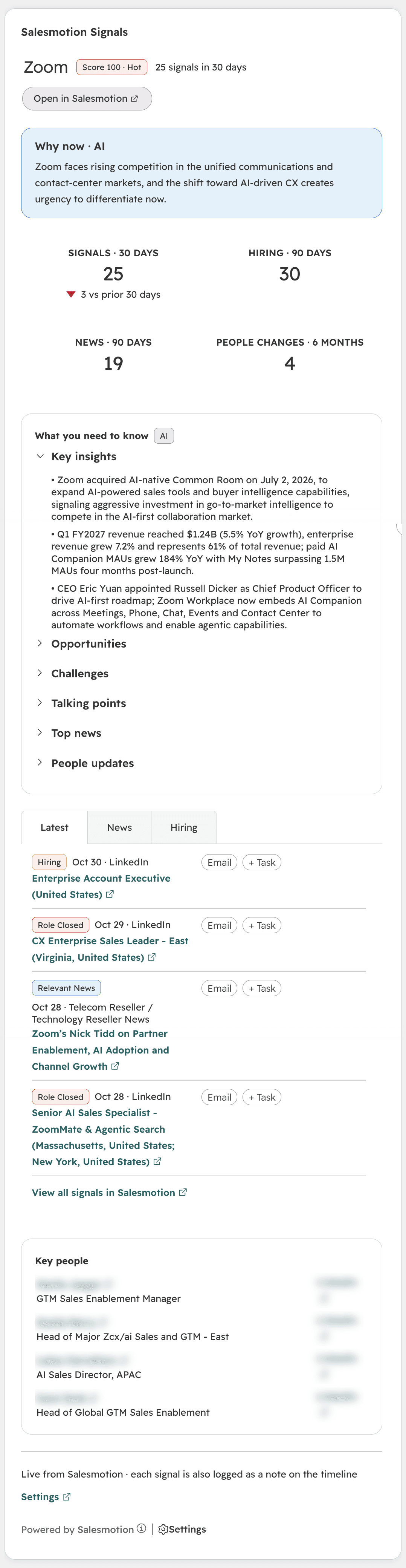
The reason to reach out and the research behind it, on the record they already have open.
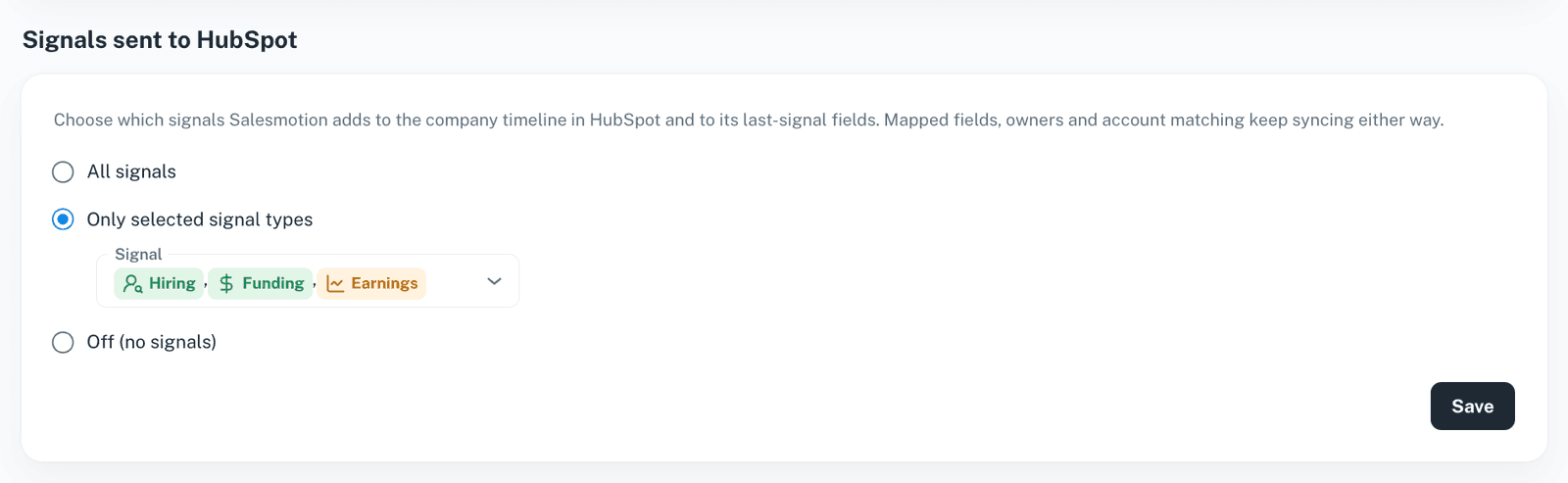
Each new signal is added to the matched company as a HubSpot note, with the headline, the source and a link to the signal in Salesmotion. Send all signals, or only the signal types your team cares about.
Why now, what you need to know, the latest signals in tabs and the key people at the account. It sits on company, deal and contact records. Each signal has an Email button and a + Task button.
A short version of the Salesmotion Signals card for the right sidebar of company, deal and contact records.
The Salesmotion score, priority, last signal (headline, type and date), signal count and a link back to Salesmotion are written to each matched company, in a Salesmotion property group. Use them in lists, views and reports.
On a deal or a contact, the cards show the associated company. Reps get the same context whether they open the company, the deal or the person.
One connection. Salesmotion keeps HubSpot up to date from then on.
A Salesmotion admin connects HubSpot from Settings, signs in with HubSpot and approves the permissions. A HubSpot Super Admin approves the app first only if your portal uses app governance.
Connecting HubSpotSalesmotion matches each account to its HubSpot company, by the linked record first and then by domain. It syncs every 12 hours, and an admin can sync any time. Every run is listed in the sync log.
A HubSpot admin places the Salesmotion cards once, in record customization. The Setup checklist in Salesmotion opens the right page in HubSpot.
The Salesmotion card in HubSpotHubSpot owners become account owners in Salesmotion, matched by email. Map Salesmotion fields to HubSpot properties, custom ones included, in the direction you choose. A starting set of mappings is added on first connect.
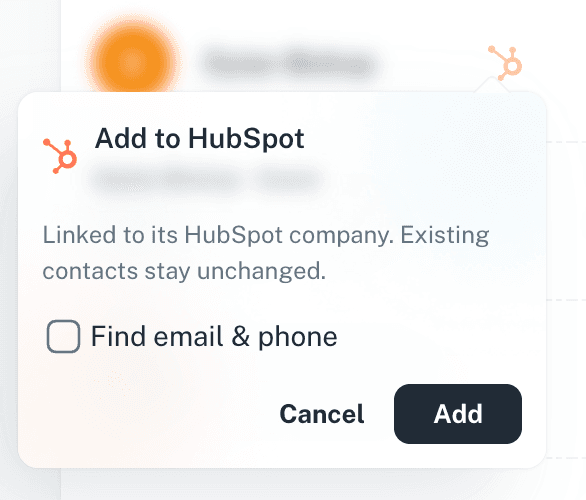
Reps add the contacts and accounts they find in Salesmotion to HubSpot in one click. You choose what happens when the contact already exists, which contact properties are filled, and whether to find email and phone.
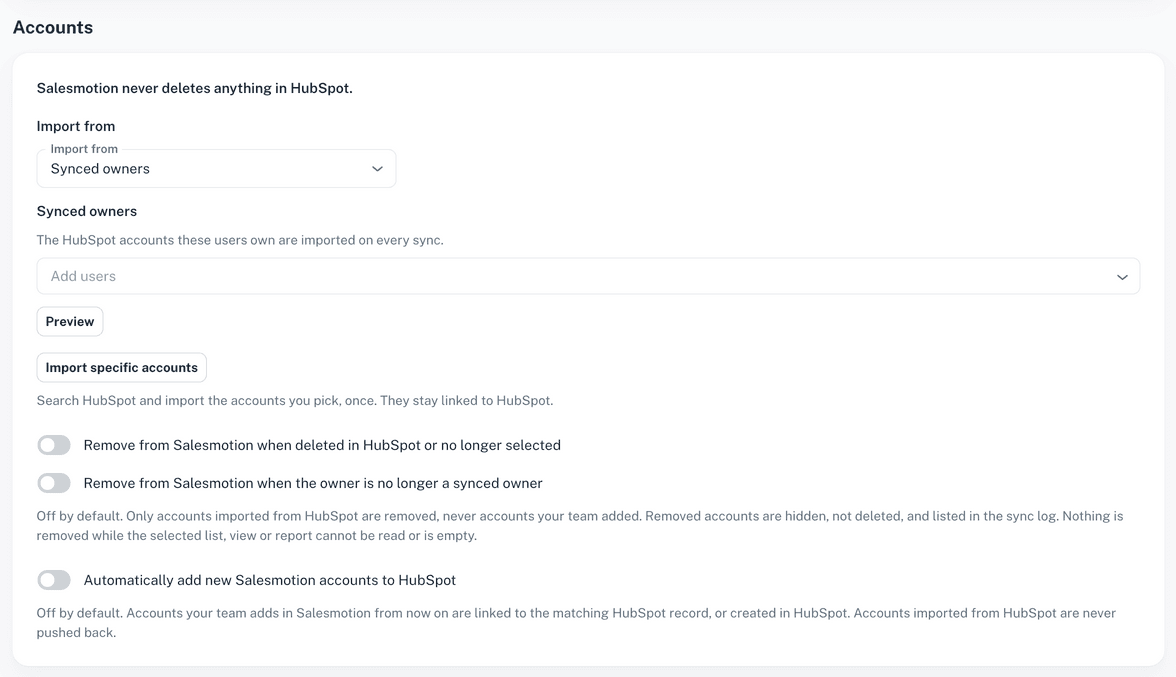
Adding contacts and accountsTrack the companies your synced owners own, the companies in a HubSpot list, or specific companies you pick. New Salesmotion accounts can be added to HubSpot automatically if you switch it on.
Importing accounts from your CRM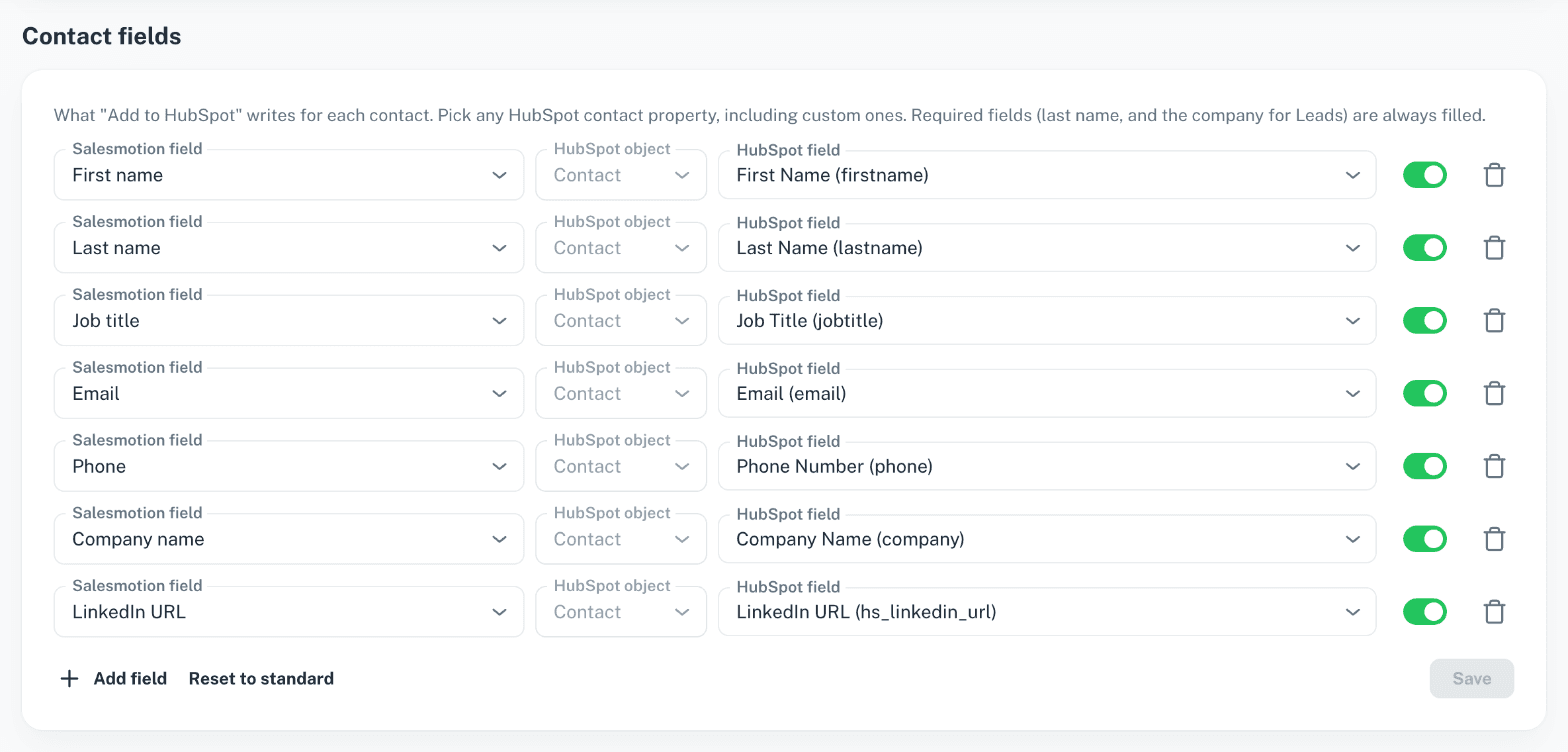
Salesmotion adds to HubSpot. It never takes anything away.
Only Salesmotion admins connect HubSpot and change its settings. Other users see the settings read-only.
The sync writes only to companies it matched. It creates a company only when someone uses Add to HubSpot, or when an admin turns on automatic adding.
Removing imported accounts from Salesmotion is a separate switch, off by default. It only ever removes accounts imported from HubSpot, never accounts your team added.
Admins switch adding contacts and adding accounts on or off, and choose whether existing HubSpot contacts are updated or left unchanged.
Disconnecting stops the sync and removes Salesmotion's access. Everything already in HubSpot stays where it is.
Three steps, no developer needed.
Open Settings, then Integrations, then HubSpot in Salesmotion, click Connect and approve.
Setup guideClick Sync. Salesmotion matches your accounts, syncs owners and fields, and adds the last seven days of signals as notes.
What the sync doesA HubSpot admin adds the Salesmotion cards to company, deal and contact records, in about two minutes.
Add the cards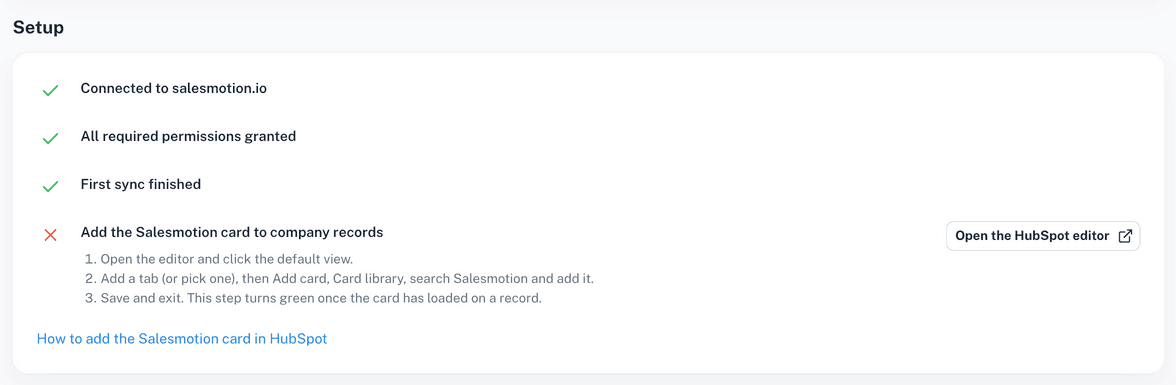
Common questions about Salesmotion and HubSpot.
Yes. Salesmotion is a HubSpot app you connect from Salesmotion's settings by signing in with HubSpot. There is no API key to copy and no middleware. See Connecting HubSpot.
On company, deal and contact records, through the Salesmotion Signals card and the Salesmotion Summary sidebar card. Matched companies also get Salesmotion properties (score, priority, last signal, signal count and a link), and every signal is added to the company timeline as a note.
Salesmotion never deletes anything in HubSpot. It writes its own properties and notes to matched companies, plus the fields you map. It creates companies and contacts only when someone uses Add to HubSpot, or when an admin turns on automatic adding.
Every 12 hours, and any time an admin clicks Sync. The sync log on the HubSpot settings page lists every run and what changed.
Yes. An admin chooses the companies owned by synced owners, the companies in a HubSpot list, or specific companies. Removing imported accounts again is off by default. See Importing accounts from your CRM.
A Salesmotion admin, and a HubSpot user who can install apps. If your HubSpot portal uses app governance, a HubSpot Super Admin approves Salesmotion once first. A HubSpot admin places the cards on your records.
Yes. An admin picks a primary CRM, which is used for Add to CRM, Quick Links and importing accounts. The other CRM still matches accounts and syncs fields. See Salesmotion + Salesforce.
Using Salesforce too? See Salesmotion + Salesforce and all integrations.
Book a demo and see Salesmotion inside HubSpot on your own accounts.
