Every AI SDR vendor claims autonomous pipeline generation. Most deliver a flood of low-quality meetings that waste your closers' time. Evaluating AI outbound agents requires testing what matters: data accuracy, message quality, and whether the tool actually fits how your team sells.
TL;DR: AI outbound agents automate prospecting, personalization, and sequencing, but the gap between the best and worst platforms is enormous. Evaluate on three axes: data quality (test with your real accounts), message quality (request 20-30 sample emails per vendor), and workflow fit (can non-technical reps operate it daily?). Teams using AI to augment human SDRs generate 2.8x more pipeline than those trying to replace humans entirely. The winning model is AI handling 70-80% of repetitive work while reps focus on relationship-building and closing.
What AI Outbound Agents Actually Do
AI outbound agents are software systems that automate early-stage sales development. At their core, they handle the tasks that consume most of an SDR's day: researching prospects, enriching contact data, writing personalized messages, managing multi-step sequences, qualifying responses, and booking meetings. Understanding the boundary between AI agents vs automation is essential before evaluating any vendor.
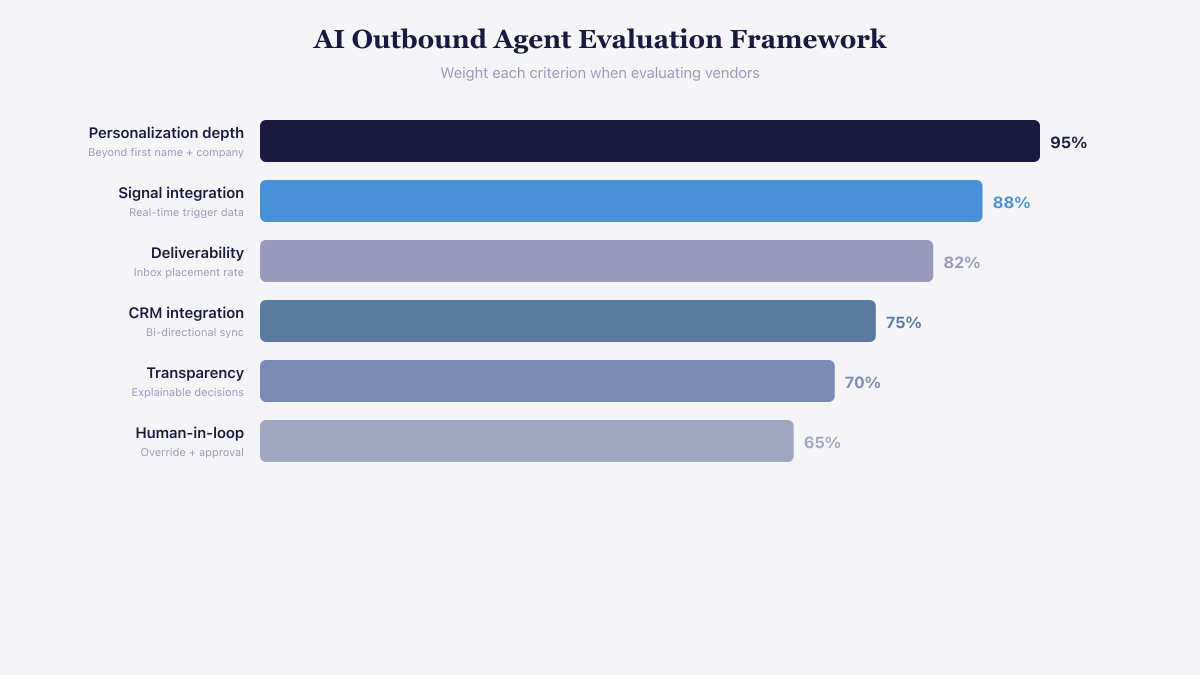 Personalization depth and signal integration should carry the most weight in vendor evaluation.
The category has matured rapidly. In 2025, most AI SDR tools were email-only. By 2026, the leading platforms coordinate outreach across email, LinkedIn, and phone, adapting timing and channel based on prospect behavior.
But maturity has not eliminated the quality gap. Some platforms deliver genuinely useful meetings with qualified buyers. Others book high volumes of low-quality conversations that waste AE time and damage your brand. The difference comes down to three evaluation dimensions that most buyers overlook during demos.
See the product in action
Take a self-guided tour of the Salesmotion platform — no signup required.
Dimension 1: Data Accuracy
Every AI agent is constrained by its data. An agent working with outdated contact information, incorrect job titles, or stale company data will produce outreach that feels irrelevant at best and embarrassing at worst.
How to test data accuracy during evaluation:
- Select one to three specific campaigns you would actually run
- Give each vendor identical inputs: your customer account list, target account list, ICP criteria, and persona definitions
- Compare the accounts and contacts each vendor surfaces for the same campaign
- Verify a sample of 20 contacts manually: Are job titles current? Are email addresses valid? Are company details accurate?
The vendors that perform best on this test typically combine multiple data sources and apply their own verification layer. Vendors relying on a single data provider will show gaps that compound at scale.
Data accuracy directly impacts deliverability. Emails to invalid addresses bounce, and bounce rates above 2% trigger spam filters that affect your entire sending domain. A platform with 95% data accuracy sounds good until you realize that 5% of 200 daily emails means 10 bounces per day, enough to degrade your sender reputation within weeks.

“All of the vendors that I've worked with, all of the onboarding that I have had to deal with, I will say, hands down, Salesmotion was the easiest that I have had.”
Lyndsay Thomson
Head of Sales Operations, Cytel
Dimension 2: AI Message Quality
Request 20 to 30 sample emails from each vendor for the same campaign. This is the single most revealing evaluation step, and most buyers skip it.
What separates good AI personalization from bad:
Bad AI personalization scrapes a single data point and inserts it into a template. "I saw your company raised a Series B, congrats!" followed by a generic pitch. The prospect immediately recognizes it as automated because thousands of other AI tools produce identical output.
Good AI personalization synthesizes multiple signals about the account and the individual contact. It references the company's recent strategic moves, connects them to a relevant pain point, and explains why that pain point matters for the specific persona. The message reads like it came from a rep who spent 15 minutes researching the account.
Evaluation criteria for sample emails:
- Does the message articulate pain points specific to the prospect's industry and role?
- Does it reference multiple pieces of context, not just one scraped data point?
- Does the tone vary across emails, or do they all follow the same structural pattern?
- Would you reply to this email if you received it?
Pattern repetition is a critical red flag. If all 30 sample emails follow the same structure (hook, pain point, solution, CTA), inbox providers will eventually detect the pattern regardless of surface-level personalization. Genuine variation in structure, length, and angle matters as much as the personalization itself.
Dimension 3: Workflow Fit and Usability
A powerful AI agent that requires a dedicated technical operator is a liability for most sales teams. Evaluate usability for two distinct user groups.
For SDRs and AEs (daily users):
- Can a non-technical rep set up a campaign in under 30 minutes?
- Does the tool integrate with your existing CRM and engagement platform?
- Can reps review and edit AI-generated messages before they send?
- How easily can reps provide feedback that improves future outputs?
For managers and RevOps (administrators):
- Can you configure targeting rules, approval workflows, and sending limits without engineering support?
- Does the platform provide visibility into what the AI is sending and to whom?
- Can you set guardrails that prevent off-brand messaging or excessive volume?
If running the tool requires hiring a technical specialist or depending on an external agency, factor that cost into your evaluation. Some teams spend more maintaining their AI outbound tool than they would spend on additional human SDRs.
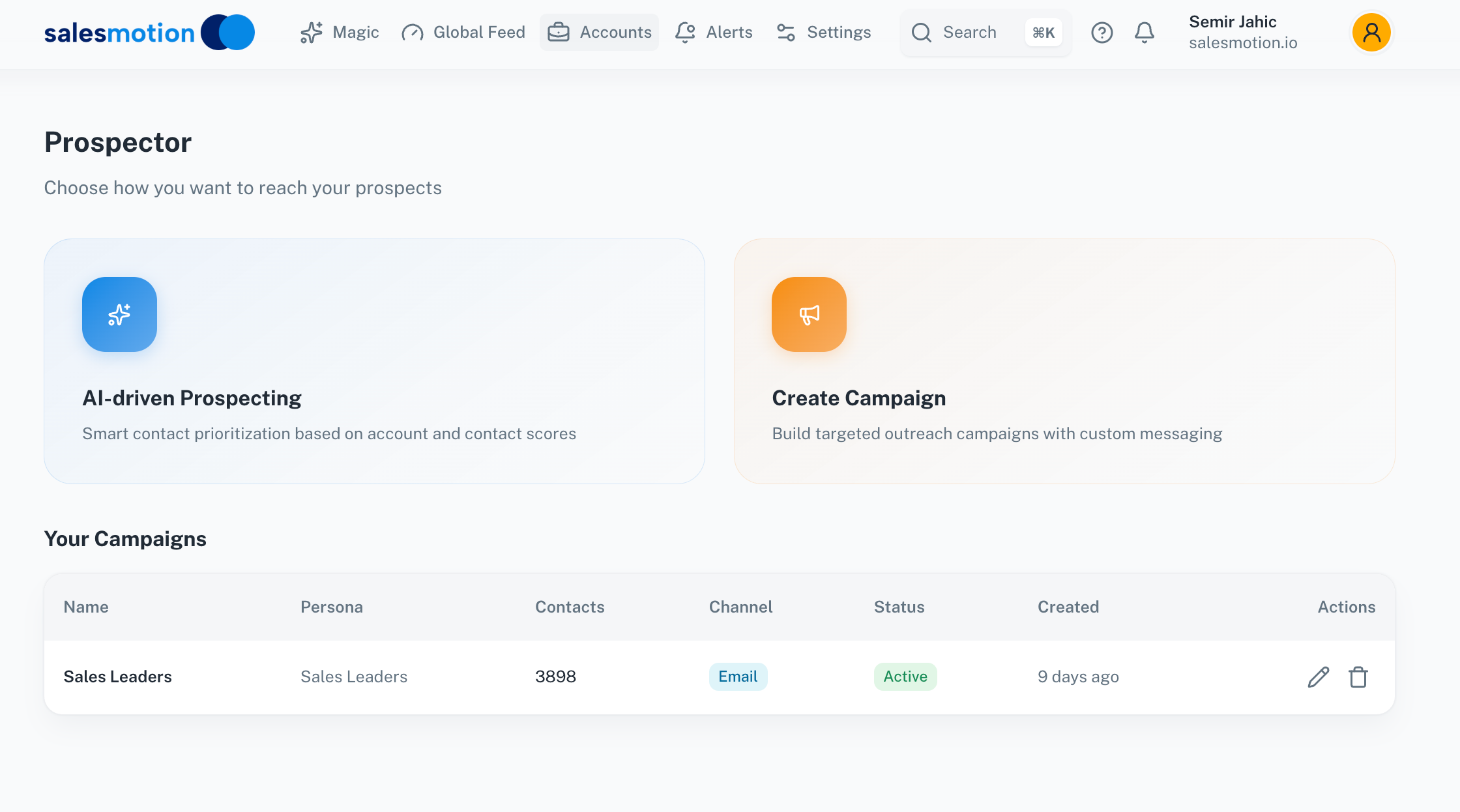 The best AI outbound approach augments human reps with account intelligence and draft messaging, rather than replacing them with fully automated sequences.

“We have very limited bandwidth, but Salesmotion was up and running in days. The template made it easy to load our accounts and embedding it in Salesforce was simple. It was one of the easiest rollouts we've done.”
Andrew Giordano
VP of Global Commercial Operations, Analytic Partners
The Human Plus AI Model That Works
The data is clear on one point: AI outbound agents perform best as augmentation, not replacement. Teams using AI to augment human SDRs generate 2.8x more pipeline than teams attempting full automation. According to Salesforce, AI-powered sales automation increases lead conversion rates by up to 30% and response speed by 60%.
The practical split looks like this:
AI handles (70-80% of the work):
- Prospect research and data enrichment
- Initial message drafting and personalization
- Sequence management and follow-up timing
- Response classification and routing
- Meeting scheduling and CRM updates
Humans handle (20-30% of the work):
- Reviewing and refining AI-generated messages for strategic accounts
- Managing live conversations after a prospect responds
- Navigating complex objections and multi-stakeholder dynamics
- Building relationships that turn meetings into pipeline
The mistake most teams make is deploying AI agents and removing human oversight entirely. AI-booked meetings convert to opportunities at roughly 28%, compared to 34% for human-booked meetings. That gap narrows when humans review outreach before it sends and take over conversations once a prospect engages.
Red Flags During Vendor Evaluation
No trial with your real data. Any vendor that only demos with curated examples is hiding something. Insist on testing with your actual target accounts and ICP criteria.
Volume-first positioning. Vendors that lead with "send 10,000 emails per month" are optimizing for the wrong metric. Volume without quality destroys deliverability and burns through your addressable market.
Black-box personalization. If you cannot see how the AI generates its messages or what data sources it uses, you cannot diagnose problems when outreach underperforms.
No human-in-the-loop option. Platforms that do not let reps review and edit messages before sending remove the quality control layer that separates effective AI outbound from spam.
Opaque pricing. The market ranges from $200-400 per month for basic tools to $1,500-2,500 per month for full AI SDR platforms. Vendors that hide pricing until a demo call often charge significantly more than the value they deliver.
How to Structure a Pilot
Run a 30-day pilot before committing to an annual contract. Structure it to produce actionable data:
Week 1: Configure the platform with your real ICP, target accounts, and messaging guidelines. Set sending limits at 50 emails per day to protect deliverability.
Weeks 2-3: Run live campaigns against a segment of your target accounts. Track reply rates, meeting booking rates, and message quality scores (have reps rate AI output on a 1-5 scale daily).
Week 4: Analyze results. Compare AI-sourced meetings against your baseline for conversion to opportunity. Calculate the true cost per meeting including platform fees, setup time, and rep oversight hours.
The pilot answers the only question that matters: does this tool generate qualified meetings at a lower cost per meeting than your current process?
Key Takeaways
- Evaluate AI outbound agents on three dimensions: data accuracy, message quality, and workflow fit. Demos are not enough.
- Request 20-30 sample emails per vendor for the same campaign. This reveals more than any feature comparison.
- Teams augmenting human SDRs with AI generate 2.8x more pipeline than teams replacing SDRs entirely.
- AI handles research, drafting, sequencing, and scheduling. Humans handle relationship-building, live conversations, and strategic accounts.
- Run a 30-day pilot with real data before committing. Track cost per qualified meeting, not volume metrics.
- Watch for red flags: no real-data trial, volume-first messaging, black-box personalization, and opaque pricing.
Frequently Asked Questions
Can AI outbound agents fully replace human SDRs?
Not yet, and likely not soon. AI handles repetitive tasks effectively: research, initial outreach, follow-ups, scheduling. But human-booked meetings still convert to opportunities at a higher rate (34% vs 28% for AI-booked). The winning teams use AI to handle 70-80% of the work so human SDRs can focus on the high-value 20% that requires judgment, creativity, and relationship skills. Full replacement typically results in lower pipeline quality and brand damage from impersonal outreach.
How much do AI outbound agents cost?
The market has compressed significantly. Budget options for small teams run $200-400 per month. Full AI SDR platforms that handle end-to-end prospecting cost $1,500-2,500 per month. Compare this against your fully loaded SDR cost (salary, benefits, tools, management time) to calculate ROI. Most teams find AI augmentation cost-effective when it saves each SDR 10 or more hours per week on research and initial outreach.
What is the biggest mistake teams make with AI outbound agents?
Deploying the tool and removing all human oversight. AI agents generate volume easily, but volume without quality control floods your pipeline with unqualified meetings and damages your sender reputation. The most common failure mode is a team that launches an AI agent, sees meeting volume spike, celebrates early wins, then discovers three months later that conversion rates have dropped and their domain reputation is damaged. Start with human review of every message, then gradually reduce oversight as you build confidence in the AI's output quality.