How much of your pipeline plan is built on account data your team can use?
Firmographic data sits underneath core revenue workflows. It drives segmentation, territory design, routing, lead scoring, and how teams define ICP. The problem is operational, not theoretical. Many teams buy a dataset, push it into the CRM, add a few filters, and treat the project as finished.
That approach breaks fast.
Static firmographics tell you what an account looked like when the record was captured. They do not tell a rep what changed recently, whether the account still fits the territory, or whether there is any reason to prioritize outreach now. The result is familiar. Sequences go to the wrong contacts, territory plans drift out of date, and reps spend time on accounts that never had a real chance of converting.
The teams that get more value from firmographic data use it as a workflow input, not a spreadsheet field. For high-velocity outbound, that means clean enrichment, routing rules, and enough coverage to keep lists usable at scale. For account-based teams, it usually means pairing company attributes with buying signals, technographics, and account research so reps know which named accounts deserve attention this week. If you need a clearer baseline on the data itself, this firmographic data guide for revenue teams covers the core concepts well.
Tool fit matters more than raw database size.
A provider can look strong in a demo and still create friction in production if the data does not map cleanly to your CRM, scoring model, territories, or outbound workflow. Prospeo's B2B data market analysis highlights the same pattern from another angle. Teams often pay for data features they never operationalize, while disconnected systems keep that data from reaching reps in a useful form.
If your team is sorting out enrichment, routing, and CRM field standards at the same time, this guide on data hygiene best practices is a practical companion to vendor evaluation.
1. Salesmotion
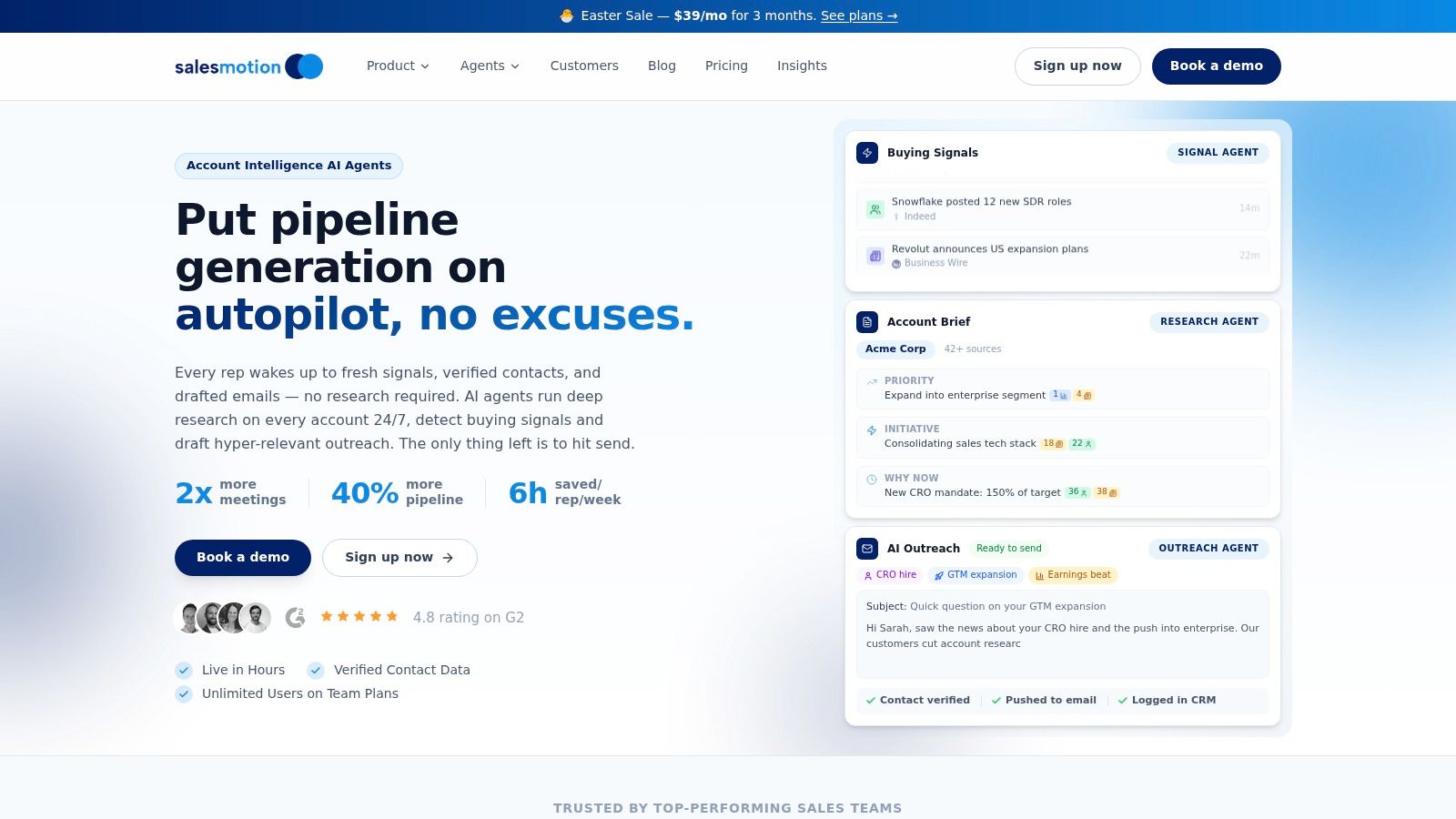
Most firmographic data providers stop at enrichment. Salesmotion is different because it treats firmographics as the starting point for action, not the final output.
That matters if your team already knows how to build a target account list but struggles with timing, relevance, and rep execution. Salesmotion combines company profile data with three AI agents that monitor, interpret, and operationalize account activity. Instead of handing reps raw records, it helps them move from account selection to account action.
Where it fits best
Salesmotion is strongest for account-based teams, commercial AEs working named accounts, and RevOps leaders trying to scale account research without scaling headcount. The platform’s Signal Agent monitors more than 1,000 public sources continuously. The Research Agent turns that input into structured account briefs. The Prospect or Outreach Agent turns those findings into personalized multi-step messaging.
That closed-loop workflow is the primary differentiator. Most tools give you one layer of the stack. You get data, or alerts, or sequencing. Salesmotion ties all three together.
If you want a deeper primer on the underlying data layer, this firmographic data guide is a useful companion.
Practical rule: If your reps are still doing manual account research before every serious outbound touch, you don’t have a data problem alone. You have a workflow problem.
What works in practice
Salesmotion is useful when your motion depends on “why now” outreach. Think executive hires, hiring patterns, new initiatives, funding activity, product launches, investor pressure, or category expansion. Those triggers are often public, but they’re scattered across earnings calls, job posts, filings, LinkedIn activity, and press mentions. Reps rarely have time to watch all of that across a territory.
Salesmotion does that monitoring for them and links back to sources so reps can verify the context before sending. That last piece matters. AI summaries are only useful when a seller can quickly inspect the evidence.
A few practical strengths stand out:
- Signal monitoring at territory scale: The platform watches a large account set without forcing reps to manually track every company.
- Opinionated research output: Briefs aren’t just scraped clips. They synthesize initiatives, risks, and talking points.
- Workflow compatibility: It integrates with Salesforce, HubSpot, Lemlist, so teams don’t need to rip out the current stack.
- Fast operational value: It’s built to start generating signals and briefs quickly rather than after a long implementation cycle.
Trade-offs to know before buying
Salesmotion is public-source driven. That’s a strength for transparency and speed, but it also means highly private buying activity can still stay invisible. Reps still need judgment. A signal is a prompt to investigate and engage, not a guarantee of budget or urgency.
Pricing also isn’t fully transparent at the enterprise level. That’s common in this category, but it means buyers should be clear about rollout scope, user access, and integration requirements before they commit.
Bottom line. If you want a static company database, Salesmotion isn’t the point. If you want a system that turns firmographics plus live account motion into outreach your team can send, it’s one of the most operationally useful options on the list.
Shopping for contact data providers?
Contact data is necessary but not enough. Salesmotion bundles verified contacts with the why-now context.
Email + phone + signals + research briefs + AI outreach in one tool. From $85/mo, monthly contract.
2. Dun & Bradstreet
Need one source of truth for account structure across regions, subsidiaries, and legal entities? Dun & Bradstreet is built for that job.
D&B stands out because its data model is designed around business identity, not just prospecting convenience. The D-U-N-S Number system gives RevOps and enterprise sales teams a consistent way to match records, roll up parent-child relationships, and keep territory ownership clean. In account-based motions, that matters a lot. If your team sells into large enterprises, a messy hierarchy creates duplicate outreach, bad routing, and confused reporting fast.
This provider makes the most sense when the workflow starts with account selection and coverage planning, not rep-led list building. Enterprise teams use D&B to clean CRM data, standardize account hierarchies, and make sure marketing, SDRs, AEs, and customer teams are all looking at the same company record. That is a very different buying case from a high-velocity outbound team that mainly wants fast contact discovery and quick enrichment. If that second use case is your priority, it helps to compare D&B against more rep-centric tools in this guide to ZoomInfo alternatives including Salesmotion.
A few use cases fit especially well:
- Global account planning: Regional teams can map local entities back to the parent account and avoid fragmented coverage.
- Subsidiary-level selling: Sellers can target the business unit that controls the budget instead of treating the whole corporate family as one account.
- Data governance: Ops teams can use D&B to improve matching, deduplication, and account rollups inside the CRM.
- Verification-heavy environments: Company identity, ownership, and legal structure are often part of the qualification process.
The trade-off is usability for front-line sellers. D&B is usually stronger as an operational data layer than as a daily prospecting workspace. Implementation can take more planning. Teams often need ops support to configure matching logic, hierarchy rules, and downstream syncs before reps feel the value.
Freshness is the other consideration. D&B is strong on company truth and corporate linkage. It is not always the first choice for teams that depend on rapid updates around org changes, hiring spikes, or executive movement for outbound timing. For those teams, D&B often works best alongside a provider that is optimized for go-to-market signals.
Website: Dun & Bradstreet

“Salesmotion is instrumental in helping me prioritize net-new accounts, understand their strategic initiatives, and cover more ground. With a lot of green-field accounts, I'm heavily leaning on the AI insights to tier my accounts and focus my time. The platform is incredibly intuitive and easy to use.”
Rob Webster
Enterprise Account Executive, Synthesia
3. ZoomInfo
Need one platform your reps can prospect in, your ops team can enrich from, and your managers can standardize across the org? That is the core ZoomInfo pitch.
ZoomInfo fits teams that want a large B2B data layer plus workflow tooling in the same system. In practice, that usually means SDR-led outbound, mid-market and enterprise teams with broad territory coverage, or RevOps groups trying to reduce the number of point tools tied to prospecting and account enrichment.
The workflow matters more than the feature list. For a high-velocity motion, ZoomInfo is attractive because reps can build lists, find contacts, review account context, and push records into outbound sequences without bouncing between multiple tools. For a more account-based motion, the value is different. Ops and sales leadership can use it to standardize account selection, enrich CRM records, and give reps a shared starting point across a named-account program.
Where it tends to work well:
- Rep-first prospecting: Sellers can research accounts and contacts in one workspace instead of stitching together separate databases.
- Ops-supported enrichment: RevOps can use integrations and sync workflows to push company and contact data into CRM or MAP.
- Large TAM coverage: Useful when the team needs broad market reach more than narrow specialist depth.
- Cross-functional adoption: Sales, marketing, and ops can all work from the same vendor, which simplifies procurement and administration.
If you are weighing breadth against signal quality or rep guidance, this comparison of ZoomInfo alternatives including Salesmotion is a useful next read.
The trade-off is operational fit. ZoomInfo often gives teams a lot of data and a lot of product surface area. That can be a strength, but it also means adoption does not happen automatically. Some teams buy it for prospecting and never fully set up the enrichment, routing, intent, or workflow pieces that justified the contract in the first place.
Cost is the other recurring issue. Packaging can get complicated once teams add seats, credits, and extra modules. Buyers should map the purchase to an actual sales motion before signing. If your team needs fast list production at scale, the all-in-one model can make sense. If your sellers already work from a tight account list and mostly need timely change signals, ZoomInfo can feel heavier than necessary.
One more practical point. ZoomInfo is usually stronger at broad coverage than at telling a rep exactly what changed today and which account deserves attention first. Teams with high outbound volume often accept that trade-off. Teams built around precise timing usually pair broad data coverage with a separate signal or prioritization layer.
Website: ZoomInfo
4. Data Axle
Data Axle doesn’t get the same day-to-day buzz as sales engagement-centric platforms, but that’s partly because it’s often bought by teams that care more about data operations than seller excitement.
If your use case is US business coverage, address-level enrichment, local market segmentation, or API-first data delivery into internal systems, Data Axle can make more sense than a flashy all-in-one prospecting suite.
A practical fit for operations-heavy teams
Data Axle is useful when RevOps, data, or marketing ops owns the workflow and sellers consume the result inside other tools. That includes territory balancing, lead routing, enrichment pipelines, direct outreach list generation, and local-market targeting.
Its practical strengths are easy to understand:
- US-centric depth: Good fit when your TAM is concentrated in the US.
- Address and location detail: Helpful for field sales, franchise models, or regional segmentation.
- API-friendly posture: Better suited to teams building enrichment into internal applications and workflows.
This is one of those providers that often works best when the buyer already knows what records they need and how those records will be activated downstream.
Where it falls short
The trade-off is global breadth and front-line workflow polish. If you need strong international account coverage or rep-facing signals and sequencing, Data Axle probably won’t be your end-to-end answer. It’s stronger as a data layer than as a seller cockpit.
That distinction matters. A lot of firms buy a provider expecting reps to love it directly, when the provider is designed for backend enrichment and segmentation.
Buy Data Axle if your problem is operational coverage in the US. Don’t buy it expecting an AI-guided outbound workflow.
Website: Data Axle

“The Business Development team gets 80 to 90 percent of what they need in 15 minutes. That is a complete shift in how our reps work.”
Andrew Giordano
VP of Global Commercial Operations, Analytic Partners
5. HubSpot Breeze Intelligence
HubSpot Breeze Intelligence makes the most sense when your team has already standardized on HubSpot and wants enrichment to feel native rather than bolted on.
That was the appeal of Clearbit before, and it remains the appeal here. You’re not adding another rep workflow layer. You’re enriching company and contact records inside the CRM your team already uses for routing, forms, lifecycle stages, automation, and reporting.
Best for teams that want fewer moving parts
Breeze Intelligence is attractive for companies that have a stack discipline problem. Many GTM teams keep adding one more point solution, then wonder why records don’t sync cleanly and automation breaks in weird places. A native path inside HubSpot reduces some of that complexity.
This can be especially effective for:
- Marketing-led inbound teams: Better form shortening, visitor recognition, and account enrichment inside one system.
- Lean RevOps teams: Fewer integrations to maintain.
- HubSpot-first SMB and mid-market orgs: Faster adoption because users stay inside a familiar UI.
If you’re weighing native enrichment versus dedicated enrichment layers, this overview of data enrichment platforms is worth checking.
The key trade-off
Breeze Intelligence isn’t the right pick if you want a standalone database with broad workflow independence from HubSpot. It’s strongest when HubSpot is already the center of gravity. If your CRM, automation, and sales engagement stack live elsewhere, the value drops fast.
Another issue is flexibility. Native products are generally easier to run but less customizable than dedicated enrichment providers or API-first vendors. That’s the classic trade-off. Simplicity versus control.
Website: HubSpot
6. Apollo.io
Need to get an outbound motion live fast without stitching together three tools first?
That is Apollo’s appeal. It brings prospect search, contact lookup, sequencing, browser capture, and enrichment into one working environment, which makes it a practical fit for teams that care more about launch speed than building a layered data stack on day one.
The workflow fit matters more than the feature list.
For a high-velocity SDR team, Apollo can shorten the path from target account criteria to first email. A rep can filter for the right company profile, pull likely contacts, add them to a sequence, and start testing messaging in the same session. That reduces handoffs and setup time. If your sales motion depends on volume, speed, and rep self-sufficiency, that matters.
Apollo tends to fit a few specific setups well:
- SMB outbound teams: Quick list building and fast campaign launch.
- Founder-led sales: One tool can cover a lot of early prospecting work.
- Budget-conscious mid-market teams: Pricing is usually easier to evaluate than enterprise tools that require a full sales process.
- Teams still proving outbound: You can test targeting, messaging, and rep workflow before committing to a more specialized stack.
It also works best when you plan the operating model upfront. Decide who owns list criteria, how records get written into the CRM, when enrichment runs, and what QA checks happen before large sends. Teams that skip those decisions usually blame the vendor for problems that stem from weak process.
There is a second use case here. Apollo can support lighter account-based programs when sales and marketing need a shared target list and fast activation, but it is stronger on execution than on deep account intelligence. If your motion depends on buying signals, topic research, and timing by account, pair firmographics with buyer intent data for B2B teams instead of treating company filters as the whole strategy.
The trade-off shows up as the team grows.
Usage limits can turn into planning friction. Credits, export controls, and enrichment caps may feel fine with a small team, then start affecting territory design, campaign volume, and QA rules once outbound becomes a bigger part of pipeline generation.
Data quality is the other watchout. Apollo is productive, but many teams still run a second verification step for high-value campaigns or key account lists. That is a manageable compromise for fast-moving teams. It is less acceptable if your motion has very low tolerance for bounce risk, duplicate records, or loose account matching.
Website: Apollo.io
7. Lusha
Lusha is one of the easier tools to deploy when the immediate need is contact capture and lightweight company context, not a deep data architecture project.
That’s why SDRs and AEs adopt it quickly. The browser extension is central to the workflow. A rep finds a target on LinkedIn or a company website, grabs the details, and pushes the record into the CRM or sequencing motion. Minimal ceremony.
Good for fast-moving prospecting teams
Lusha works best when your team values speed, straightforward credits, and easy onboarding. It’s a practical choice for smaller outbound teams, recruiting-adjacent workflows, or sellers who prospect directly from LinkedIn most of the day.
Its strengths are simple:
- Easy deployment: Reps can start using it quickly.
- Straightforward packaging: Credit-based model is familiar and easy to budget for at small scale.
- Usable company context: Enough firmographic support to keep list building targeted.
Where it’s lighter than bigger platforms
Lusha isn’t the tool to pick if your evaluation hinges on deep global company hierarchies, extensive enrichment logic, or advanced account intelligence. It’s more tactical than strategic.
That doesn’t make it weak. It just means the right comparison set is different. You compare Lusha with tools reps use every day for direct prospecting, not with enterprise data clouds built for master data governance.
A practical warning. If your motion is phone-heavy, credit consumption can rise quickly. Teams that rely on direct dials as a primary channel should model real usage before signing anything beyond a small rollout.
Website: Lusha
8. Cognism
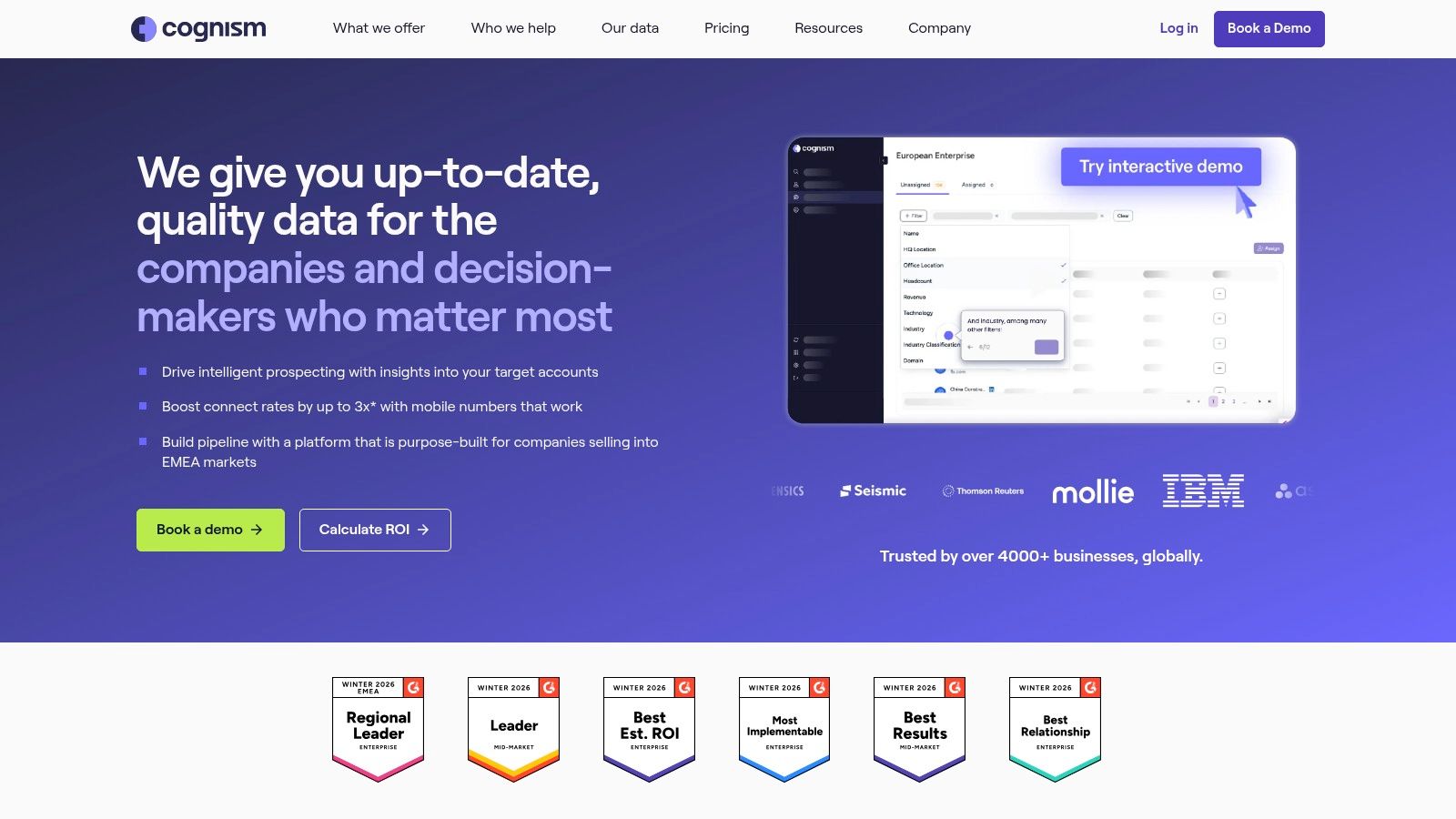
Cognism’s pitch is less about being the biggest database in the room and more about being safer and more practical for global prospecting, especially when EMEA matters.
That distinction is important. A lot of US teams expand internationally and discover that their favorite domestic data provider gets thinner, noisier, or less compliant outside its strongest markets.
Why it stands out
Cognism is considered when teams need company and contact data with a compliance-first posture, especially for phone outreach. It’s a strong fit for organizations prospecting into Europe and wanting more confidence around regulatory handling.
Bright Data’s market review noted that post-2025 GDPR expansions improved EU coverage and referenced Cognism at 400 million-plus contacts in that context, while also raising questions about global non-US accuracy across the broader market in its firmographic provider review. That captures the core buying dynamic well. Global coverage claims are easy to make. Regional execution is what matters.
Operational fit
Cognism is worth serious consideration if your team needs:
- EMEA-friendly prospecting workflows
- Phone outreach with stronger compliance controls
- Signals such as job changes and intent layered onto company data
It can also be a sensible second provider when a US-centric platform works well domestically but weakens in Europe.
If your reps call into EMEA, compliance isn’t a feature. It’s part of basic operational hygiene.
The trade-off
Cognism is sold through quote-led enterprise motions, so it’s not the easiest product to price or trial casually. And as with most providers, quality can vary by segment and region. You need to test against your actual ICP, not just trust a broad market claim.
Website: Cognism
9. HG Insights
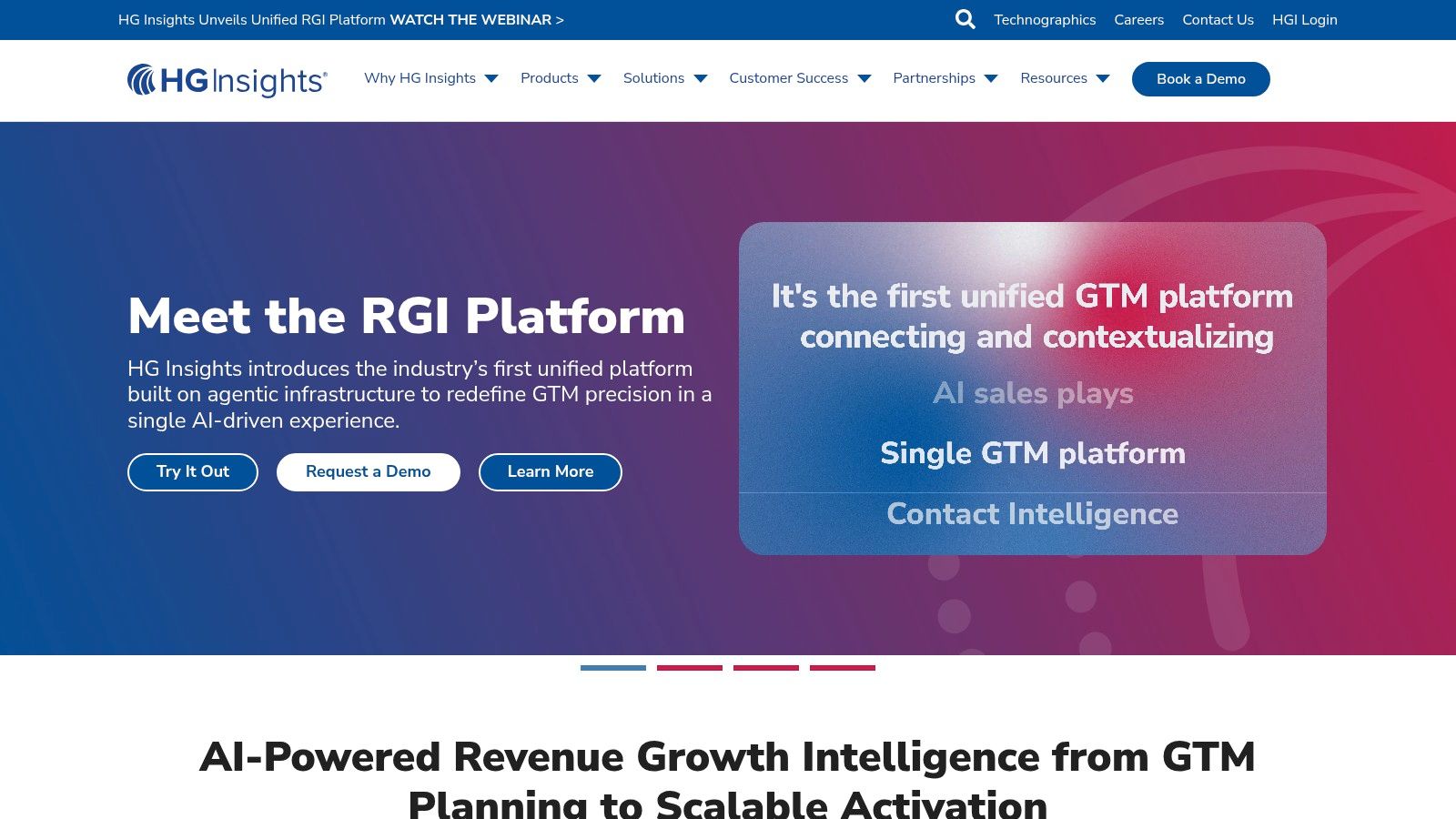
How much does the prospect’s tech stack affect whether you win?
That question decides whether HG Insights belongs in your stack. If your team sells infrastructure, cybersecurity, data platforms, cloud tooling, or any product with clear technical dependencies, basic firmographics will not give reps enough context to prioritize accounts well. You need to know what a company is likely running, how modern the environment looks, and whether there is a realistic fit for your offer.
HG Insights is strongest in sales motions where account selection matters more than contact volume. For account-based teams, that usually means building target lists around installed technologies, adjacent tools, replacement opportunities, and signs of infrastructure maturity. For high-velocity teams, the value is narrower. Technographics can still improve routing and scoring, but they are harder to operationalize if reps are working large volumes of mid-market accounts with short research windows.
A practical use case looks like this:
- Size TAM by technology environment, not just company profile
- Run competitive takeout campaigns against known or likely installs
- Prioritize accounts based on infrastructure fit
- Segment territories or sequences by stack, then layer in firmographics and intent
That workflow matters more than the feature list. Good technographic data only helps if RevOps can push it into territory design, lead scoring, CRM views, ad audiences, and outbound sequencing. Otherwise it turns into expensive context that sits in a dashboard while reps keep working the same list they had before.
The trade-off is straightforward. HG Insights makes more sense for mature GTM teams with a defined ICP, clear segmentation rules, and the operational support to turn account intelligence into action. If you sell a horizontal service where buyer need is mostly budget, headcount, or geography driven, this level of technical detail can be interesting without changing pipeline outcomes much.
Website: HG Insights
10. People Data Labs
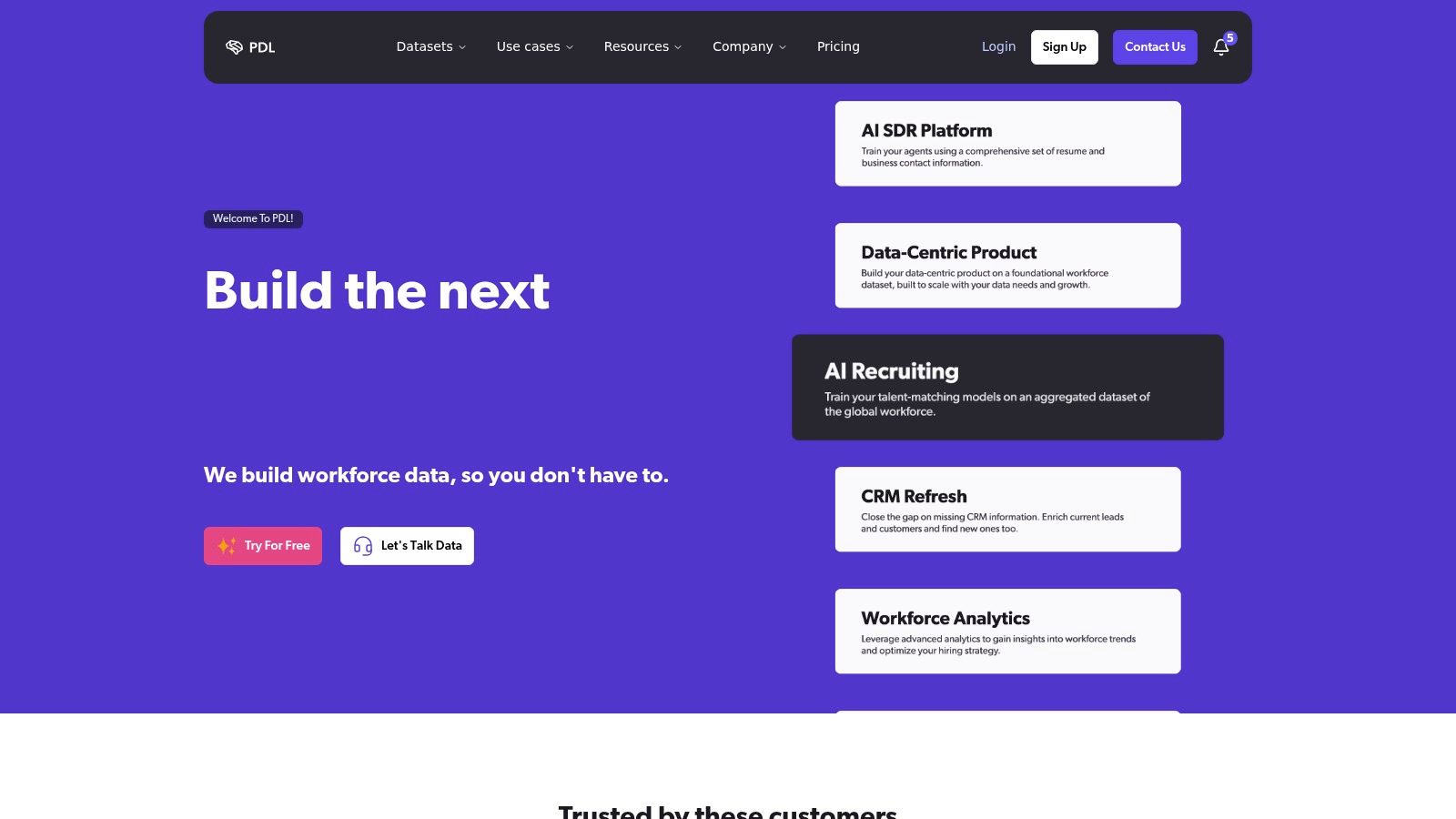
People Data Labs is what you buy when you want to build your own workflow instead of inheriting someone else’s.
This is an API-first provider. That means the buyer is RevOps, data engineering, product, or a technical growth team rather than an SDR manager looking for a turnkey interface.
Why technical teams like it
PDL is useful when firmographic enrichment needs to happen inside a custom application, warehouse workflow, product experience, or internal scoring model. It supports company and person enrichment through APIs, bulk delivery, and modern data stack integrations.
That matters in companies where the CRM isn’t the only source of truth. Maybe the growth team enriches signups before routing. Maybe product qualifies trial accounts based on company data. Maybe RevOps scores accounts inside the warehouse and pushes segments back into GTM tools.
In those situations, an API-first provider can be a better fit than a rep-facing platform.
What to watch out for
PDL gives you flexibility, but flexibility means responsibility. Someone on your team has to define match logic, QA outputs, handle edge cases, and maintain the workflow over time.
That’s the most common mistake with API-first firmographic data providers. Buyers underestimate the implementation burden, then compare the result unfairly to a packaged UI-driven platform. They’re different tools for different jobs.
One broader market signal supports this design choice. Data marketplaces are projected to grow from $863 million to $3.22 billion by 2030 at 24.6% CAGR in the Prospeo market analysis, with marketplaces comprising 58% of that segment. That doesn’t prove PDL is the right fit for every team, but it does show where technically driven data activation is heading.
Website: People Data Labs
Top 10 Firmographic Data Providers Comparison
| Product | Core capabilities | Key benefits / outcomes | Best for (target audience) | Pricing & integration |
|---|---|---|---|---|
| Salesmotion (Recommended) | 3 AI agents (Research, Signal, Prospector); monitors 1,000+ public sources; auto briefs & personalised outreach; real-time Slack/email/CRM alerts | Faster outreach with context; case studies: 50% more meetings, ~40% pipeline lift, ~6 hrs saved/rep/week; source‑linked insights | Sales Managers, CROs, RevOps, AEs needing timely, scaled personalization | Promo $39/mo (limited); enterprise pricing by demo; native Salesforce/HubSpot + Salesloft/Outreach integrations |
| Dun & Bradstreet (D&B) | D‑U‑N‑S identity graph, corporate hierarchies, financial & risk data, APIs & bulk feeds | Authoritative company IDs, parent–subsidiary mapping, enterprise-grade coverage | Enterprises needing master data, compliance, ABM & territory planning | Quote-only enterprise pricing; heavier setup/integration |
| ZoomInfo | Company firmographics, contacts, org charts, intent, WebSights, CRM sync & APIs | Broad dataset, mature sales workflow integrations, deanonymization | Revenue teams wanting an all-in-one prospecting & enrichment platform | Contract pricing; common upsells; strong CRM integrations |
| Data Axle (Infogroup) | US business & consumer data, address-level detail, API-first delivery | Deep US SMB coverage, address accuracy, developer-friendly APIs | US-focused prospecting, ops/engineering teams | Enterprise API pricing not publicly listed |
| HubSpot Breeze Intelligence (ex-Clearbit) | HubSpot-native enrichment, visitor ID (Reveal-style), usage-based credits | Simplifies stack for HubSpot users; native CRM properties & automations | Teams standardized on HubSpot wanting built-in enrichment | Requires paid HubSpot; Breeze add-on pricing not fully public |
| Apollo.io | Firmographics + contacts, enrichment, sequencing, browser extension | Fast time-to-value, built-in outreach workflows, public pricing tiers | SMB / mid-market SDRs & AEs focused on outreach | Transparent credit/plan model; export/credit limits apply |
| Lusha | Verified contacts + company profiles, Chrome extension, API, credits model | Quick list-building, easy onboarding, free trial credits | SDR/AE teams needing fast capture from LinkedIn/websites | Credit-based pricing; free tier; phone credits can add cost |
| Cognism | Company & contact data with compliance (DNC/TPS), signals, global coverage | Compliance-first phone outreach, solid EMEA coverage | Teams prospecting EMEA or requiring regulatory-safe outreach | Quote-only pricing; enterprise negotiations typical |
| HG Insights | Firmographics + technographics, IT spend estimates, intent, predictive analytics | Precision targeting by tech stack, TAM sizing, advanced analytics | Tech/IT-focused GTM, enterprise segmentation & targeting | Enterprise / quote-only pricing; enterprise-grade setup |
| People Data Labs (PDL) | API-first person & company enrichment, SDKs, webhooks, bulk & warehouse integrations | Flexible, embeddable data for custom workflows; dev-friendly docs | Data teams, RevOps, engineering needing programmatic enrichment | Usage-based/self-serve plans plus enterprise feeds; DIY integration effort required |
From Static Data to Dynamic Intelligence
Choosing among firmographic data providers affects far more than list quality. It changes how your territories are built, how your CRM gets enriched, how your SDRs prioritize work, how your AEs prep for meetings, and how much manual cleanup RevOps has to absorb every quarter.
That’s why the usual buying process falls short. Too many teams compare vendors on database size alone. They ask who has more contacts, more companies, or more attributes. Those questions matter, but they’re not enough. A large dataset can still fail operationally if it doesn’t fit your sales motion, integrate into your systems, or help reps act at the right time.
The better way to evaluate these tools is to start with your motion.
If you run a high-velocity outbound model, ease of use and speed matter most. Reps need filters, contact capture, sequence-ready exports, and CRM sync without heavy friction. Apollo and Lusha make sense there. If your team already lives in HubSpot and wants fewer moving parts, Breeze Intelligence is the obvious short list candidate.
If you run enterprise ABM, the buying criteria shift. You need account hierarchies, territory clarity, cleaner entity resolution, and stronger integration discipline. That’s where Dun & Bradstreet and HG Insights start to look better. Not because they’re always easier, but because the operational problem is harder.
If your team is technically mature and wants to enrich records inside product flows, internal scoring systems, or warehouse models, API-first options like People Data Labs can be a stronger fit than seller-facing platforms.
But there’s a bigger shift happening across all these categories. Foundational firmographics are no longer the edge by themselves. They’re table stakes. The primary advantage comes from connecting firmographics to dynamic intelligence. That means signals, timing, intent, context, and activation.
A lot of traditional firmographic buying projects break down at this stage. A provider may tell you a company’s size, industry, and location accurately. That’s useful. It doesn’t tell a seller whether that account is entering a new market, hiring around a pain point, changing leadership, reacting to investor pressure, or creating an opening for outreach right now. Yet those are the cues that make outbound relevant.
That’s why the most effective revenue teams are shifting from static database thinking to live account intelligence. They need core company attributes. They just don’t stop there. They combine firmographics with technographics, real-time signals, and systems that turn context into outreach.
The practical question isn’t “Which database should we buy?” It’s “What system helps our team decide who to target, when to act, and what to say?”
For many teams, that answer won’t be a single provider. It may be a foundation layer plus an activation layer. It may be a compliance-oriented contact source plus a signal tool. It may be a CRM-native enrichment setup paired with account monitoring. What matters is that the pieces work together in practice, not just in a procurement spreadsheet.
If you’re tightening ICP definition and territory strategy as part of this process, this guide on how to build an effective customer segmentation strategy is a useful next step.
The clearest takeaway is simple. Don’t just buy a list. Buy a workflow. The teams that win with data in 2026 won’t be the ones with the biggest spreadsheet. They’ll be the ones that can spot meaningful change inside target accounts and turn it into timely, credible outreach before competitors do.
If your team has solid firmographics but struggles with timing, relevance, or account research drag, Salesmotion is worth a look. It helps revenue teams monitor target accounts, surface real buying signals, build structured account briefs, and turn that context into outreach that reps can send. For teams that want to move from static data to signal-driven pipeline generation, that’s a meaningful upgrade.