Update, October 2026: since this release, each person on a Claude Team or Enterprise workspace can connect with their own Salesmotion login instead of a shared key. See Sign in with Salesmotion.
In April we shipped the Salesmotion MCP server so you could ask Claude about your accounts. It worked, and people used it, and then they told us the same thing in different words: the data is great, but I still have to know what to ask. A rep who wants an account plan does not want to remember that it takes account_insights, then get_contacts with a high limit, then get_signals for ninety days, then get_company_jobs, and then a specific structure for the output. They want to type "account plan for Honeywell" and get the plan.
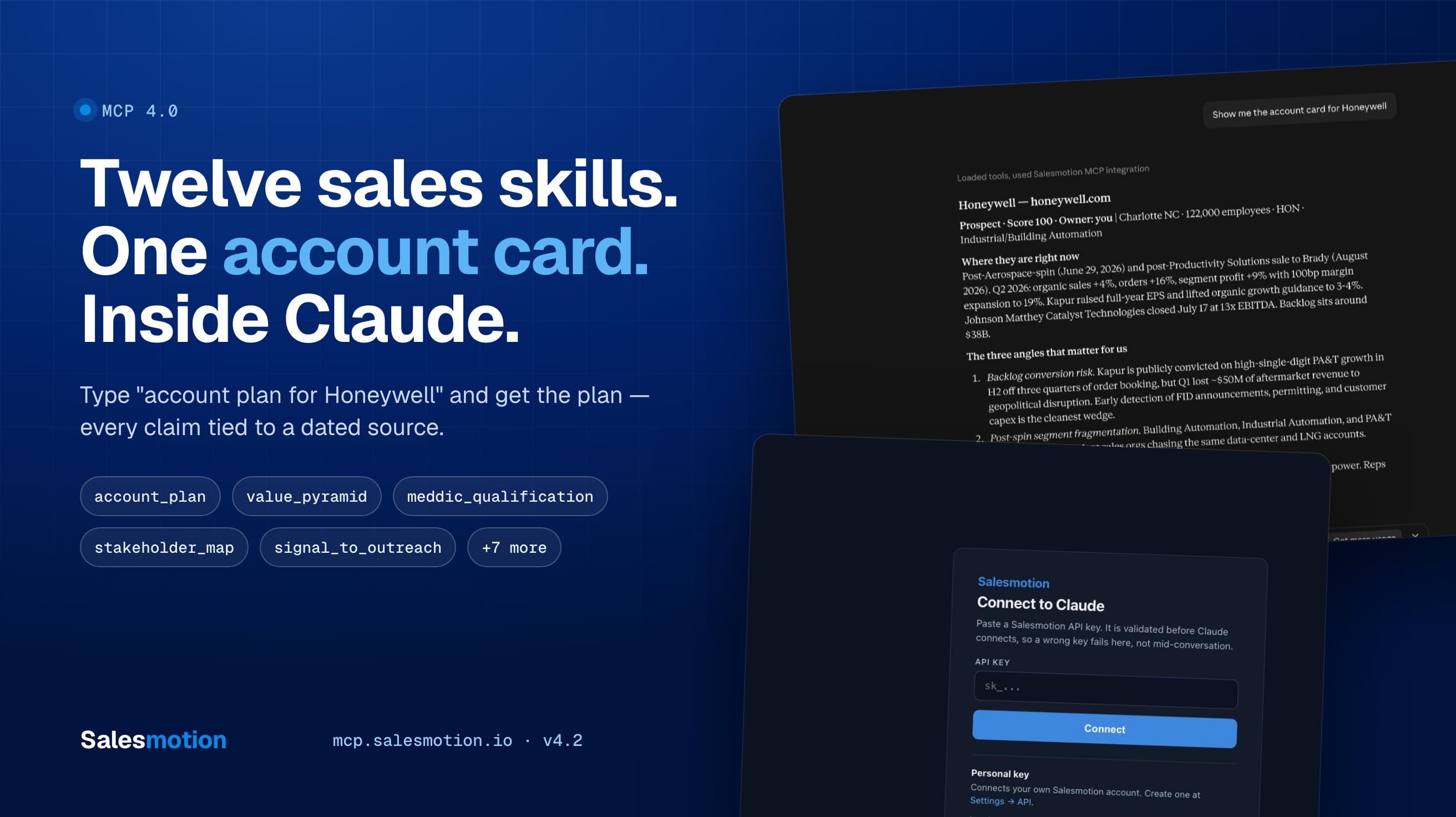
MCP 4.0 is that release. It adds twelve guided workflows we call skills, an interactive account card that renders inside Claude, four company-intelligence tools the API always had but the MCP never exposed, and a cleaner way for admins to give a team one shared key to connect with. It is live now at mcp.salesmotion.io, and if you are already connected, you need to do exactly one thing: reconnect.
TL;DR: Salesmotion MCP 4.0 turns the connector from a set of data tools into a set of sales motions. Say "account plan for X", "qualify the Bayer deal with MEDDIC", "who decides at Hitachi", or "draft an email to the CFO about their earnings call", and Claude runs the matching workflow with every claim tied to a dated source. Say "show me Honeywell" and you get an interactive card with signals, contacts, SWOT, and the value pyramid, plus one-click follow-ups. Admins can set up one shared Service key for the whole team to connect with. Reconnect the connector to pick it all up.
What changed, in one table
| MCP 3.0 (April) | MCP 4.0 (today) | |
|---|---|---|
| Tools | 13 | 19 |
| Guided workflows | 3 prompts | 12 skills, invocable by name from plain text |
| Company intelligence | Latest earnings call only | Full earnings history, SEC filings, job postings, news archive |
| Interactive UI | None | Account card rendered inline in Claude |
| Value pyramid and three whys | Returned by the API, dropped by the connector | Rendered in every brief and in the card |
| Connecting a team | One key per person | One shared Service key, admin-provisioned |
| Directory-grade tool annotations | No | Every tool titled and annotated |
Try it in thirty seconds
If you are already connected, open a new chat and type any of these. If not, the five-minute quickstart gets you there.
| Type this | You get |
|---|---|
| Show me Honeywell | The interactive account card |
| Brief me on Honeywell before my call | A one-page brief |
| Account plan for Honeywell | Stakeholders, SWOT, whitespace, objectives, 90-day actions |
| Draft an email to the CFO at Honeywell about their last earnings call | A 50–90-word email anchored to a dated signal |
| What's new across my accounts this week? | A prioritised action list |
The twelve skills
A skill is a complete sales workflow that Claude runs on your behalf: which Salesmotion tools to call, in what order, and what the finished output has to look like. You do not pick tools. You describe what you want and Claude picks the skill.
Research and planning
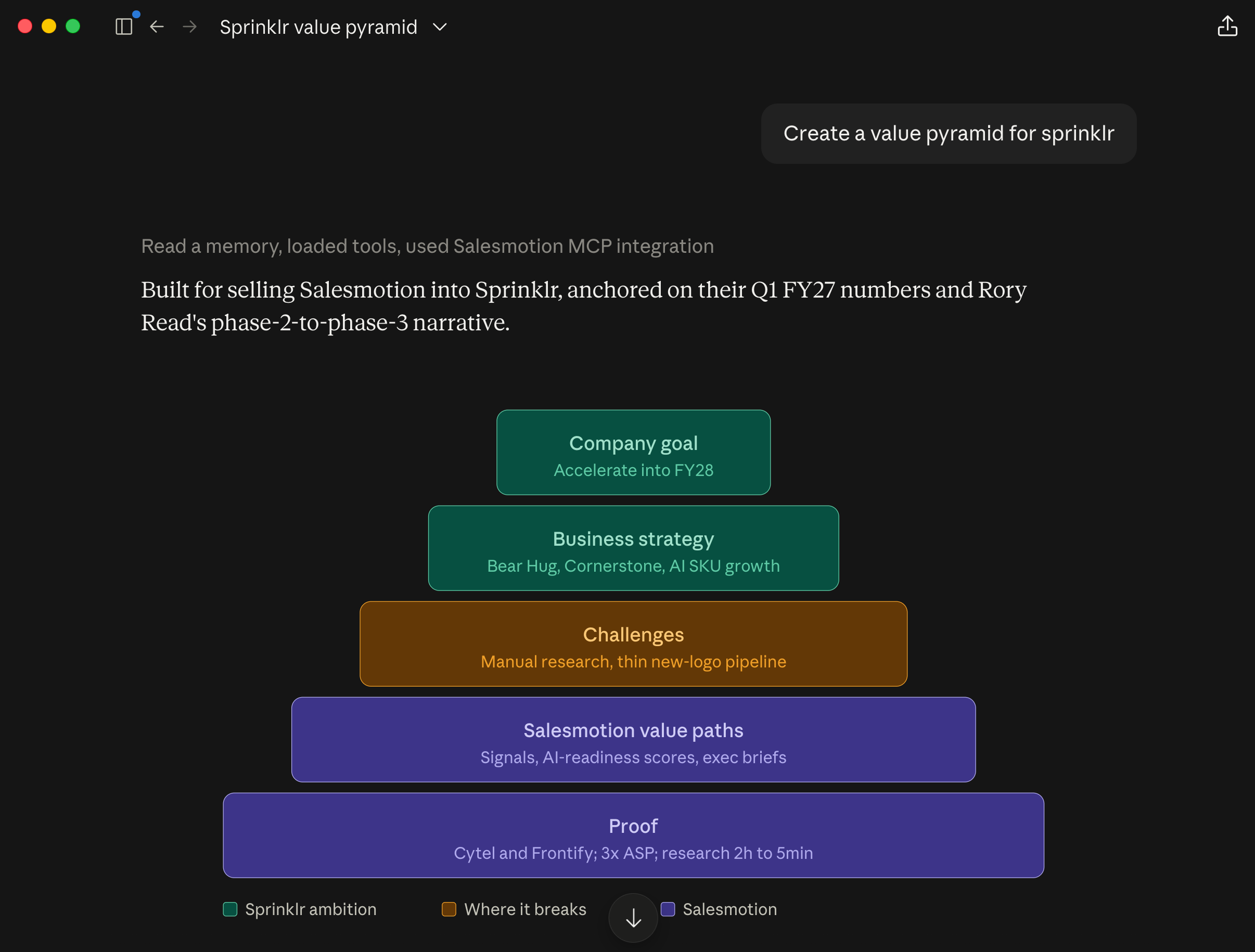
account_research: the full read on a company: intelligence, recent signals, key contacts, and a synthesized brief. Ask fordepth: deepand it also mines the news archive, job postings, earnings calls, and filings.account_brief: a one-pager you can read in two minutes before a call. Under 400 words, current, focused on what changed and what to say.account_plan: the strategic plan: overview, stakeholder map, SWOT, whitespace, competitive landscape, measurable objectives, and a 90-day action plan. It follows the structure in our account planning guide.value_pyramid: company goals, business strategy, challenges and obstacles, and the value paths that connect what you sell to what they are trying to achieve.
Qualification and people
meddic_qualification: scores an opportunity on all six MEDDIC elements and ranks the gaps that put the deal at risk. It follows our MEDDIC framework.stakeholder_map: the buying committee: who has power, who is a likely champion, who recently moved, and which roles you have no contact for.meeting_prep: the person and the company, what changed, conversation starters, questions worth asking, and what not to raise.
Signals and outreach
signal_to_outreach: turns one buying signal into an email or LinkedIn message that earns a reply. Fifty to ninety words, one hook, one ask.pipeline_signals: your daily or weekly review across all accounts, as an action list capped at five "act now" accounts.territory_review: a step back across the whole book: tiering, under-worked accounts, where the time should go.
Deeper research
earnings_deep_dive: several quarters of earnings calls and filings, read for strategy and pressure in management's own words.hiring_signals_analysis: job postings read as strategy: what they are building, which teams are funded, what tools they use, who was just hired into leadership.
How you invoke them
Three ways, from most to least typing:
- Plain text. "Account plan for Honeywell." "Who decides at Bayer?" "What is Hitachi hiring for?" Claude matches the intent to a skill. A bare company name gets you the brief.
- The connector picker. Click
+in Claude, choose Salesmotion, pick a skill, fill in the company. /salesmotion. For claude.ai users we also package the twelve skills as a Claude Skill, so/salesmotion value pyramid Honeywellworks from the slash menu. It is open source: download it or install from github.com/salesmotion/claude-skills; installation takes a minute.
The first way is the one that matters. It works in claude.ai, Claude Desktop, Claude Code, Microsoft Copilot, and any other MCP client, because the skills are also exposed as a tool (run_skill) and the connector tells Claude at connect time which skill fits which request. Clients that hide MCP prompts behind menus still get the workflows by name.
Every skill has the same three rules
We wrote the workflows for a world where buyers double-check what AI tells them. Gartner's buyer research puts it plainly: 69% of B2B buyers turn to sales reps to validate AI-generated insights (May 2026 survey of 645 buyers). An unsourced claim from a rep costs more credibility than no claim at all. So every skill enforces:
- Evidence over assertion. Every material claim is attributed to what produced it (a signal, an earnings call, a filing, a job posting, a news article), with a date. Executives are quoted verbatim when their words are available.
- Never invent. If something is not in Salesmotion, the output says "Not available in Salesmotion" and lists it as an open question. A plausible guess is treated as worse than a gap.
- Inference is labeled. What the data says and what Claude concludes are kept apart. Hypotheses are marked as hypotheses.
There is a fourth rule that is more mechanical: every skill knows what to do when a company is not in your account list. It falls back to the public company record and builds from news, jobs, earnings, and filings, and it tells you which path it used so you know how deep the answer goes.
The account card
Some requests are not "write me something." They are "let me look at this." For those, MCP 4.0 ships an interactive account card built on MCP Apps, the extension that lets a connector render a real interface inside the conversation.
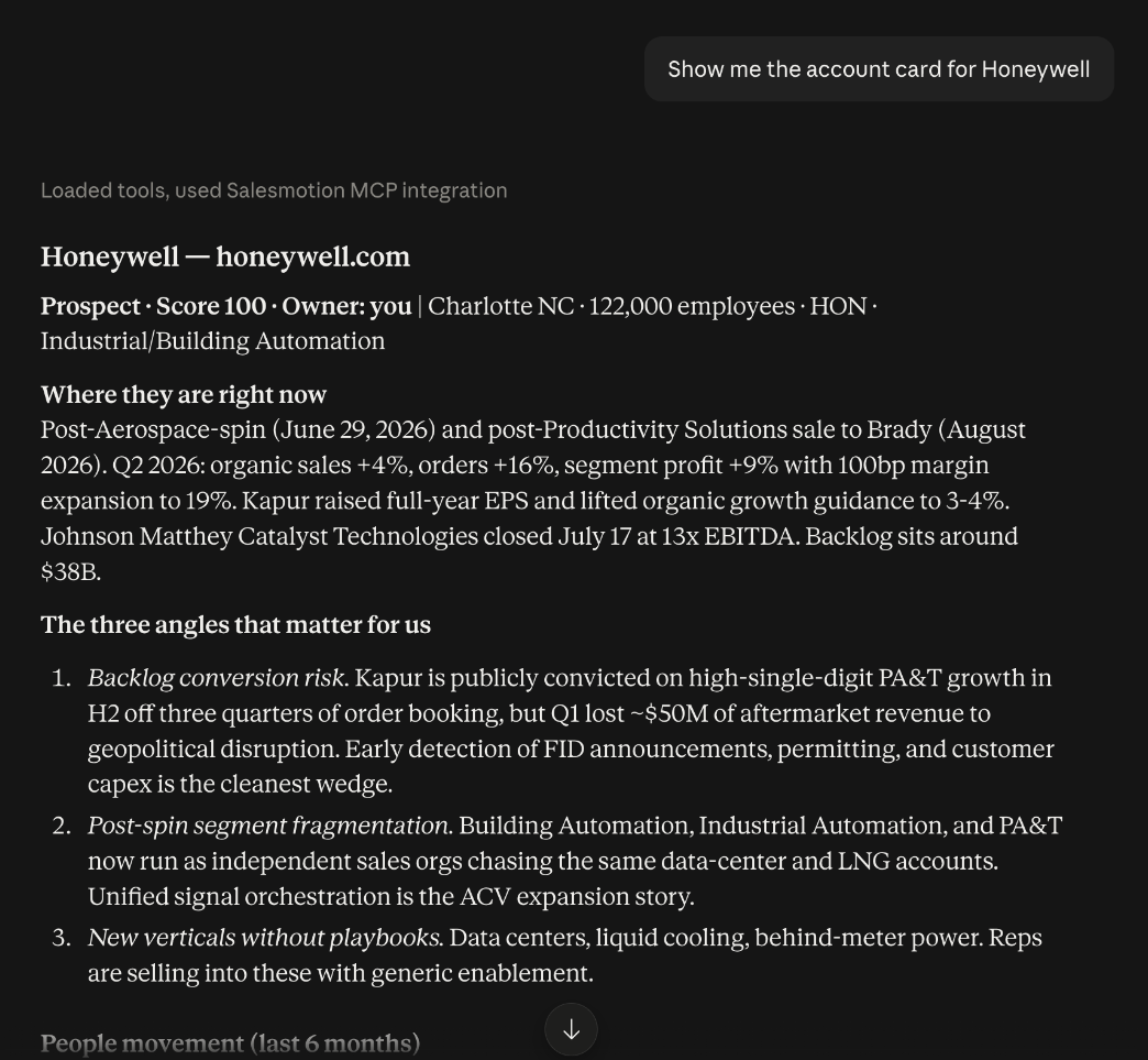
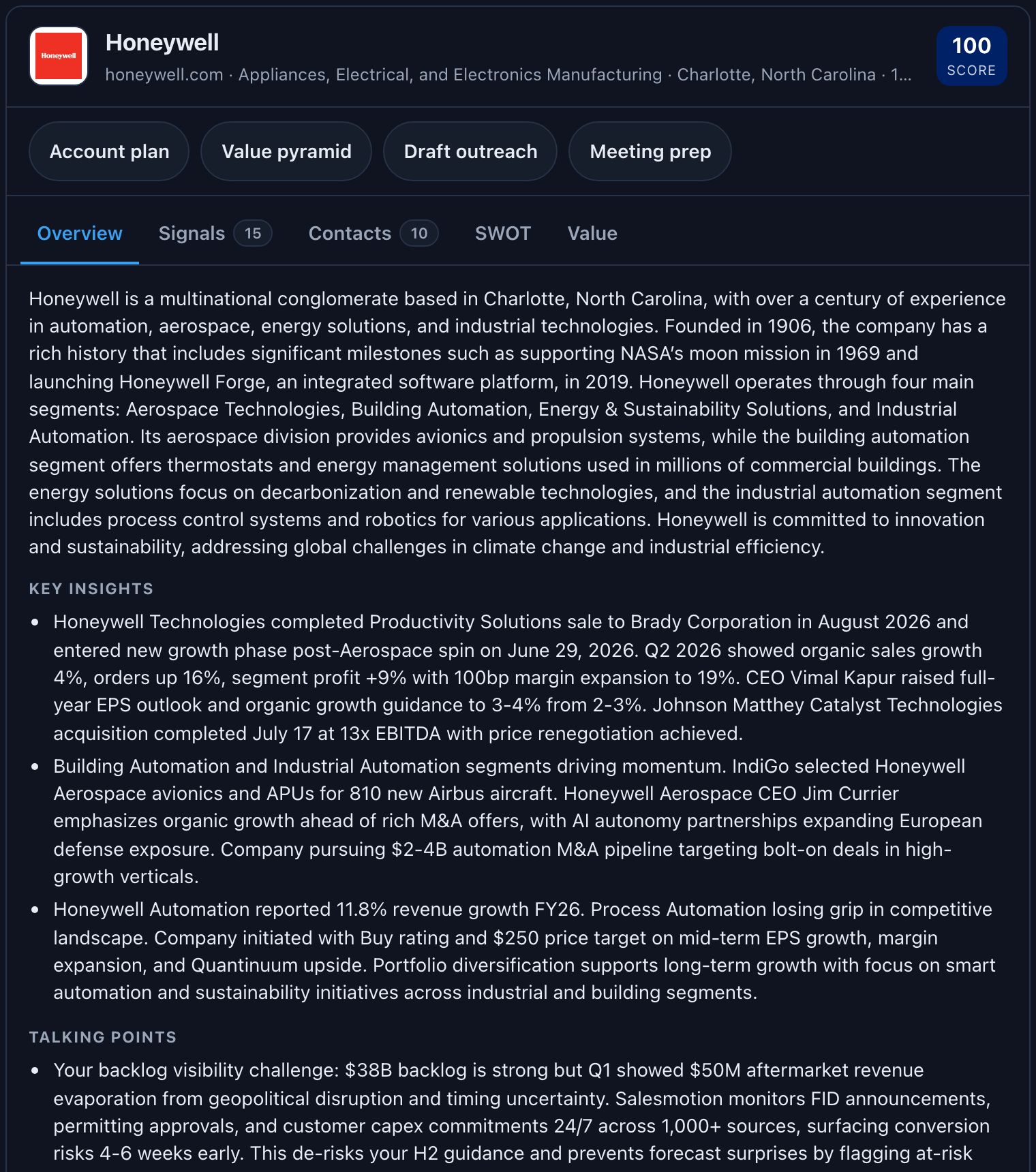
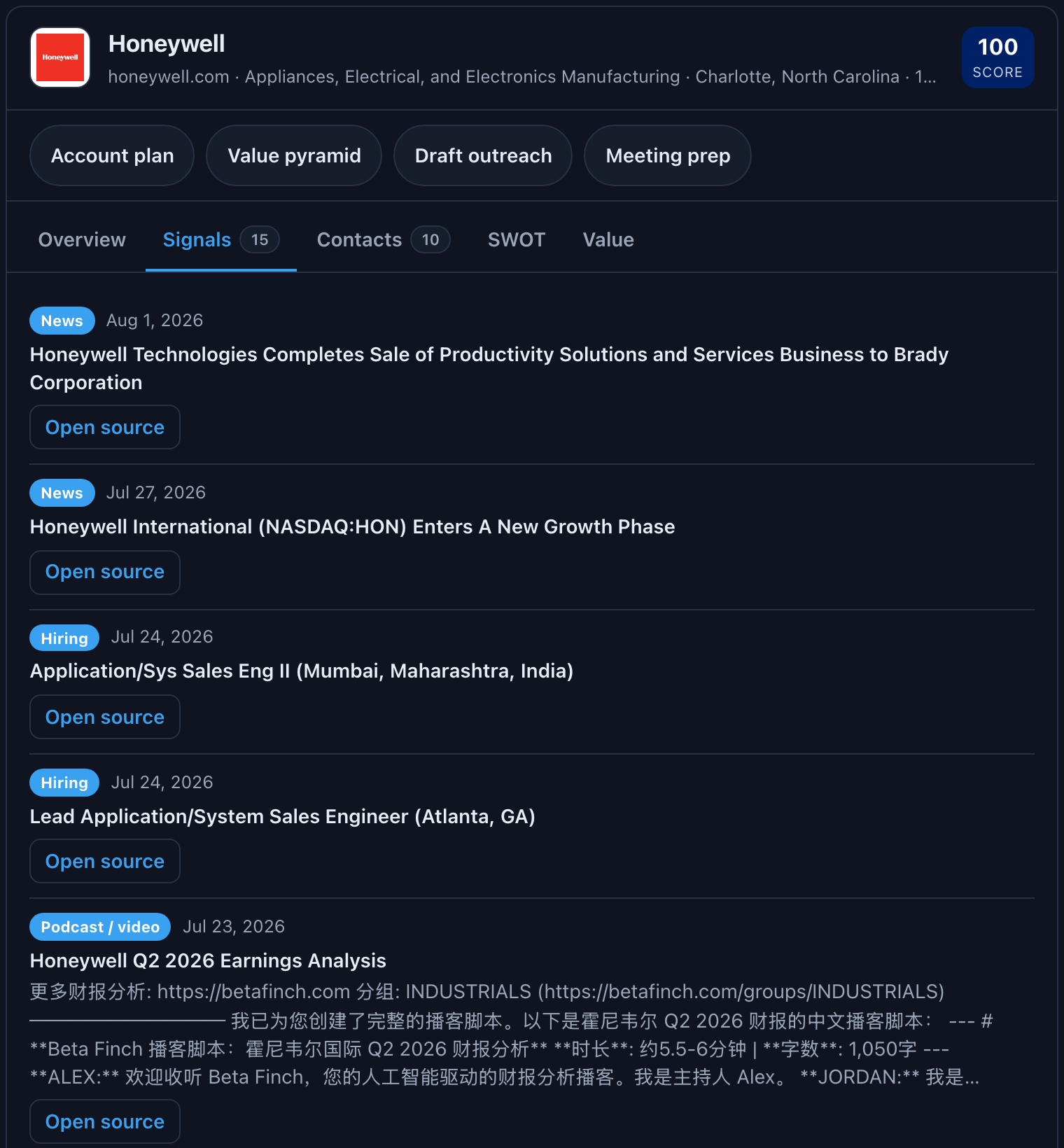
Say "show me Honeywell" or "pull up the account card for acme.com" and the card renders inline:
- Header: logo, name, domain, industry, headquarters, employee count, and the Salesmotion score.
- Overview: description, key insights, talking points, opportunities, challenges, and executive quotes.
- Signals: the recent buying signals with type, date, and a button to open the source.
- Contacts: the people that matter, with role changes flagged and a button to their LinkedIn profile.
- SWOT: the four quadrants.
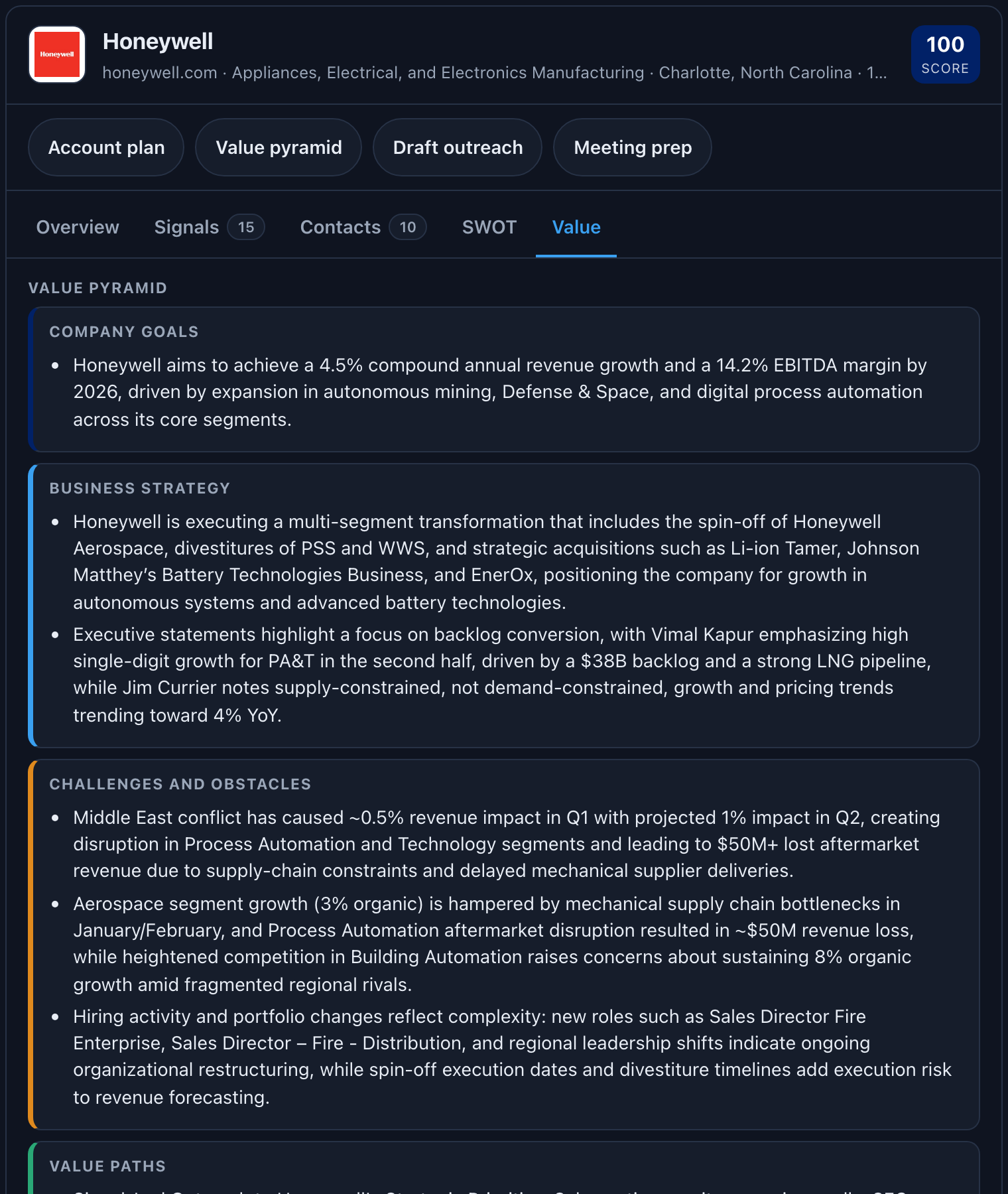
- Value: the value pyramid, the three whys, value hypotheses, and point of view.
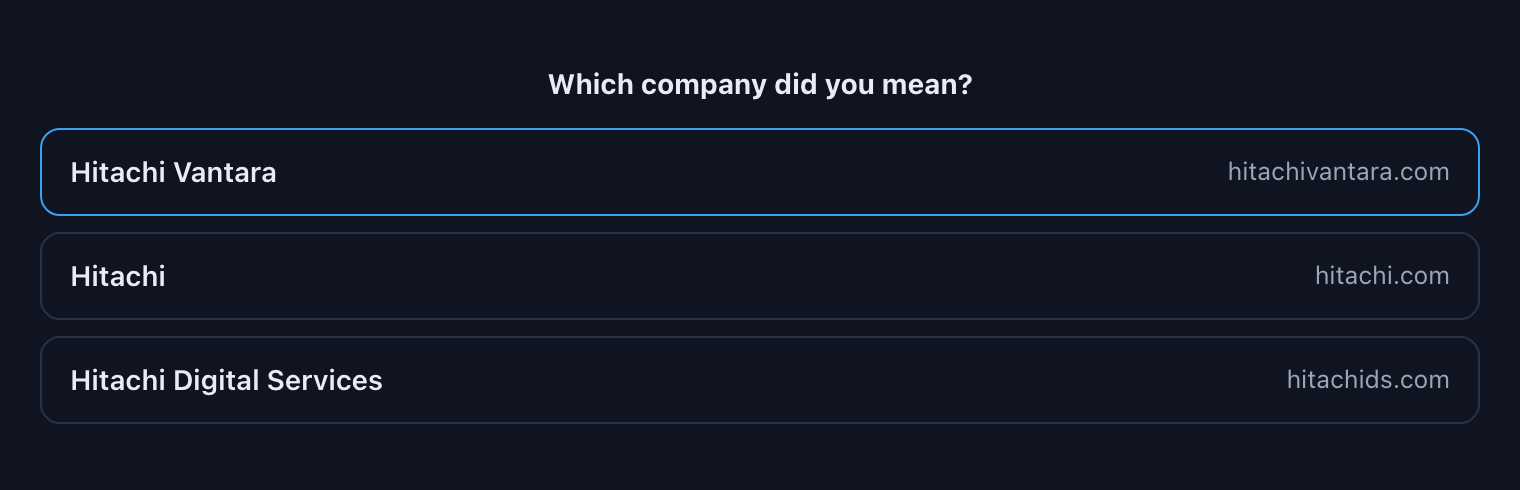
Along the top are four buttons (Account plan, Value pyramid, Draft outreach, Meeting prep) that hand the conversation the matching skill. Look at the card, spot the opening, click once, and Claude starts writing. If a name is ambiguous ("Hitachi" matches three accounts), the card shows the candidates and you pick.
The Signals tab lists the recent buying signals with type and date, each with a button to open the original source; long earnings analyses are clamped to four lines and expand on click.
The Value tab renders the value pyramid and the three whys, the sections the connector used to drop.
Ambiguous names get a picker instead of a guess:
The card works in Claude web and Claude Desktop today, and in the other hosts that support MCP Apps. Clients that do not support it get a short text summary and lose nothing else.
Four tools the API always had
The Salesmotion API exposes eighteen endpoints. The MCP wrapped thirteen. The four we skipped turned out to be exactly the evidence an account plan or a value pyramid needs:
| Tool | What it returns | Why it matters |
|---|---|---|
get_company_news | The full news archive for a company (Honeywell: 8,554 articles in August 2026), not just the signal feed | Strategic initiatives over time; the original coverage behind a signal |
get_company_jobs | Job openings with location, seniority, function, and on request the full description (Honeywell: 1,606 open roles in August 2026) | Where budget is going; the tech stack and priorities named in postings |
get_company_earnings_calls | The full history of earnings calls with AI analysis and, on request, transcripts | What management repeats across quarters; guidance changes; exact executive language |
get_company_filings | 10-K, 10-Q, 8-K, DEF 14A with public SEC links | The most defensible evidence you can cite in an executive conversation |
Each resolves a company from a domain or ticker on its own, so Claude never has to chain a lookup first. Heavy text (article bodies, job descriptions, transcripts) is opt-in, so default responses stay small and your quota stays intact.
One fix worth naming
Salesmotion generates a value pyramid and a "three whys" (why change, why now, why you) for every account. The API has always returned them. The connector was dropping them on the way to Claude. For Honeywell that meant quoted commentary from the CEO and CFO, growth and margin targets, and a named set of obstacles that no MCP user had ever seen. That is fixed, and it is the foundation the value_pyramid skill is built on.
Connecting a Team: Workspace Keys
Until now, every person who wanted the connector managed their own API key. That still works. But if you run a team on Claude Team or Enterprise, there is a better way:
Prefer per-person logins? Since October 2026 an admin can add the connector once and each member signs in with their own Salesmotion account. The shared-key route still works:
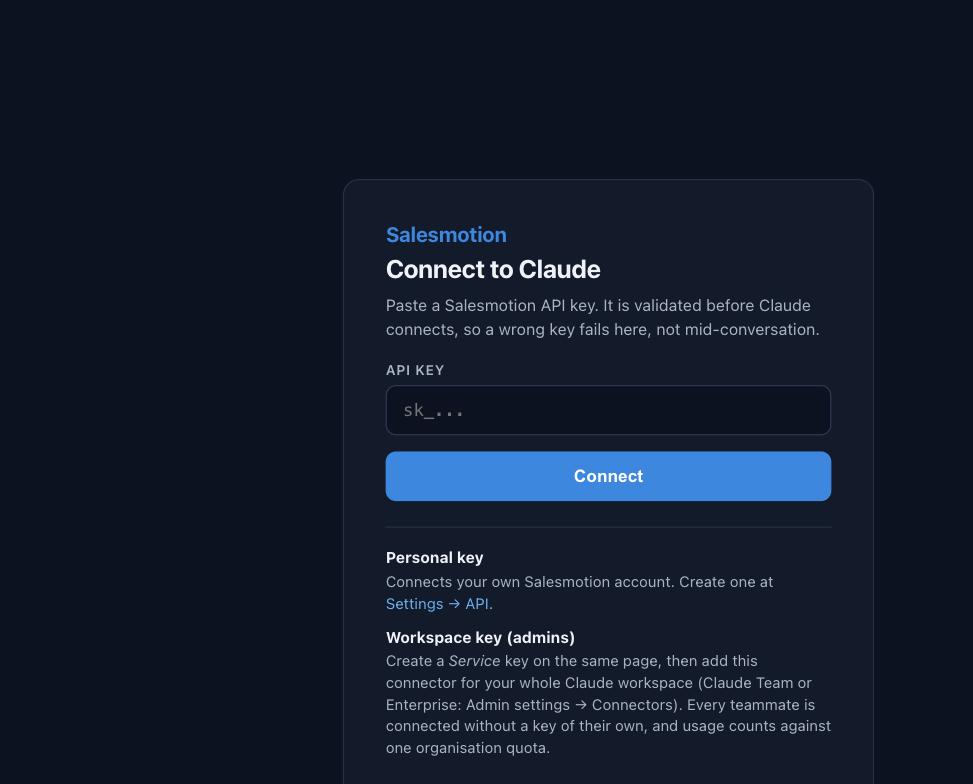
- An admin creates a Service key in Salesmotion under Settings → API. A Service key belongs to the organization rather than to a person.
- The admin adds the Salesmotion connector once under Admin settings → Connectors in Claude, then shares the Service key with the team.
- Each teammate connects once by pasting the shared key. No per-user keys to manage, one shared quota, one place to revoke. Some Claude workspaces can store the key centrally so teammates connect automatically - a Claude admin can ask Anthropic whether it is available for yours.
The connect page also validates the key against Salesmotion before Claude finishes connecting, so a wrong, expired, or not-yet-enabled key fails on that page with a clear message instead of failing on the first tool call in a conversation.
Under the hood
For the people who read release notes for the details:
- Every tool carries a title and safety annotations (
readOnlyHinton all reads, an explicit write flag on feedback), which is what Anthropic's connector directory requires and what lets Claude reason about what is safe to call without asking. - The server sends instructions at connect time: a one-line catalogue of the skills and the defaults ("a bare company name means a brief"), so plain-text invocation works without any prompt engineering on your side.
- The server is stateless, in line with the MCP 2026-07-28 specification, which is why it runs comfortably on serverless infrastructure and why nothing about your session is stored between calls.
- The twelve skills have one source. The MCP prompts, the
run_skilltool, the connect-time instructions, and the/salesmotionClaude Skill are all generated from the same definitions, so they cannot drift.
What to try first
If you are already connected: Settings → Connectors → Salesmotion → reconnect. Connectors cache the tool list when they connect, and yours connected when there were thirteen tools and three prompts.
Then, in a new chat:
- "Show me Honeywell", or any account in your workspace. Look at the Signals tab, then click Account plan.
- "Account brief for [an account you know cold]": the fastest way to judge whether it reads like a rep who did the work.
- "Draft an email to the CFO at [account] about their last earnings call": see whether the anchor is specific enough that it could not be sent to any other company.
- "What is [account] hiring for?": watch it cluster the roles into initiatives.
If you are not connected yet, the five-minute quickstart gets you there; the MCP integration guide covers every client in detail. Skills are documented in Using Salesmotion skills in Claude, the card in The Salesmotion account card, and team setup in Connecting your team.
Frequently asked questions
Do I need to change anything in my MCP configuration?
No. The endpoint, the authentication, and every existing tool name are unchanged. Reconnect the connector so it refreshes its tool list, and everything new appears.
Will the old prompts still work?
Yes. account_research, meeting_prep, and pipeline_signals kept their names. Their output is richer than before, because their workflows were rewritten with the same rules as the other nine.
Does the account card work in Claude Desktop and Copilot?
It renders in Claude web, Claude Desktop, and other hosts that support MCP Apps, including VS Code Copilot. In hosts that do not, you get a short text summary instead; nothing breaks.
Do skills use more of my API quota?
A skill makes the same calls a careful rep would make by hand, typically three to six requests. The heavy company-intelligence tools are opt-in for full text, so a skill does not pull a transcript unless it needs one. You can check usage at any time by asking Claude for your Salesmotion usage.
Is the /salesmotion Claude Skill the same thing as the MCP skills?
Same twelve workflows, generated from the same source. The MCP skills are the portable version that works in every client. The Claude Skill is a convenience for claude.ai users who prefer the slash menu.
Where did the twelve skills come from?
From customer conversations about the workflows teams run every week. If your team runs one repeatedly that isn't covered, tell us. To compare this server with the rest of the stack, see the Salesmotion MCP product page.
Comparing MCP servers
If you are deciding which GTM servers deserve a slot alongside this one, we wrote three companion pieces: Clay MCP vs Salesmotion MCP on build surfaces versus answer surfaces, FullEnrich MCP vs Salesmotion MCP on why enrichment and account intelligence are complementary, and the sales MCP stack on which server answers which question.