
What it is
The account card is an interactive view of a Salesmotion account that renders inside your Claude conversation. Instead of a long text answer, you get a card with a header, tabs, and buttons — the same intelligence Salesmotion generates in the app, in a form you can browse without leaving the chat.
It is built on MCP Apps, the extension to the Model Context Protocol that lets a connector render an interface in the conversation. It works today in Claude web, Claude Desktop, and other hosts that support MCP Apps. Hosts that do not support it receive a short text summary instead.
Opening a card
In any chat with the Salesmotion connector enabled, ask to see an account:
- "Show me Honeywell"
- "Pull up the account card for acme.com"
- "Give me a visual overview of Bayer"
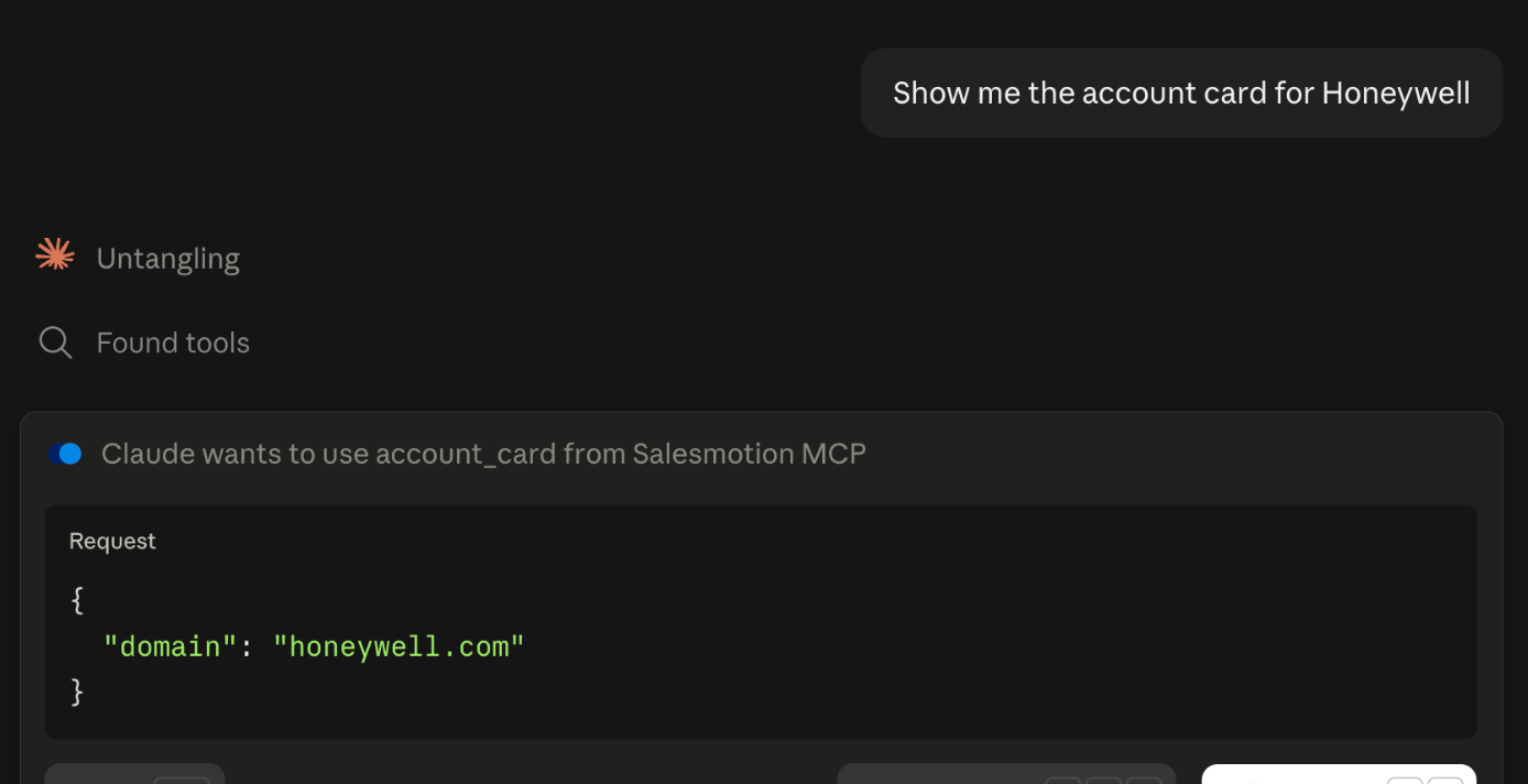
Claude calls the account_card tool and the card renders in place. Using a domain (acme.com) is the most precise way to name a company.
The first time in a chat, Claude asks for permission to use the card, because it is an interactive tool. Allow once approves this call; Always allow stops the prompt for future chats.
When a name is ambiguous
If a name matches more than one account — "Hitachi" might match three — the card shows the candidates with their domains. Click the one you mean and the card loads it.
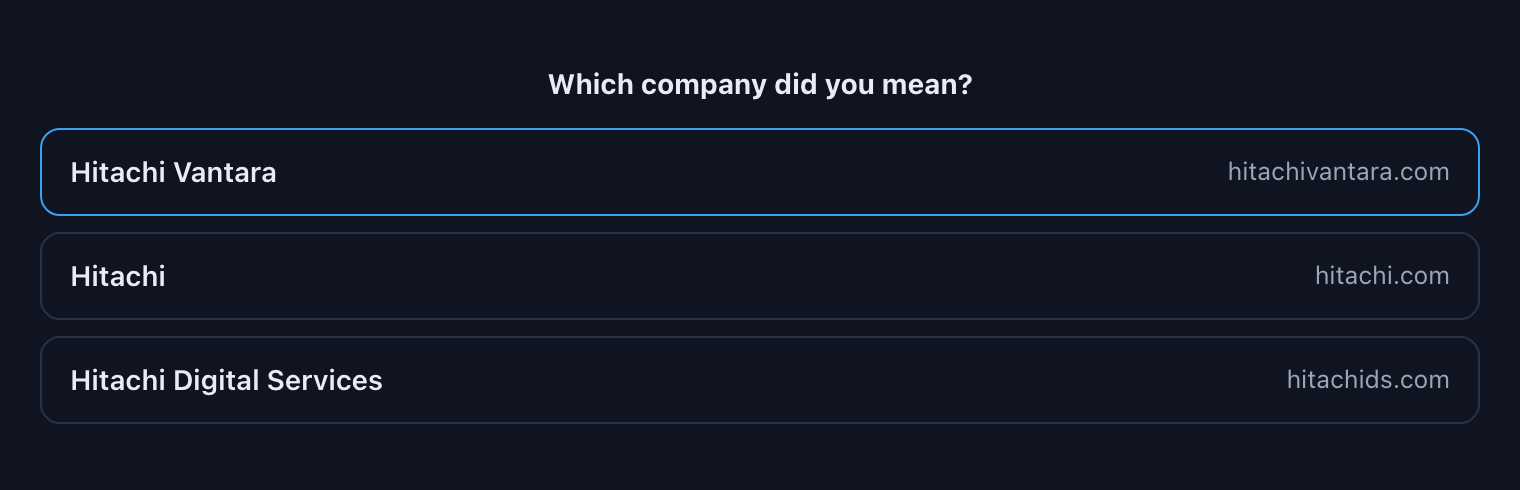 If your host does not allow the card to call tools, tell Claude which one you mean instead.
What is on the card
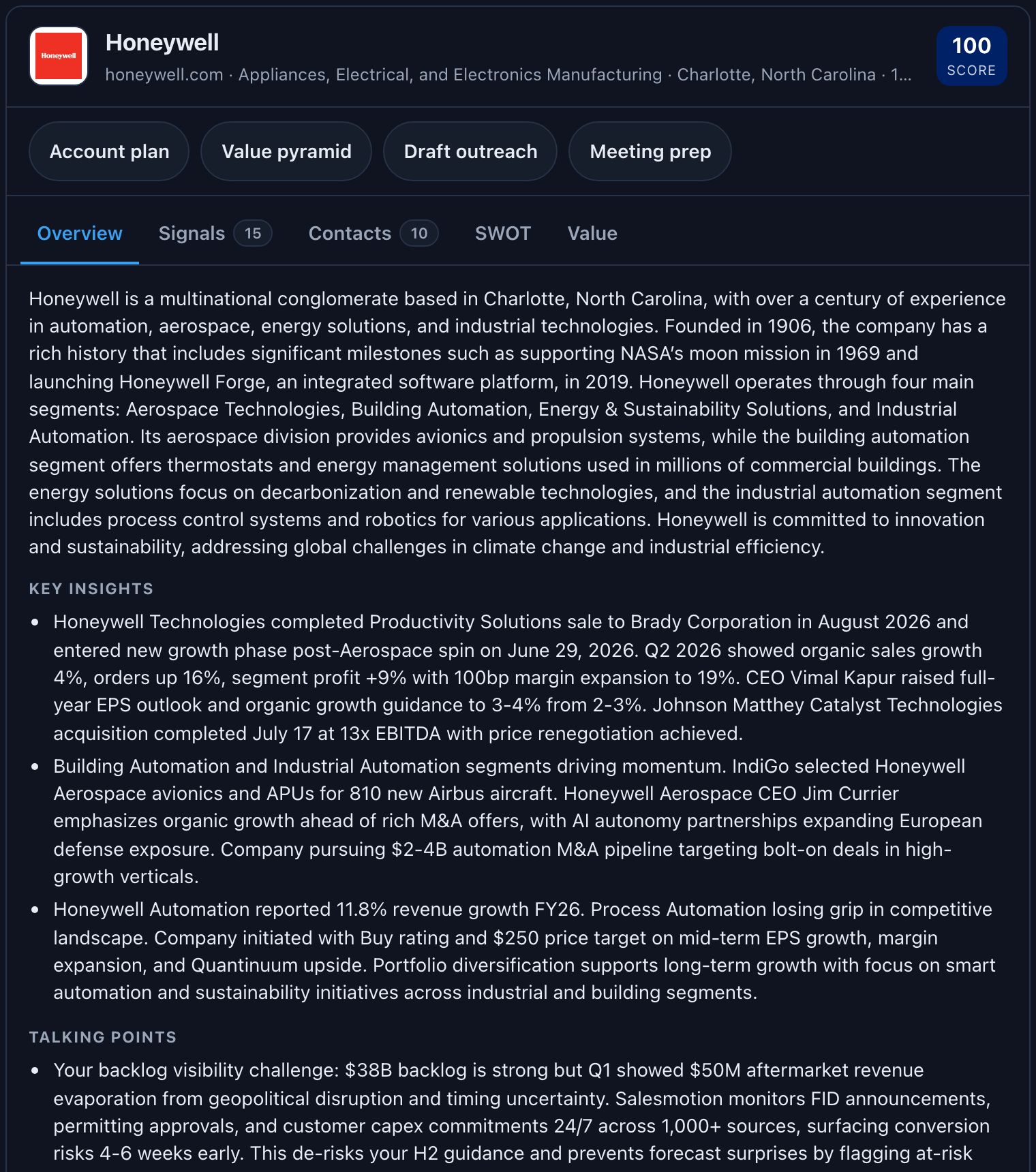
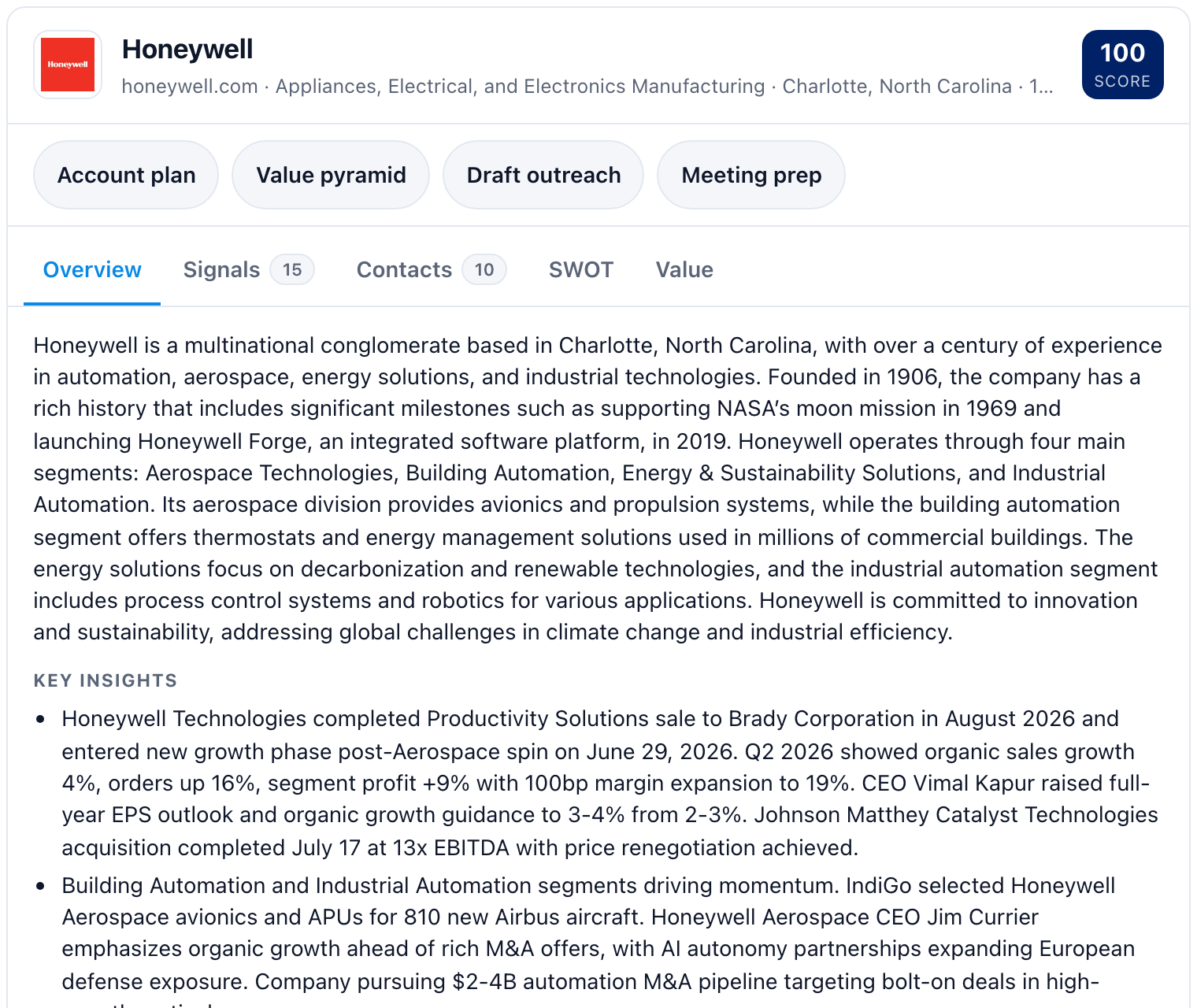
Header — logo, name, domain, industry, headquarters, employee count, and the Salesmotion score.
Follow-up buttons — Account plan, Value pyramid, Draft outreach, Meeting prep. Each hands the conversation the matching skill for this account. Click one and Claude starts the workflow; you do not need to type anything.
Tabs
| Tab | Contents |
|---|---|
| Overview | Description, key insights, talking points, opportunities, challenges, people updates, and executive quotes |
| Signals | Recent buying signals with type and date; Open source opens the original article, filing, or call |
| Contacts | The people that matter, with role changes flagged (new joiner, promoted, changed role, departed); LinkedIn opens their profile |
| SWOT | Strengths, weaknesses, opportunities, threats |
| Value | The value pyramid (goals, strategy, obstacles, value paths), the three whys (why change, why now, why you), value hypotheses, and point of view |
The footer shows the account owner and when Salesmotion last refreshed the account.
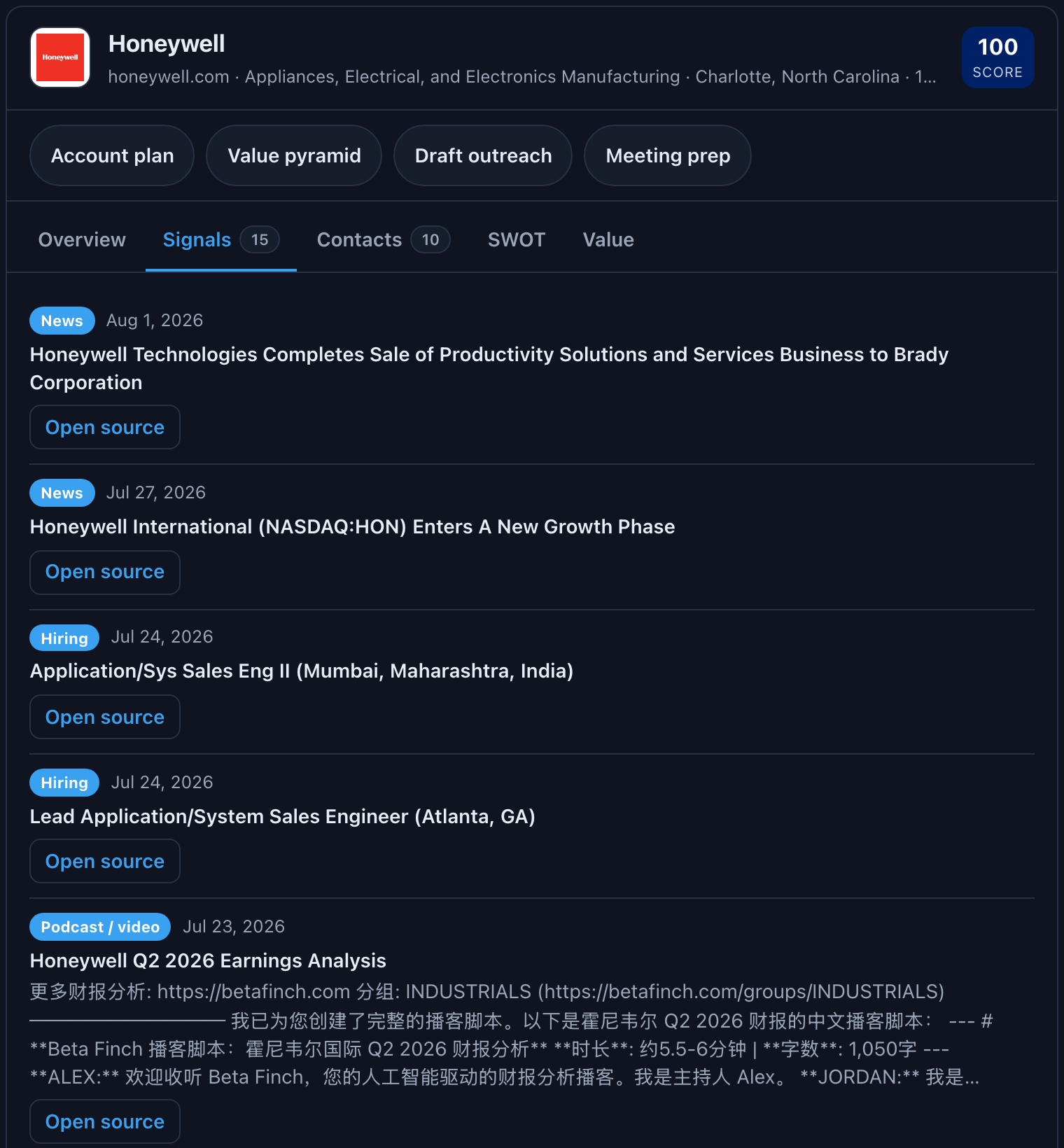
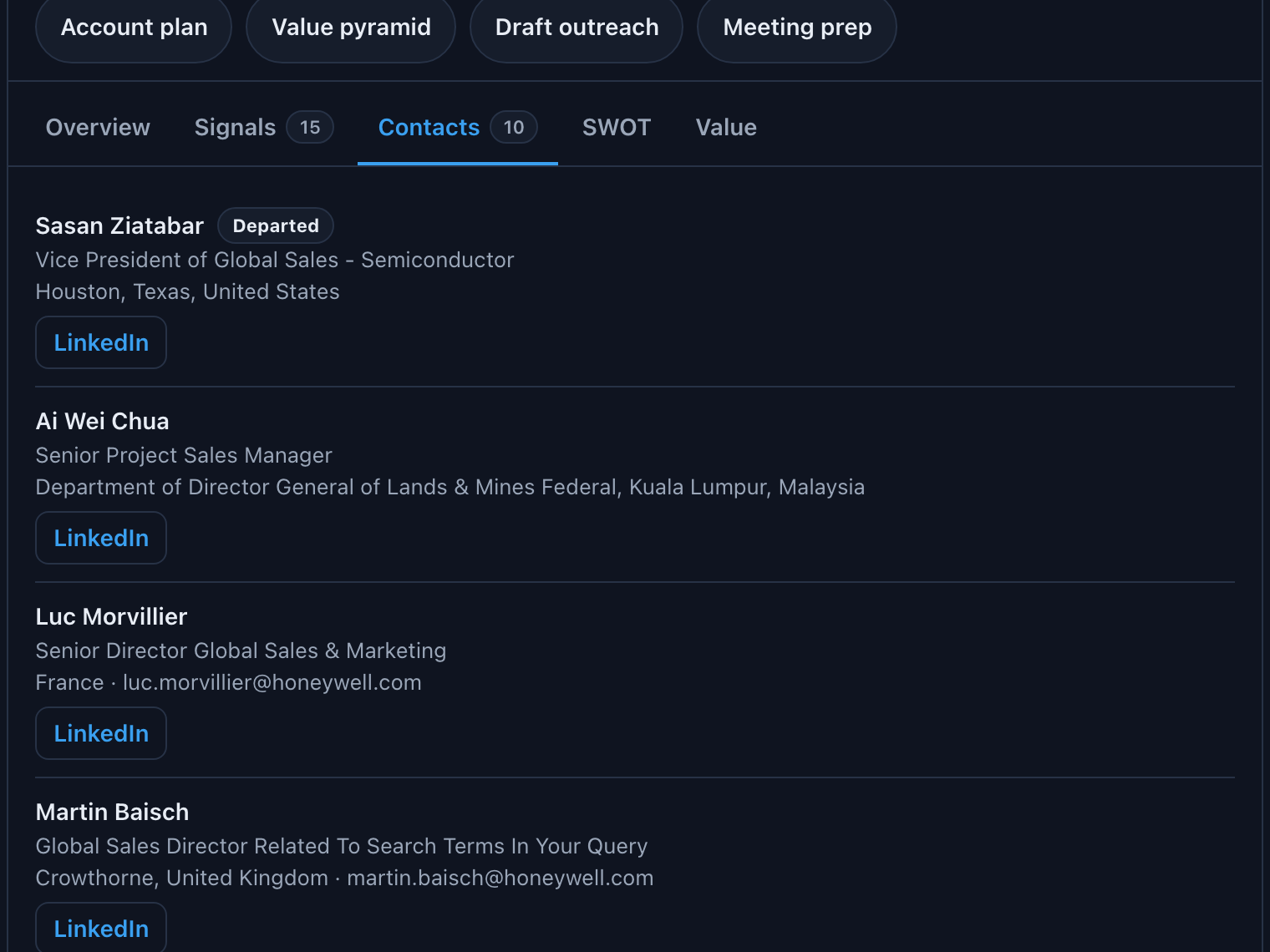
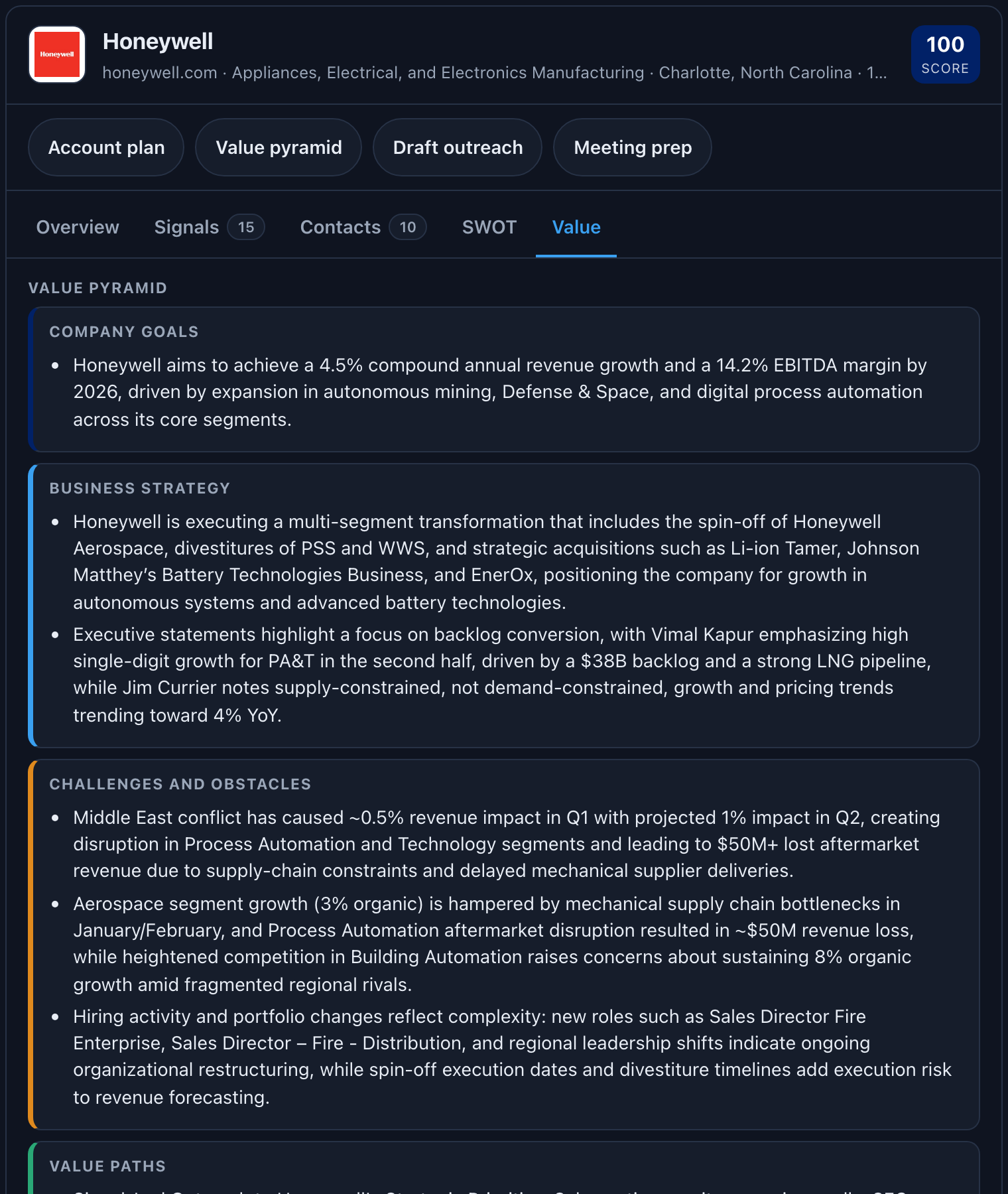
The card follows Claude's theme:
Card or text?
Use the card when you want to look, compare, and click: scanning signals, checking who moved, reading the SWOT, deciding which follow-up to run.
Use a skill when you want a finished document: a brief to read before a call, a plan to share, a message to send. "Show me X" gives you the card; "brief me on X" or "account plan for X" gives you text. The card's buttons are the bridge between the two.
Where the data comes from
Everything on the card comes from the same Salesmotion account record you see in the app — the summary, research, SWOT, and value sections generated for the account, plus its most recent signals and highest-ranked contacts. The card does not add or change data; it renders what Salesmotion has already produced. If a section is empty on the card, it is empty in the app too; refreshing the account in Salesmotion fills it.
Privacy and quota
The card runs in a sandboxed frame controlled by Claude. It can only do three things: show data the tool returned, call the account_card tool again (to load a candidate you picked), and hand the conversation a follow-up request when you click a button. The full card data is delivered to the card, not to the model — Claude receives a short summary, which keeps your conversation context small.
Opening a card costs one API request against your Salesmotion quota, the same as asking for an account insight in text. Ask Claude for your Salesmotion usage at any time to see where you stand.
Troubleshooting
I asked for a card and got text
Either your host does not support MCP Apps (the text summary is the intended fallback), or your connector is on a cached tool list from before the card shipped. In claude.ai: Settings → Connectors → Salesmotion → disconnect, then reconnect, then try again in a new chat.
The logo is missing
Salesmotion has no logo on file for that company, or the host blocked the image. The card shows the company's initials instead; nothing else is affected.
The follow-up buttons are not there
The host has not granted the card permission to send messages into the conversation. Type the request instead — "run the account plan skill for Honeywell" does the same thing.
The card shows an older refresh date than I expected
The card renders the account's last refresh. Refresh the account in Salesmotion, then ask for the card again.