Let's be direct: most sales meetings are a waste of time. They often devolve into managers reading from a dashboard while reps passively listen, thinking about the 10 other things they could be doing. Research from Atlassian shows the average employee spends over 30 hours a month in unproductive meetings. The root cause isn't bad intentions; it's a poor structure. Without a clear, outcome-driven agenda, meetings become unfocused, backward-looking, and fail to energize the team.
This is a solvable problem. A great sales meeting agenda template doesn't just list topics; it forces preparation, focuses conversation on what matters most (like moving deals forward), and creates accountability. It turns a passive status update into an active strategy session where real coaching and problem-solving happen.
This guide is your shortcut to better meetings. We've compiled a collection of practical agenda templates and tools designed for the most common and critical sales cadences. You will find actionable frameworks for:
- Weekly Team Meetings
- Pipeline & Deal Reviews
- Strategic Account Reviews
- 1:1 Coaching Sessions
- Executive Business Reviews
For each meeting type, we provide a downloadable and copiable template, example talk tracks, and guidance on how to customize it. We'll also show you how to incorporate real-time account signals from platforms like Salesmotion to make your discussions more relevant and impactful. Instead of just reviewing the past, you'll start shaping the future of your deals.
1. Salesmotion
Salesmotion stands out not by providing static templates, but by delivering the dynamic intelligence needed to make any sales meeting agenda immediately relevant. This AI-powered account intelligence platform equips revenue teams with a persistent, proactive advantage. It uses dedicated AI agents to monitor over 1,000 public sources around the clock, converting raw data into verified buying signals that directly inform your meeting strategy.
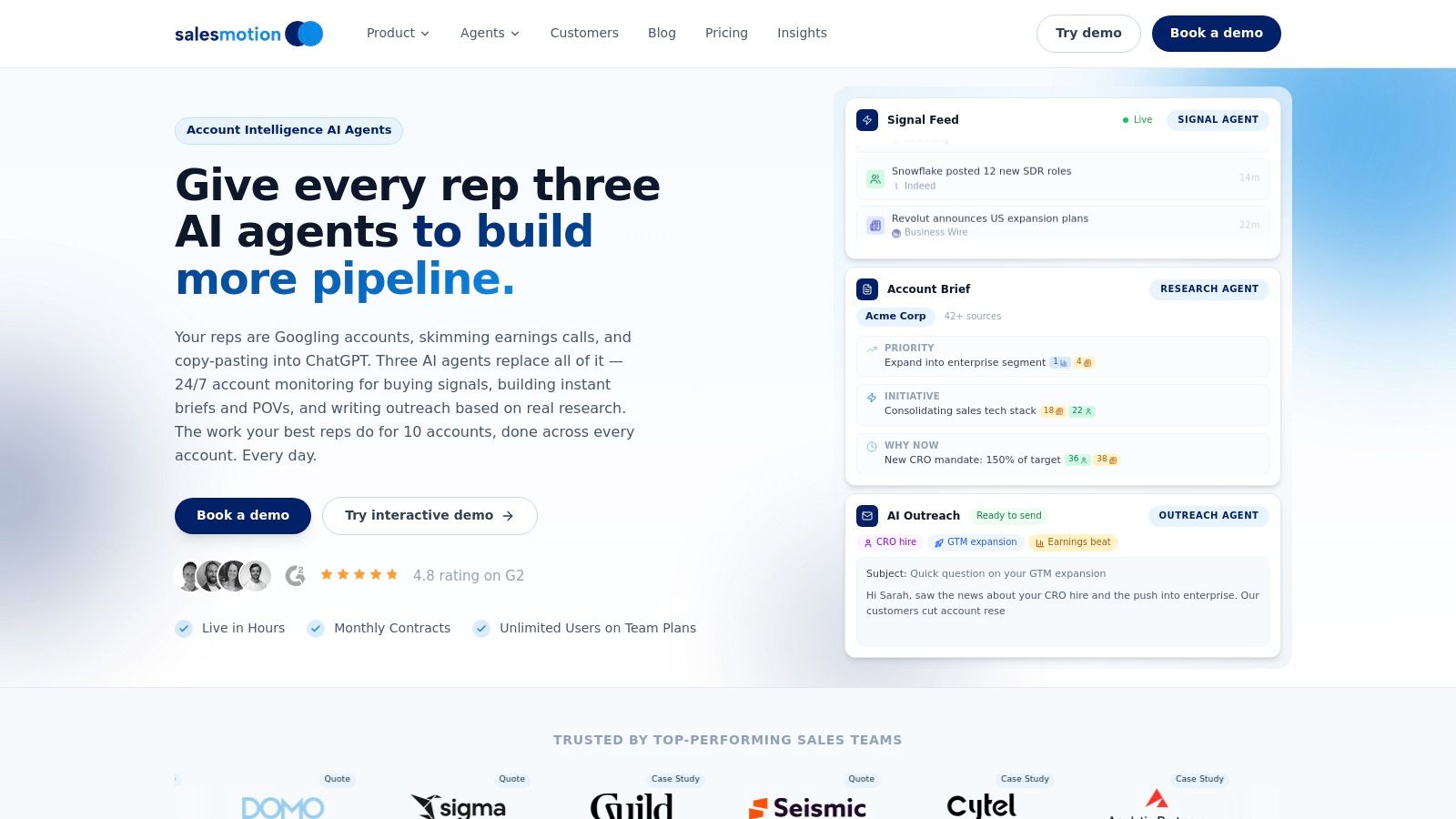
Instead of reps arriving at a pipeline review with stale information, they can feed real-time alerts about funding rounds, key hires, product launches, or even specific podcast mentions directly into the discussion. This transforms a generic sales meeting agenda template into a live, strategic workspace. For example, an alert that a target account just launched a new ESG initiative becomes the central talking point for an account planning session, complete with an AI-generated brief on their sustainability goals and relevant talking points.
Why It's a Top Choice
Salesmotion’s strength is its workflow-first design. Insights are pushed directly into Slack, email, and CRMs like Salesforce and HubSpot, making intelligence accessible where your team already works. Case studies from customers like Cytel and Incredible Health show measurable results, including a 50% reduction in account research time and a 50% increase in booked meetings. This ability to consistently elevate the quality of account intelligence is a core component of learning how to manage a sales team effectively. The platform is built for complex, multi-stakeholder sales cycles common in sectors like life sciences and enterprise SaaS, where timing and context are critical.
Key Features:
- Proactive AI Agents: Always-on monitoring surfaces genuine buying signals, not just noise.
- Workflow-Native Outputs: Delivers MEDDICC-ready briefs and source-linked insights into your existing tools.
- Proven Impact: Customer data points to significant time savings and pipeline growth.
- Fast Implementation: CRM integration is quick (typically 15-30 minutes for Salesforce), with teams seeing value within hours.
Considerations:
While Salesmotion offers monthly contracts and unlimited users on team plans, detailed pricing is not public and requires a demo. The AI-generated outreach and insights, while powerful, perform best with a final human review to align with specific team strategies and voice.
Website: https://salesmotion.io
See Salesmotion in action
Take a self-guided interactive tour — no signup required.
2. Asana
For sales teams already working within Asana, its native meeting agenda template is a powerful choice for creating structure and accountability. Instead of a static document, this template turns your agenda into a living project, directly connecting meeting topics to the tasks and follow-ups that drive progress. It’s particularly effective for recurring sessions like weekly team syncs or monthly pipeline reviews where consistent tracking is key.
This approach stands out by merging agenda management with project management. Each agenda item can be assigned an owner and a time allotment, keeping the meeting focused and on schedule. As discussions happen, new tasks can be created, assigned, and given due dates directly within the agenda, ensuring that action items are captured and not forgotten. This integration makes it one of the more effective sales productivity tools for teams that need to translate meeting discussions into concrete actions.
Use Case & Implementation
A sales manager sets up a recurring "Weekly Pipeline Review" project using the template. Before each meeting, reps update their assigned tasks with deal statuses. During the meeting, the manager can filter the agenda view to each rep’s updates, discuss blockers, and create follow-up tasks in real time, like "Send updated proposal to Acme Corp" assigned to the account executive with a Friday due date. After the meeting, Asana automatically sends reminders for these action items, ensuring nothing slips through the cracks.
- Pros: Excellent for cross-functional collaboration and creating a single source of truth for recurring meetings. The direct link between agenda and action items is a major advantage.
- Cons: The full benefit is only realized if your team actively uses Asana for task management. Granular guest and seat permissions can also require administrative oversight on larger teams.
Access: The template is available to all Asana users, including those on the free "Basic" plan. Paid plans (starting at $10.99/user/month) offer advanced features like custom fields and rules.

“We're no longer fishing. We know who the right customers are, and we can qualify them quickly. Salesmotion has had a direct impact on pipeline quality.”
Andrew Giordano
VP of Global Commercial Operations, Analytic Partners
3. Fellow
Fellow is a purpose-built meeting productivity platform that excels at creating dynamic and collaborative sales meeting agendas. It moves beyond static documents by providing a shared workspace where teams can build agendas, take notes, and track action items together in real time. Its strength lies in features designed specifically for the rhythm of sales, including AI-powered summaries and integrations that keep meeting outputs connected to your CRM.
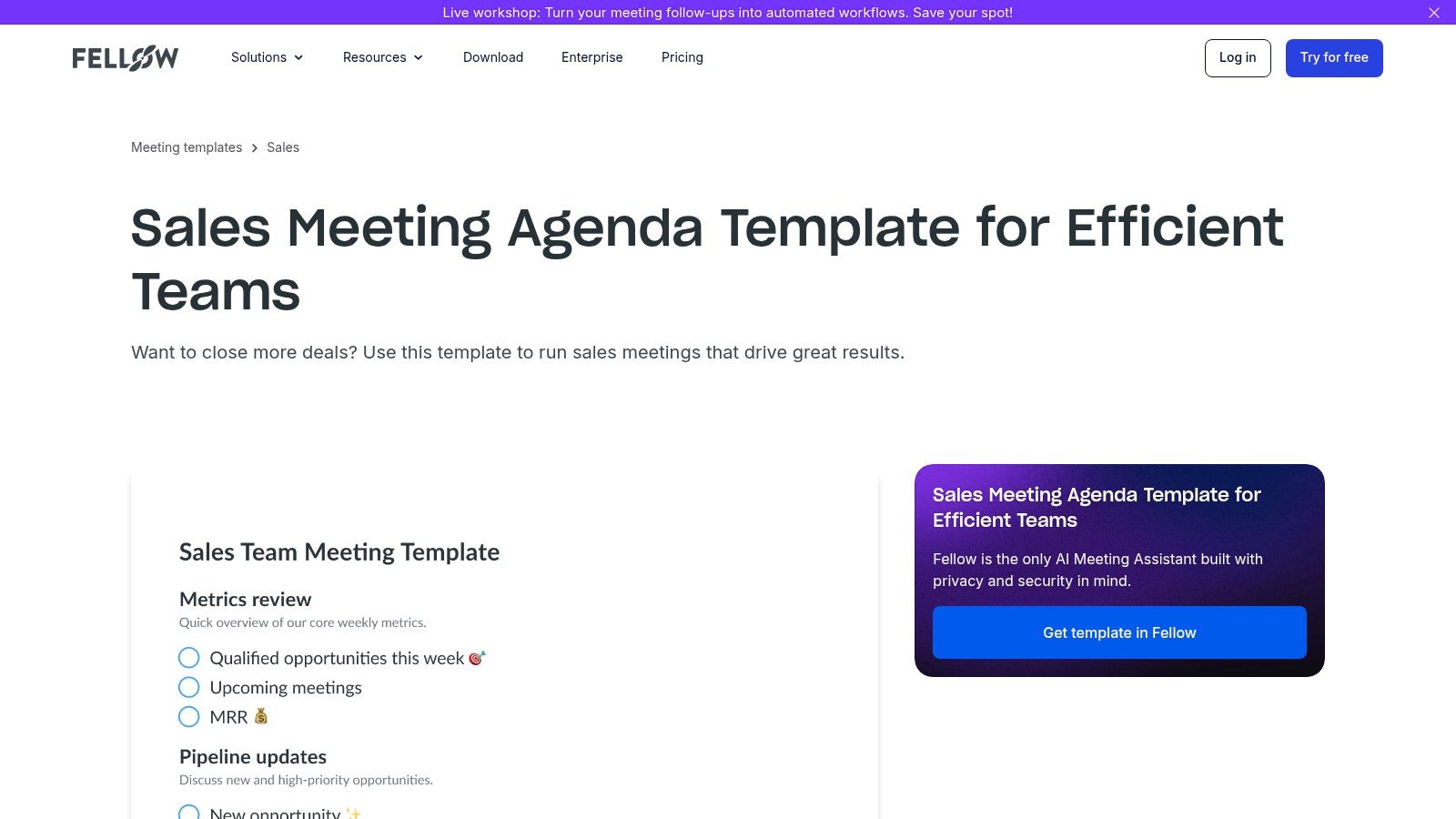
The platform stands out with its intelligent automations. Fellow’s AI can transcribe meetings, generate concise summaries, and automatically extract action items, significantly reducing post-meeting administrative work. For teams focused on structured qualification, it offers recap templates aligned with various B2B sales methodologies like BANT or MEDDIC. This ensures that key discovery information is captured consistently and can be easily transferred to Salesforce or HubSpot, making it a strong contender for a central sales meeting agenda template.
Use Case & Implementation
A sales director uses Fellow to standardize 1:1s across their team. They create a master 1:1 template with sections for pipeline review, skill development, and career growth. Before each meeting, both the manager and the rep add talking points. During the call, they collaboratively take notes, and Fellow’s AI generates a summary and assigns action items. For example, if a rep needs help with objection handling, an action item "Shadow senior rep's call on Wednesday" is created and synced to the team’s project management tool.
- Pros: Excellent for both team and 1:1 meetings, with strong collaborative features. The AI automations save significant time on meeting follow-up and ensure accountability.
- Cons: The most impactful features and CRM integrations are on paid tiers, making the free plan feel limited. Administrative and security controls are also reserved for higher-priced plans.
Access: Fellow offers a free plan with basic features. Paid plans with AI features and advanced integrations start at $7 per user per month.
4. Process Street
For sales teams that thrive on standardization and repeatable success, Process Street offers a powerful checklist-driven approach to meeting management. Its weekly sales meeting template is less a static document and more a dynamic, step-by-step workflow. This structure ensures that every manager runs their syncs with the same rigor, covering preparation, in-meeting discussion flows, and post-meeting follow-ups according to a defined standard operating procedure (SOP).
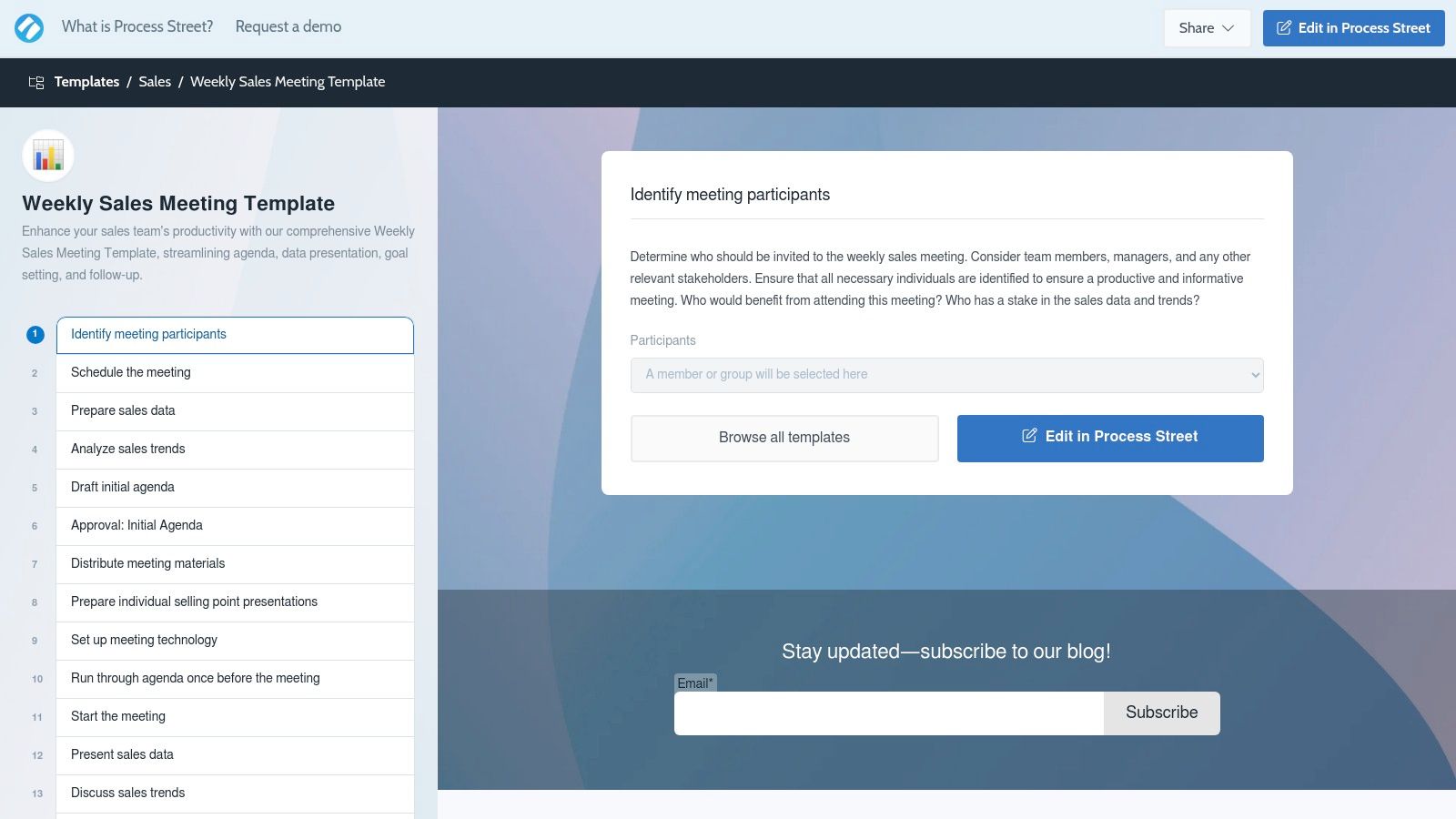
The platform’s key distinction is its focus on procedural consistency. The template breaks down the entire meeting process into discrete, assignable tasks, from pre-meeting data preparation to post-meeting action item distribution. Each step must be checked off, creating a clear audit trail and holding team members accountable. This workflow-centric model is ideal for larger or distributed sales organizations aiming to reduce variance in how different managers conduct essential meetings and enforce best practices at scale.
Use Case & Implementation
A sales director clones the weekly sales meeting template for each regional manager. The template automatically assigns pre-work, such as having each rep update their top 3 deals in the CRM and attach a one-sentence summary. During the meeting, the checklist guides the conversation through wins, pipeline updates, and goal setting. Afterward, the workflow ensures that meeting notes and action items are distributed, with an approval step for deals requiring special pricing.
- Pros: Excellent for enforcing consistency and establishing clear accountability for tasks before, during, and after meetings. Drastically reduces variance in meeting quality across different teams.
- Cons: The interface is more functional than visual, which may not appeal to teams accustomed to whiteboard or kanban-style tools. Some of the more advanced features, like conditional logic, require a paid plan.
Access: Process Street offers a free plan with core checklist features. Paid plans, which include advanced capabilities like conditional logic and approvals, start at $100 per month for the whole team.
Visit Process Street Templates
“We have very limited bandwidth, but Salesmotion was up and running in days. The template made it easy to load our accounts and embedding it in Salesforce was simple. It was one of the easiest rollouts we've done.”
Andrew Giordano
VP of Global Commercial Operations, Analytic Partners
5. MeetingKing
For sales teams seeking a no-frills, efficient way to manage meeting lifecycles, MeetingKing offers a pragmatic solution. Its strength lies in its simplicity and focus on core meeting functions: agenda creation, minute-taking, and task distribution. The tool auto-fills logistical details by integrating with your calendar (Outlook, iCal, Google Calendar), saving time on administrative setup so you can focus on the substance of your sales meeting agenda template.
MeetingKing stands out by automating the post-meeting workflow. During the meeting, notes are captured and tasks are assigned directly within the agenda. Once the meeting concludes, the platform automatically generates and distributes professional meeting minutes, including a clear list of assigned tasks for each participant. This closes the loop on accountability without requiring the manual effort of compiling and sending follow-up emails, ensuring action items from pipeline reviews or team syncs are not lost.
Use Case & Implementation
A sales manager prepares for a weekly team meeting using MeetingKing's sample sales agenda. The agenda is sent to the team, who add their own discussion topics. During the call, the manager notes a rep is blocked on a key deal. They create a task in MeetingKing: "Follow up with legal on contract redlines for Acme deal," assign it to the rep, and set a due date. After the meeting, the rep automatically receives an email with their specific action item, creating a clear and documented follow-up.
- Pros: Simple and fast to operationalize for weekly team cadences. The automatic generation of meeting minutes and tasks is a significant time-saver.
- Cons: It has a narrower ecosystem compared with larger project management suites. The user interface is utilitarian and lacks the modern, collaborative feel of other platforms.
Access: MeetingKing offers a 30-day free trial. Paid plans start at $9.95/user/month for the Pro plan, with an enterprise option available.
6. Visme
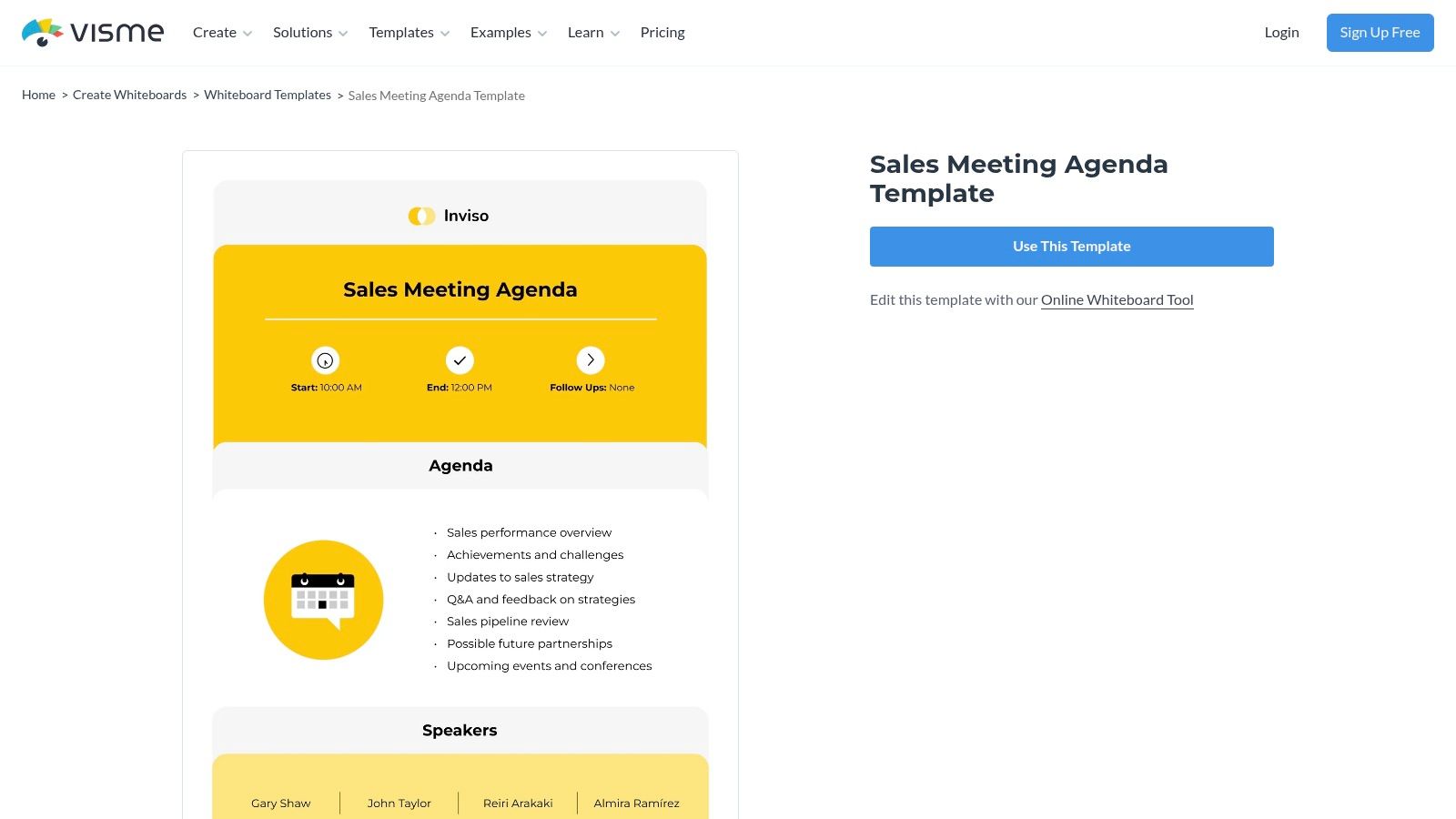
For sales leaders who need their meeting agendas to be as visually compelling as they are functional, Visme offers a powerful whiteboard-style template. This approach is perfect for making agendas for high-stakes meetings, like leadership reviews or client-facing workshops, feel more engaging and professionally branded. It transforms a standard document into a polished, visual artifact that can be shared and referenced with confidence.
Visme’s strength lies in its design-first approach to information. The whiteboard format allows for a highly structured yet flexible layout, with distinct visual boxes for topics, owners, and time allotments. You can easily incorporate your company's branding, logos, and color schemes, ensuring every internal or external meeting document aligns with your brand identity. While it doesn't have the native task-tracking of a project management tool, its export options make it simple to distribute a visually clean and professional sales meeting agenda template as a PDF or image.
Use Case & Implementation
A Commercial Director prepares for a quarterly business review with executive leadership using Visme. They lay out key discussion points—"Q3 Regional Performance," "Key Account Renewals," and "Q4 Strategic Bets"—each in its own branded section with the relevant VP's headshot. The final polished agenda is shared beforehand as a link, setting a professional tone and serving as a high-quality summary document afterward.
- Pros: Strong design and branding flexibility makes agendas look polished and professional. Excellent for when agendas double as client-facing or leadership-facing artifacts.
- Cons: Lacks native task ownership and tracking capabilities found in dedicated project or meeting management apps. Advanced features and brand assets are behind a paywall.
Access: A free plan is available with limited templates and assets. Paid plans (starting at $12.25/user/month) are required to access premium features, full branding kits, and more export options.
7. Freshworks (Freshsales)
Freshworks offers a practical guide and template for managers looking to formalize their weekly sales meetings. Rather than a software-based tool, this is a detailed blog post that outlines a comprehensive sales meeting agenda template, complete with 13 recommended topics, suggested timings, and discussion prompts. It’s an excellent starting point for new managers or teams that currently lack a consistent meeting structure and need a clear, copy-pasteable framework.
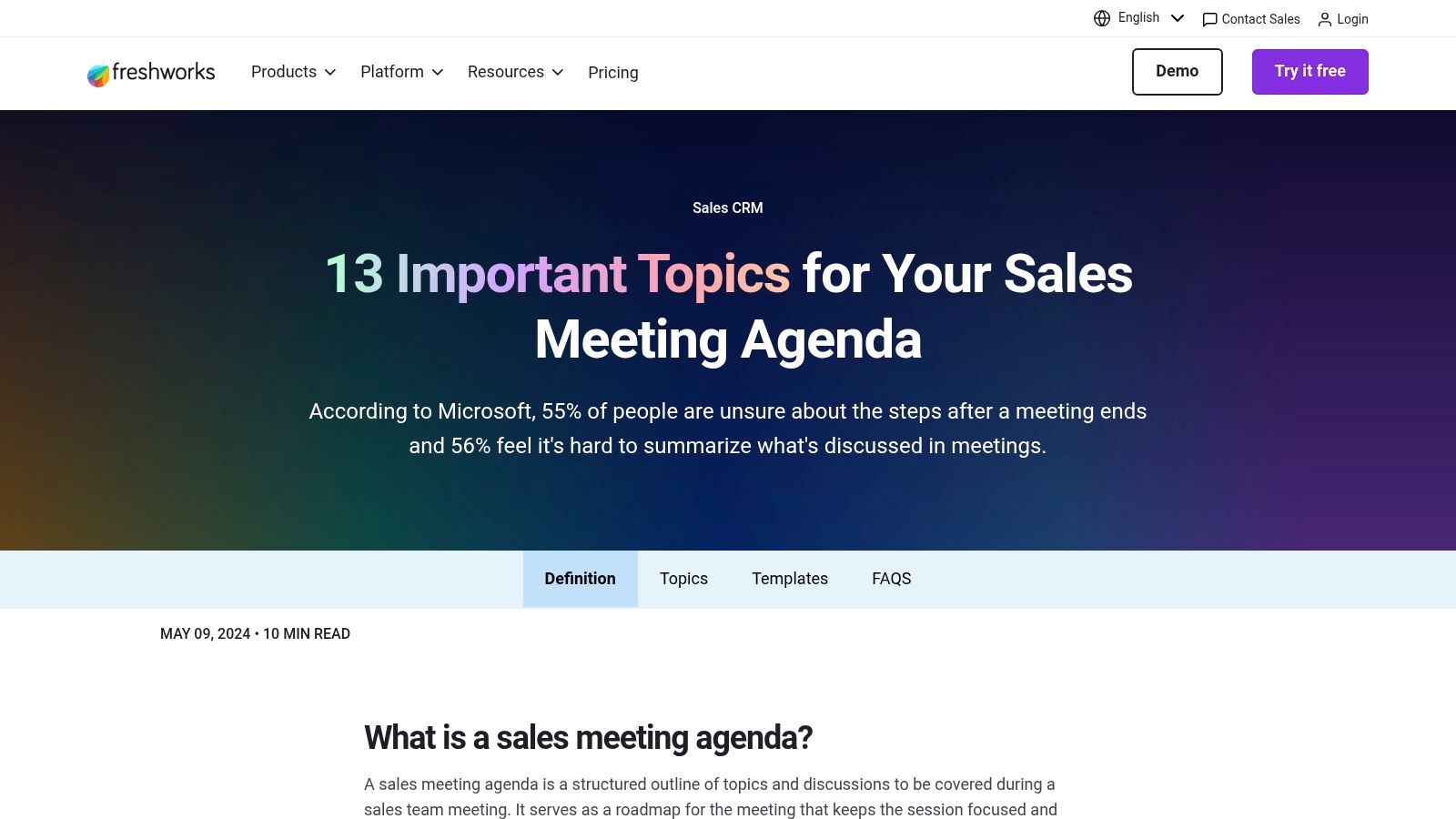
The strength of this resource lies in its simplicity and instructional value. It doesn't require any software adoption; instead, it provides the "why" behind each agenda item, from celebrating wins to reviewing pipeline health and discussing blockers. For sales teams leveraging platforms like Freshworks, exploring how to boost productivity with CRM with VoIP integration can significantly enhance customer interaction management, feeding into more informed sales meetings. The prompts guide managers on how to facilitate conversations that are both motivating and performance-oriented.
Use Case & Implementation
A newly promoted sales manager uses this webpage as their primary guide for structuring their first few weekly team meetings. They copy the agenda outline into a shared Google Doc. During the meeting, they follow the suggested flow, starting with a 5-minute "Wins of the Week" segment to boost morale. They then use the prompts to guide discussions around key deals, using live data from their CRM to ensure the conversation is grounded in facts.
- Pros: Highly accessible and clear outline that is easy for any manager to adopt immediately. The discussion prompts are particularly useful for coaching and developing a team.
- Cons: This is a static resource, not a collaborative or dynamic tool. The agenda must be manually transferred to a document or platform where it can be shared and updated.
Access: The guide and template are published on the Freshworks blog and are completely free to access.
8. Smartsheet
For sales reps who prefer a tangible, printed plan for critical client-facing meetings, Smartsheet offers a classic sales call planning sheet. This downloadable PDF is less about team collaboration and more about individual preparation, providing a structured framework for a single, high-stakes conversation. It’s an ideal tool for discovery calls, executive business reviews, or key account meetings where deep preparation is crucial for success.
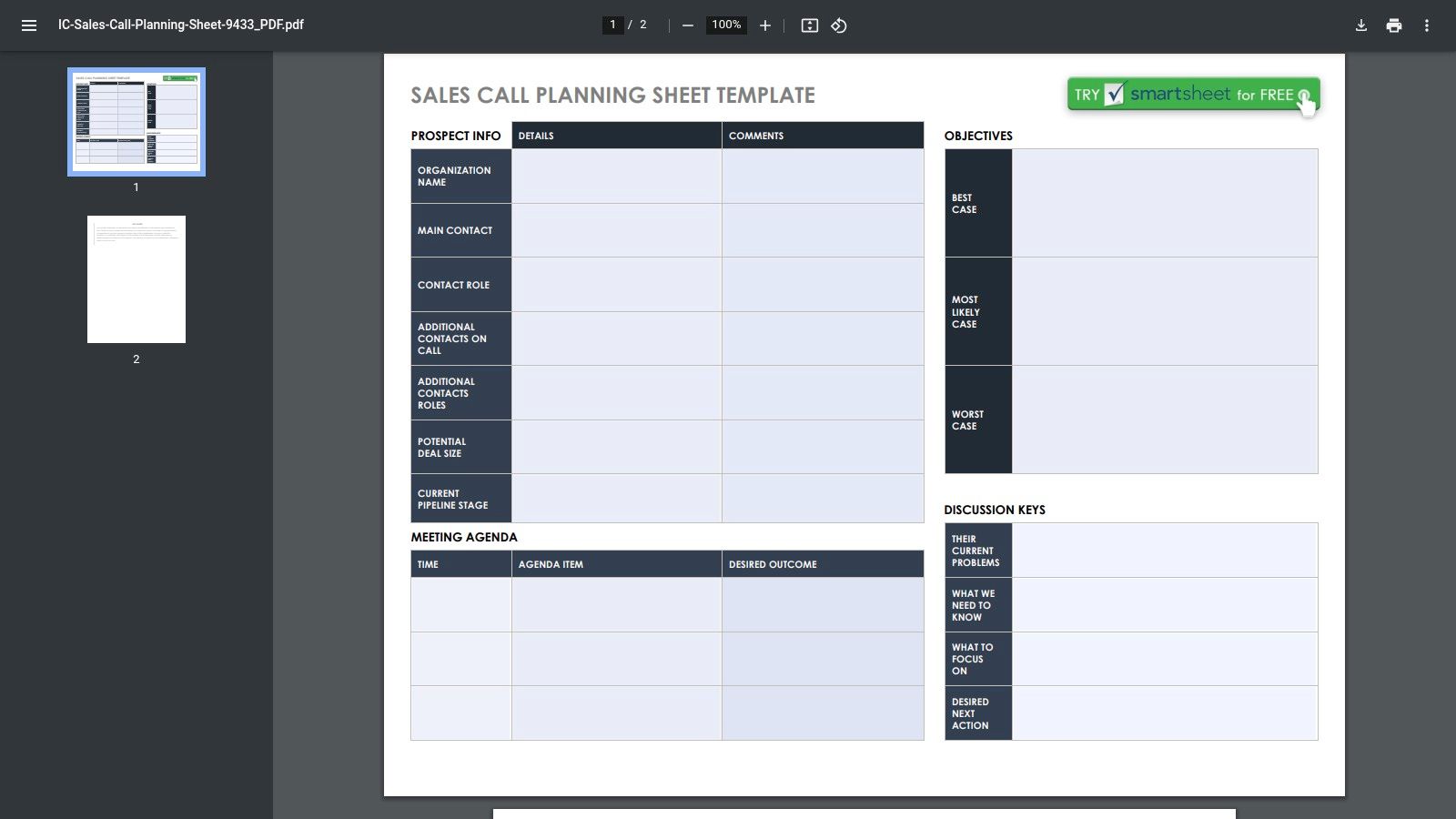
What makes this resource effective is its focus on the anatomy of a successful sales call. The template guides a rep through defining objectives, outlining a time-boxed agenda, and considering best, worst, and likely outcomes. This structured approach forces methodical thinking before the call, ensuring the conversation is purposeful. It also includes sections for identifying key players, their potential objections, and the value proposition tailored to their role—critical details for complex B2B sales.
Use Case & Implementation
An account executive prepares for a crucial quarterly business review with a top-tier client using this sheet. They define the meeting's primary objective as "Secure renewal and identify upsell opportunity," then map out the agenda with time allotments. The "Desired Outcomes" section ensures they enter with clear targets, like "Gain agreement to a pilot of the new module." The "Potential Obstacles" section prompts them to prepare for tough questions about a recent price increase.
- Pros: Excellent for individual pre-call planning, especially for discovery calls and EBCs. As a simple PDF, it's easy to download, print, and share without any tool lock-in.
- Cons: It’s focused exclusively on sales calls, not internal team meetings. Collaboration is limited unless the PDF is used within the broader Smartsheet platform or another document tool.
Access: The sales call planning sheet is available as a free, downloadable PDF. Smartsheet’s full platform, which offers collaborative features, has paid plans starting at $7/user/month.
Download the Smartsheet Template
9. Miro
For sales teams that thrive on visual collaboration, Miro’s meeting agenda template transforms a standard list of topics into an interactive, shared canvas. This is less about a static document and more about a dynamic workspace where ideas, notes, and action items can be captured visually. It's especially powerful for hybrid teams, turning otherwise passive pipeline reviews or deal strategy sessions into engaging, hands-on workshops.
Miro’s key differentiator is its free-form, collaborative nature. The template provides a starting framework with sections for topics, owners, and time allotments, but its real value comes from the tools built around it. Teams can use digital sticky notes for brainstorming, set a visible timer to keep each topic on track, and even run quick polls or voting sessions to prioritize next steps. This makes it an ideal sales meeting agenda template for more creative or strategic discussions, like quarterly business review (QBR) breakouts or sales kickoff (SKO) planning sessions.
Use Case & Implementation
A sales director runs a cross-functional deal strategy session for a key account using the Miro template. The board has sections for "Current Deal Status," "Known Blockers," and "Brainstorming Solutions." During the meeting, team members from sales, product, and legal add sticky notes with their insights simultaneously. The director uses the "dot voting" feature to have the team prioritize the most viable solutions, ensuring clear consensus on the next steps to unblock the deal.
- Pros: Excellent for interactive, visual collaboration in hybrid or remote sales teams. Highly flexible and adaptable for creative workshops beyond standard meetings.
- Cons: Most effective when the team is already comfortable using Miro. Advanced governance features and single sign-on (SSO) are typically gated behind paid enterprise plans.
Access: Miro offers a free plan with access to this template and core features. Paid plans (starting at $8/user/month, billed annually) unlock unlimited private boards and advanced collaboration tools.
10. ClickUp
Rather than offering a single, fixed template, ClickUp provides a curated roundup of 11 different sales meeting agenda templates. This blog-style resource acts as a meta-list, gathering native ClickUp options alongside third-party formats to give sales leaders a broad selection. It covers everything from internal syncs and 1:1s to client-facing discovery calls, making it a strong starting point for teams looking to compare different meeting structures before committing to one.
The value here is in the comparison. ClickUp explains the purpose behind different formats, such as a standard checklist versus a more structured Level 10 agenda, helping managers choose the right tool for the job. For teams that already operate within the ClickUp ecosystem, many of these templates can be directly imported as tasks or documents, connecting the agenda to the team’s existing project management workflow and enabling recurring setups.
Use Case & Implementation
A sales director exploring new formats for their weekly team sync reviews the post to understand the differences between a simple checklist and a more robust 1:1 template. They decide to trial the "Level 10 Meeting" format to improve accountability. They import the pre-built template directly into their ClickUp workspace, which automatically creates recurring tasks for each agenda item, ensuring the team stays on track week after week.
- Pros: Excellent one-stop resource for comparing various meeting structures and philosophies. It’s particularly effective if your sales organization already runs its projects in ClickUp.
- Cons: It’s a blog-style collection, so you must actively choose, import, or build the template yourself. Some of the listed templates also require other tools or separate licenses to use effectively.
Access: The blog post and its resources are free to access. Using the native ClickUp templates requires a ClickUp account (free plan available); paid plans with more features start at $7/user/month.
11. Hypercontext
For sales leaders who believe in short, sharp, and highly focused team meetings, the 20-minute sales meeting template from Hypercontext (in partnership with HubSpot) is a perfect fit. This one-page, time-boxed agenda is designed for rapid-fire weekly check-ins. It strips away complexity to focus exclusively on reviewing past performance, planning the upcoming week, and addressing critical rep questions, making it ideal for maintaining momentum without succumbing to meeting fatigue.
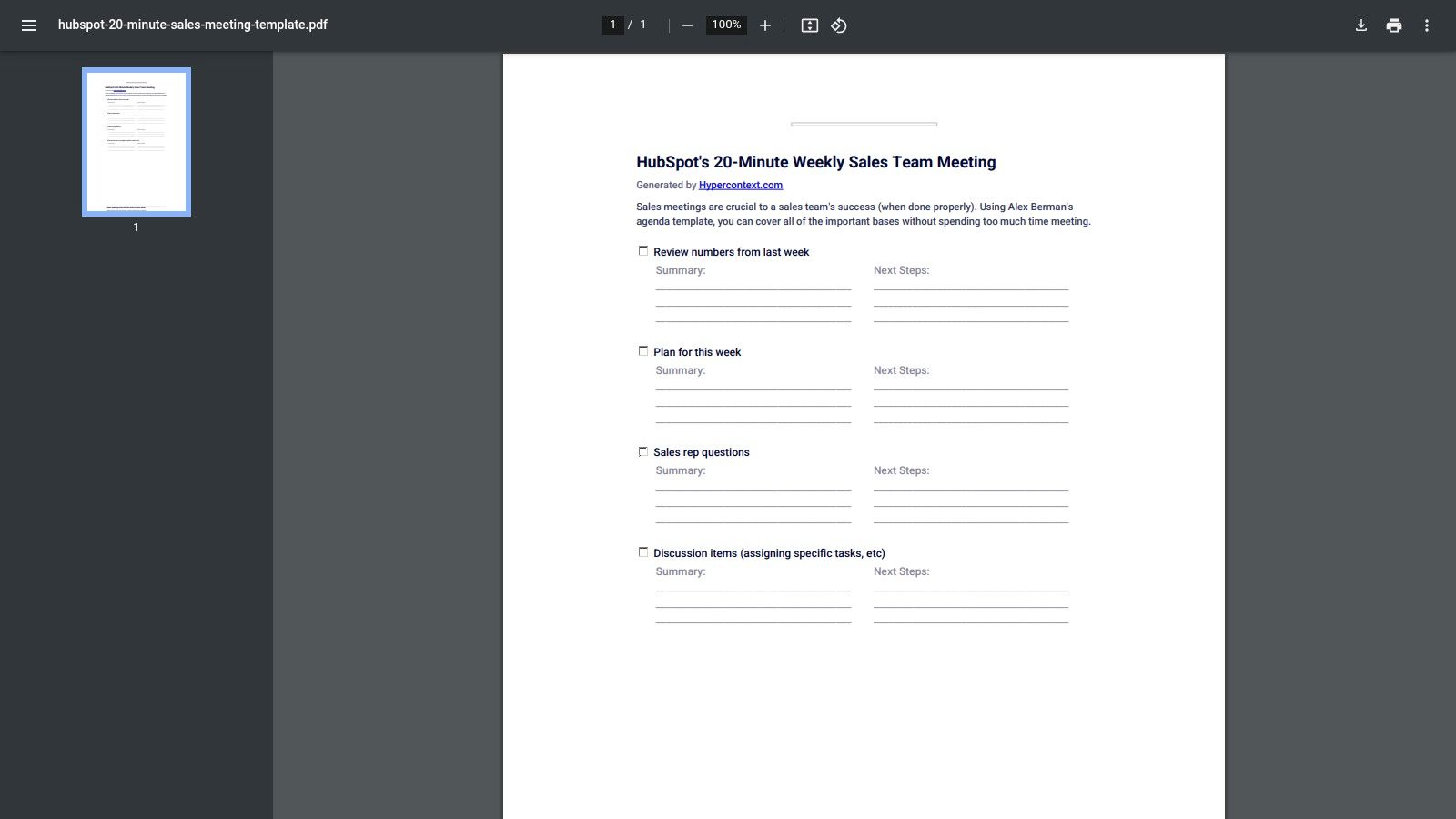
The strength of this sales meeting agenda template lies in its simplicity and strict time constraints. It is not a collaborative software but a printable or shareable document that enforces discipline. The structure guides the conversation from a quick look at last week's numbers to a forward-looking plan for the current week. It concludes with dedicated space for team discussion and next steps, ensuring every 20-minute session ends with clear takeaways and accountability.
Use Case & Implementation
A sales manager uses this template to run a highly efficient Monday morning huddle. Each section is timed: five minutes to review previous week KPIs, ten minutes for reps to outline their top priorities for the coming week, and five minutes for open questions or roadblocks. For example, a rep flags a blocker on a deal, and the manager immediately tasks another team member with a quick follow-up, keeping the meeting moving and action-oriented. The format keeps the entire team aligned and focused on high-impact activities.
- Pros: Excellent for busy teams that need to minimize meeting time and maximize action. Its simplicity makes it easy to adopt and standardize across different sales pods or territories.
- Cons: The structure is minimal and may not be sufficient for teams needing to discuss wins, risks, or conduct deep-dive deal reviews. It's a static document, not a live or collaborative tool.
Access: This specific template is available as a free, downloadable PDF directly from the Hypercontext website. Hypercontext also offers a broader platform for meeting management with paid plans.
12. Noota
For teams looking to automate the administrative burden of sales meetings, Noota offers a powerful AI-driven approach. Its sales meeting agenda template is embedded within a platform designed to record, transcribe, and summarize discussions, effectively turning your meetings into searchable, actionable data. The system uses pre-built agenda blocks for key topics like performance reviews, pipeline updates, and strategy sessions, providing structure before the meeting even starts.
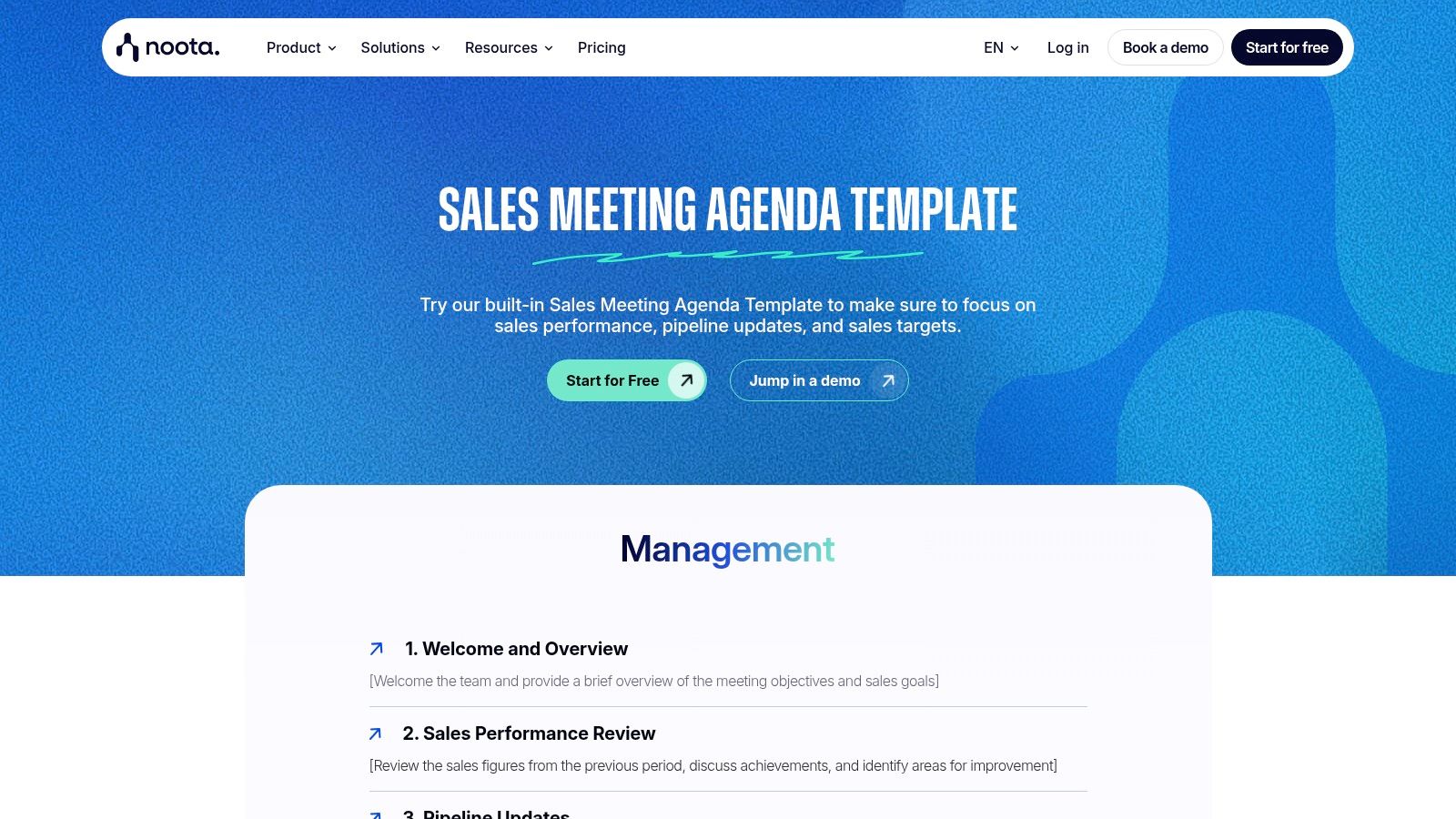
What makes Noota different is its focus on post-meeting automation. While the agenda guides the conversation, the platform's AI works in the background to capture key decisions and action items. After the call, it can automatically generate summaries, draft follow-up emails, and even push notes and tasks directly into your CRM, such as Salesforce or HubSpot. This significantly reduces manual work, freeing up managers and reps to focus on selling rather than on administrative follow-up.
Use Case & Implementation
A sales director uses Noota for their weekly team sync across Zoom or Microsoft Teams. The pre-built agenda ensures all critical areas are covered. During the meeting, reps can focus on the conversation instead of taking notes, knowing the AI is capturing everything. Afterward, Noota automatically sends a summary to the team's Slack channel with highlighted action items, and key deal updates—like a competitor being mentioned—are pushed to the corresponding records in HubSpot, ensuring perfect alignment and accountability.
- Pros: Dramatically reduces manual note-taking and after-meeting administrative tasks. Creates a searchable history of meetings that is valuable for coaching and performance reviews.
- Cons: The full value is tied to adopting the Noota platform for meetings. Some organizations may need to review data residency and compliance policies.
Access: Noota offers a free trial to test its capabilities. Paid plans with advanced features and integrations start at €19/user/month.
Top 12 Sales Meeting Agenda Template Tools
| Tool | Core features | Key benefits | Best for | Pricing / setup |
|---|---|---|---|---|
| Salesmotion | Three AI agents (Signal, Research, Outreach); 1,000+ public sources; alerts to Slack/Email/CRM; MEDDICC-ready briefs; AI outreach drafts | Always-on verified signals; cuts research time (~50%); faster account planning; higher meetings & pipeline | SDRs/AEs, RevOps, enterprise B2B (life sciences, SaaS, fintech, IT services) | Contact sales for pricing; monthly contracts; fast plug‑and‑play CRM setup |
| Asana | Ready-made agenda template; tasks, owners, attachments, central workspace | Centralizes agendas & action items; good for recurring cadences | Teams already using Asana for project management | Requires Asana account; free + paid tiers; adoption effort |
| Fellow | Collaborative agendas; AI notes & summaries; sales recap templates; Zoom/CRM integrations | Strong meeting-first tooling; AI automations for follow-up | Teams focused on meeting productivity and 1:1s | Free limited tier; paid plans for AI & integrations |
| Process Street | Checklist/SOP-driven templates; pre-work, approvals, cloning | Enforces consistency; clear accountability across managers | Ops-oriented teams needing repeatable meeting SOPs | Some advanced features on paid plans |
| MeetingKing | Auto-fill from calendar; one-click distribution; auto minutes & tasks | Simple, fast to operationalize; automatic minutes | Small teams wanting lightweight meeting workflows | Standalone tool; utilitarian UI |
| Visme | Visual, brandable whiteboard-style agendas; export options | High-design, client-facing agendas; strong branding | Leadership reviews, client-facing meetings | Design features mostly on paid plans |
| Freshworks (Freshsales) | Web guide with recommended topics, timing, prompts | Copy/paste manager-friendly outline; coaching aid | New managers formalizing weekly structure | Web resource; pair with your doc/tool for execution |
| Smartsheet | Printable sales call planning PDF; prospect info; scenario framing | Great for discovery/EBCs; easy PDF sharing, no tool lock-in | Discovery calls, exec business reviews, partner meetings | Ready-to-download PDF; limited live collaboration |
| Miro | Collaborative canvas; timers, voting, sticky notes; file attachments | Interactive, hybrid workshops and SKOs; visual facilitation | Hybrid sales teams and workshops | Best if team uses Miro; governance features on paid plans |
| ClickUp | Collection of 11 agenda templates (varied formats); guidance & import links | One-stop template comparison; flexible formats | Teams using ClickUp or exploring template types | Blog-style collection; import required; some templates need other tools |
| Hypercontext | One-page time-boxed agenda; summary & next-steps fields | Keeps meetings short and outcome-driven (20-min cadence) | Busy teams wanting focused weekly syncs | Printable PDF; minimal by default, pair with notes/CRM |
| Noota | AI meeting capture: record, transcribe, summarize; pre-built agenda blocks; CRM integrations | Automated notes, follow-ups, searchable history; aids coaching | Teams wanting AI capture + CRM sync | Platform-dependent pricing; data residency/compliance considerations |
From Template to Transformation: Making Your Sales Meetings Matter
We've explored a dozen powerful tools and a variety of templates designed to bring structure, focus, and strategic depth to your sales meetings. From the collaborative whiteboarding of Miro to the process-driven checklists in Process Street, the core message is clear: a well-crafted sales meeting agenda template is the first step toward reclaiming your team's most valuable resource-time.
Moving beyond generic updates is critical. The templates for weekly team meetings, pipeline reviews, one-on-ones, and executive briefings provided in this guide are your starting point, not your destination. They represent a commitment to a new standard where meetings are active, collaborative problem-solving sessions instead of passive, report-out obligations. By adopting these frameworks, you are building a culture of accountability and proactive strategy.
The Real Shift: From Static Agendas to Dynamic Intelligence
The most significant takeaway is the difference between a static agenda and a dynamic one. A static agenda lists topics; a dynamic agenda is fueled by real-time intelligence about what’s happening within your target accounts. This is where the true value lies.
Imagine walking into a pipeline review not just with a list of deals, but with concrete signals that a key champion has left a target account, or that a competitor was just mentioned in a prospect’s earnings call. This is the difference between reacting to bad news and proactively steering a deal back on course. The tools and templates are the vehicles, but customer intelligence is the fuel.
Choosing Your Tool and Taking Action
Selecting the right tool from the list depends entirely on your team's current workflow, technical maturity, and specific pain points.
- If your primary challenge is unstructured collaboration: Consider tools like Miro or ClickUp for their visual and flexible planning capabilities. They are excellent for brainstorming and connecting meeting notes to broader project tasks.
- If process adherence and consistency are your goals: Look at Process Street or Smartsheet. Their strength lies in creating repeatable, checklist-driven agendas that ensure no critical step is missed, which is ideal for complex sales cycles or onboarding new managers.
- If you need a dedicated meeting management solution: Fellow and Hypercontext are purpose-built to manage the entire meeting lifecycle, from collaborative agenda building to tracking action items and feedback. They integrate deeply into your calendar and communication tools.
- If you want to embed intelligence directly into your agenda: A tool like Salesmotion is designed for this. It connects account signals directly to your meeting cadence, ensuring every discussion is grounded in the most current customer reality.
Once you’ve chosen a tool, the implementation is your next critical step. Start small. Pick one meeting type-the weekly team huddle or the one-on-one-and introduce a new sales meeting agenda template. Get feedback from your team, adjust the timings, and customize the talk tracks to fit your sales methodology. The key is consistent application. A great template used sporadically is far less effective than a good template used every single time.
Ultimately, the goal is to make every meeting the most valuable hour of your team’s week. It’s a bold ambition, but it's achievable. By moving from simply having meetings to designing them with intent, you empower your reps, sharpen your strategy, and build the momentum needed to not just meet your targets, but to consistently exceed them.
Frequently Asked Questions
What should a weekly sales meeting agenda include?
A focused weekly sales agenda usually covers five things: a quick wins recap to build momentum, pipeline and deal-stage updates, blockers and where reps need help, priorities for the coming week, and clear action items with owners. Keep it time-boxed — many of the templates above (like Hypercontext's 20-minute format) deliberately cap the meeting so it stays action-oriented rather than turning into a passive status read-out. The goal is forward-looking coaching, not just reporting on what already happened.
How long should a sales team meeting be?
For a recurring weekly team sync, 20 to 45 minutes is the sweet spot for most teams — long enough to cover pipeline and blockers, short enough to avoid fatigue. Deeper sessions like strategic account reviews or quarterly business reviews legitimately need 60 to 90 minutes because they involve cross-functional input and planning. The deciding factor is the agenda's purpose: if the meeting is a status update, keep it short; if it's a working session, give it room. Always protect the time by assigning a duration to each agenda item.
Do I need a tool, or is a free template enough?
For a single team running one cadence, a free document-based template (from Freshworks, Hypercontext, or Smartsheet) is genuinely enough — don't over-buy software you won't fully adopt. You only need a dedicated platform when you want collaborative editing, automatic action-item tracking, or CRM sync. Fellow and Noota are strong if meeting follow-up and note-taking are your bottleneck, while Asana or ClickUp make sense if you already live in those tools. Match the tool to the actual problem, not to the longest feature list.
How do I make pipeline reviews less of a status update and more strategic?
The shift happens when you bring real-time account context into the room instead of just reading deal stages off a dashboard. Require light pre-work (each rep summarizes their top three deals in the CRM beforehand), then spend the live time on blockers, risks, and next moves rather than recapping. Feeding in current buying signals — a champion leaving, a competitor mentioned on an earnings call, a new funding round — turns the conversation from backward-looking reporting into proactive deal strategy. This is where an account intelligence layer like Salesmotion can surface the "why now" so reviews focus on action.
What's the difference between a meeting agenda template and a sales intelligence tool?
A meeting agenda template gives your discussion structure — topics, owners, timing, and follow-ups — so the meeting runs efficiently. A sales intelligence tool supplies the substance: the live account signals, research briefs, and talking points that make those discussions worth having. They're complementary, not competing. Most of the tools on this list focus on structure; Salesmotion focuses on the intelligence that fills the structure, monitoring 1,000+ public sources and pushing relevant updates into Slack, email, and your CRM. If your meetings are well-organized but still feel generic, see how that intelligence works in a live demo.
Ready to power your meeting agendas with real-time account intelligence? Salesmotion connects directly to your CRM and other data sources to feed actionable buying signals into your meeting cadences, ensuring your team discusses what truly matters. See how you can transform your pipeline reviews and account planning by visiting Salesmotion today.