
What is the PDF export?
Salesmotion can generate a comprehensive account briefing document as a downloadable PDF. This report pulls together everything Salesmotion knows about an account — from basic company information and recent signals to strategic analysis and value insights — into a single, shareable document.
For well-tracked accounts, the PDF can run to 26 pages or more, giving you a complete dossier that's ready to share with anyone who needs context on the account.
How to export an account report
- Navigate to the account you want to export by opening it from the Accounts dashboard.
- In the account toolbar at the top of the page, click Export.
- A PDF preview will open, showing you the full report before you download it.
- Use the page navigation controls at the top to browse through the report and confirm it contains what you need.
- When you're ready, click Export PDF in the bottom-right corner to download the file.
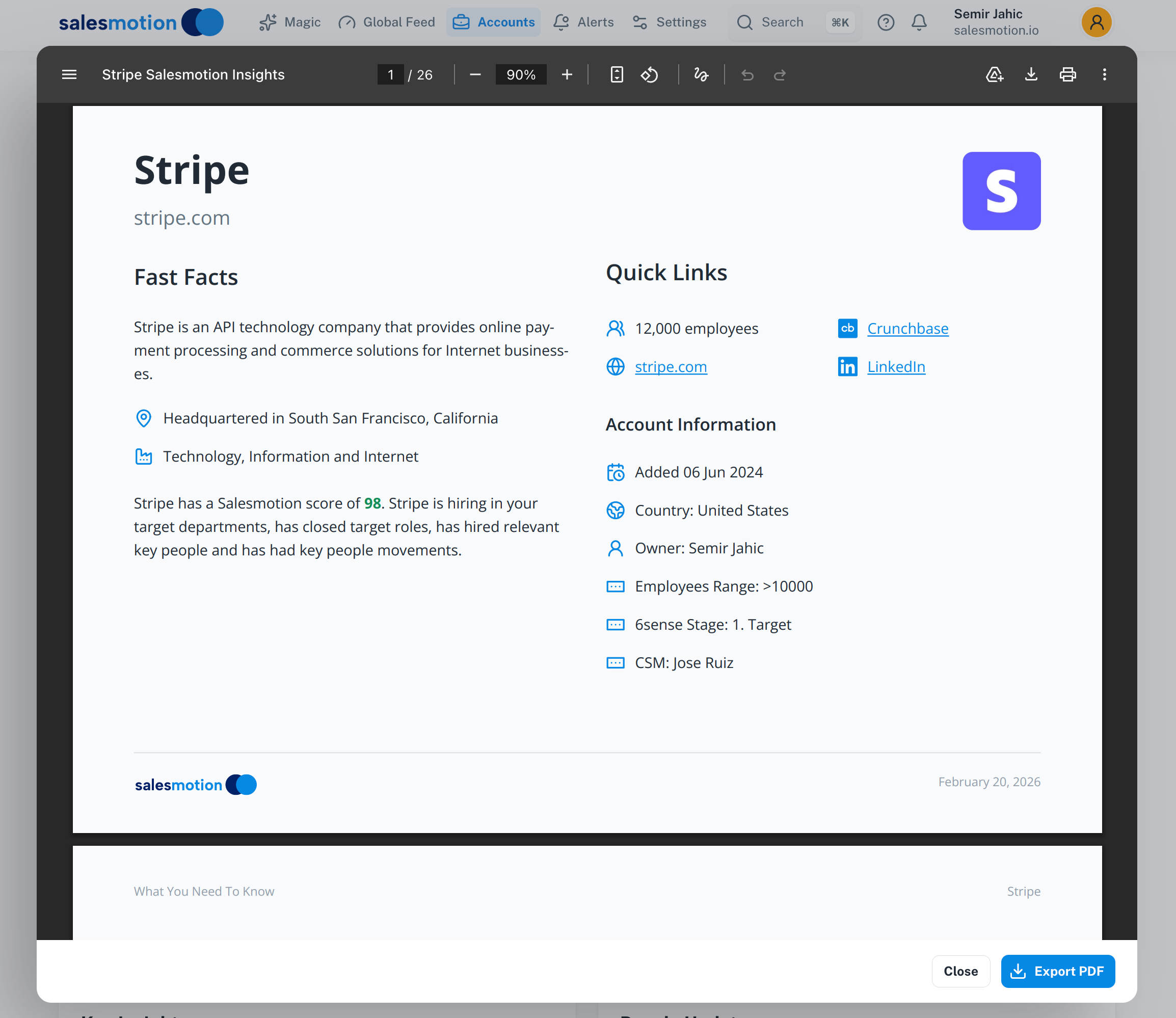 The PDF preview for Stripe — a 26-page briefing document including Fast Facts, Quick Links, and Account Information, branded with the Salesmotion logo and generation date.
What the PDF contains
The exported PDF is structured to give a complete picture of the account. Depending on the data available, it typically includes:
- Fast Facts — A snapshot of the company: what they do, their industry, headquarters location, and employee count.
- Quick Links — Direct references to the company's website, Crunchbase profile, LinkedIn page, and CRM record.
- Account Information — Key metadata including when the account was added, the account owner, 6sense stage, CSM assignment, and employee range.
- Summary — The AI-generated account summary with key insights, executive perspective, and talking points.
- Signals — A record of recent signal activity across news, hiring, earnings, and more.
- SWOT Analysis — Strengths, weaknesses, opportunities, and threats identified by Salesmotion's AI.
- Value Pyramid — Strategic value drivers and how your solution aligns with the account's priorities.
Every PDF includes the Salesmotion logo and the date it was generated, so recipients always know when the information was compiled.
Use cases for the PDF export
The PDF export is particularly useful when you need to share account intelligence with people who may not have direct access to Salesmotion:
- Executive briefings — Share a comprehensive account dossier with leadership before a strategic meeting or executive sponsor call.
- Meeting preparation — Export the report the morning of an important call so you have a printed or digital reference at hand.
- QBR preparation — Attach account reports to your quarterly business review materials to show the depth of your account knowledge.
- CRM notes — Attach the PDF to the account record in Salesforce or your CRM so the full context is available to anyone on the team.
- Internal handoffs — When transitioning an account to a new owner or CSM, the PDF provides a thorough handover document.
- Stakeholder sharing — Send to colleagues in marketing, product, or customer success who need account context but don't log into Salesmotion regularly.
Tips for getting the most from PDF exports
- Export before every important meeting. The PDF captures the latest signal data and AI analysis, so generating a fresh report ensures you're working with current information.
- Pair with your own notes. The PDF provides the data foundation — add your own relationship context, deal history, and next steps for a complete picture.
- Share proactively. Don't wait to be asked. Sending a well-prepared account briefing to your executive sponsor before a call demonstrates thorough preparation.
- Use for account planning sessions. The SWOT analysis and value pyramid sections are particularly useful as conversation starters during team account reviews.
- Check the page count. A longer report generally indicates a well-tracked account with strong signal activity. If the report is thin, consider whether the account needs more time to build up signal history.
Frequently asked questions
What format is the exported file?
The report is exported as a standard PDF file, which can be opened on any device, printed, or attached to emails and CRM records.
Does the PDF include the latest data?
Yes. The PDF is generated in real time when you click Export, so it reflects the most current information Salesmotion has for that account at the moment of export. The generation date is printed at the bottom of each page for reference.
Can I customise what sections appear in the PDF?
The PDF includes all available sections for the account automatically. You cannot currently select or exclude specific sections — the report is designed to be comprehensive so that recipients get the full picture without needing to access Salesmotion directly.