
What are account signals?
Account signals are real-time events and data points that Salesmotion detects about your tracked accounts from over 1,000 public sources. Every time a company publishes earnings, appears in the news, posts a new job, files a document, or is mentioned in a podcast, Salesmotion captures it and makes it available on the account's Signals tab.
Signals are the raw intelligence that powers everything in Salesmotion — from the Salesmotion Score to Magic insights to Smart Summaries. Understanding how to read and filter signals gives you a significant edge in sales conversations.
The Signals tab
Navigate to any account and click the Signals tab to see every signal Salesmotion has collected. The tab displays signals in a table format with the following columns:
- Date — When the signal was detected.
- Type — A badge indicating the signal category (e.g. "Relevant News", "Press Release", "Hiring", "Earnings").
- Keywords — Automatically extracted topics such as "Growth", "Acquisition", "AI", or "Personalised".
- Headline — The title of the signal, which you can click to open the detail drawer.
- Source — The publication, platform, or data provider where the signal originated.
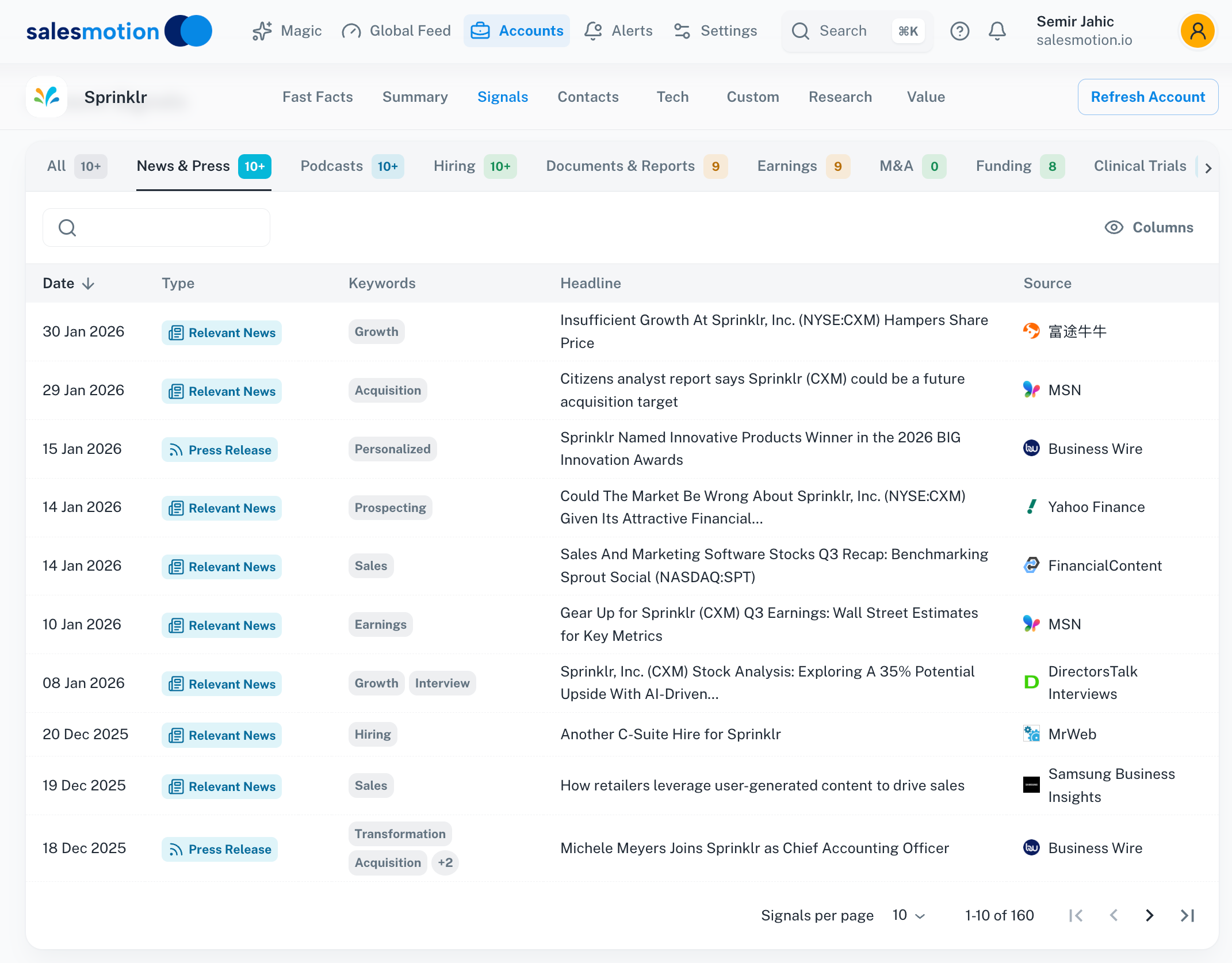 The Signals tab for Sprinklr filtered to News & Press — 160 signals with type badges, extracted keywords, and source attribution.
The table supports pagination, so you can browse through large volumes of signals. Use the signal type filter tabs at the top to narrow down to a specific category.
Signal types explained
Salesmotion tracks eight distinct signal types. Each provides a different lens into what's happening at an account:
News & Press
Company announcements, media coverage, analyst reports, and industry news. These signals are categorised further as "Relevant News" (third-party coverage) or "Press Release" (company-issued announcements). Keywords are extracted automatically to help you scan quickly.
Podcasts
Episodes from business and industry podcasts that feature or mention the account. These are especially valuable for understanding executive thinking and company culture — podcast interviews tend to be more candid than press releases.
Hiring
Job postings and role closures that reveal strategic priorities. A burst of AI engineering roles might signal a new product initiative. A cluster of sales roles in a new region could indicate expansion plans. Closed roles can tell you about recent hires.
Documents & Reports
Published research, regulatory filings, whitepapers, and other formal documents. These signals often contain deep strategic information that doesn't make the news.
Earnings
Quarterly and annual financial results, earnings call transcripts, and investor presentations. Earnings signals are among the richest in Salesmotion — they reveal revenue performance, strategic priorities, cost-reduction programmes, and forward guidance.
M&A
Mergers, acquisitions, divestitures, and strategic partnerships. These signals often represent major inflection points for an account.
Funding
Investment rounds, venture capital raises, and other capital events. Funding signals are particularly useful for accounts in the startup and growth stages.
Clinical Trials
For life sciences and healthcare accounts, Salesmotion tracks clinical trial activity including new trials, phase changes, and results.
The signal detail drawer
Click on any signal to open the signal detail drawer on the right side of the screen. The drawer provides the full content and context for that signal, and its contents vary by signal type.
Podcast signal details
Podcast signals include a description of the episode along with direct Play on Apple Music and Play on Spotify buttons, so you can listen immediately without searching for the episode yourself.
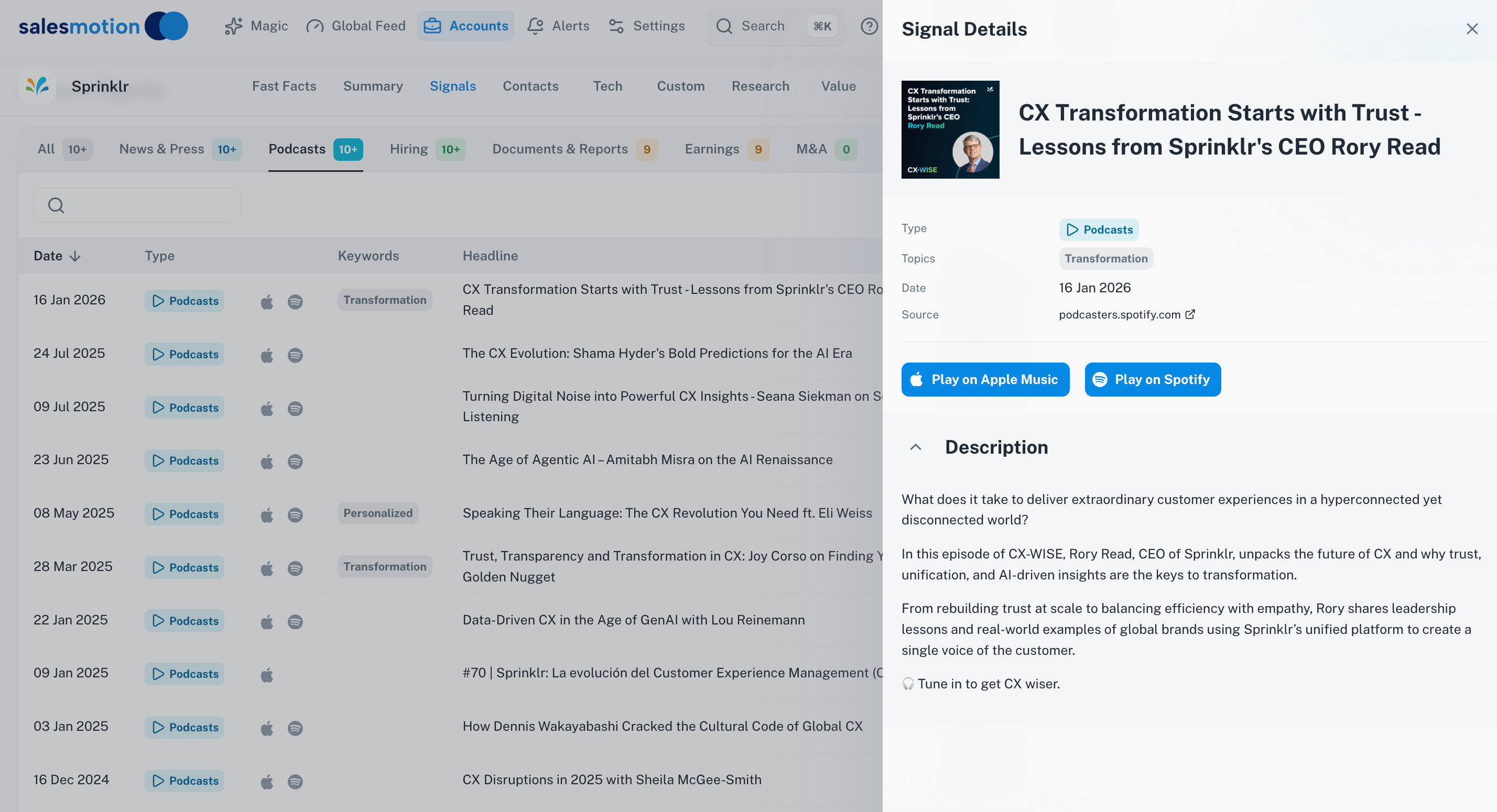 A podcast signal for Sprinklr — the detail drawer includes the episode description and direct links to listen on Apple Music or Spotify.
Listening to a podcast featuring your prospect's CEO before a meeting is one of the most powerful preparation techniques available. You'll hear their priorities in their own words.
Earnings signal details
Earnings signals can include full investor presentation PDFs that you can browse directly within Salesmotion. The in-app PDF viewer lets you page through slides without downloading anything.
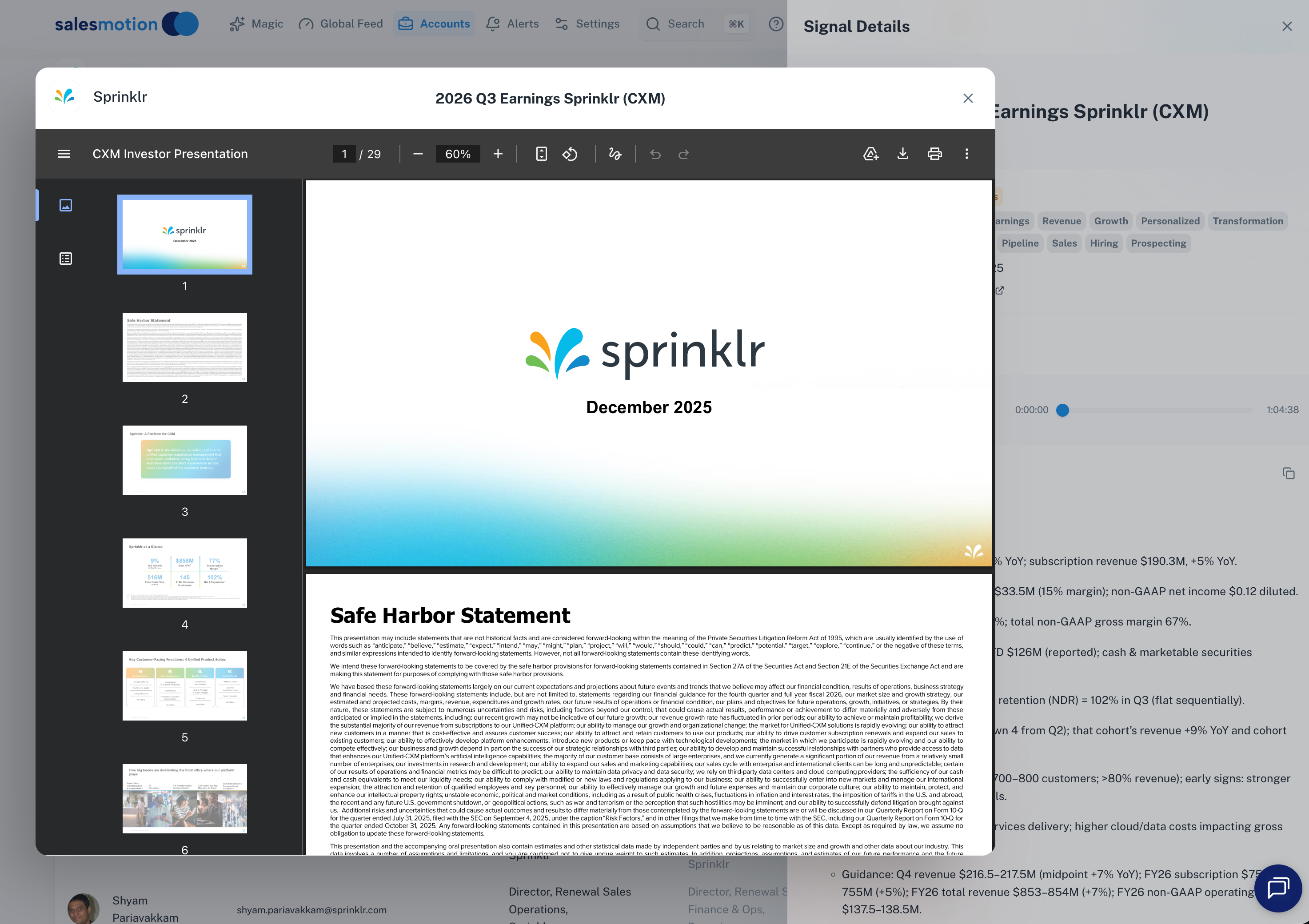 An earnings signal for Sprinklr — the in-app PDF viewer lets you browse the full investor presentation, page by page.
Earnings signals also include AI-generated Smart Summaries that extract the most relevant points from the earnings call or report. The Smart Summary highlights revenue figures, strategic initiatives, cost-reduction efforts, and forward guidance — exactly the information you need for informed sales conversations.
Filtering signals effectively
The Signals tab offers several ways to filter:
- Signal type tabs — Click any tab (News & Press, Podcasts, Hiring, etc.) to filter to that type. The count badge on each tab shows how many signals exist.
- Pagination — For accounts with hundreds of signals, use the page controls at the bottom of the table to browse through results.
- Date ordering — Signals are displayed in reverse chronological order by default, so the most recent signals appear first.
Tips for getting the most from account signals
- Check signals before every meeting. Spend two minutes on the Signals tab before any call. Look for recent news, earnings results, or hiring activity that gives you a conversation starter.
- Use keywords to spot themes. The extracted keywords help you quickly identify recurring themes across signals. If you see "AI" appearing in multiple recent signals, the account is likely investing heavily in that area.
- Listen to podcast episodes. Podcasts are an underused gold mine. If a prospect's CEO or VP was recently on a podcast, listening to it gives you insight that most competitors won't have.
- Browse earnings presentations. Don't just read the Smart Summary — flip through a few slides of the investor presentation to find specific data points you can reference in your outreach.
- Combine with the Global Feed. The Signals tab shows signals for a single account. Use the Global Feed to compare activity across your entire book of business.
Frequently asked questions
How far back do signals go?
Salesmotion retains signals going back several years for most accounts, though the exact history depends on when the account was first tracked and the availability of public data. You can browse the full history using pagination on the Signals tab.
Can I export signals?
Account intelligence — including signals — can be exported as a PDF briefing using the export feature on the account detail page. This is useful for sharing with colleagues who don't have a Salesmotion login.
Why are some signal types empty for certain accounts?
Not all accounts generate every type of signal. Private companies won't have earnings signals. Companies outside life sciences won't have clinical trial signals. A lack of signals in a particular category simply means Salesmotion hasn't detected that type of public activity for the account.