
What is the Summary tab?
The Summary tab is the most comprehensive view of any tracked account. It's an AI-generated briefing that synthesises everything Salesmotion has learned — from news and earnings to hiring activity and leadership changes — into a structured, actionable overview.
Think of it as your pre-meeting prep, done for you. Instead of spending 30 minutes researching an account before a call, open the Summary tab and get up to speed in 2 minutes.
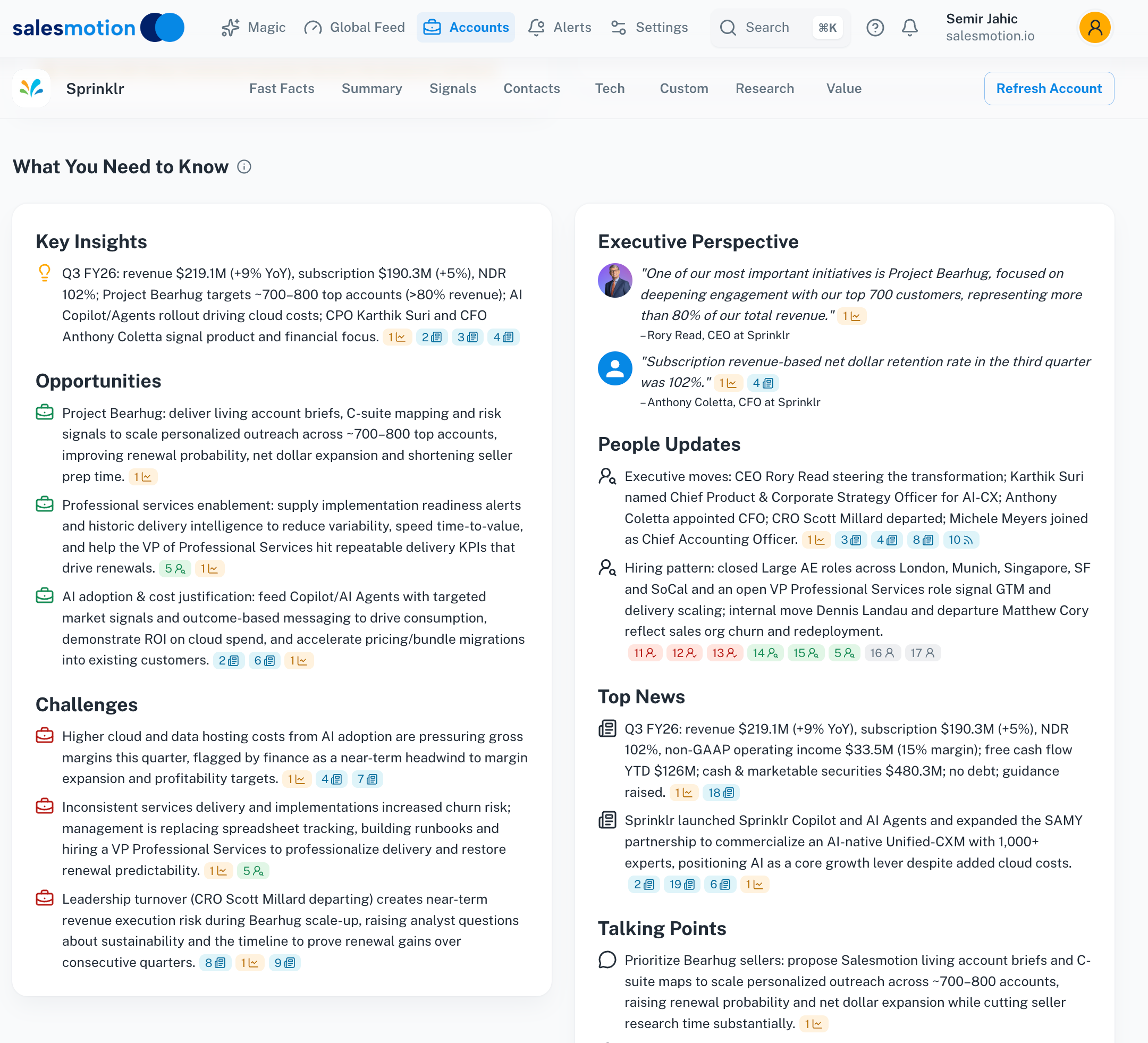 The Summary tab for Sprinklr — a complete AI-generated briefing covering everything from strategic direction to talking points.
What the Summary includes
The Summary is organised under the heading "What You Need to Know" and contains seven sections, each designed to answer a different question about the account.
Key Insights
The most important things happening at this account right now. This section highlights the signals that matter most — major announcements, strategic shifts, financial developments, and anything that could create an opening for your team.
Key Insights are ranked by significance, so the most impactful information appears first.
Executive Perspective
A summary of what the company's leadership is saying publicly. This pulls from earnings call transcripts, press interviews, conference presentations, and public statements to give you a picture of executive priorities and strategic direction.
Use this section to understand what the C-suite cares about, so you can align your conversations with their stated goals.
People Updates
Recent changes in the account's leadership and key personnel — new hires, departures, promotions, and role changes. People Updates help you:
- Spot new decision-makers you should reach out to.
- Identify departures that might disrupt an existing deal.
- Find champions who have moved to new roles or companies.
Opportunities
Specific opportunities for your business, based on the account's current activity and your configured value proposition. This section connects what the account is doing (investing in new technology, expanding into new markets, restructuring teams) with what your product or service can help them achieve.
Challenges
The obstacles and risks the account is facing — from competitive pressure to regulatory challenges, operational issues, or market headwinds. Understanding challenges helps you position your solution as part of the answer, and shows prospects you understand their business beyond surface-level research.
Top News
A curated selection of the most significant recent news coverage about the account. Each item links back to the original source, so you can read the full article and verify the context before referencing it in a conversation.
Talking Points
Ready-to-use conversation starters tailored to this specific account. Talking Points connect recent account activity to potential value your solution provides, giving you a natural way to open a call or email.
Each talking point includes enough context to sound informed without reading the full briefing — ideal for quick prep before a call.
Drilling into signal details
Each section of the Summary is backed by real signals. When you see a topic mentioned — say, a new product launch or an earnings highlight — you can click through to view the underlying signal detail.
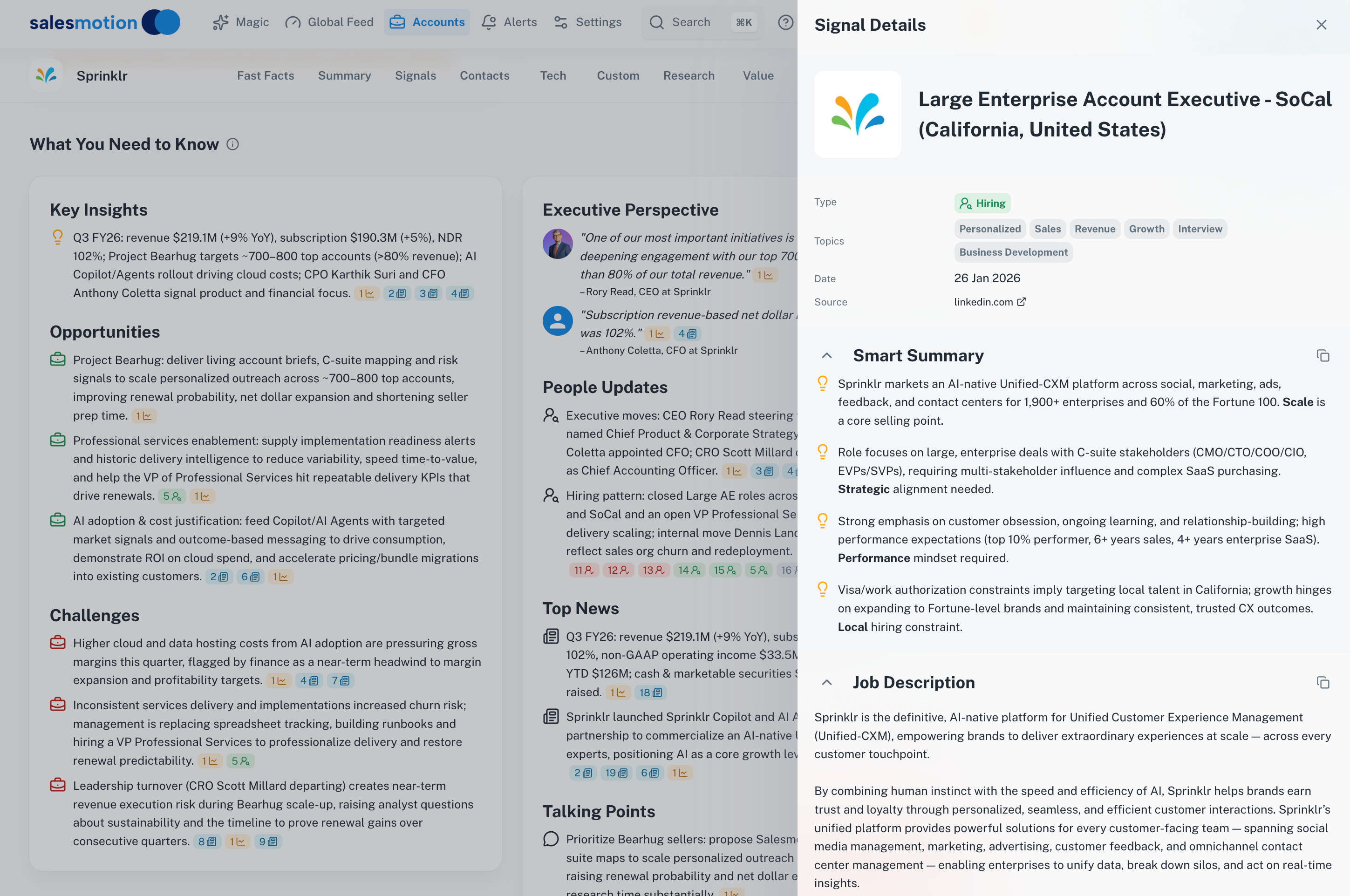 Clicking a hiring-related insight opens the full signal detail, showing the exact job posting or leadership change that the Summary is referencing.
Signal details include the original source link, date, and the full content — so you can verify anything the AI has summarised before using it in a meeting or email.
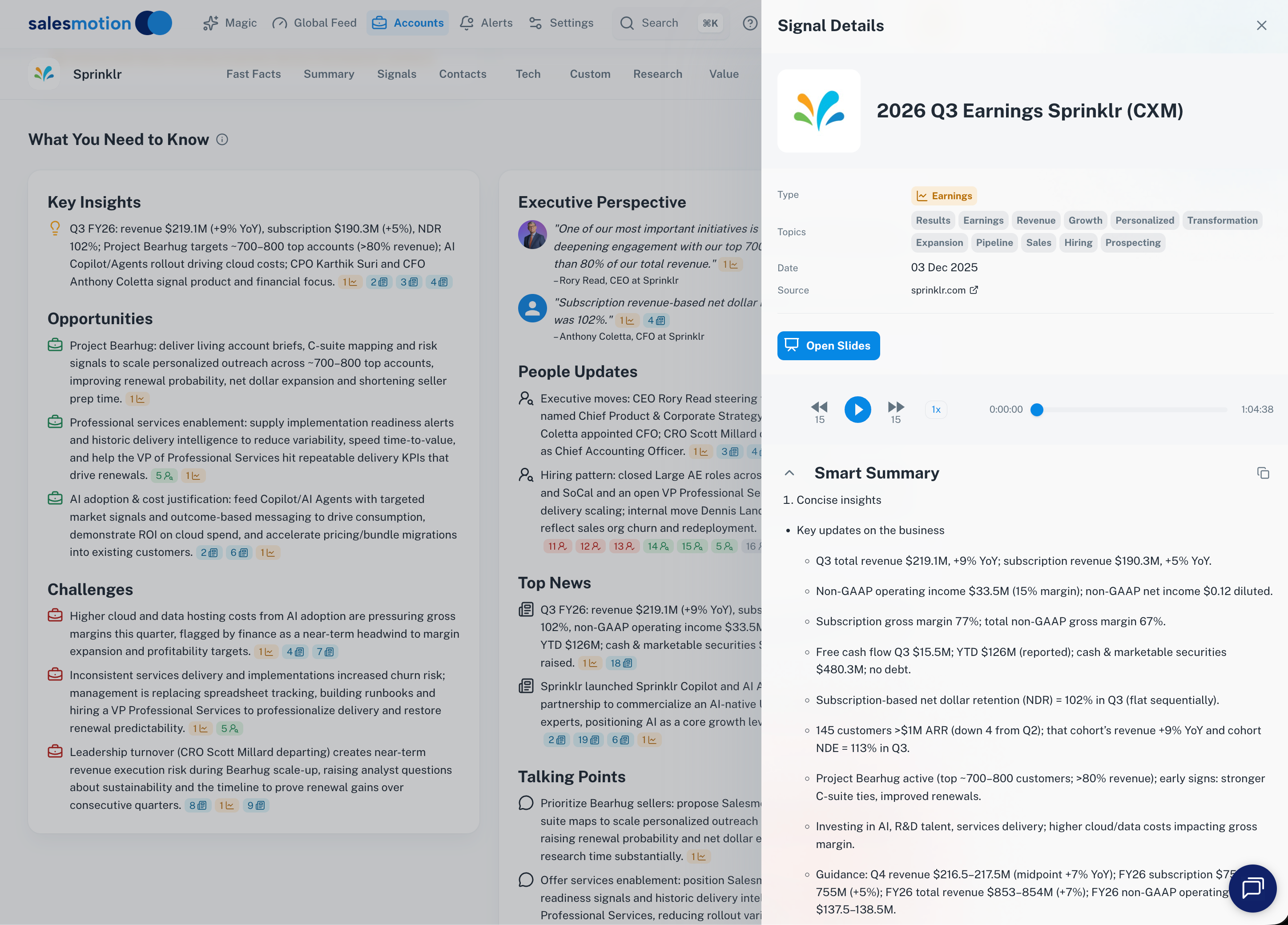 Earnings signal details include the transcript excerpt and a Smart Summary, giving you both the raw source and an AI interpretation.
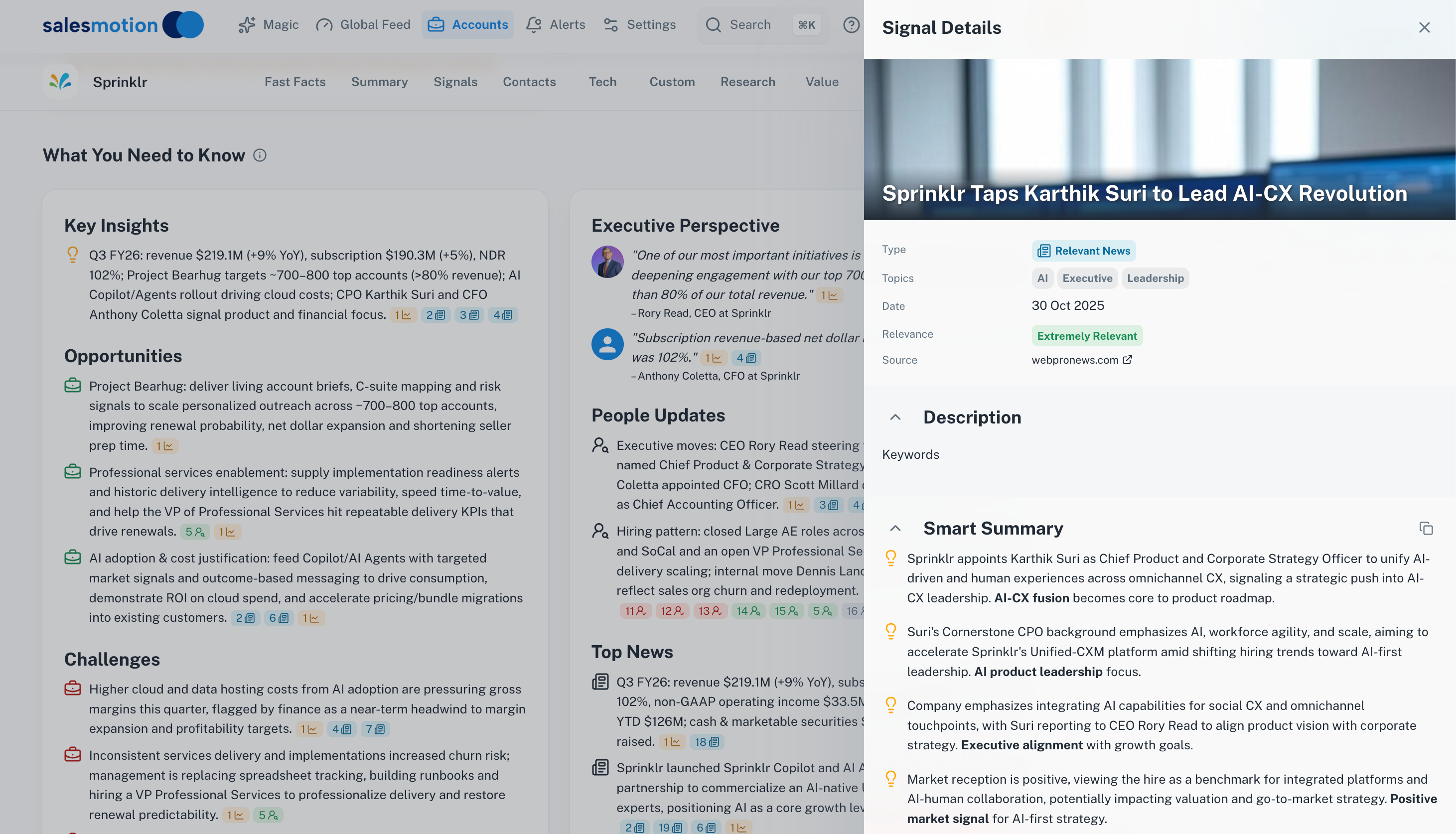 News signal details show the full article content — click the source link to read the original publication.
How the Summary is generated
The Summary is built automatically by Salesmotion's AI engine. Here's what goes into it:
- Signal collection — Salesmotion continuously monitors 1,000+ public sources for every tracked account, collecting news, earnings transcripts, job postings, filings, podcasts, and more.
- Analysis and synthesis — AI processes the collected signals, identifies the most important themes, and organises them into the seven Summary sections.
- Personalisation — If your workspace has a value proposition configured, the Opportunities and Talking Points sections are tailored to connect account activity with your solution's strengths.
- Continuous updates — The Summary refreshes as new signals are detected. Each time you visit the Summary tab, you're seeing the latest intelligence.
Refreshing the Summary
To force an immediate refresh of any account's Summary (and all other tabs), click the Refresh button (circular arrow) in the account toolbar. This triggers a fresh scan and AI re-generation.
Using the Summary effectively
Before a meeting or call
Open the Summary tab 5 minutes before your call. Read the Key Insights and Talking Points sections — this gives you enough context to sound prepared and ask informed questions. If you need to go deeper, scan the Executive Perspective for C-level priorities.
For account planning
The Opportunities and Challenges sections are invaluable for building account plans. They give you an AI-generated perspective on where your solution fits and what headwinds the account is facing — saving hours of manual research.
For deal strategy
Combine the Summary with the Value Pyramid and SWOT Analysis to build a complete picture of the account's strategic position. The Summary tells you what's happening now, while the Value Pyramid and SWOT provide longer-term strategic context.
For sharing with stakeholders
Need to brief your manager or an executive sponsor on an account? Export a PDF report — the Summary is included in the export and provides a comprehensive briefing that non-Salesmotion users can read and understand.
Tips for getting the most from Summaries
- Check Summaries regularly. They update as new signals arrive — an account's Summary today may look different from last week if there's been significant news or activity.
- Don't skip Talking Points. These are the fastest path from research to conversation. Use them as opening lines in cold outreach or as agenda items for existing relationships.
- Configure your value proposition. The Opportunities and Talking Points sections are significantly more useful when Salesmotion knows what your product does. Set this up in Settings → Setup.
- Click through to signal details. If you plan to reference a specific insight in a meeting, click through to verify the source first. This ensures accuracy and gives you the full context.
- Use Summaries alongside Magic. The Magic feature provides a more focused, outreach-oriented briefing. Use the Summary for deep understanding and Magic for quick outreach preparation.
Frequently asked questions
How often is the Summary updated?
The Summary refreshes continuously as new signals are detected. You'll always see the latest intelligence when you visit the tab. For an immediate refresh, use the Refresh button in the account toolbar.
Can I edit or customise the Summary?
The Summary is AI-generated and cannot be edited directly. However, you can influence what the AI focuses on by configuring your keywords and value proposition in Settings → Setup. Better configuration leads to more relevant Summaries.
Why does an account's Summary look thin?
If a Summary has limited content, it usually means the account has limited recent public signal activity. Smaller or private companies with less public presence will naturally have less material for the AI to work with. The Summary will fill out over time as new signals are detected.
What's the difference between the Summary and Magic?
The Summary tab is a comprehensive, always-available briefing covering seven sections of account intelligence. Magic provides a more focused, action-oriented view — it tells you what happened, why to reach out now, and how to position your message. Think of the Summary as your research tool and Magic as your outreach tool.