
What Intro Paths do
Salesmotion finds relevant contacts in target accounts. With Intro Paths, it goes one step further: it surfaces connections into those accounts from other people on your extended team.
For example: a Board Advisor shares their LinkedIn connections. Salesmotion then shows sales reps (or any Salesmotion user) who in their target accounts is connected to that Board Advisor, so reps can find warm introduction paths into accounts by leveraging their extended team instead of going in cold.
Here is what that looks like in practice. Semir uploaded his connections to Salesmotion, and now every user can see who his connections are at the company's target accounts — flagged with the Intro Path tag across the platform:
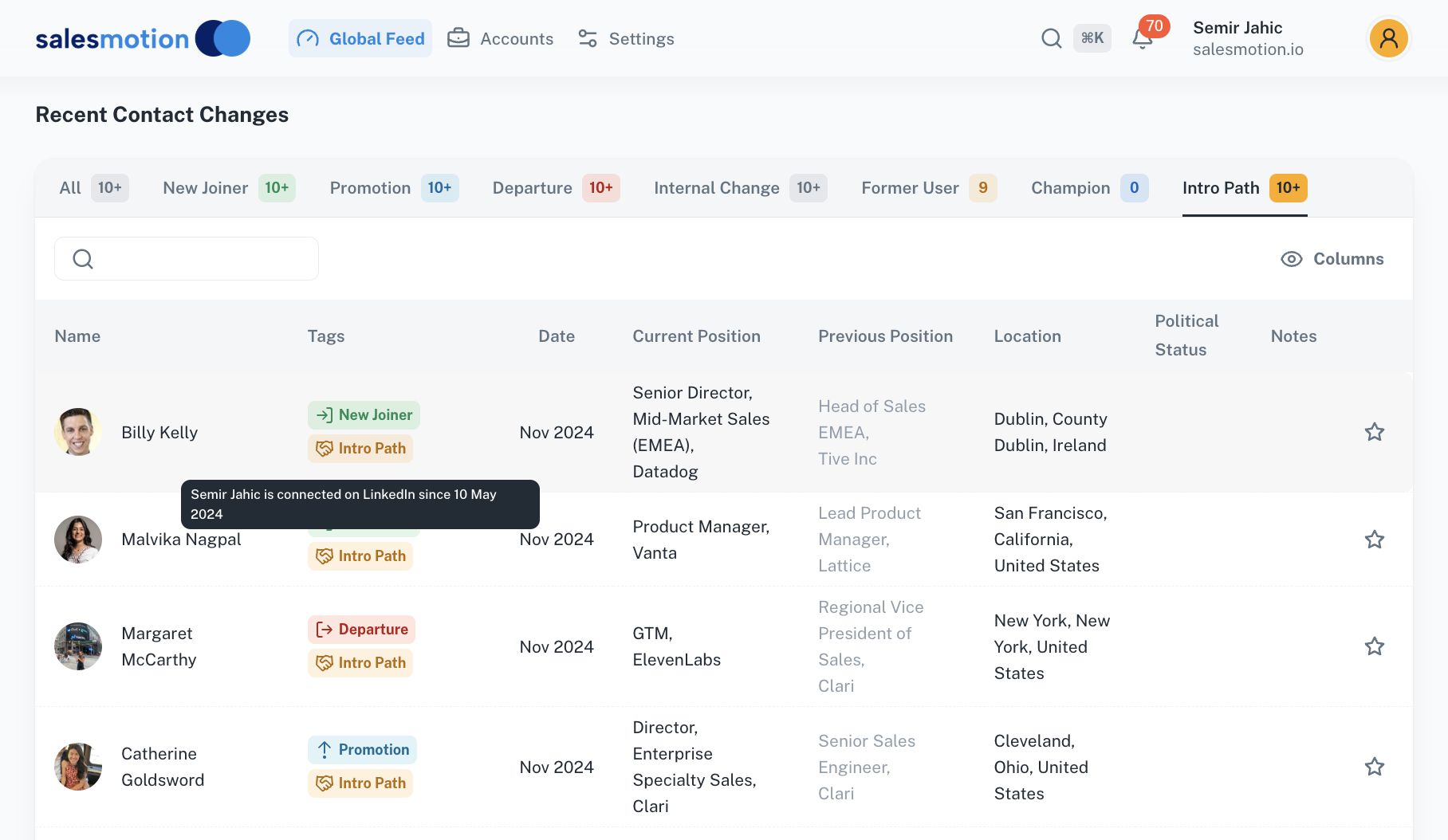
Sharing your connections takes about two minutes. Salesmotion needs one thing from each person who wants to share their network: an official Connections export from LinkedIn. Here is how to get it.
Step 1: Request your Connections export from LinkedIn
- Visit linkedin.com/mypreferences/d/download-my-data.
- Select "Want something in particular?"
- Tick Connections.
- Click Request archive.
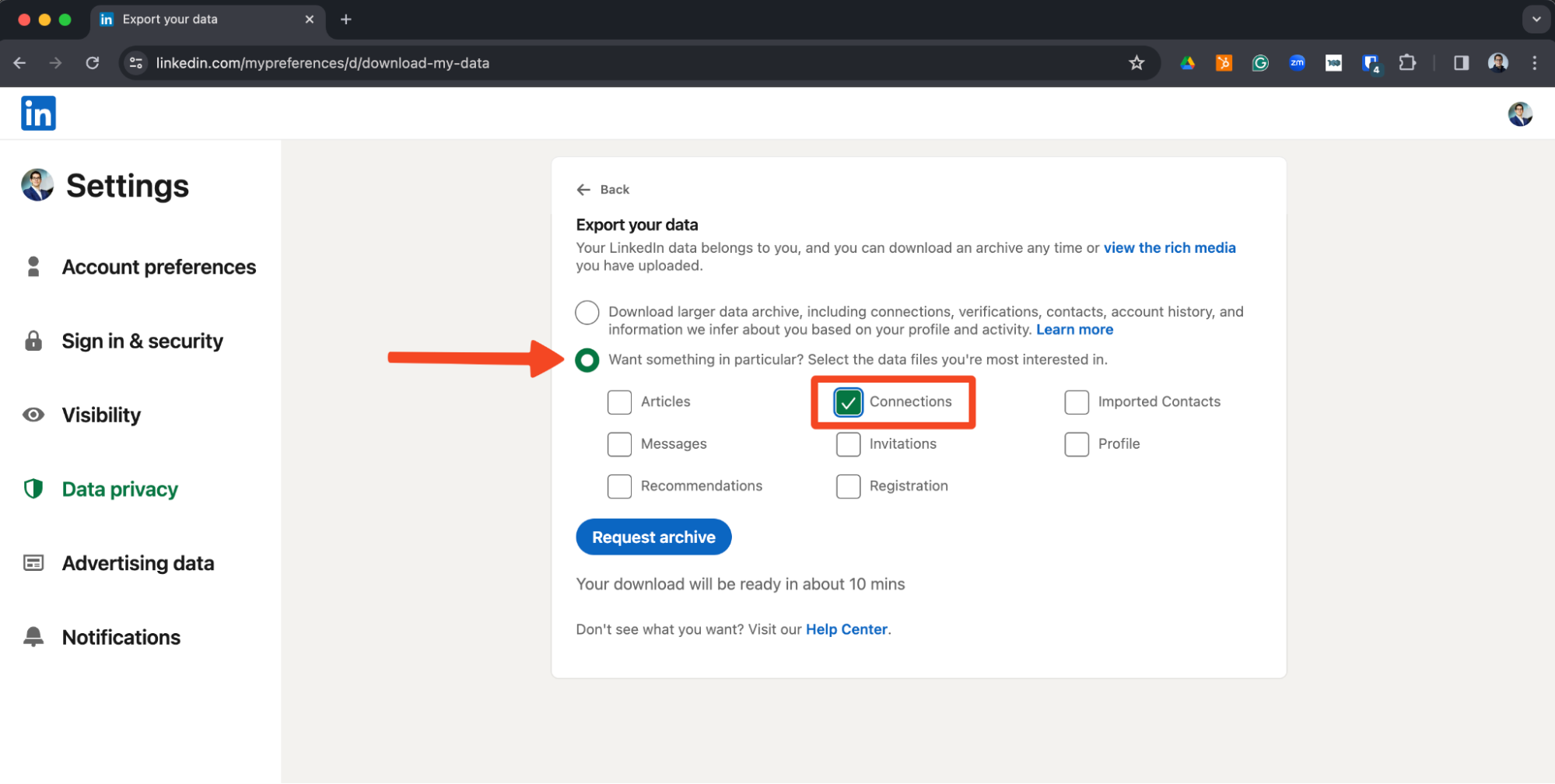
LinkedIn prepares the export for you — a connections-only archive is usually ready in about 10 minutes.
Step 2: Download the archive from your email
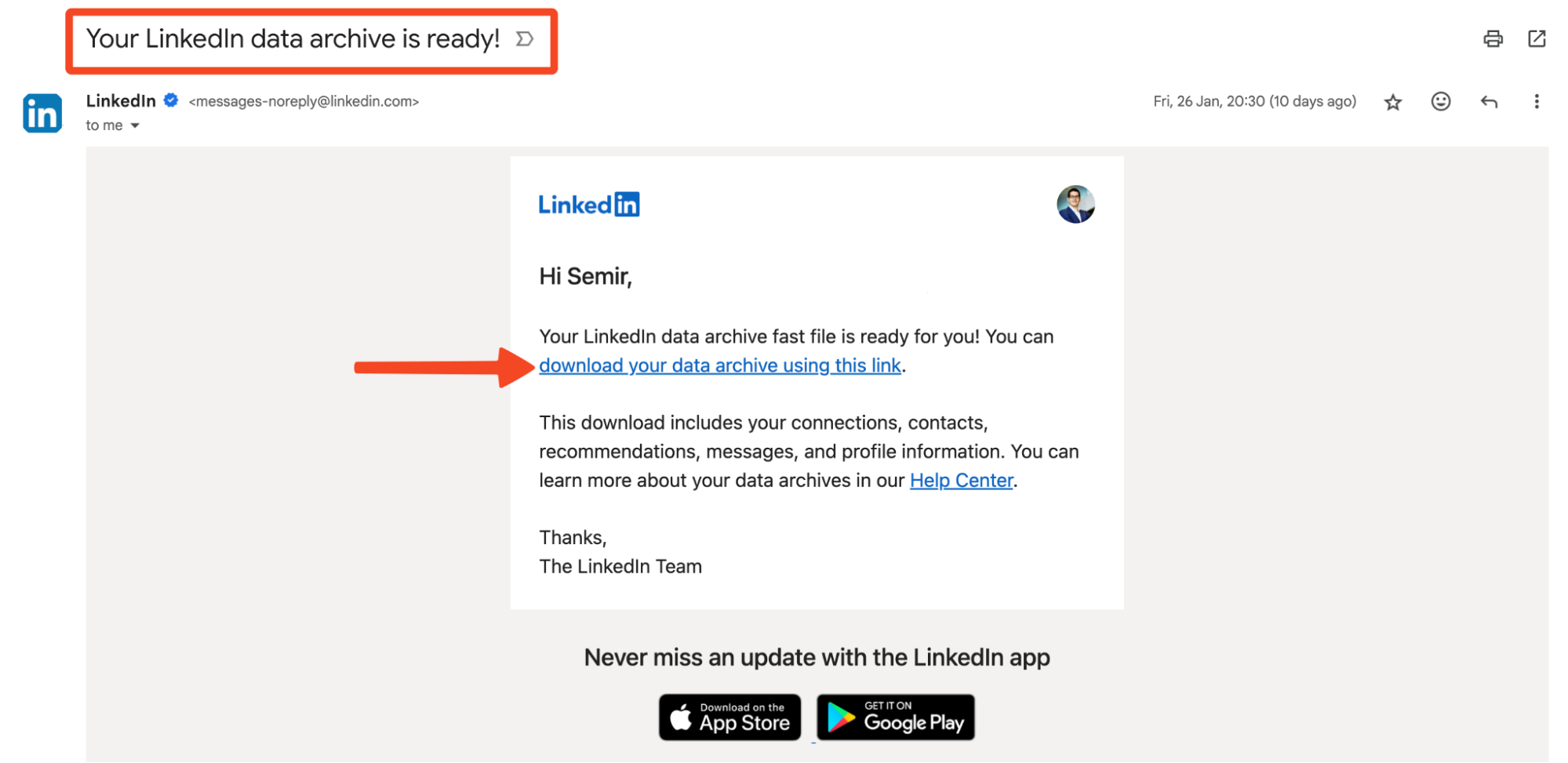
- After a short wait, LinkedIn emails you that your data archive is ready.
- Click the link in the email to download the archive.
Step 3: Send the file to your Salesmotion admin
Email the downloaded file, as is, to your Salesmotion admin — no need to unzip or edit anything. The team loads it into your workspace, and once processing finishes your connections are matched against the accounts in the platform. If you are not sure who your admin is, send it to support@salesmotion.io.
Getting the most out of Intro Paths
- Before outreach: check whether anyone on your extended team knows someone at the target account, and open with the relationship instead of a cold hook.
- Team leverage: the paths compound as more people share their connections — the person with the relationship is often not the account owner. Advisors, investors, and executives are especially valuable networks to add.
- Signal pairing: the strongest play is a live buying signal plus a warm path — reach out about the real event, through the person who knows you.
Your network changes, so re-export and re-share every quarter or after conference seasons. New uploads replace your previous connection set, so there is no duplicate cleanup to do.
Frequently asked questions
Is sharing my connections allowed under LinkedIn's terms?
Yes. You are exporting your own data through LinkedIn's official export tool, which LinkedIn provides exactly for this purpose. Salesmotion does not scrape LinkedIn or access data behind the login wall; the platform works from the file you choose to share.
Can my teammates see my connections?
Connections power Intro Paths within your workspace, which is the point of the feature for teams: the warm path into an account may belong to a colleague. If your role requires keeping your network private, raise it with your workspace admin before sharing.
Why do some connections not match to accounts?
Matching runs on company names and domains from your export. Connections whose current company is missing or outdated on LinkedIn, or who work at companies not tracked in your workspace, will not produce paths. The match rate improves as your tracked account list grows.