A global diagnostics company ran their entire sales research process by hand until four years ago. Reps manually tracked development stages, funding rounds, and therapeutic areas across a patchwork of databases, websites, and internal notes. It worked when the team covered a few dozen accounts. Then the business grew, the ICP expanded, and the manual process collapsed under its own weight. This story repeats in nearly every B2B sales org that relies on reps to "do their homework." The homework takes 5+ hours per week per rep, and the output is a pile of browser tabs and half-remembered facts that never make it into the CRM. According to the Salesforce State of Sales report, reps spend only 28% of their week actually selling. Account research and call prep consume 14% of the workweek, roughly 5.6 hours, and that number goes higher for enterprise reps managing complex, multi-threaded deals.
TL;DR: The average sales rep spends 5+ hours per week on manual account research, costing a 10-person team over $130,000 annually in lost selling time. The problem isn't effort or discipline. It's that the research workflow itself is broken: fragmented across too many sources, impossible to scale, and producing intelligence that goes stale within weeks. Teams that automate this process, like Analytic Partners (85% less research time) and Cytel (50% reduction), recover hundreds of selling hours per quarter without sacrificing research quality.
The Hidden Cost of "Just Google It"
Most sales leaders know their reps research accounts. Few have quantified what that research actually costs. Here is the math.
The Research Time Audit:
| Variable | Value |
|---|---|
| Number of reps | 10 |
| Hours spent on research per week | 5 |
| Loaded hourly cost (salary + benefits + tools) | $50 |
| Weeks per year | 52 |
| Annual research cost | $130,000 |
That $130,000 buys you browser tabs, fragmented notes, and intelligence that lives exclusively in each rep's head. It doesn't update when stakeholders change roles. It doesn't sync to the CRM. And it disappears the moment a rep leaves the company.
Scale those numbers to a 25-person team and you are looking at $325,000 annually, enough to fund two additional quota-carrying reps. For enterprise organizations with larger teams and higher loaded costs, the figure climbs past half a million.
This isn't theoretical. Gartner estimates that poor data quality costs the average organization $12.9 million per year. Sales research is one of the most visible places where that cost manifests: reps wasting hours on leads that moved companies, accounts that already have a vendor locked in, or contacts whose email addresses bounced two months ago.
The Six-Step Research Workflow (And Where Each Step Breaks)
To understand why research takes so long, walk through what a conscientious enterprise rep actually does before a first meeting:
Step 1: LinkedIn (15-20 minutes)
The rep searches for the target company, reviews the leadership team, checks for recent posts, and looks at mutual connections. They scan the prospect's personal profile for career history, recent activity, and shared interests.
Where it breaks: LinkedIn shows you who people are, not what the company is doing strategically. A prospect's title tells you their role but nothing about the initiatives they are prioritizing this quarter. And LinkedIn data decays fast. B2B contact data degrades at 2.1% per month, meaning roughly one in four contacts in your database will be outdated within a year.
Step 2: Company Website (10-15 minutes)
The rep reads the "About" page, scans the leadership team, checks the newsroom, and reviews product pages to understand what the company sells and how they position themselves.
Where it breaks: Corporate websites are marketing documents, not intelligence sources. They tell you what the company wants you to see, not what is actually happening. Strategic shifts, budget pressures, and organizational changes rarely appear on the website until months after they occur.
Step 3: News and Press Releases (10-15 minutes)
Google News, industry publications, press release wires. The rep is looking for recent funding, partnerships, product launches, executive hires, or regulatory developments.
Where it breaks: News search is noisy. You get hundreds of results, most irrelevant. Identifying which developments actually create a buying trigger requires context that a search engine doesn't provide. And critical signals like earnings call commentary, internal reorgs, and hiring pattern shifts rarely make it into news coverage.
Step 4: Financial Data and Earnings (15-25 minutes)
For public companies, the rep pulls earnings transcripts, 10-K filings, and analyst reports. They are looking for language about strategic priorities, technology investments, and organizational changes.
Where it breaks: This is where research time balloons. Earnings transcripts for large companies run 30-40 pages. Extracting the two or three sentences relevant to your value proposition takes real time and skill. Most reps skip this step entirely, which means they miss the richest source of buying signals available.
A business development rep at an HR software firm told us: "I don't want to do this. Nobody wants to read a 10k." That is why the step gets skipped. Reps know the filing matters, and they still will not read it by hand.
Step 5: CRM History (5-10 minutes)
The rep checks Salesforce or HubSpot for past interactions, previous opportunities, notes from other team members, and any existing relationship context.
Where it breaks: CRM data is only as good as what reps enter. If the last touchpoint was six months ago and the notes say "good call, will follow up," there is nothing useful to build on.
Step 6: Synthesis and Outreach Draft (15-20 minutes)
The rep mentally combines everything they found, identifies the strongest angle, and drafts a personalized email or call script.
Where it breaks: By this point, the rep has spent 70-105 minutes on a single account. They have context scattered across 6+ tabs, none of it structured or searchable. If they get pulled into a meeting or switch tasks, the context evaporates. And the research they just completed starts decaying immediately.
The total: 70-105 minutes per account, and that only covers the initial research. Ongoing monitoring (tracking leadership changes, new earnings, strategic shifts) adds hours more each week. Research shows that the average sales rep spends 45 minutes preparing for a single enterprise meeting, and many reps handle 5-10 meetings per week.

“We're saving about 6 hours per week per seller on account research alone. That's time they can reinvest in actually selling.”
Derek Rosen
Director, Strategic Accounts, Guild Education
Why More Tools Made the Problem Worse
The natural response to research inefficiency is to buy more tools. Companies now spend an average of $1,200 per rep per year on sales technology, but 67% of features go unused. The tool sprawl itself becomes part of the problem.
A logistics company in Asia-Pacific illustrates this perfectly. Their reps physically visit warehouses and use Google Maps to research prospects, then cross-reference findings across multiple databases. The result: roughly a 50% accuracy rate on the data they collect. Half the time, the information they gathered was wrong or outdated by the time they used it in a conversation.
A medical device startup with limited headcount tried a different approach. They tested three separate data providers to solve their research gap. The outcome was sobering: roughly 50% of the data across all three providers was inaccurate. As their team put it, bad data is worse than no data because reps act on it with confidence. They make calls referencing initiatives that ended, send emails to contacts who left, and pitch solutions to problems the account already solved. Each bad data point doesn't just waste time. It damages credibility.
The problem with stacking tools is that each one adds a login, a workflow, and a data format. Only 29% of sales professionals say their data is "very accurate" across systems. The other 71% are working with intelligence they can't fully trust, which creates a psychological drag: reps spend extra time verifying what their tools tell them, which is the exact research burden the tools were supposed to eliminate.
A head of sales at a global telecom provider captured this dynamic precisely: "Salespeople are inherently time-poor and seek the path of least resistance." Their previous data tools showed chronically low adoption because they added steps to the rep's workflow instead of removing them. The tool became another thing to check, not a replacement for the manual process.
What "Research Already Done" Looks Like in Practice
The breakthrough isn't better tools. It's removing the research step from the rep's workflow entirely. When a rep opens an account, the research should already be there: structured, current, and actionable.
Here is how that works in practice. A target account's CFO mentions "vendor consolidation" on their Q3 earnings call. Salesmotion detects the signal, updates the account brief with the exact quote and surrounding context, and surfaces it as a prioritized alert. The rep opens the account and sees the signal alongside the current org chart, recent hiring activity, competitive landscape, and technology stack. They draft outreach referencing the specific initiative within minutes, not after a multi-hour research sprint.
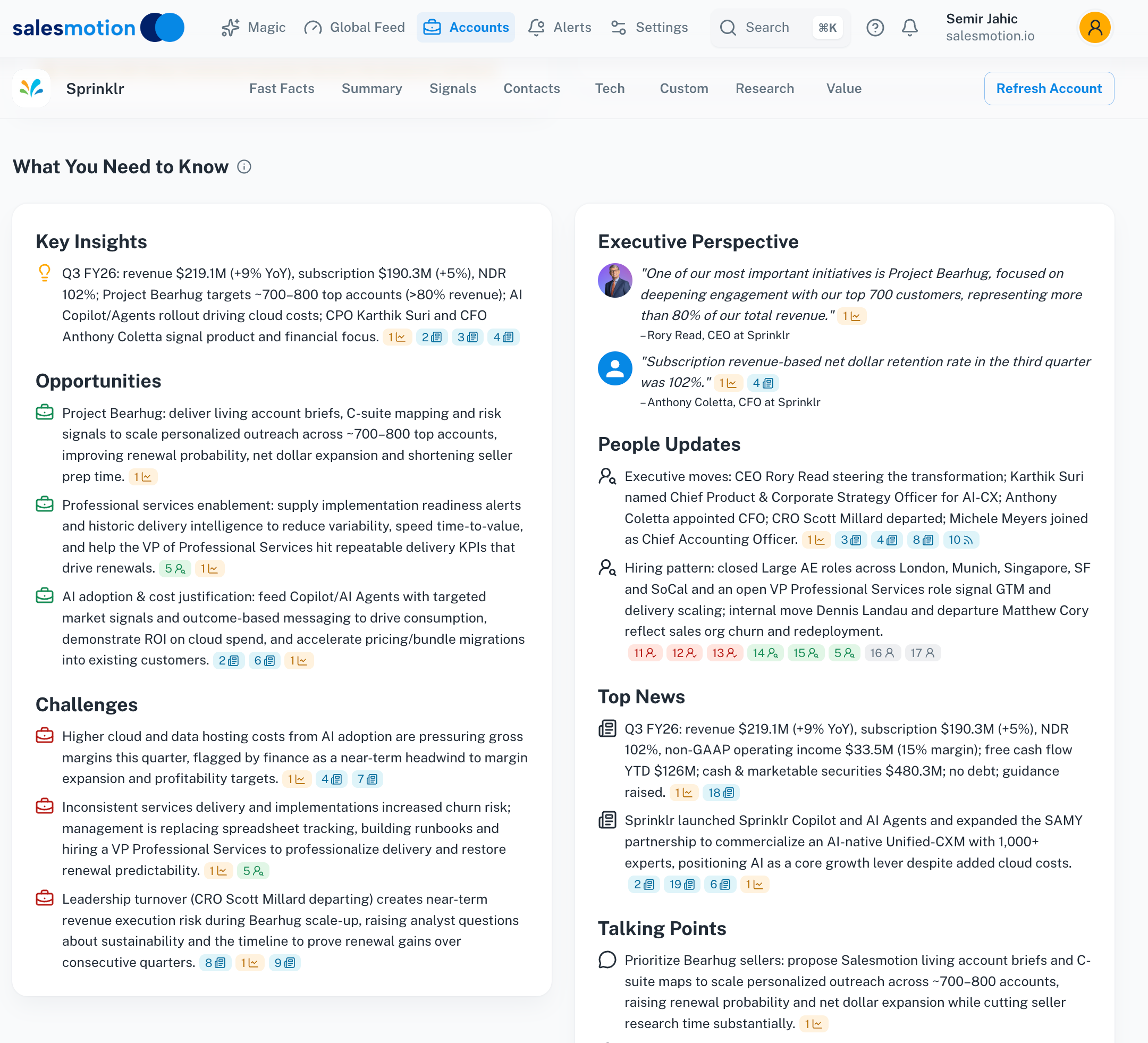 A single account brief aggregates company overview, strategic priorities, recent signals, and stakeholder data, replacing hours of manual research.
This is the shift Analytic Partners experienced. Andrew Giordano, VP of Global Commercial Operations, described the before state: "For one account, a rep could easily spend hours trying to piece together a story. We sell a high-value solution, so you must show the customer you know their business deeply. The problem was that reps were losing extraordinary amounts of time trying to get there."
After centralizing their account intelligence, the results were concrete. The business development team gets 80-90% of what they need for prospecting and meetings in 15 minutes. Research time dropped from 3 hours per account to a fraction of that. And qualified pipeline grew 40% because reps could cover more accounts at higher quality.
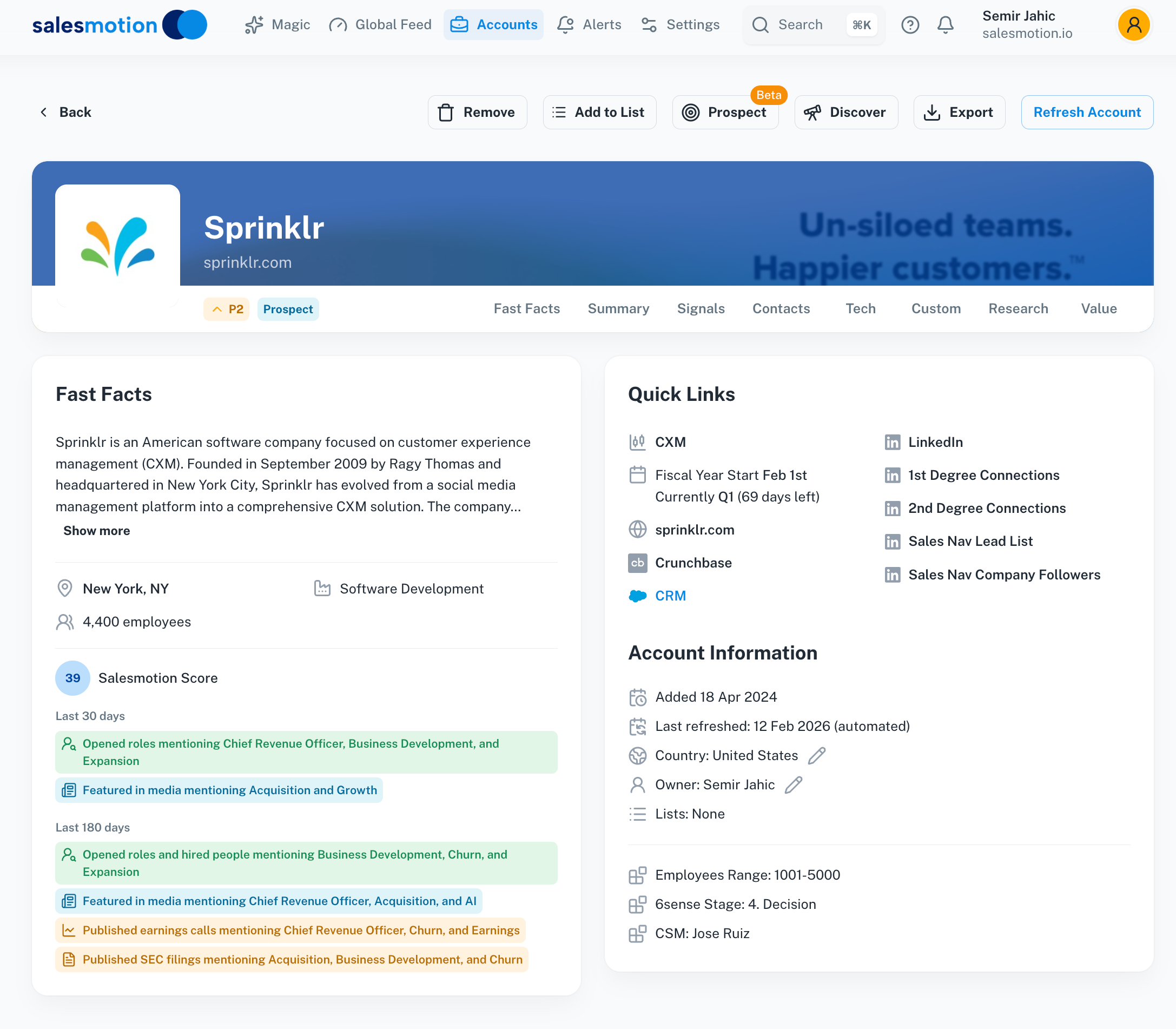 Fast facts give reps instant access to the firmographic and financial data they need without leaving the platform.
Cytel saw similar results in life sciences. Their team had been toggling across five separate tools for account research in life sciences. After consolidating to a single intelligence platform, research time dropped 50% across the entire sales team, and account planning prep time fell by 30%. As their Head of Sales Operations, Lyndsay Thomson, put it: "We had a variety of tools, and that was the pain, the variety. We had to go to multiple places to get streamlined data."
See Salesmotion on a real account
Book a 15-minute demo and see how your team saves hours on account research.
The Behavioral Shift That Matters More Than Time Savings
The hours recovered are the obvious win. The behavioral change is where the real ROI lives.
When research takes 90 minutes per account, reps research thoroughly for the big meetings and wing everything else. When the research is already done before they open the account, preparation becomes the default for every interaction. Discovery calls improve because reps already know the strategic priorities. Follow-up emails reference specific context. Even internal meetings get better because the team shares a common intelligence baseline instead of relying on whoever happened to check LinkedIn that morning.
This is especially critical for new hire ramp. Account research is one of the hardest skills for new reps to develop. Knowing where to look, what matters, and how to connect disparate data points into a coherent account narrative takes months of experience. When the intelligence is pre-assembled and continuously updated, new reps access the same quality of account intelligence that tenured sellers develop over years.
The net effect: instead of a team where three or four senior reps do real research and everyone else wings it, you get a team where every rep walks into every conversation prepared. That consistency compounds across hundreds of interactions per quarter.
Key Takeaways
- The average sales rep spends 5+ hours per week on manual account research, costing a 10-person team $130,000+ annually in lost selling time that produces no persistent, reusable intelligence.
- The six-step research workflow (LinkedIn, website, news, financials, CRM, synthesis) takes 70-105 minutes per account and produces context that starts decaying immediately.
- More tools often make the problem worse. Stacking data providers adds logins, workflows, and conflicting data without reducing the time reps spend verifying and synthesizing information.
- Teams that automate research report dramatic results: Analytic Partners cut research time by 85% and grew qualified pipeline 40%. Cytel consolidated 5 tools into one and reduced research time by 50%.
- The real ROI isn't just recovered hours. It's the behavioral shift where thorough preparation becomes the default for every interaction, not just high-stakes meetings.
- Audit your own research cost using the formula: reps x hours/week x loaded hourly cost x 52 = annual research investment. Then ask whether that investment produces intelligence that persists, updates automatically, and scales across the team.
Frequently Asked Questions
How much time do sales reps actually spend on account research each week?
Industry data from the Salesforce State of Sales report shows that account research and call preparation consume roughly 14% of a rep's week, translating to about 5.6 hours for a standard 40-hour workweek. Enterprise reps managing complex, multi-threaded deals often spend more, with some estimates reaching 7-8 hours per week when you include ongoing account monitoring, stakeholder tracking, and meeting preparation across their entire territory.
What is the ROI of automating account research?
The direct ROI comes from recovered selling time. A 10-person team spending 5 hours per week on research at a $50 loaded hourly rate invests $130,000 annually in manual research. Teams that automate this process typically recover 50-85% of that time. Analytic Partners reduced research from 3 hours to 15 minutes per account, while Cytel cut research time by 50% across their sales team. The indirect ROI is often larger: better-prepared conversations lead to higher win rates, faster deal progression, and improved pipeline quality. Analytic Partners saw a 40% increase in qualified opportunities after making the shift.
Why do most sales tools fail to reduce research time?
Most sales tools add data without removing steps. A tool that provides contact information still requires the rep to research the account context, identify relevant signals, and synthesize everything into an outreach angle. Each additional tool means another login, another interface, and another data format to reconcile. Only 29% of sales professionals rate their data as "very accurate" across systems, which means reps spend additional time verifying what their tools report. The tools that actually reduce research time are those that aggregate, synthesize, and continuously update intelligence so reps never need to assemble the picture manually.
How quickly can a team transition from manual to automated account research?
Implementation timelines vary, but purpose-built platforms are designed for speed. Analytic Partners was up and running within days, and their VP of Commercial Operations described it as "one of the easiest rollouts we've done." Cytel had real-time visibility into executive changes, news, and account signals within one week. The key factor is whether the platform requires significant configuration or delivers value out of the box. Tools that need months of customization before producing useful intelligence typically face adoption challenges before they ever reach full deployment.