You've probably done this five minutes before a call. LinkedIn open in one tab. Company website in another. Press release buried somewhere in search results. The prospect's profile half-read. Your CRM notes are thin, the clock is moving, and you're hunting for one useful insight that makes the conversation feel relevant.
That scramble is common. It's also where a lot of calls go bad before they start.
After watching hundreds of reps prepare for meetings, the pattern is obvious. Average reps collect facts. Strong reps find context. The ones who consistently book follow-ups don't just know what the company does. They know what changed, who cares, and why the call matters now.
That's the difference if you want to learn how to research a company before a sales call in a way that helps you win. Not academic research. Not a giant dossier. Just the right information, in the right order, turned into a point of view you can use live on the call.
The Difference Between a Good Call and a Great One
Two reps call the same account on the same day.
One opens with a safe summary of what the company does. The other opens with a point of view. New VP of Operations. Hiring push in implementation. Recent product launch. A support bottleneck is probably coming. Same account list, same offer, very different conversation.
That gap is usually research quality. More specifically, it is the difference between collecting facts by hand and showing up with a usable reason for the call.
A business development director at a late-phase clinical research organization once walked through her routine out loud. Pull a list. Drop it into a spreadsheet. Bulk-upload to a contact enricher. Filter by clinical-ops and CEO titles. Then open each company site one tab at a time and read the About Us, Programs, and Pipeline pages to infer where a program stood. By her count, ten to fifteen minutes of back-and-forth just to reach out to one company.
The timing matters more than most teams admit. Per Salesforce's 2025 State of Sales report, reps spend only 28 to 30 percent of their week actually selling. And 82 percent of top performers say they always research before contacting a prospect, versus 49 percent of everyone else, per RAIN Group, via SPOTIO.
A good call sounds prepared. A great call sounds timely.
Buyers can spot the difference fast. Generic preparation tells them you found the company page and skimmed LinkedIn. Strong preparation shows you understand what changed, who inside the business is likely feeling pressure, and where your offer fits. That is what creates a real why now.
My rule for new AEs is simple. If your opening line could survive a find-and-replace across ten accounts, it is not ready.
That standard matters on every channel, but it matters even more on phone-first teams. Reps with context ask tighter questions, handle brush-offs better, and earn the extra two minutes that decide whether a call turns into discovery. Teams that still rely on manual prep often spend that time gathering disconnected notes. Teams with a smarter workflow get to the call with a sharper hypothesis.
If you want a practical model for what good prep looks like, start with an account research checklist template for pre-call planning. Use it to pressure-test whether your notes lead to an actual talk track or just fill space in the CRM.
The same principle shows up in adjacent call environments. Hosted Telecommunications is a useful reference because it shows how call performance depends on structure, timing, and what the rep knows before the first question lands.
A good call says you did the homework.
A great call proves you found the signal, connected it to a business problem, and got there without wasting half your morning on tabs.
See Salesmotion in action
Take a self-guided interactive tour — no signup required.
The Manual Research Gauntlet Most Reps Run
Most reps don't have a research problem. They have a workflow problem.
They know they should prepare. They just do it the slow way. One tab for LinkedIn. One for the company site. One for news. One for tech lookup. One for the CRM. Then maybe they check investor pages, blog posts, earnings commentary, and a few social profiles. By the end, they've gathered a pile of notes but still don't know what matters.
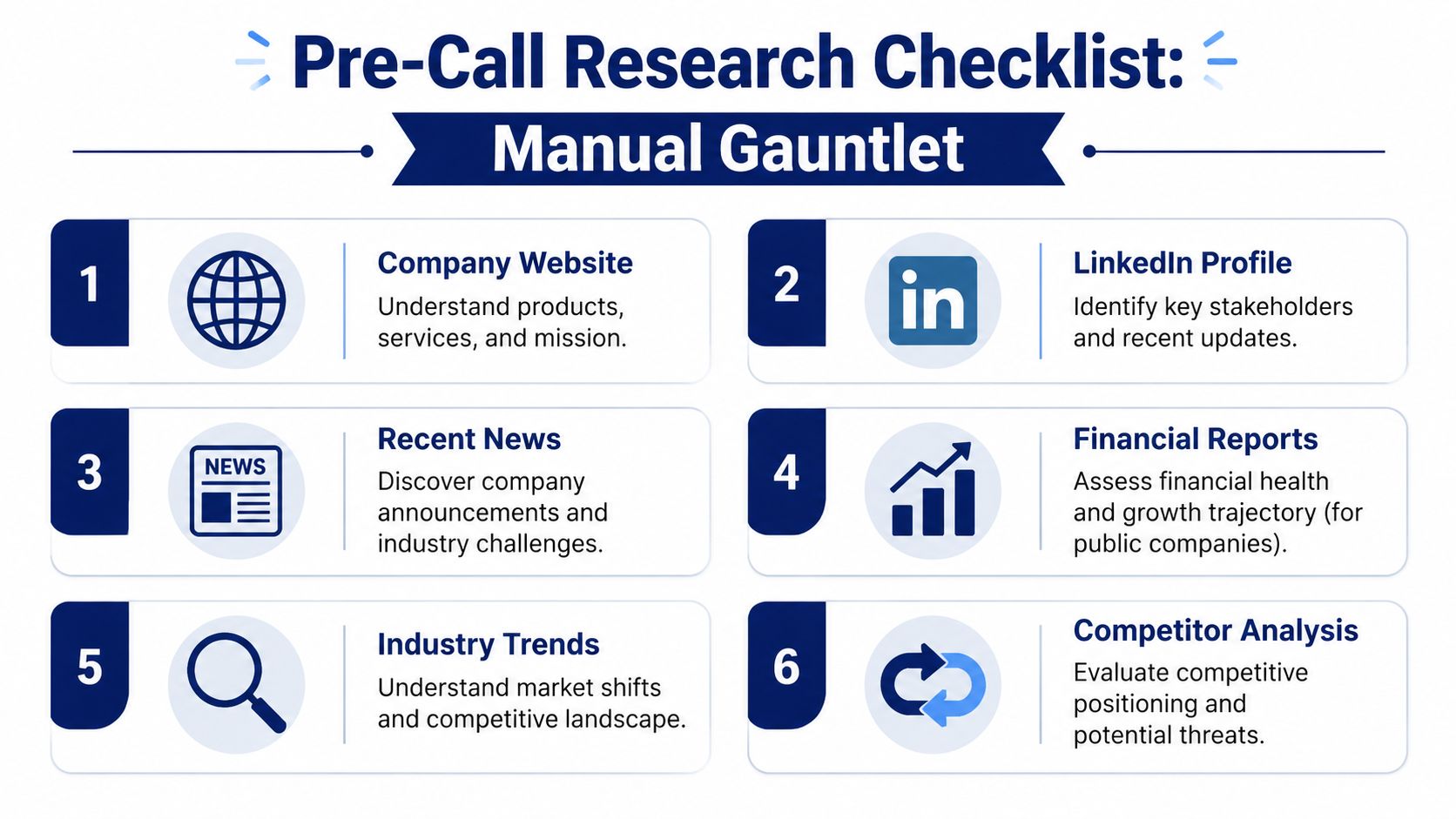
Here's the checklist most conscientious reps try to cover manually.
What to check first
Start with ICP fit, not curiosity.
A useful pre-call workflow filters for fit before deeper research. One sales research playbook recommends a focused 5–10 minute pass for most calls, starting with firmographics like industry, headcount, and revenue band, then moving to financial direction, decision-maker intelligence, trigger events, and competitive context, as outlined in Closerbrief's prospect research framework. If the account doesn't fit, stop there.
That alone saves teams from wasting time on structurally weak accounts.
A practical manual checklist usually looks like this:
- Company overview: Revenue band, headcount, business model, geographic footprint, product lines.
- Strategic priorities: Earnings calls, annual reports, leadership interviews, CEO blog posts, homepage messaging changes.
- Recent news: Executive hires, product launches, partnerships, expansion moves, investor updates.
- Technology stack: Website technologies, platform clues in job posts, visible integrations, implementation signals.
- Competitive analysis: Who they compete with, how they position, where they look vulnerable.
- The person you're meeting: Their LinkedIn, recent posts, tenure, previous roles, likely mandate, and how senior they are in the buying process.
Where the time goes
The slow part isn't finding one fact. It's stitching facts together.
A rep reads the About page to understand the company narrative. Then they jump to LinkedIn to see headcount and who works there. Then news search for changes. Then a tech lookup tool. Then the CRM to see past touches. Then back to LinkedIn for the specific stakeholder. It's not hard work. It's fragmented work.
A wall of information doesn't help a rep. A short answer to “why this account, why this person, why now” does.
I've seen teams burn huge amounts of selling time here. One prospect had a 10-person team manually researching 150 accounts per week. The issue wasn't effort. The issue was that effort was going into copy-pasting, tab switching, and summarizing instead of actual selling.
A stronger approach is to keep your notes brutally short. If you need a template, this account research checklist template is a useful way to force the output into something a rep can scan quickly before a call.
Three structural failure modes show up again and again. It is reactive, not continuous: by the time you happen to look at the new CFO or last Tuesday's earnings comment, a competitor who saw it first may already be in the conversation. Quality is inconsistent across the team: the best AE runs all six steps, the newest SDR copies the homepage description. And it does not scale with the list. Doing the checklist well for one big meeting is realistic. Doing it continuously for 50 to 200 named accounts, as situations change, is not.
A sales leader at an IT services firm told us: "probably them not being fully aware of what is going on in their target account list." That is the first failure mode in one sentence: reps who work hard and still miss what changed.
What works and what doesn't
A lot of reps over-research the wrong things.
What works:
- Checking fit before depth
- Looking for current business movement
- Researching both the company and the individual
- Capturing one reason to care and one reason to call
What doesn't:
- Building a long dossier on a poor-fit account
- Reading stale press releases
- Collecting facts you won't use live
- Confusing company history with call relevance
Manual research still has value. But only when it's disciplined. Otherwise it becomes a tax on the sales team.

“Consolidation of prospect company information that I can use frequently to be way better informed when I'm doing my outbound, preparing for a meeting, or building relationships. Ease of use and Customer Support is excellent.”
Werner Schmidt
CEO & Co-Founder, Lative
Separating Actionable Signals From Background Noise
Not every interesting fact deserves airtime on a sales call.
The company mission statement might help you understand brand language. It usually won't help you open a meaningful conversation. A press release from two years ago tells you where they were. It doesn't tell you what they're dealing with today.
The reps who get this right act more like investigators than archivists. They don't ask, “What can I find?” They ask, “What changed that might create urgency?”
Signals worth your time
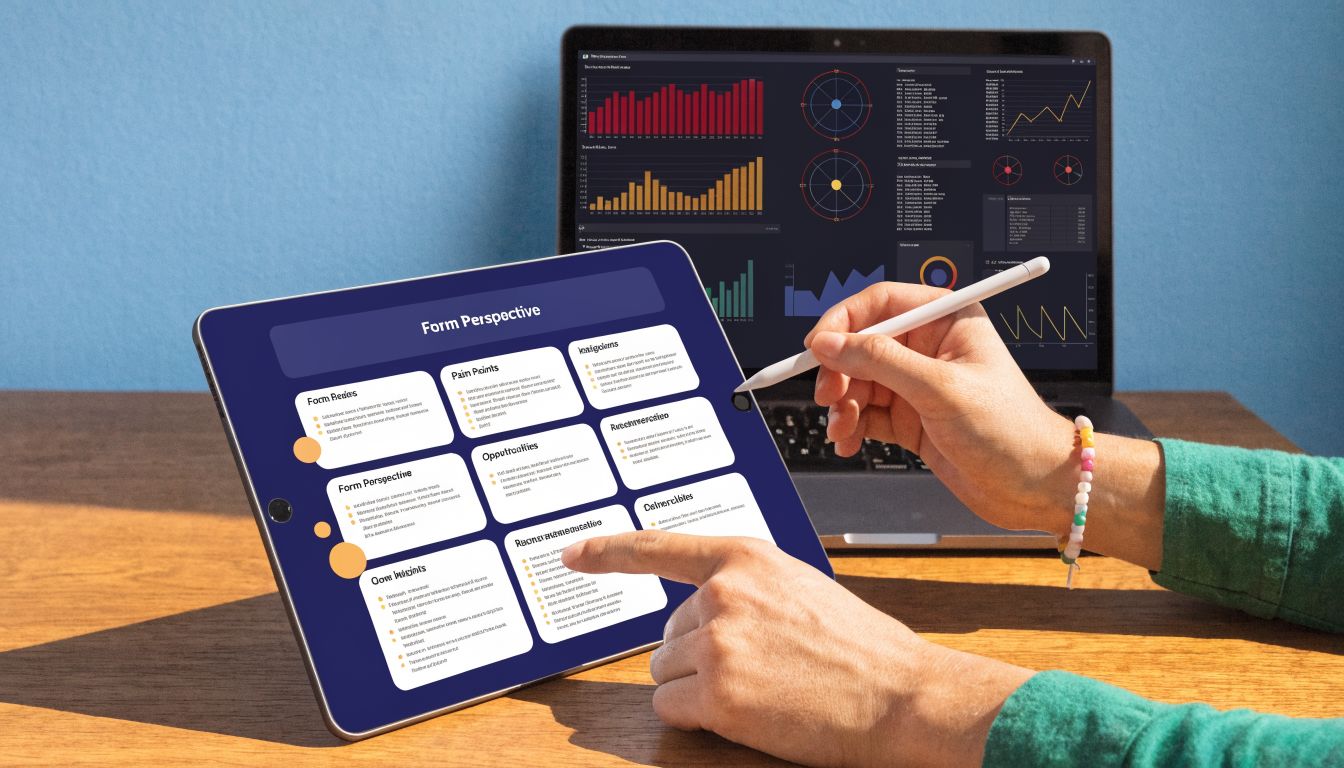
The most actionable research inputs before a call are recent triggers and role-specific stakeholder insights. A practical pre-call framework recommends spending about 3–5 minutes on decision-maker intelligence and another 3–5 minutes on triggers to produce one personal observation and one reason to engage now, as described in Brooks Group's pre-sales call research guide.
The triggers worth paying attention to include:
- Executive moves: A new CRO, CTO, COO, or VP often means new priorities, new vendors, and pressure to make visible improvements.
- Product launches: Launches create operational stress, customer support strain, and new execution risks.
- Hiring spikes: If a company is suddenly hiring in sales ops, implementation, data, or customer success, there's usually a process problem behind it.
- Strategic announcements: A shift toward efficiency, expansion, consolidation, or new market focus can shape your angle.
- Funding or investor updates: Not because money alone means budget, but because fresh expectations usually come with it.
- Org changes: Reorgs often expose bottlenecks and create willingness to revisit tools and workflows.
Match the signal to the person
At this stage, many reps get sloppy. They find a valid signal, then deliver it badly.
A CFO doesn't want a feature tour because the company launched a product. They care about whether the launch affects cost, risk, speed, and operational control. An implementation leader in the same company will care about very different things. Brooks Group makes this distinction clearly: executive buyers usually care about big-picture business impact, while operational buyers care more about features, capabilities, and implementation detail.
That's why buyer context matters as much as company context. If you're refining your view of in-market accounts, this guide to buyer intent data is a useful complement to company-level signal tracking.
If you can't explain why a specific event matters to the specific person you're meeting, you're still in research mode.
A simple ranking system
Use this test when you review any finding:
| Research item | Likely value before a call |
|---|---|
| Old company history | Low |
| Generic mission statement | Low |
| Last week's executive hire | High |
| Recent hiring surge in a relevant team | High |
| New product or partnership announcement | High |
| A stakeholder's recent post or comment | High |
Good research removes clutter. Great research creates a credible reason to ask better questions.
From Raw Data to a Winning Talk Track
Research by itself doesn't win anything. Synthesis does.
I've watched reps ruin solid preparation by turning the first five minutes of a call into a recital of facts. Buyers don't need that. They know their own company. What they want is a seller who can connect the dots and frame a useful conversation.
That means your output shouldn't be a notebook. It should be a one-page account brief you can use.
Build the brief a rep can scan fast
Keep it tight. The format I recommend looks like this:
-
Executive summary
Two or three sentences on what the company appears focused on right now. -
Why now
One recent trigger that creates urgency or relevance. -
Stakeholders
Who's involved, what they likely care about, and who probably owns the problem. -
Risks and friction
What could slow the deal down. Existing tools, competing initiatives, org complexity, or likely objections. -
Talk tracks and questions
One opening hypothesis and a handful of smart discovery questions.
If you want a useful shortcut, think in terms of a light SWOT. Not a school exercise. Just a practical lens:
- Strengths: What the company appears to be doing well
- Weaknesses: Gaps, friction, or operational strain
- Opportunities: Where your solution could help
- Threats: Competitive pressure, timing risk, internal blockers
Turn findings into hypotheses
Sales research cited by Sales Insights Lab found that top performers ask about 40% more questions in discovery conversations, and their discovery calls are 76% longer than those of average performers, according to Sales Insights Lab's sales research summary. That matters because better prep gives reps better questions. They don't waste time on surface-level basics.
Here's the practical formula:
I saw [trigger], which suggests you may be focused on [priority]. I'm reaching out because we help teams in that situation [address problem or improve outcome].
That's the bridge from raw data to a real opening.
Examples, without inventing unsupported claims:
-
If the company just hired a new revenue leader:
“I noticed the recent leadership change in revenue. That usually comes with pressure to tighten process and improve consistency across the funnel. I thought it might be worth comparing notes on where reps are still doing too much account prep manually.” -
If hiring is accelerating in a function you sell into:
“I saw the hiring push in your operations team. That often signals growth, but it also creates onboarding and coordination issues. I wanted to ask how your team is handling that ramp.” -
If the company launched a product:
“I noticed the new product push. In a lot of teams, that creates immediate pressure on enablement, messaging, and cross-functional execution. Curious how that's affecting priorities internally.”
A useful next step is learning how to apply that same method to current events and announcements. This piece on using company news for sales outreach is a solid reference for building outreach around real developments instead of generic personalization.
Questions that show real prep
Good discovery questions are loaded with context, but not in a manipulative way.
Try questions like:
- On the leadership side: “With the recent org change, what's getting the most scrutiny internally right now?”
- On execution: “When a company launches a new initiative like this, where does friction usually show up first for your team?”
- On priorities: “Is the focus more on speed, control, or consistency right now?”
Those questions work because they come from a hypothesis. That's what preparation is for.

“This is my singular place that very simply summarizes a company's top initiatives, strategies and connects them to my solution. Something I would spend hours researching manually, now it's automated.”
Derek Rosen
Director, Strategic Accounts, Guild Education
The Unfair Advantage of Automated Intelligence
A rep finishes one call, gets a last-minute meeting added for the afternoon, and has 12 minutes to prepare. In the manual workflow, that means bouncing between LinkedIn, the company site, recent news, the CRM, and a few half-reliable tabs from prior research. The result is usually predictable. Too much raw information, not enough clarity, and no time left to form a sharp point of view.
Automation fixes the speed problem, but that is only part of the value. The bigger improvement is consistency. Every rep gets a cleaner starting point, every account gets reviewed against the same signal set, and managers stop relying on hope that prep happened.
What automation fixes
The issue was never access to information. Reps already have more information than they can use.
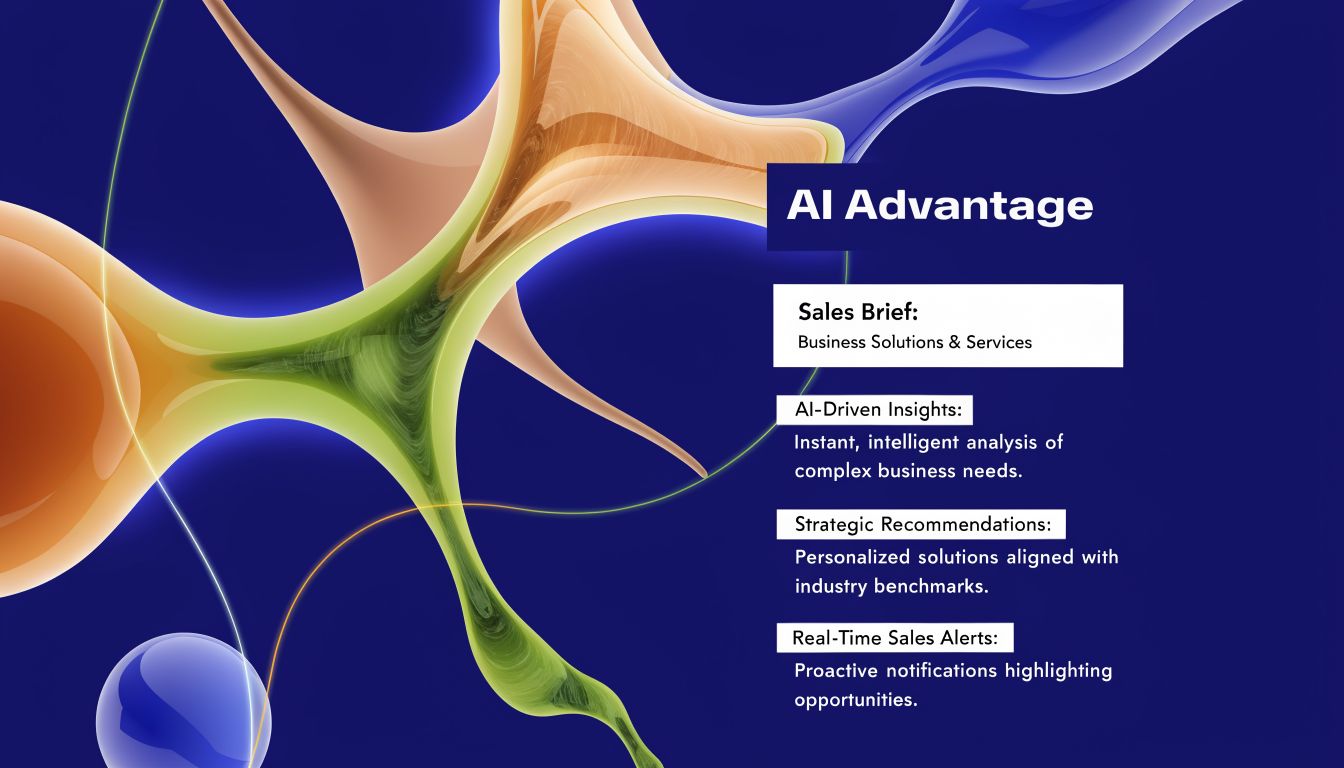
The issue is deciding what matters quickly enough to use it before the call. Good systems monitor account changes, filter out weak signals, and turn scattered inputs into a brief a rep can work from. That matters because buyers can tell when a rep did five minutes of surface-level prep versus real account work.
A strong automated workflow should give a rep four things:
- A current account brief: recent company direction, likely priorities, visible risks, and relevant changes
- Signal monitoring: alerts tied to events worth acting on, not random noise
- Stakeholder context: who is involved, what their role likely cares about, and where friction may show up
- Suggested talk tracks: opening angles and questions tied to actual signals, not generic scripts
That changes the assignment completely. Instead of "research this account," the rep gets "here is what changed, here is why it matters, and here is the angle to test."
The best research workflow cuts reading time and gives that time back to judgment.
What the smarter workflow looks like
A lot of teams piece this together with separate tools. LinkedIn helps with people and company activity. News databases catch announcements. Tech lookup tools add stack clues. CRM history adds context from prior touches.
Useful, but still fragmented.
The rep is still doing the hardest part. Sorting weak signals from strong ones, connecting those signals to business pain, and turning them into a credible opening. That is the gap sales research automation software is meant to close.
Tools in that category do more than collect data. They package the account into something usable before the meeting starts. A rep should be able to review one brief, see the likely trigger, understand who matters, and adjust the talk track in a few minutes. That is a better trade than asking good reps to spend half an hour assembling context by hand.
Salesmotion is one example. Its Research Agent monitors 1,000+ sources, so news, funding, leadership, hiring, and earnings inputs are already gathered when you open an account, organized into a single SWOT-style brief with AI-drafted talking points and a why-now angle pulled from real signals. The point is not that software reads faster. It is that research becomes continuous instead of reactive, and consistent across the team instead of dependent on who is doing it, so a new rep walks in with the same depth as the top performer.
The contrast is straightforward.
The old approach:
- open tabs
- skim pages
- copy notes into scattered fields
- miss timing signals
- walk into the call half prepared
The smarter approach:
- confirm account fit
- review a synthesized brief
- identify the trigger event
- tailor the opening and questions
- spend the call on discovery instead of catch-up
Automation does not replace sales judgment. It gives reps a stronger first draft of reality, which is exactly what they need before a live conversation.
Teams that made this shift report exactly that. At Cytel, Lyndsay Thomson, Head of Sales Operations, "cut research time by 50%" and consolidated five tools into one. At Cacheflow, Adam Wainwright, Head of Revenue, "reduced call prep time by 60%." At Guild Education, Derek Rosen, Director of Strategic Accounts, saved "30 minutes per account," roughly six hours back per rep, per week. That six hours is selling time the Salesforce data says most reps never get.
Conclusion: Prepared Reps Win Period
Most sales calls aren't lost because the rep lacked effort. They're lost because the prep was shallow, slow, or disconnected from what the buyer cared about.
My view: you can walk into a meeting and wing it, and it might not even go terribly. But if you had prepared, how good could that meeting have been?
That's why a disciplined research process matters. Start with fit. Look for current signals. Understand the company, the market context, and the specific person you're meeting. Then turn that into a short point of view, not a pile of notes.
Manual research can still work if the process is tight. But the trade-off is obvious. The old method asks reps to spend too much time gathering and too little time thinking. The better method reduces the admin burden and increases the quality of the conversation.
When reps walk into a call knowing the company's likely priorities, the stakeholder's likely concerns, and one clear reason to engage now, the tone changes immediately. Discovery gets better. Questions get sharper. The conversation moves faster.
That's the standard.
The reps who show up prepared win.
Frequently Asked Questions
What is the most important part of pre-call research?
The why now. Most reps can find what a company does and how big it is. Far fewer can name the specific, recent event that makes this the right moment to reach out. That catalyst, a new revenue leader, fresh funding, or an earnings comment about a priority you can help with, is what separates outreach that sounds informed from outreach that sounds like a template.
If your team is still doing account research by hand, Salesmotion is worth a look. It helps reps turn public signals into usable account briefs, stakeholder context, and timely outreach angles without spending half the day jumping between tabs.