If you're running revenue in HubSpot right now, this probably feels familiar. Marketing is still producing leads, sales is still asking for better ones, and both teams are staring at the same CRM while working from different priorities. The result isn't just wasted effort. It's a pipeline that looks busy but doesn't move.
TL;DR: HubSpot account based marketing means organizing sales and marketing around a fixed list of target accounts instead of lead volume. Tier the accounts and map buying roles in the CRM, run role-based workflows and sequences, add external signals so outreach has a reason to happen now, and report on pipeline, account penetration, and velocity by tier.
That’s where hubspot account based marketing changes the operating model. Instead of optimizing for lead volume, you organize around a finite list of accounts that are worth winning, expand the buying committee inside those accounts, and measure progress in pipeline terms. Done well, this turns HubSpot from a marketing database into a shared system for revenue execution.
The timing matters. ABM moved from emerging tactic to standard B2B practice fast. In 2021, 67% of brands were leveraging ABM, and by 2024 that figure had climbed to 82% of B2B companies. Top performers were allocating 18% of budget to it according to UserGems’ roundup of ABM statistics. That shift tells you something important. This is no longer a side program for enterprise teams with oversized budgets. It’s how serious B2B teams focus resources where they can create revenue.
Moving Beyond Leads to True Account-Based Wins
The old model breaks in a predictable way. Marketing celebrates inquiry volume. SDRs cherry-pick the easiest hand-raisers. AEs ignore anything that doesn't resemble a real buying cycle. Then leadership asks why conversion is uneven even though top-of-funnel looks full.
ABM fixes that by forcing a harder question first. Which accounts are worth coordinated effort from sales and marketing? Once that’s answered, HubSpot gives you the structure to tag those companies, assign priority tiers, track associated contacts, and keep activity visible in one place.

What makes this shift work is alignment. In a healthy ABM motion, marketing isn’t trying to maximize raw lead flow and sales isn’t running a separate account list from a spreadsheet on someone’s desktop. Both teams work the same named accounts, use the same lifecycle definitions, and judge success by account movement, not form fills.
That distinction is why the debate between old demand gen and ABM isn't academic. If you're weighing the trade-offs, this breakdown of account-based marketing vs lead generation captures the core difference well. Lead generation is broad by design. ABM is selective on purpose.
What changes inside HubSpot
HubSpot's ABM model is useful because it isn't just a campaign layer. It ties company records, contact roles, deals, workflows, reporting, and account views together. That gives revenue teams a practical way to answer questions like:
- Which target accounts are active and which are stalled
- How many stakeholders are engaged inside each company
- Whether sales is following up on the right accounts
- Which campaigns are influencing real opportunities
Practical rule: If sales and marketing can't open the same company record and agree on status, ownership, and next step, you don't have an ABM program. You have separate teams using the same software.
What ABM is and isn't
A lot of teams still mistake ABM for a set of personalized ads or a one-off outbound campaign. That’s too narrow.
ABM in HubSpot works best as a go-to-market discipline with three characteristics:
- A fixed account universe that both teams agree to pursue.
- Role-based engagement across the buying committee, not a single champion.
- A shared measurement model that prioritizes pipeline and progression over top-of-funnel activity.
When those pieces are in place, HubSpot becomes a strong base for execution. But the best programs don't stop at static account selection. They build the foundation in HubSpot first, then layer in better timing, better context, and better prioritization.
See Salesmotion in action
Take a self-guided interactive tour — no signup required.
Building Your ABM Foundation in HubSpot
Most hubspot account based marketing programs fail before launch. Not because the outreach is bad, but because the CRM structure is loose. Accounts aren't tiered consistently, buying roles are half empty, lifecycle rules are unclear, and nobody trusts the lists feeding campaigns.
The fix is boring, which is why it works. Build the data model before you build the play.
Start with ruthless account selection
HubSpot can support automated tiering, but the hard part isn't the workflow. It's deciding who belongs in the program. HubSpot’s predictive analytics can help automate account tiering, but success still depends on filtering aggressively to perfect-fit accounts. Top B2B marketers allocate 18% of budget to ABM, and their results hinge on that initial selection according to Hublead’s guide to HubSpot account-based marketing.
If the target list is sloppy, everything downstream gets worse. Messaging gets generic. Sales wastes time. Reporting turns noisy.
A strong first pass usually starts with these filters:
- Best-fit customers already in your base. Look for accounts with strong product fit, cleaner sales cycles, and healthy expansion potential.
- Firmographic fit. Industry, company size, geography, operating model, and any constraints that consistently affect win quality.
- Commercial fit. Deal size, implementation complexity, support burden, and renewal profile.
- Team capacity. Don't load sales with more target accounts than they can effectively work.
A useful companion to this step is a practical ideal customer profile template. The point isn't to produce a beautiful document. The point is to force agreement.
Set the core company and contact properties
HubSpot gives you a few ABM defaults out of the box, and they’re worth using. But many organizations need additional custom properties to run cleanly.
Below is a simple starting set.
| Property Name | Field Type | Purpose & Example |
|---|---|---|
| Target Account | Checkbox | Marks whether a company is in the ABM program. Example: checked for named accounts only. |
| Ideal Customer Profile Tier | Dropdown select | Prioritizes account fit. Example: Tier 1 for perfect-fit strategic accounts, Tier 2 for strong-fit accounts, Tier 3 for lower-priority fits. |
| Target Account Status | Dropdown select | Shows current motion. Example: Not Started, Researching, Engaging, Meeting Set, Opportunity, Customer. |
| Buying Committee Role | Dropdown select or multi-checkbox | Identifies a contact’s role. Example: Decision Maker, Champion, Influencer, Approver. |
| Account Owner | HubSpot user | Clarifies who owns day-to-day execution for the company. |
| ABM Notes Summary | Multi-line text | Captures account context, active initiative, or recent developments. |
| Last Meaningful Engagement | Date picker | Helps reps and managers spot stale accounts quickly. |
| Priority Use Case | Dropdown select | Connects messaging to the problem you solve. Example: expansion, cost reduction, process visibility. |
Build lists that support execution
Properties without lists are just labels. You need active lists that drive outreach, alerts, and reporting.
Create lists that answer operating questions, not vanity questions. Good examples:
- Tier 1 accounts with no open opportunity
- Target accounts with at least one engaged contact but no meeting booked
- Target accounts missing a Decision Maker
- Target accounts missing a Champion
- Contacts at target accounts by buying role
- Dormant target accounts with no recent activity
Those lists become the audience engine for ads, email, rep tasks, and manager reviews.
Teams get into trouble when they treat account lists as static. The list should be stable enough to focus effort, but dynamic enough to reflect ownership, status, and buying committee coverage.
Define the minimum data standard
Before campaigns launch, agree on what must exist on every account. Keep it strict.
The minimum standard for teams generally should include:
- Assigned tier
- Assigned owner
- Current target account status
- At least one identified use case
- Named contacts mapped to buying roles
- A short account note that explains why this account matters
If you want one extra control, require both a Decision Maker and a Champion before heavier activation starts. That keeps teams from mistaking one engaged contact for true account coverage.
What not to do
A few setup mistakes show up again and again:
- Using lead scoring logic at the account level. ABM lives at the company and buying-group level, not just the individual lead level.
- Skipping role mapping. If every contact is just "a lead," personalization collapses.
- Tiering too many accounts as top priority. If everything is Tier 1, nothing is.
- Ignoring sales capacity. Strong ABM programs can create more activity than reps can work. If follow-up slows, momentum dies.
HubSpot is a strong ABM foundation when the CRM reflects how your team sells. If the structure is clean, workflows and sequences become much easier to trust.

“The moment we turned on Salesmotion, it became essential. No more hours on LinkedIn or Google to figure out who we're talking to. It's just there, served up to you, so it's always 'go time.'”
Adam Wainwright
Head of Revenue, Cacheflow
Activating Plays with Workflows and Sequences
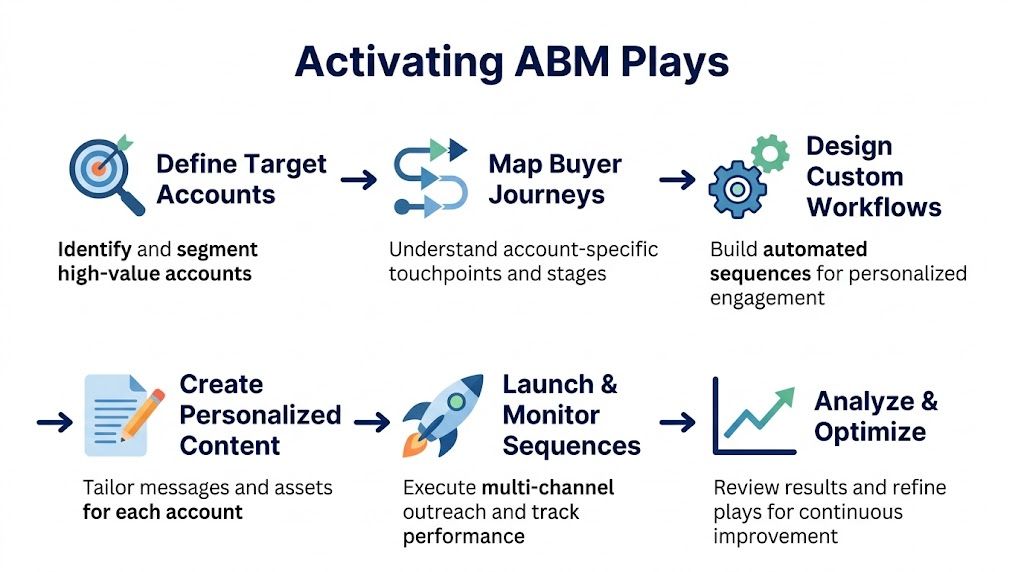
Once the CRM foundation is in place, the next job is orchestration. At this stage, hubspot account based marketing either becomes a repeatable operating motion or stays a neat framework nobody follows under pressure.
HubSpot gives you enough automation to coordinate marketing actions, rep tasks, internal alerts, and account status changes without creating a mess. The key is to automate the handoff logic, not the relationship itself.
Build around account movement, not isolated clicks
A common mistake is designing workflows around individual events that look interesting but don't mean much on their own. One email open or one content download rarely tells you whether an account is moving.
A better model uses a combination of company state, contact engagement, and sales activity. For example, a Tier 1 account might move through a sequence like this:
- The company is marked as a target account and assigned Tier 1.
- Key contacts are associated and tagged by buying role.
- Marketing engagement from those contacts updates an account review queue.
- The account owner gets a task when engagement reaches a threshold your team agrees matters.
- If a meeting is booked, HubSpot updates the target account status.
- If the meeting stalls, a workflow prompts a follow-up task and flags the account for manager review.
That sounds simple because it should be. The point of workflow design is clarity.
A practical Tier 1 activation pattern
Here’s a structure that works well for high-priority accounts.
Trigger one for account readiness
Use a company-based workflow when:
- the Target Account property is true
- the ICP Tier equals Tier 1
- an owner is assigned
Once those criteria are met, automate a short checklist:
- create a task for the account owner to validate the buying committee
- notify marketing that the account is ready for personalized air cover
- stamp a date property like "ABM Activation Date"
- create an internal note template for account planning
Trigger two for contact engagement
Use contact-based workflows for meaningful interactions from associated contacts. You don't need to overcomplicate this. Focus on actions your team cares about, such as a form submission tied to a strategic asset, a meeting request, or repeated engagement from multiple contacts in the same account.
When that happens:
- update a company-level review flag
- create a task for the owner
- add the contact to the correct audience or nurture path
- if buying role is missing, route a cleanup task to the rep or ops team
Trigger three for stage progression
As soon as a deal is created for a target account, your workflow should update the company status and suppress conflicting messages. This is one of the most overlooked parts of ABM operations.
Marketing shouldn't keep pushing early-stage messaging once sales is actively working a live opportunity. HubSpot can manage that state cleanly if your workflows are connected to deal creation and deal stage updates.
If your sequences keep running after a real conversation starts, automation is hurting you. Buyers notice when your systems don't know they're already in a deal cycle.
Sequences and playbooks need role logic
Sequences work in ABM when they reflect the contact’s role in the buying group. A Champion should not receive the same email path as a senior decision-maker, and neither should get the same follow-up as a late-stage approver.
That means your sequence enrollment rules should use contact properties like buying role, account tier, and active opportunity status.
A practical split looks like this:
- Decision Maker path. Shorter sequence, stronger business case, fewer touches, more direct asks.
- Champion path. More enablement content, internal selling support, clearer problem framing.
- Influencer path. Educational messaging and proof tied to day-to-day pain.
- Approver path. Risk reduction, implementation confidence, commercial clarity.
Pair those sequences with Sales Hub Playbooks so reps know how to handle discovery, objection handling, and next-step framing by persona.
What good automation looks like in practice
Good ABM automation in HubSpot has a few characteristics:
- It reduces delay. Reps know quickly when to act.
- It preserves context. Ownership, role, and account state stay visible.
- It avoids duplication. The same contact doesn't get conflicting messages from different teams.
- It leaves room for judgment. Reps still tailor outreach and call strategy.
What it doesn't do is write your strategy for you. If your target list is loose, if your use cases are vague, or if reps don't trust the data, no workflow will rescue the program.
Common failure patterns
These are the workflow decisions that usually create more friction than value:
- Too many enrollment triggers. When every event creates a task, reps stop believing alerts matter.
- No suppression logic. Contacts stay in nurture when they should move to sales-owned treatment.
- Sequence enrollment without role mapping. Messaging gets generic fast.
- Status fields no one updates. If key properties aren't maintained, automation decays.
The best HubSpot ABM setups feel almost invisible to the user. Reps see timely tasks, clean context, and the next best action. Marketing sees which accounts are warming up. Managers see where execution is slipping.
That’s enough. You don't need a maze of workflows. You need a system people will use.
Fueling Your ABM Engine with Real-Time Signals
HubSpot is strong at organizing known accounts and tracking engagement on your owned channels. That’s valuable, but it leaves a serious gap. Most high-value buying motion starts outside your forms, emails, and landing pages.
An executive joins. A new initiative shows up in a press release. A company raises capital. A competitor gets mentioned on an earnings call. A target account starts hiring for roles that suggest a new program is underway. If your team only reacts after someone clicks your content, you're often late.
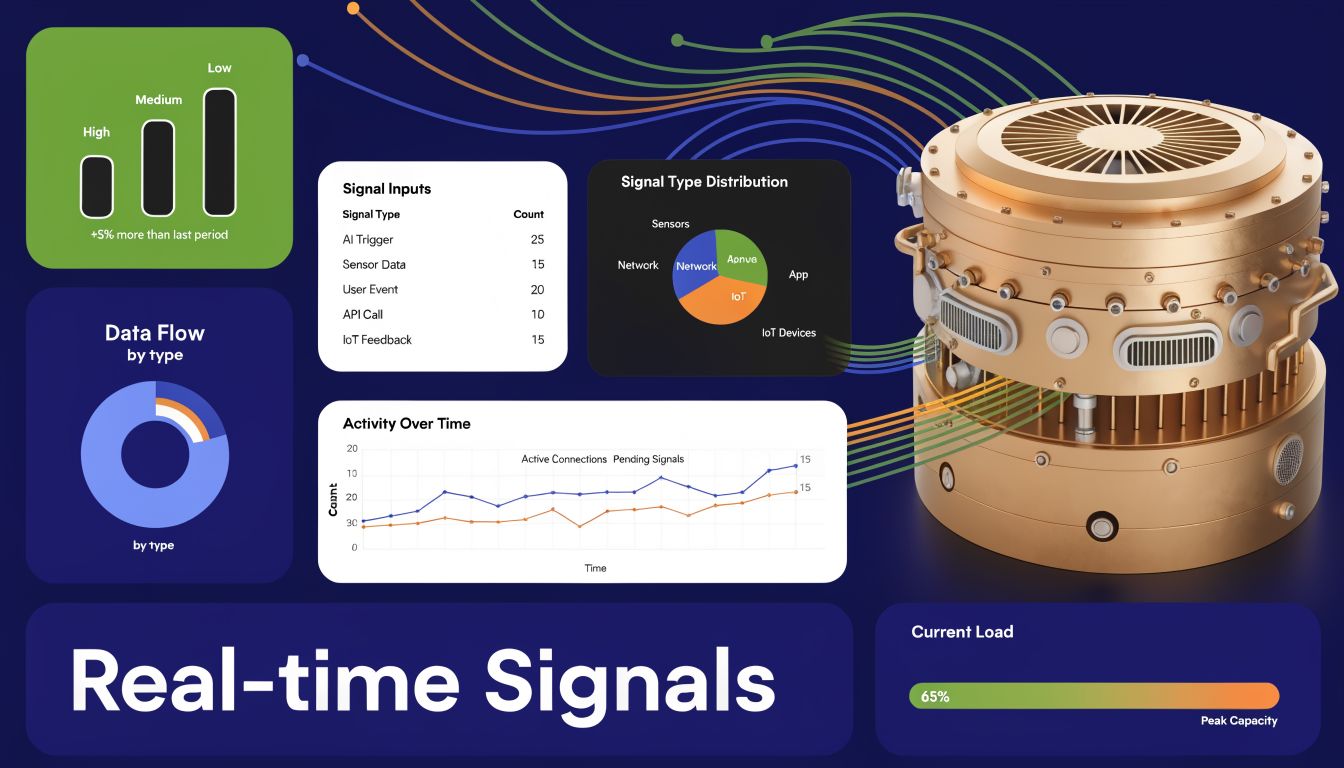
That’s the main limitation of native hubspot account based marketing. It is excellent at systematizing account data and engagement. Round-the-clock monitoring of external signals is a separate layer that teams add on top.
The gap is measurable. HubSpot’s native tools excel at tracking engagement. A 2025 Gartner report found that 68% of ABM failures stem from missed signals, and only 22% of HubSpot users integrate external signal intelligence tools according to this analysis of how to leverage HubSpot for ABM. That should get every revenue leader’s attention.
Why static data stops helping
Firmographics are useful for selection. Engagement data is useful for response. Neither is enough for timing.
If you know an account matches your ICP, that tells you who to target. If someone from that account visits a page or downloads a guide, that tells you they noticed you. But neither tells you why now.
That missing context is why so much ABM outreach feels technically personalized but commercially empty. The email references the company name, industry, and maybe a recent visit. It still doesn't connect to an active business event.
For a deeper view of that gap, this explanation of buyer intent data is useful. Intent should include more than digital breadcrumbs inside your own stack.
The practical value of external signals
The best ABM teams look for triggers that change urgency or relevance. Examples include:
- Executive moves. New leaders often review vendors, strategy, process, and tooling.
- Funding or investor updates. Fresh capital usually changes priorities and budgets.
- Hiring patterns. New roles can signal expansion, transformation, or a new operating focus.
- Strategic announcements. Press releases and interviews often reveal current initiatives.
- Competitive context. Mentions in public discussions can expose pressure points or openings.
Those events give reps a point of view. Not "checking in." Not "bumping this up." A real reason to reach out with timing that makes sense.
The difference between average ABM and excellent ABM is usually timing. Relevance matters, but relevance delivered late still feels generic.
How to connect signals back into HubSpot
The operating model is straightforward even if the tooling varies.
An external signal platform monitors target accounts continuously. When a meaningful event appears, the system pushes the alert into the places your team already works, often Slack, email, or the CRM. From there, HubSpot becomes the execution layer:
- update the account note or status
- create a rep task
- attach context to the company record
- enroll the right contact in the right motion
- trigger internal review for strategic accounts
A realistic example looks like this. Your Tier 1 account hires a new revenue leader. The alert reaches the account owner with context about the executive move and why it might matter. The rep doesn't start from zero. They can reference the business change, tie it to the account's likely priorities, and send a message that sounds informed instead of assembled from a generic template.
What to watch out for
Real-time signals are powerful, but only when filtered well. Teams get into trouble when they treat every event as outreach-worthy.
Use three filters:
- Is the account in your priority set?
- Does the event relate to a problem you solve?
- Can the rep explain the so-what in one sentence?
If the answer to any of those is no, don't force the action.
HubSpot remains the backbone of the program. But if you want ABM that feels timely instead of reactive, you need more than static fit and inbound engagement. You need signals that explain why an account is worth attention today.
“Automatic account profile detail I can use to manage my territory. Using Salesmotion AI to generate value statements per persona, account, etc. Using Salesmotion to give me a starting point based on new hires, or news alerts is critical.”
Adam Wainwright
Head of Revenue, Cacheflow
Measuring Success with HubSpot ABM Dashboards
A lot of ABM reporting still gets trapped in marketing metrics. Open rates, click rates, form fills, ad engagement. Those numbers can help diagnose activity, but they don't prove account progress.
The point of hubspot account based marketing is not to create prettier engagement charts. It’s to create more qualified pipeline from the right accounts and help those accounts move faster.

The best metric shift is simple. Successful ABM requires revenue-centric measurement, not just engagement. HubSpot users report up to a 30% reduction in sales cycle length when marketing and sales align on target accounts, enabled by tracking multi-touch attribution and account penetration as outlined in this guide to measurable HubSpot ABM results.
That gives you the measurement philosophy. Now you need the dashboard structure.
The four dashboard views that matter
Use separate dashboard views for different jobs. Trying to cram everything into one ABM dashboard creates noise.
Executive view
This should answer whether the program is producing revenue impact.
Include reports like:
- target account pipeline by tier
- open opportunities from target accounts
- won deals from target accounts
- sales cycle trend for target accounts
- marketing-influenced pipeline share for target accounts
Leaders want to know whether the motion is working. They do not need every channel detail.
Manager view
This should answer whether the team is executing properly.
Track:
- target accounts by status
- target accounts with no recent activity
- target accounts missing key buying roles
- meetings booked by account tier
- opportunities created by account owner
Managers spot drift. Accounts with no progression. Reps focusing on easier but lower-value companies. Tier 1 accounts with weak coverage.
Rep view
This should help account owners prioritize today's work.
Useful reports include:
- accounts with recent engagement and no follow-up task
- target accounts with multiple engaged contacts
- dormant opportunities in target accounts
- companies with active deals but low contact coverage
- contact engagement by buying role inside owned accounts
The rep dashboard should be operational. If a report doesn't help someone decide what to do next, remove it.
Marketing view
This should show whether campaigns are reaching the right accounts and roles.
Use:
- engagement by target account
- content interaction by buying role
- campaign influence on target account opportunities
- audience coverage across target tiers
- net new contacts added within target accounts
That final metric matters more than many teams realize. In ABM, contact growth inside the right companies is often an early sign that account penetration is improving.
The metrics that tell the truth
A few measures consistently matter more than the rest.
| Metric | Why it matters | What to look for |
|---|---|---|
| Account Penetration | Shows whether you're reaching beyond one contact | Multiple relevant stakeholders engaged inside priority accounts |
| Pipeline Velocity by Tier | Reveals whether priority accounts are moving efficiently | Faster progression in higher-fit tiers when execution is strong |
| Opportunity Creation | Connects activity to actual commercial movement | Whether engagement turns into qualified pipeline |
| Marketing Influence | Shows if campaigns help move real deals | Influence across active target accounts, not just raw response |
| Buying Role Coverage | Prevents overreliance on one champion | Presence of Decision Makers, Champions, and other key roles |
| Win and Loss Patterns | Helps refine targeting and messaging | Which account types progress, stall, or close |
For a broader framework, this guide to account-based marketing metrics is a solid reference point.
How to interpret the dashboard without fooling yourself
The reporting trap in ABM is false confidence. Engagement can rise while pipeline stalls. Meetings can rise while account quality drops. New contacts can rise while the buying committee stays incomplete.
Use these interpretation rules:
- High engagement with low opportunity creation usually means your messaging is attracting interest without enough commercial relevance.
- Good meetings but weak penetration often means reps are overworking one champion.
- Strong target account activity with slow pipeline velocity usually points to handoff issues, poor qualification, or unclear next steps.
- Tier 1 underperforming Tier 2 may mean your top-tier list is too broad or your best reps are spread too thin.
Measure the account, not just the contact. A single engaged person can create false optimism for months.
The dashboard build standard
Inside HubSpot, consistency matters more than report sophistication. A few operating rules keep ABM dashboards useful:
- Group related assets into campaigns so attribution stays visible.
- Use standardized lifecycle and status values across teams.
- Audit buying role data regularly or account penetration reports become unreliable.
- Separate target from non-target reporting so performance differences are visible.
- Review by tier because not all accounts deserve the same reading of success.
The teams that get the most out of HubSpot reporting treat dashboards as management tools, not presentation tools. They use them in forecast reviews, account reviews, and weekly execution checks. That’s when ABM measurement starts improving behavior, not just documenting it.
Putting It All Together Your ABM Flywheel
The strongest hubspot account based marketing programs don't run like campaigns. They run like systems. You define the right accounts, build the CRM structure to support them, activate coordinated plays, add better timing through external signals, and measure what moves revenue.
That creates a flywheel. Better account selection improves outreach quality. Better outreach improves buying committee penetration. Better penetration improves opportunity creation. Better measurement sharpens the next round of targeting.
A few habits keep that flywheel healthy:
Keep the target list honest
Review target accounts regularly. Some companies will look perfect on paper and go nowhere. Others will show clear momentum and deserve more investment. Tiering should change when reality changes.
Protect sales and marketing alignment
Alignment doesn't survive on kickoff meetings. It survives when both teams use the same account definitions, status fields, and review cadence. If either team starts managing from a separate list, the program slips fast.
Treat account context as a living asset
Your ICP, buying roles, account notes, and opportunity assumptions should evolve. Strong programs don't set this once and forget it. They update context as new stakeholders appear, priorities shift, and signals come in.
Don't confuse automation with strategy
HubSpot can automate a lot. That doesn't mean every step should be automated. Use workflows to remove delay and reduce admin work. Keep judgment, account planning, and message quality in human hands.
ABM gets easier once the operating model is clear. Sales knows where to focus. Marketing knows who it's trying to influence. Leadership can see whether the work is producing pipeline, not just activity.
If your team already uses HubSpot but still struggles with weak timing, thin account context, or generic outreach, Salesmotion can help fill that gap. It gives revenue teams real-time account signals, structured research, and actionable outreach context so reps can move on the right accounts at the right moment, without adding more manual research to the week.